
 我要评论
我要评论在 word 中,可填充表单通常有两种实现方式:经典表单字段和内容控件。内容控件(content control)是 word 2007 之后引入的特性,相比经典字段,它支持更丰富的类型(如日期选择器、图片控件),在界面上的表现也更现代。在 free spire.doc for java 中,内容控件通过 structuredocumenttaginline 类来创建。
本文基于一个完整的示例代码,讲解如何使用免费库中的 structuredocumenttaginline 在 word 文档中创建七种常见的内容控件,并设置文档保护,使用户只能填写表单区域。
环境准备
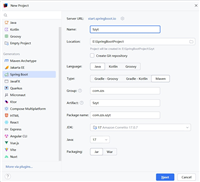
在 maven 项目中引入 free spire.doc for java:
<repositories>
    <repository>
        <id>com.e-iceblue</id>
        <url>https://repo.e-iceblue.cn/repository/maven-public/</url>
    </repository>
</repositories>
<dependencies>
    <dependency>
        <groupid>e-iceblue</groupid>
        <artifactid>spire.doc.free</artifactid>
        <version>5.2.0</version>
    </dependency>
</dependencies>
非 maven 项目可以手动下载 jar 包并加入 classpath。
完整示例代码
以下代码创建一个包含七种内容控件的表格表单,并最终保存为 .docx 文件。
import com.spire.doc.*;
import com.spire.doc.documents.*;
import com.spire.doc.fields.docpicture;
import com.spire.doc.fields.textrange;

import java.util.date;

public class createfillableform {

    public static void main(string[] args) {

        // 创建文档对象
        document doc = new document();

        // 添加一节
        section section = doc.addsection();

        // 添加一个 7 行 2 列的表格
        table table = section.addtable(true);
        table.resetcells(7, 2);

        // 在第一列添加说明文字
        paragraph paragraph = table.getrows().get(0).getcells().get(0).addparagraph();
        paragraph.appendtext("plain text content control");
        paragraph = table.getrows().get(1).getcells().get(0).addparagraph();
        paragraph.appendtext("rich text content control");
        paragraph = table.getrows().get(2).getcells().get(0).addparagraph();
        paragraph.appendtext("picture content control");
        paragraph = table.getrows().get(3).getcells().get(0).addparagraph();
        paragraph.appendtext("drop-down list content control");
        paragraph = table.getrows().get(4).getcells().get(0).addparagraph();
        paragraph.appendtext("check box content control");
        paragraph = table.getrows().get(5).getcells().get(0).addparagraph();
        paragraph.appendtext("combo box content control");
        paragraph = table.getrows().get(6).getcells().get(0).addparagraph();
        paragraph.appendtext("date picker content control");

        // 1. 纯文本内容控件(单元格 0,1)
        paragraph = table.getrows().get(0).getcells().get(1).addparagraph();
        structuredocumenttaginline sdt = new structuredocumenttaginline(doc);
        paragraph.getchildobjects().add(sdt);
        sdt.getsdtproperties().setsdttype(sdttype.text);
        sdt.getsdtproperties().setalias("plain text");
        sdt.getsdtproperties().settag("plain text");
        sdt.getsdtproperties().isshowingplaceholder(true);
        sdttext text = new sdttext(true);
        text.ismultiline(false);
        sdt.getsdtproperties().setcontrolproperties(text);
        textrange tr = new textrange(doc);
        tr.settext("click or tap here to enter text.");
        sdt.getsdtcontent().getchildobjects().add(tr);

        // 2. 富文本内容控件(单元格 1,1)
        paragraph = table.getrows().get(1).getcells().get(1).addparagraph();
        sdt = new structuredocumenttaginline(doc);
        paragraph.getchildobjects().add(sdt);
        sdt.getsdtproperties().setsdttype(sdttype.rich_text);
        sdt.getsdtproperties().setalias("rich text");
        sdt.getsdtproperties().settag("rich text");
        sdt.getsdtproperties().isshowingplaceholder(true);
        text = new sdttext(true);
        text.ismultiline(false);
        sdt.getsdtproperties().setcontrolproperties(text);
        tr = new textrange(doc);
        tr.settext("click or tap here to enter text.");
        sdt.getsdtcontent().getchildobjects().add(tr);

        // 3. 图片内容控件(单元格 2,1)
        paragraph = table.getrows().get(2).getcells().get(1).addparagraph();
        sdt = new structuredocumenttaginline(doc);
        paragraph.getchildobjects().add(sdt);
        sdt.getsdtproperties().setsdttype(sdttype.picture);
        sdt.getsdtproperties().setalias("picture");
        sdt.getsdtproperties().settag("picture");
        sdtpicture sdtpicture = new sdtpicture();
        sdt.getsdtproperties().setcontrolproperties(sdtpicture);
        docpicture pic = new docpicture(doc);
        pic.loadimage("c:\\users\\administrator\\desktop\\chooseimage.png"); // 替换为实际图片路径
        sdt.getsdtcontent().getchildobjects().add(pic);

        // 4. 下拉列表内容控件(单元格 3,1)
        paragraph = table.getrows().get(3).getcells().get(1).addparagraph();
        sdt = new structuredocumenttaginline(doc);
        sdt.getsdtproperties().setsdttype(sdttype.drop_down_list);
        sdt.getsdtproperties().setalias("dropdown list");
        sdt.getsdtproperties().settag("dropdown list");
        paragraph.getchildobjects().add(sdt);
        sdtdropdownlist sddl = new sdtdropdownlist();
        sddl.getlistitems().add(new sdtlistitem("choose an item.", "1"));
        sddl.getlistitems().add(new sdtlistitem("item 2", "2"));
        sddl.getlistitems().add(new sdtlistitem("item 3", "3"));
        sddl.getlistitems().add(new sdtlistitem("item 4", "4"));
        sdt.getsdtproperties().setcontrolproperties(sddl);
        tr = new textrange(doc);
        tr.settext(sddl.getlistitems().get(0).getdisplaytext());
        sdt.getsdtcontent().getchildobjects().add(tr);

        // 5. 复选框内容控件(单元格 4,1)——两个复选框
        paragraph = table.getrows().get(4).getcells().get(1).addparagraph();
        sdt = new structuredocumenttaginline(doc);
        paragraph.getchildobjects().add(sdt);
        sdt.getsdtproperties().setsdttype(sdttype.check_box);
        sdtcheckbox scb = new sdtcheckbox();
        sdt.getsdtproperties().setcontrolproperties(scb);
        tr = new textrange(doc);
        sdt.getsdtcontent().getchildobjects().add(tr); // 注意:此处使用 sdtcontent
        scb.setchecked(false);
        paragraph.appendtext(" option 1");

        paragraph = table.getrows().get(4).getcells().get(1).addparagraph();
        sdt = new structuredocumenttaginline(doc);
        paragraph.getchildobjects().add(sdt);
        sdt.getsdtproperties().setsdttype(sdttype.check_box);
        scb = new sdtcheckbox();
        sdt.getsdtproperties().setcontrolproperties(scb);
        tr = new textrange(doc);
        sdt.getsdtcontent().getchildobjects().add(tr);
        scb.setchecked(false);
        paragraph.appendtext(" option 2");

        // 6. 组合框内容控件(单元格 5,1)
        paragraph = table.getrows().get(5).getcells().get(1).addparagraph();
        sdt = new structuredocumenttaginline(doc);
        paragraph.getchildobjects().add(sdt);
        sdt.getsdtproperties().setsdttype(sdttype.combo_box);
        sdt.getsdtproperties().setalias("combo box");
        sdt.getsdtproperties().settag("combo box");
        sdtcombobox cb = new sdtcombobox();
        cb.getlistitems().add(new sdtlistitem("choose an item."));
        cb.getlistitems().add(new sdtlistitem("item 2"));
        cb.getlistitems().add(new sdtlistitem("item 3"));
        sdt.getsdtproperties().setcontrolproperties(cb);
        tr = new textrange(doc);
        tr.settext(cb.getlistitems().get(0).getdisplaytext());
        sdt.getsdtcontent().getchildobjects().add(tr);

        // 7. 日期选择器内容控件(单元格 6,1)
        paragraph = table.getrows().get(6).getcells().get(1).addparagraph();
        sdt = new structuredocumenttaginline(doc);
        paragraph.getchildobjects().add(sdt);
        sdt.getsdtproperties().setsdttype(sdttype.date_picker);
        sdt.getsdtproperties().setalias("date picker");
        sdt.getsdtproperties().settag("date picker");
        sdtdate date = new sdtdate();
        date.setcalendartype(calendartype.default);
        date.setdateformat("yyyy.mm.dd");
        date.setfulldate(new date());
        sdt.getsdtproperties().setcontrolproperties(date);
        tr = new textrange(doc);
        tr.settext("click or tap to enter a date.");
        sdt.getsdtcontent().getchildobjects().add(tr);

        // 保护文档:仅允许填写表单域
        doc.protect(protectiontype.allow_only_form_fields, "permission-psd");

        // 保存文件
        doc.savetofile("output/wordform.docx", fileformat.docx_2013);
    }
}
代码解析
1. 文档与表格布局
代码首先创建一个 document 对象,添加一节,然后插入一个 7 行 2 列的表格。第一列用于显示控件类型说明,第二列用于放置实际的内容控件。这种表格布局在制作表单时非常常见,可以清晰地组织字段。
2. 纯文本内容控件
sdt.getsdtproperties().setsdttype(sdttype.text);
sdt.getsdtproperties().setalias("plain text");
sdt.getsdtproperties().settag("plain text");
sdt.getsdtproperties().isshowingplaceholder(true);
sdttext text = new sdttext(true);
text.ismultiline(false);
sdt.getsdtproperties().setcontrolproperties(text);
sdttype.text 指定为纯文本控件。sdttext 的构造函数参数 true 表示启用占位符显示,ismultiline(false) 限制为单行输入。setalias 和 settag 分别设置控件的显示名称和程序标识。占位文本通过 textrange 设置为 “click or tap here to enter text.”,并添加到 sdtcontent 中。
3. 富文本内容控件
与纯文本控件几乎相同,只是类型改为 sdttype.rich_text。富文本控件允许用户输入带有格式的文本(如加粗、斜体、颜色等),而纯文本控件只能输入无格式文本。
4. 图片内容控件
sdt.getsdtproperties().setsdttype(sdttype.picture);
sdtpicture sdtpicture = new sdtpicture();
sdt.getsdtproperties().setcontrolproperties(sdtpicture);
docpicture pic = new docpicture(doc);
pic.loadimage("c:\\users\\administrator\\desktop\\chooseimage.png");
sdt.getsdtcontent().getchildobjects().add(pic);
图片控件使用 sdttype.picture,并通过 sdtpicture 设置属性。实际显示的图片通过 docpicture.loadimage() 加载,然后加入 sdtcontent。用户在实际使用时需要将路径替换为自己的图片路径。在 word 中,用户点击该控件即可替换图片。
5. 下拉列表内容控件
sdtdropdownlist sddl = new sdtdropdownlist();
sddl.getlistitems().add(new sdtlistitem("choose an item.", "1"));
sddl.getlistitems().add(new sdtlistitem("item 2", "2"));
// ...
sdt.getsdtproperties().setcontrolproperties(sddl);
sdtdropdownlist 用于创建下拉列表。每个选项是一个 sdtlistitem,可以只指定显示文本,也可以同时指定显示文本和值(如 "choose an item.", "1")。用户只能从列表中选择,不能输入自定义内容。默认显示第一个选项。
6. 复选框内容控件
代码在同一个单元格中添加了两个复选框。每个复选框都是一个独立的 structuredocumenttaginline,类型为 sdttype.check_box,并通过 sdtcheckbox 控制勾选状态。scb.setchecked(false) 设置初始为未勾选。复选框后面通过 paragraph.appendtext(" option 1") 添加说明文字。
注意:在复选框部分,代码将 textrange 添加到了 sdt.getsdtcontent().getchildobjects() 中(与其它控件一致)。这确保了复选框内容控件内部有一个空的文本范围,符合 word 内容控件的结构要求。
7. 组合框内容控件
组合框与下拉列表类似,但用户既可以从列表中选择,也可以输入自定义文本。代码中使用 sdttype.combo_box 和 sdtcombobox,选项通过 sdtlistitem 添加。默认显示第一个选项。
8. 日期选择器内容控件
sdtdate date = new sdtdate();
date.setcalendartype(calendartype.default);
date.setdateformat("yyyy.mm.dd");
date.setfulldate(new date());
sdt.getsdtproperties().setcontrolproperties(date);
日期选择器使用 sdttype.date_picker 和 sdtdate。可以设置日历类型(calendartype.default 或 gregorian 等)、日期格式(如 "yyyy.mm.dd")以及默认日期。在 word 中,用户点击该控件会弹出日历选择面板。
文档保护
创建完所有内容控件后,通过以下代码保护文档:
doc.protect(protectiontype.allow_only_form_fields, "permission-psd");
protectiontype.allow_only_form_fields 表示只允许用户填写表单域(包括内容控件和经典表单字段),文档的其他部分不可编辑。第二个参数是解除保护所需的密码。这样,用户打开文档后只能点击并填写表单控件,无法修改表格文字或其他内容。
总结
本文介绍了如何使用 structuredocumenttaginline 类创建七种 word 内容控件:纯文本、富文本、图片、下拉列表、复选框、组合框和日期选择器。通过 document.protect() 设置“仅允许填写表单域”的保护模式,即可生成一份用户只能填写指定区域的可填充表单。内容控件类型丰富、界面友好,适合合同、申请表、登记表等模板类文档的自动化生成。
到此这篇关于java如何实现在word中创建可填充表单的文章就介绍到这了,更多相关java word创建可填充表单内容请搜索代码网以前的文章或继续浏览下面的相关文章希望大家以后多多支持代码网!



发表评论