
 我要评论
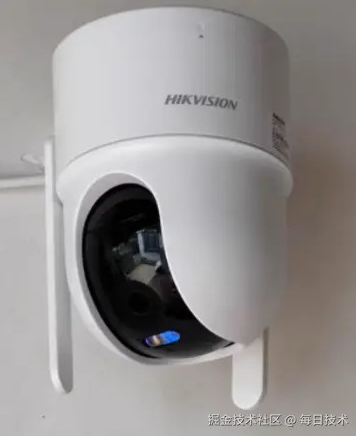
我要评论我来为您介绍在springboot + vue项目中实现海康摄像头喊话功能的完整方案:
一、技术架构
前端(vue) → 后端(springboot) → 海康sdk/isapi → 海康摄像头
二、后端实现(springboot)
1. 添加依赖
<!-- 可选:websocket支持实时语音流 -->
<dependency>
    <groupid>org.springframework.boot</groupid>
    <artifactid>spring-boot-starter-websocket</artifactid>
</dependency>
2. 海康sdk集成(基于hcnetsdk)
voicebroadcastservice.java
@service
public class voicebroadcastservice {

    // 加载海康sdk
    static {
        system.loadlibrary("hcnetsdk");
        system.loadlibrary("playctrl");
        system.loadlibrary("hcnetsdk");
    }

    public boolean startbroadcast(string cameraip, string text) {
        hcnetsdk hcnetsdk = hcnetsdk.instance;
        intbyreference loginhandle = new intbyreference(0);

        // 1. 登录设备
        hcnetsdk.net_dvr_deviceinfo_v30 deviceinfo = new hcnetsdk.net_dvr_deviceinfo_v30();
        loginhandle.setvalue(hcnetsdk.net_dvr_login_v30(
            cameraip, (short)8000, "admin", "password",
            deviceinfo, null
        ));

        if (loginhandle.getvalue() < 0) {
            return false;
        }

        try {
            // 2. 开启语音对讲
            hcnetsdk.net_dvr_voicecom_start voicestart = new hcnetsdk.net_dvr_voicecom_start();
            voicestart.dwsize = voicestart.size();
            voicestart.dwvoicechan = 1; // 通道号
            voicestart.byvoicemode = 0; // 0-客户端发起

            int voicehandle = hcnetsdk.net_dvr_startvoicecom_v30(
                loginhandle.getvalue(), voicestart, null, null
            );

            if (voicehandle < 0) {
                return false;
            }

            // 3. 发送语音数据(这里需要音频输入)
            // 实际实现需要从麦克风获取音频流

            // 4. 停止对讲
            hcnetsdk.net_dvr_stopvoicecom(voicehandle);

            return true;
        } finally {
            // 5. 注销登录
            hcnetsdk.net_dvr_logout(loginhandle.getvalue());
        }
    }
}
3. 基于isapi的文本转语音方案(推荐)
hikvisionisapiservice.java
@service
public class hikvisionisapiservice {

    @value("${hikvision.username}")
    private string username;

    @value("${hikvision.password}")
    private string password;

    /**
     * 文本转语音广播
     */
    public boolean texttospeech(string cameraip, string text) {
        string url = string.format("http://%s/isapi/system/audio/channels/1/audiodata", cameraip);

        try {
            // 1. 构建语音数据(需要将文本转为g.711/g.726等格式)
            byte[] audiodata = converttexttoaudio(text);

            // 2. 发送http put请求
            httpheaders headers = new httpheaders();
            headers.setbasicauth(username, password);
            headers.setcontenttype(mediatype.application_octet_stream);

            httpentity<byte[]> entity = new httpentity<>(audiodata, headers);
            resttemplate resttemplate = new resttemplate();

            responseentity<string> response = resttemplate.exchange(
                url, httpmethod.put, entity, string.class
            );

            return response.getstatuscode() == httpstatus.ok;
        } catch (exception e) {
            e.printstacktrace();
            return false;
        }
    }

    /**
     * 获取音频通道信息
     */
    public string getaudiochannels(string cameraip) {
        string url = string.format("http://%s/isapi/system/audio/channels", cameraip);

        try {
            resttemplate resttemplate = new resttemplate();
            httpheaders headers = new httpheaders();
            headers.setbasicauth(username, password);

            httpentity<string> entity = new httpentity<>(headers);
            responseentity<string> response = resttemplate.exchange(
                url, httpmethod.get, entity, string.class
            );

            return response.getbody();
        } catch (exception e) {
            return null;
        }
    }
}
4. websocket实现实时语音流
websocketconfig.java
@configuration
@enablewebsocket
public class websocketconfig implements websocketconfigurer {

    @override
    public void registerwebsockethandlers(websockethandlerregistry registry) {
        registry.addhandler(voicehandler(), "/voice")
                .setallowedorigins("*");
    }

    @bean
    public websockethandler voicehandler() {
        return new voicewebsockethandler();
    }
}
voicewebsockethandler.java
@component
public class voicewebsockethandler extends binarywebsockethandler {

    @autowired
    private voicebroadcastservice voiceservice;

    @override
    protected void handlebinarymessage(websocketsession session, binarymessage message) {
        // 接收前端发送的音频流,转发给摄像头
        bytebuffer payload = message.getpayload();
        byte[] audiodata = new byte[payload.remaining()];
        payload.get(audiodata);

        // 这里实现将音频流发送给摄像头
        voiceservice.sendaudiotocamera(audiodata);
    }
}
三、前端实现(vue3 + typescript)
1. 音频录制组件
voicebroadcast.vue
<template>
  <div class="voice-broadcast">
    <!-- 文本喊话 -->
    <div v-if="mode === 'text'">
      <el-input
        v-model="textmessage"
        type="textarea"
        placeholder="输入要喊话的内容"
        :rows="4"
      />
      <el-button @click="sendtext" :loading="loading">
        发送喊话
      </el-button>
    </div>

    <!-- 实时语音 -->
    <div v-else>
      <el-button
        @mousedown="startrecording"
        @mouseup="stoprecording"
        :disabled="recording"
        type="primary"
        size="large"
      >
        🎤 {{ recording ? '正在喊话...' : '按住说话' }}
      </el-button>

      <div v-if="recordingtime > 0" class="recording-indicator">
        录音时长: {{ recordingtime }}秒
      </div>
    </div>

    <!-- 模式切换 -->
    <div class="mode-switch">
      <el-radio-group v-model="mode" size="small">
        <el-radio-button label="text">文本喊话</el-radio-button>
        <el-radio-button label="voice">实时语音</el-radio-button>
      </el-radio-group>
    </div>

    <!-- 设备选择 -->
    <div class="device-select">
      <el-select v-model="selectedcamera" placeholder="选择摄像头">
        <el-option
          v-for="camera in cameras"
          :key="camera.id"
          :label="camera.name"
          :value="camera.ip"
        />
      </el-select>
    </div>
  </div>
</template>

<script setup lang="ts">
import { ref, onmounted, onunmounted } from 'vue'
import { elmessage } from 'element-plus'
import { texttospeech, startvoicestream, stopvoicestream } from '@/api/broadcast'

// 状态
const mode = ref<'text' | 'voice'>('text')
const textmessage = ref('')
const selectedcamera = ref('')
const cameras = ref<any[]>([])
const loading = ref(false)
const recording = ref(false)
const recordingtime = ref(0)
let recorder: mediarecorder | null = null
let audiochunks: blob[] = []
let timer: number | null = null
let ws: websocket | null = null

// 发送文本喊话
const sendtext = async () => {
  if (!textmessage.value.trim()) {
    elmessage.warning('请输入喊话内容')
    return
  }

  if (!selectedcamera.value) {
    elmessage.warning('请选择摄像头')
    return
  }

  loading.value = true
  try {
    const res = await texttospeech(selectedcamera.value, textmessage.value)
    if (res.success) {
      elmessage.success('喊话发送成功')
      textmessage.value = ''
    } else {
      elmessage.error('喊话失败')
    }
  } catch (error) {
    elmessage.error('发送失败')
  } finally {
    loading.value = false
  }
}

// 开始录音
const startrecording = async () => {
  try {
    const stream = await navigator.mediadevices.getusermedia({
      audio: {
        samplerate: 8000, // 8khz适合语音
        channelcount: 1,
        echocancellation: true,
        noisesuppression: true
      }
    })

    recorder = new mediarecorder(stream, {
      mimetype: 'audio/webm;codecs=opus' // 或 'audio/ogg;codecs=opus'
    })

    recorder.ondataavailable = (event) => {
      if (event.data.size > 0) {
        audiochunks.push(event.data)
        // 通过websocket发送音频数据
        sendaudiodata(event.data)
      }
    }

    recorder.start(100) // 每100ms发送一次数据
    recording.value = true
    recordingtime.value = 0

    // 计时器
    timer = setinterval(() => {
      recordingtime.value++
    }, 1000)

  } catch (error) {
    elmessage.error('无法访问麦克风')
  }
}

// 停止录音
const stoprecording = () => {
  if (recorder && recording.value) {
    recorder.stop()
    recorder.stream.gettracks().foreach(track => track.stop())
    recording.value = false

    if (timer) {
      clearinterval(timer)
      timer = null
    }

    // 关闭websocket连接
    if (ws) {
      ws.close()
      ws = null
    }
  }
}

// 通过websocket发送音频数据
const sendaudiodata = (audioblob: blob) => {
  if (!ws) {
    // 建立websocket连接
    ws = new websocket(`ws://${location.host}/voice?cameraip=${selectedcamera.value}`)

    ws.onopen = () => {
      console.log('websocket连接已建立')
    }

    ws.onerror = (error) => {
      console.error('websocket错误:', error)
    }
  }

  // 转换为arraybuffer发送
  const reader = new filereader()
  reader.onload = () => {
    if (ws && ws.readystate === websocket.open) {
      ws.send(reader.result as arraybuffer)
    }
  }
  reader.readasarraybuffer(audioblob)
}

// 加载摄像头列表
const loadcameras = async () => {
  // 这里调用api获取摄像头列表
  cameras.value = [
    { id: 1, name: '大门摄像头', ip: '192.168.1.100' },
    { id: 2, name: '停车场摄像头', ip: '192.168.1.101' }
  ]
}

onmounted(() => {
  loadcameras()
})

onunmounted(() => {
  if (recorder) {
    recorder.stop()
  }
  if (ws) {
    ws.close()
  }
})
</script>

<style scoped>
.voice-broadcast {
  padding: 20px;
  max-width: 500px;
  margin: 0 auto;
}

.recording-indicator {
  margin-top: 10px;
  color: #f56c6c;
  font-weight: bold;
  animation: blink 1s infinite;
}

@keyframes blink {
  0%, 100% { opacity: 1; }
  50% { opacity: 0.5; }
}

.mode-switch, .device-select {
  margin-top: 20px;
}
</style>
2. api接口封装
broadcast.ts
import request from '@/utils/request'

// 文本转语音喊话
export const texttospeech = (cameraip: string, text: string) => {
  return request.post('/api/broadcast/text-to-speech', {
    cameraip,
    text
  })
}

// 开始语音流
export const startvoicestream = (cameraip: string) => {
  return request.post('/api/broadcast/voice/start', { cameraip })
}

// 停止语音流
export const stopvoicestream = (cameraip: string) => {
  return request.post('/api/broadcast/voice/stop', { cameraip })
}

// 获取摄像头列表
export const getcameras = () => {
  return request.get('/api/cameras')
}
四、配置说明
application.yml
hikvision:
  default-username: admin
  default-password: 123456
  isapi-port: 80
  audio:
    format: g711  # 音频格式:g711, g726, aac
    sample-rate: 8000
五、音频格式转换工具类
audioconverter.java
@component
public class audioconverter {

    /**
     * 将文本转为语音音频
     * 需要集成tts引擎,如讯飞、百度、阿里云等
     */
    public byte[] texttoaudio(string text, audioformat format) {
        // 这里调用第三方tts服务
        // 1. 调用tts api获取音频流
        // 2. 转换为摄像头支持的格式(g.711/g.726)
        // 3. 返回音频字节数组

        return converttog711(text);
    }

    /**
     * pcm转g.711
     */
    private byte[] converttog711(byte[] pcmdata) {
        // 实现pcm到g.711的转换逻辑
        // 可以使用jave、ffmpeg等库
        return pcmdata;
    }
}
六、安全注意事项
- 认证加密:使用https和wss协议
- 权限控制:限制用户喊话权限
- 频率限制:防止恶意频繁喊话
- 日志记录:记录所有喊话操作
- 音频压缩:减少带宽占用
七、常见问题解决
- 编码格式问题:确保音频格式为摄像头支持的格式
- 网络延迟:使用udp协议传输实时音频
- 兼容性问题:不同型号摄像头api可能有差异
- 防火墙:确保端口(8000, 554, 80)开放
这个方案提供了两种喊话方式:文本转语音和实时语音。文本转语音更简单稳定,实时语音体验更好但实现复杂度高。您可以根据实际需求选择合适的方案。
到此这篇关于springboot+vue实现海康摄像头喊话功能的文章就介绍到这了,更多相关springboot+vue海康摄像头喊话内容请搜索代码网以前的文章或继续浏览下面的相关文章希望大家以后多多支持代码网!



发表评论