
 我要评论
我要评论前言:
前两天领导提出需求要在pdf中加入电子签章与电子签名,然后自己查找了一些资料完成了,今天有时间正好分享一下,希望可以帮助到大家
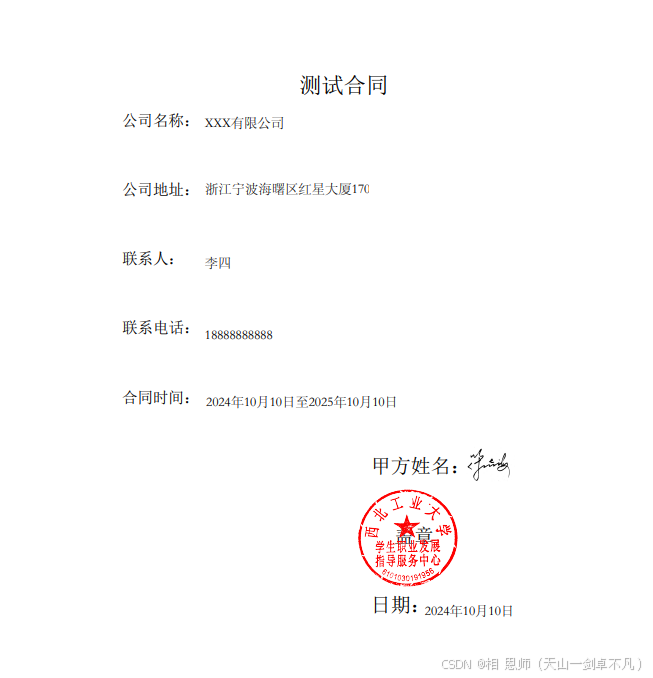
先看效果:
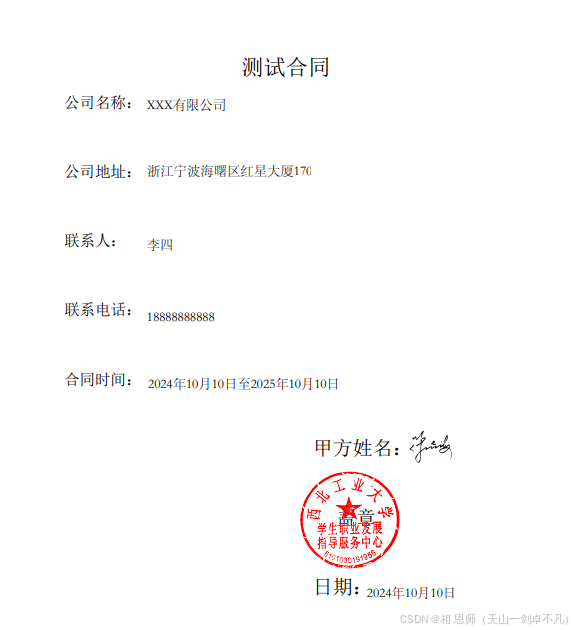
1.编写word文件
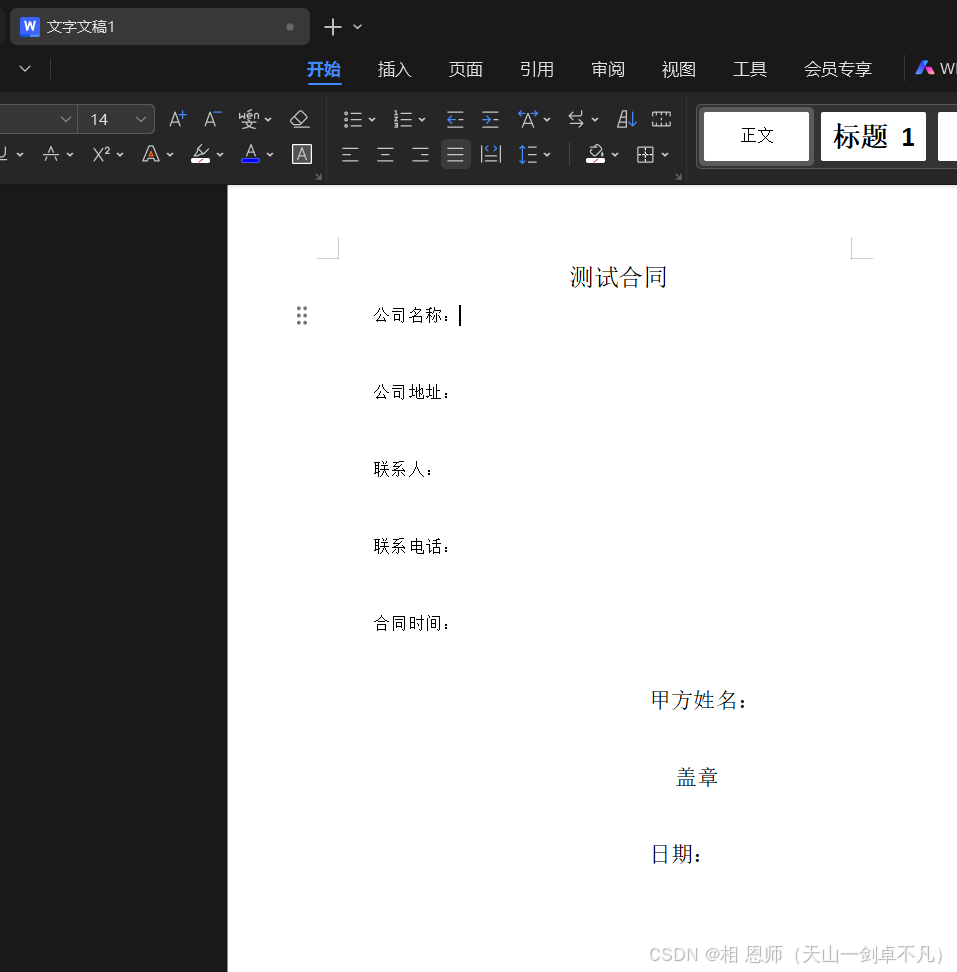
1.1先将模板编写出来(可以根据自己的需求编写)我这里是测试demo
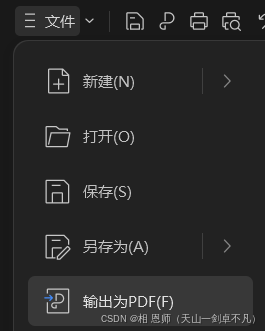
1.2然后生成pdf格式进行保存
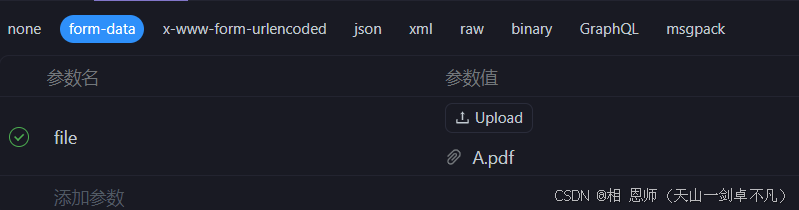
1.3我这里是将文件保存到本地后上传到华为云的obs中,在本地也可以操作,我只是为了方便保存到数据库中,可以根据自己的业务逻辑处理,效果雷同
注:这里上传是在第二步完成后在操作

2.为pdf格式做表单
2.1然后将刚刚生成的pdf用pdf编辑器打开
注:我这里使用的是(万兴pdf)可以去找免费的使用
打开后找到表单:
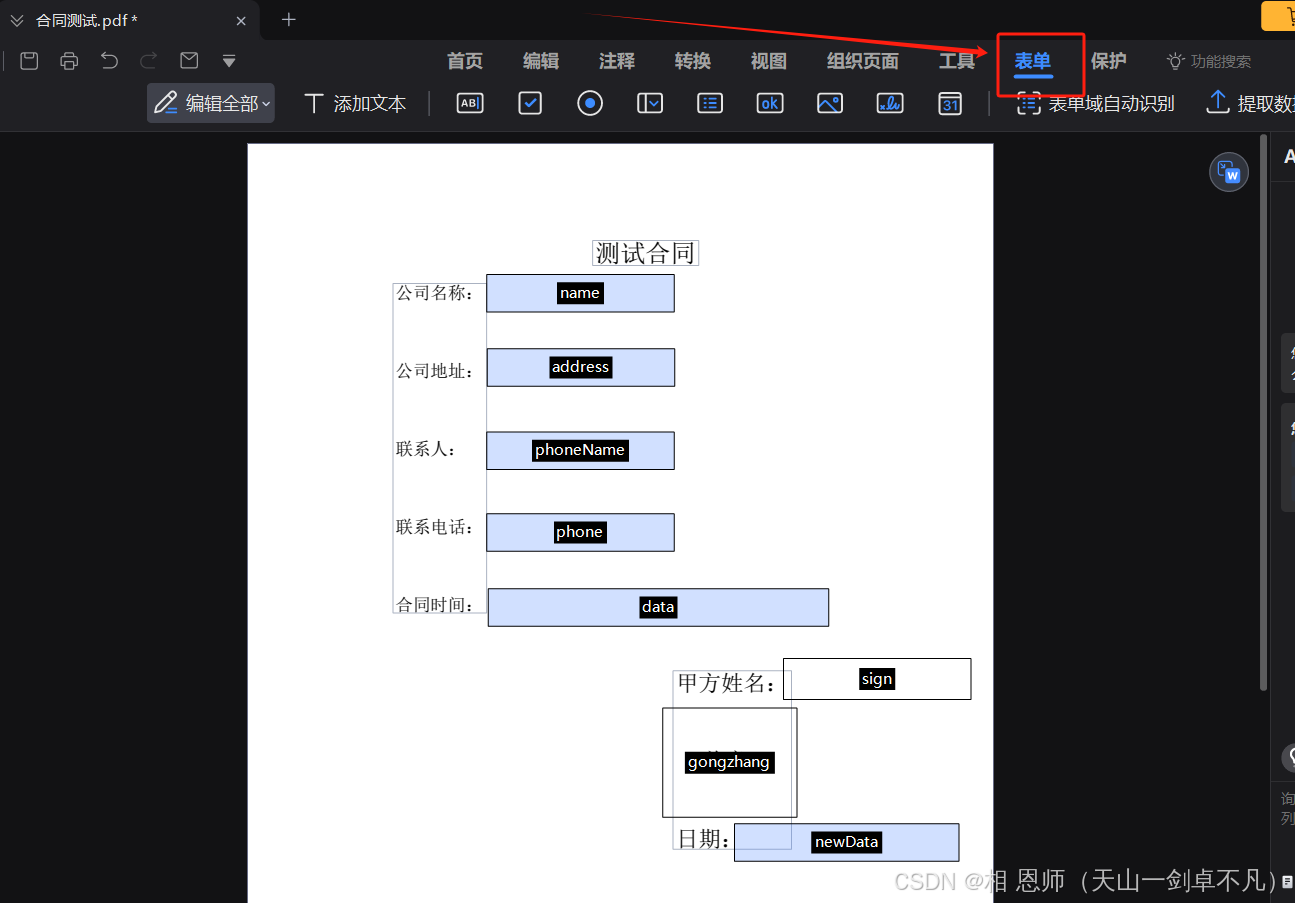
文字部分:
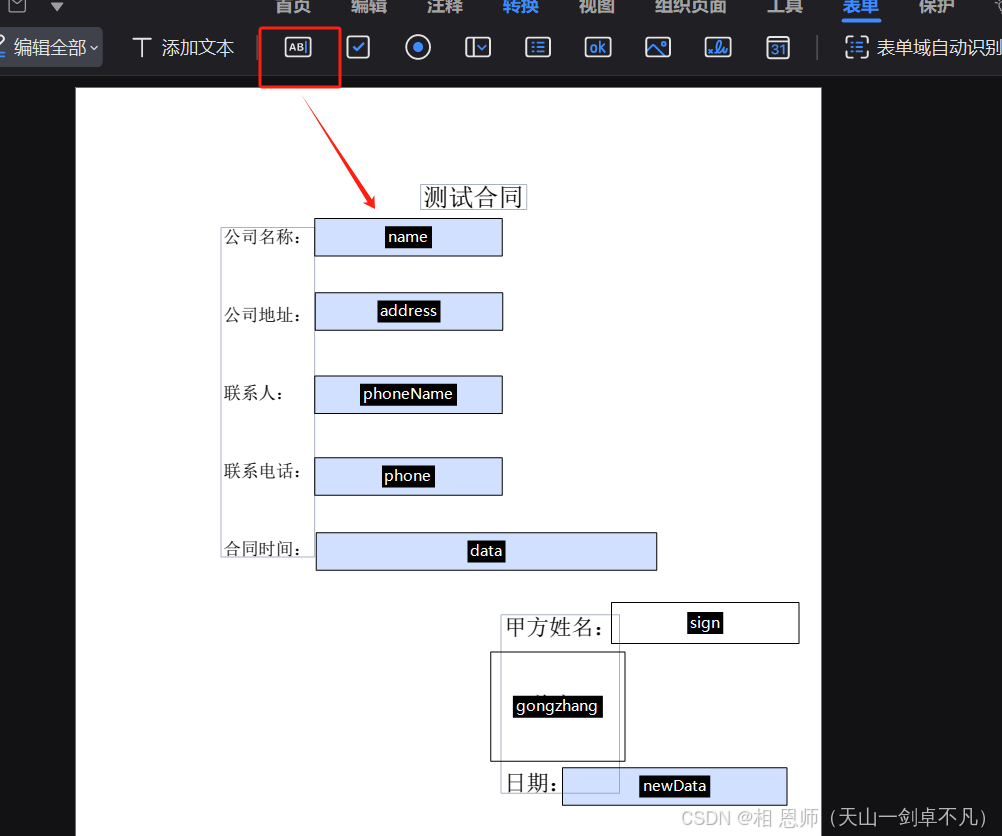
点击文本字段,然后和截图一样吧自己需要添加文字的地方圈出来
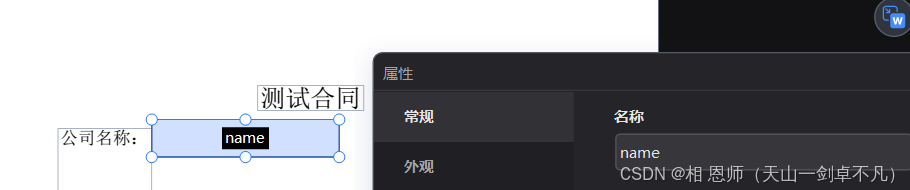
然后在属性中设置名称(后面代码操作会用到)
2.2图片表单
然后在添加图片表单,操作和文字一样,吧需要放图片的地方圈出来命名
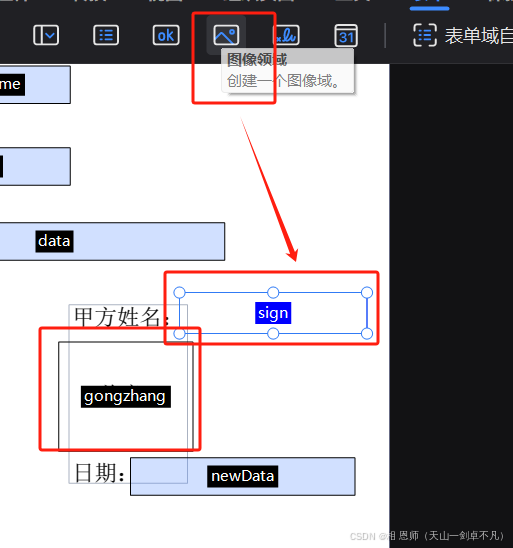
这里需要注意的就是(外观设置无颜色,不然后面生成出来会有边框,特别丑)
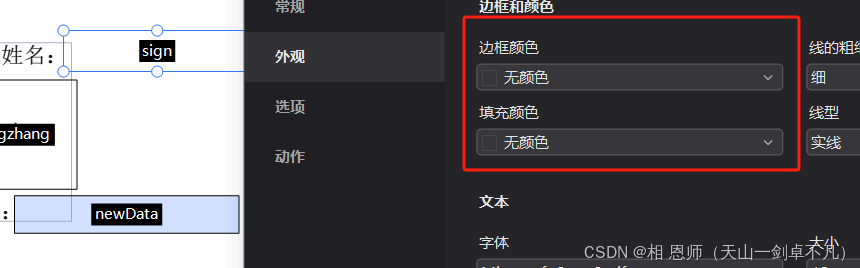
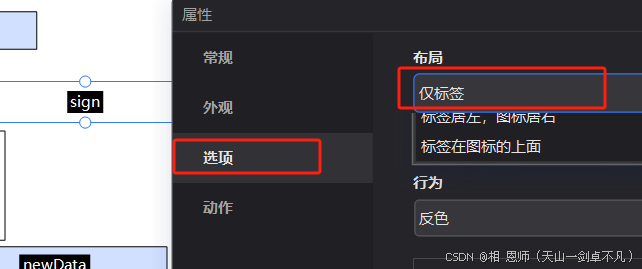
然后在选项中选为仅标签(这样公章就可以变的透明,可以根据自己的业务逻辑调整)
操作完成后保存
3.为表单赋值
public class pdftest {

    public static void main(string[] args) {
        string filename = "电子合同";
        // 获取当前时间
        date currentdate = new date();
        // 创建一个simpledateformat对象,指定日期格式
        simpledateformat sdf = new simpledateformat("yyyy年mm月dd日");
        // 格式化当前时间
        string formatteddate = sdf.format(currentdate);
        //获取当前日期一年后的日期
        string formatteddate2 = sdf.format(new date(currentdate.gettime() + 365l * 24 * 60 * 60 * 1000));
        system.err.println(formatteddate+"-"+formatteddate2);
        //测试执行
        filltemplate(
                "刚刚添加表单保存的pdf文件的路径",
                "保存生成的pdf文件的路径",
                "xxx有限公司",
                "张三丰",
                "浙江宁波海曙区红星大厦1706号",
                "李四",
                "18888888888",
                "dawdawd@163.com",
                formatteddate+"至"+formatteddate2,
                formatteddate,
                "签名图片的路径",
                "盖章的路径"
        );
    }
// 下面的参数就是表单中的名称,需要对应上不然找不到(需要注意大小写)
    public static void filltemplate(
            string sourcespath,
            string targetpath,
            string name,
            string fr,
            string address,
            string phonename,
            string phone,
            string wx,
            string data,
            string newdata,
            string signpath,
            string gongzhangpath
    ){

        //设置参数
        jsonobject jsonobject = new jsonobject();
        jsonobject.put("name",name);
        jsonobject.put("fr",fr);
        jsonobject.put("address",address);
        jsonobject.put("phonename",phonename);
        jsonobject.put("phone",phone);
        jsonobject.put("wx",wx);
        jsonobject.put("data",data);
        jsonobject.put("newdata",newdata);
        // 填充创建pdf
        pdfreader reader = null;
        pdfstamper stamp = null;
        bytearrayoutputstream baos =null;
        try {
            reader = new pdfreader( sourcespath);
            file deskfile = new file(targetpath);
            stamp = new pdfstamper(reader, new fileoutputstream(deskfile));
            // 取出报表模板中的所有字段
            acrofields form = stamp.getacrofields();
            system.err.println(form.getfields().keyset());


            //设置宋体
            basefont song =basefont.createfont("stsong-light", "unigb-ucs2-h", basefont.not_embedded);
            if (jsonobject != null) {
                for (map.entry<string, object> entry : jsonobject.entryset()) {
                    string key = entry.getkey();
                    string value = entry.getvalue().tostring();
                    //保存选项
                    if (key.startswith("select")) {
                        form.setfield(key, value, true);
                        //保存文字
                    }else {
                        form.setfieldproperty(key, "textfont", song, null);
                        form.setfield(key, value);
                    }
                }
            }

            //插入签名
            insertimage(form,stamp,"sign",signpath);
            //插入公章
            insertimage(form,stamp,"gongzhang",gongzhangpath);
            //保存修改
            stamp.setformflattening(true);
        }catch (exception e){
            e.printstacktrace();
        }finally {
            if (stamp != null) {
                try{
                    stamp.close();
                }catch (exception e){
                    e.printstacktrace();
                }

            }
            if (reader != null) {
                try{
                    reader.close();
                }catch (exception e){
                    e.printstacktrace();
                }
            }
            if (baos != null) {
                try{
                    baos.close();
                }catch (exception e){
                    e.printstacktrace();
                }

            }
        }

    }

    /**
     * pdf模板插入图片
     * @param form
     * @param stamper
     * @param filedname
     * @param url
     * @return
     */
    public  static boolean insertimage(acrofields form, pdfstamper stamper, string filedname, string url) {
        try {
            int pageno = form.getfieldpositions(filedname).get(0).page;
            rectangle signrect = form.getfieldpositions(filedname).get(0).position;
            float x = signrect.getleft();
            float y = signrect.getbottom();

            image image = image.getinstance(url);
            // 获取操作的页面
            pdfcontentbyte under = stamper.getovercontent(pageno);
            // 根据域的大小缩放图片
            image.scaletofit(signrect.getwidth(), signrect.getheight());
            // 添加图片
            image.setabsoluteposition(x, y);
            under.addimage(image);
        }catch (exception e){
            return false;
        }
        return true;
    }
}
4.生成文档
然后执行后在保存生成的pdf文件的路径中找到文件:

点击查看:
效果图:
5.上传到obs中
需要保存到数据库中的上传到oss和obs中都可以。。。
总结
到此这篇关于java操作pdf文件实现签订电子合同的文章就介绍到这了,更多相关java实现签订电子合同内容请搜索代码网以前的文章或继续浏览下面的相关文章希望大家以后多多支持代码网!



发表评论