
 我要评论
我要评论一、安装插件
首先,需要安装pinia-plugin-persistedstate插件。如果使用npm,可以运行以下命令:
npm install pinia-plugin-persistedstate
二、在pinia store中使用插件
1.导入pinia和插件
在你的javascript或typescript文件中(通常是创建pinia store的文件),首先导入createpinia和createpersistedstate:
import { createpinia } from 'pinia';
import { createpersistedstate } from 'pinia-plugin-persistedstate';
2.创建pinia实例并应用插件
创建一个pinia实例,并使用createpersistedstate插件:
const pinia = createpinia();
pinia.use(createpersistedstate());
3.在store中使用持久化
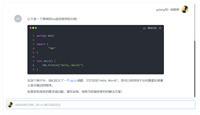
假设你有一个简单的counter store,如下所示:
import { definestore } from 'pinia';

export const usecounterstore = definestore('counter', {
  state: () => ({
    count: 0
  }),
  actions: {
    increment() {
      this.count++;
    }
  },
  // 使用插件的配置选项
  persist: {
    key: 'my-counter-store',// 自定义存储的键名
    storage: localstorage // 可以改为sessionstorage
  }
});
这样,在应用重新加载时,count的值会从存储(localstorage或sessionstorage)中恢复,并且在状态改变时也会自动保存到存储中。
在pinia中,如果你想只对某个特定的值进行持久化,而其他状态值不需要持久化,你可以通过persist配置中的paths选项来实现。paths允许你指定哪些状态值需要持久化。
import { definestore } from 'pinia';
import { createpersistedstate } from 'pinia-plugin-persistedstate';

export const usecounterstore = definestore('counter', {
  state: () => ({
    count: 0,
    // 假设还有其他状态值不需要持久化
    anothervalue: 'some value'
  }),
  actions: {
    increment() {
      this.count++;
    }
  },
  // 使用插件的配置选项
  persist: {
    key: 'my-counter-store', // 自定义存储的键名
    storage: localstorage, // 可以改为sessionstorage
    paths: ['count'] // 只对count进行持久化
  }
});
在这个示例中,persist配置中的paths选项被设置为[‘count’],这意味着只有count状态值会被持久化到localstorage中。其他状态值(如anothervalue)不会被持久化。
到此这篇关于vue3 pinia实现持久化详解的文章就介绍到这了,更多相关vue3 pinia持久化内容请搜索代码网以前的文章或继续浏览下面的相关文章希望大家以后多多支持代码网!

发表评论