
 我要评论
我要评论一、引言
在这篇文章中,我将介绍如何开发一个简单的计算机选课程序。这个程序将允许学生根据自己的需求选择不同等级的课程,并即时显示他们的选课情况。我们将使用c#语言和windows forms来构建这个应用程序。
二、程序概述
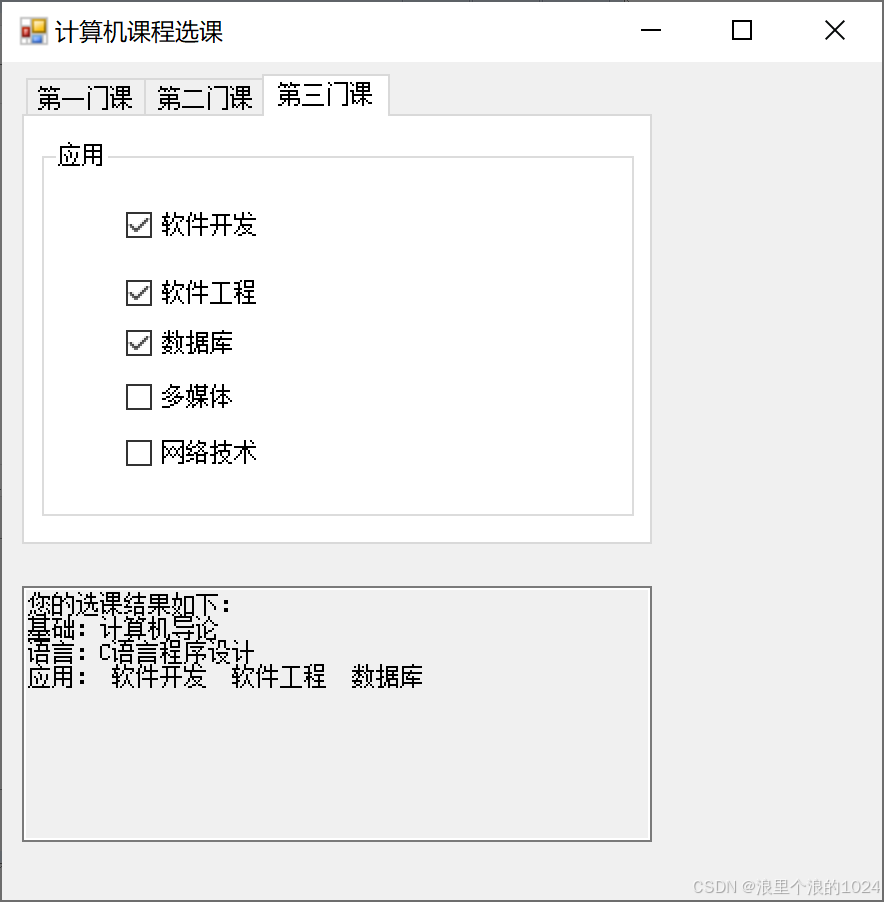
我们的选课程序将包含三个等级的课程:基础课、语言课和应用课。基础课和语言课为限选课程,而应用课为任选课程。学生每选一门课程,选课情况将立即显示在多行文本框中。
三、 界面设计
程序界面将包含三个部分:基础课选择、语言课选择和应用课选择。基础课和语言课将使用单选按钮(radiobutton)来选择,而应用课将使用复选框(checkbox)来选择。
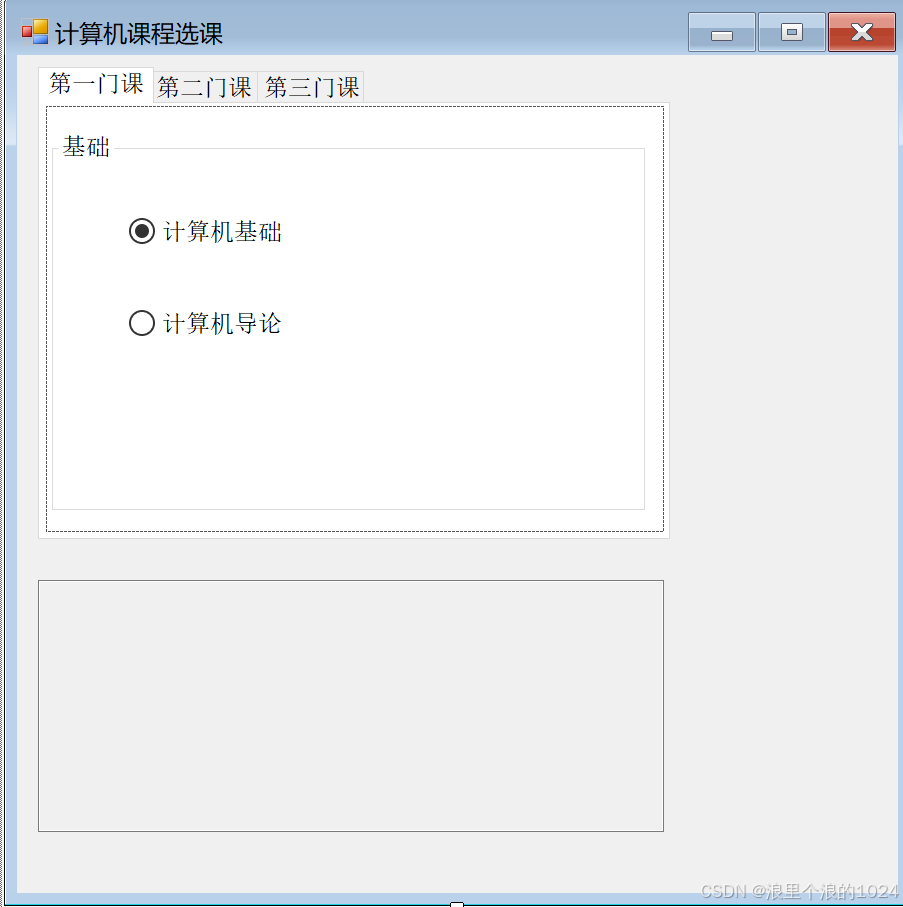
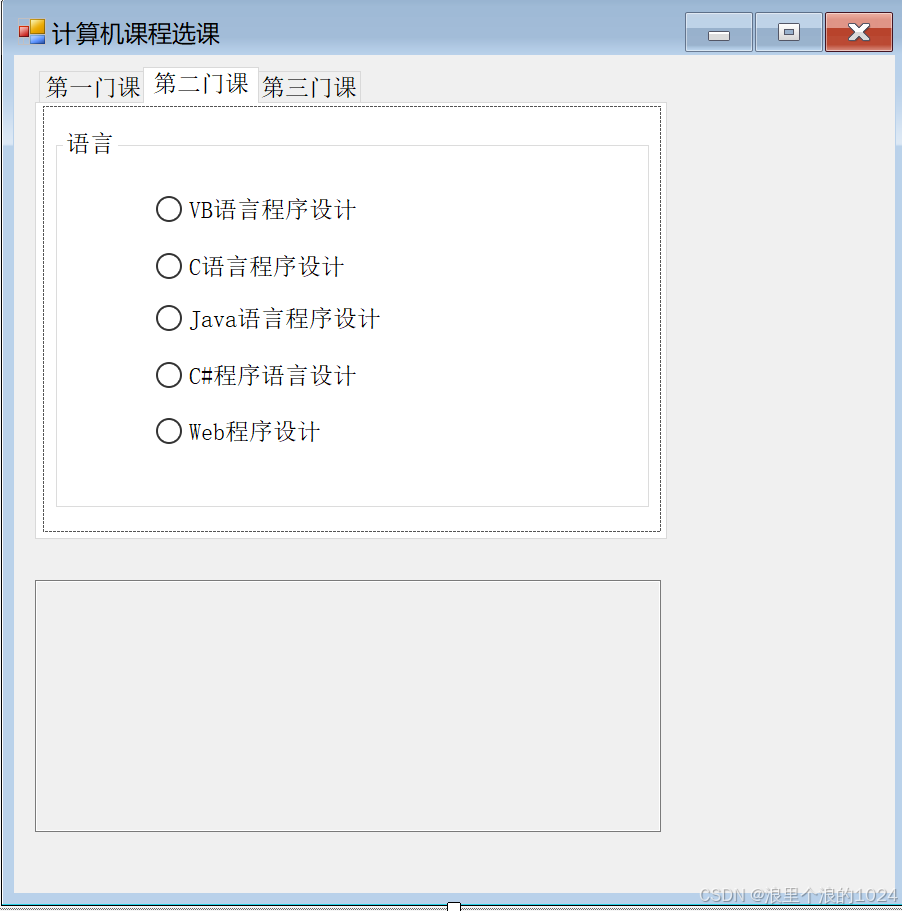

四、代码实现
using system;
using system.collections.generic;
using system.componentmodel;
using system.data;
using system.drawing;
using system.linq;
using system.text;
using system.threading.tasks;
using system.windows.forms;

namespace _6_1_
{
    public partial class form1 : form
    {
        public form1()
        {
            initializecomponent();
        }
        string first = "";
        string second = "";
        string third = "";

        // 检查基础课选择
        private void checkfirst() {
            if (radiobutton1.checked)
                first = radiobutton1.text;
            else if (radiobutton2.checked)
                first = radiobutton2.text;
        }

        // 检查语言课选择
        private void checksecond()
        {
            if (radiobutton4.checked)
                second = radiobutton4.text;
            else if (radiobutton3.checked)
                second = radiobutton3.text;
            else if (radiobutton6.checked)
                second = radiobutton6.text;
            else if (radiobutton5.checked)
                second = radiobutton5.text;
            else if (radiobutton7.checked)
                second = radiobutton7.text;
        }

        // 检查应用课选择
        private void checkthird()
        {
            third = "";
            if (checkbox1.checked)
                third += " " + checkbox1.text + " ";
            if (checkbox2.checked)
                third += " " + checkbox2.text + " ";
            if (checkbox3.checked)
                third += " " + checkbox3.text + " ";
            if (checkbox4.checked)
                third += " " + checkbox4.text + " ";
            if (checkbox5.checked)
                third += " " + checkbox5.text + " ";
        }

        // 显示选课结果
        private void showmsg() {
            textbox1.text = "您的选课结果如下:\r\n";
            if (!first.equals(""))
                textbox1.text += "基础:" + first + "\r\n";
            if (!second.equals(""))
                textbox1.text += "语言:" + second + "\r\n";
            if (!third.equals(""))
                textbox1.text += "应用:" + third + "\r\n";
        }

        // 事件处理
        private void radiobutton4_checkedchanged(object sender, eventargs e)
        {
            checkfirst();
            showmsg();
        }

        private void form1_load(object sender, eventargs e)
        {
            checksecond();
            showmsg();
        }

        private void checkbox4_checkedchanged(object sender, eventargs e)
        {
            checkthird();
            showmsg();
        }
    }
}
五、为每一个选项添加事件
每一个选项都要选择右边菜单栏中的check事件
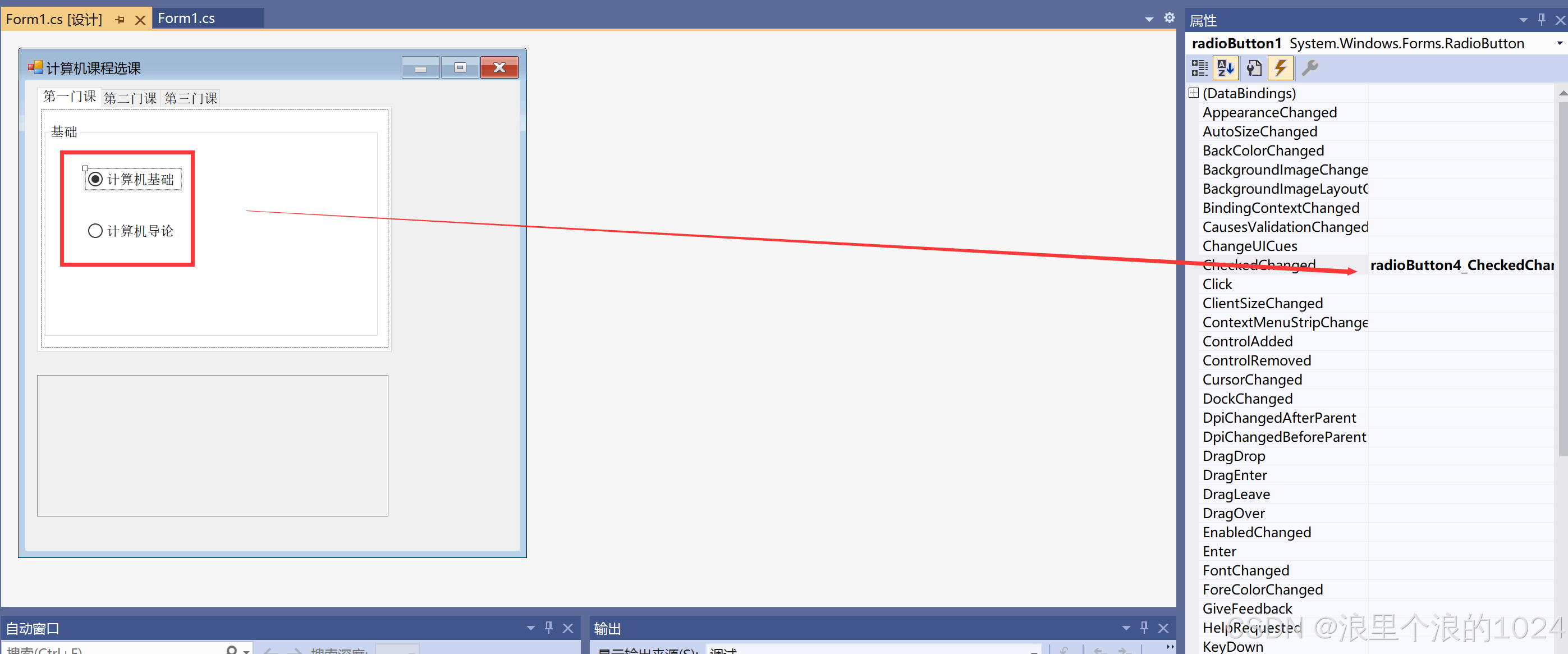


六、事件处理
radiobutton4_checkedchanged:当语言课的单选按钮状态改变时,调用checkfirst和showmsg方法来更新选课结果。
checkbox4_checkedchanged:当应用课的复选框状态改变时,调用checkthird和showmsg方法来更新选课结果。
七、完成展示
到此这篇关于基于c#编写计算机选课程序的文章就介绍到这了,更多相关c#计算机选课程序内容请搜索代码网以前的文章或继续浏览下面的相关文章希望大家以后多多支持代码网!




发表评论