
 我要评论
我要评论vue设置描点跳转到对应页面
<div id="app">
  <a href="#target" rel="external nofollow" >点击跳转到某个位置</a>
  <div class="spacer"></div> <!-- 这里添加一些空间以展示效果 -->
  <div id="target">目标位置</div>
</div>
vue锚点跳转到对应位置(精确定位)
安装:
npm install --save vue-scrollto
main.js引入
import vue from 'vue'
var vuescrollto = require('vue-scrollto');
vue.use(vuescrollto)
页面引用:
<template>
  <div class="scrolldemo">
    <div class="demonav flex-center-center">
      <div
        class="demonavitem"
        v-for="(item,index) in demonavitem"
        :key="index"
        :class="{navactive : idx==index}"
        @click="changnav(index)"
      >{{item}}</div>
    </div>
    <div class="democontent">
        <!-- 如果内容为循环,id则定义为:id="'demoitem'+index" -->
      <div class="demoitem0 demoitem" id="demoitem0">谷歌浏览器内容</div>
      <div class="demoitem1 demoitem" id="demoitem1">uc浏览器内容</div>
      <div class="demoitem2 demoitem" id="demoitem2">ie浏览器内容</div>
      <div class="demoitem3 demoitem" id="demoitem3">火狐浏览器内容</div>
      <div class="demoitem4 demoitem" id="demoitem4">360浏览器内容</div>
      <div class="demoitem5 demoitem" id="demoitem5">猎豹浏览器内容</div>
    </div>
  </div>
</template>
<script>
// 引入
var vuescrollto = require("vue-scrollto");
export default {
data() {
return {
idx: 0,
demonavitem: [
"谷歌浏览器",
"uc浏览器",
"ie浏览器",
"火狐浏览器",
"360浏览器",
"猎豹浏览器",
],
};
},
methods: {
// 导航选中效果
changnav(index) {
this.idx = index;
vuescrollto.scrollto(document.getelementbyid("demoitem" + index), 1000, {
offset: -50,
});
},
},
};
</script><style scoped>
.flex-center-center {
display: flex;
align-items: center;
justify-content: center;
}
.demonav {
width: 100%;
height: 70px;
background: rgba(0, 31, 144, 1);
position: sticky;
left: 0;
top: 0;
}
.demonavitem {
font-size: 40px;
color: #fff;
margin-left: 30px;
cursor: pointer;
}
.navactive {
color: red;
}
.demoitem {
width: 100%;
height: 600px;
font-size: 60px;
color: #fff;
text-align: center;
padding: 60px 0 0 0;
}
.demoitem0{
background: gold;
}
.demoitem1 {
background: red;
}
.demoitem2 {
background: chartreuse;
}
.demoitem3 {
background: cornflowerblue;
}
.demoitem4 {
background: cyan;
}
.demoitem5 {
background: darkmagenta;
}
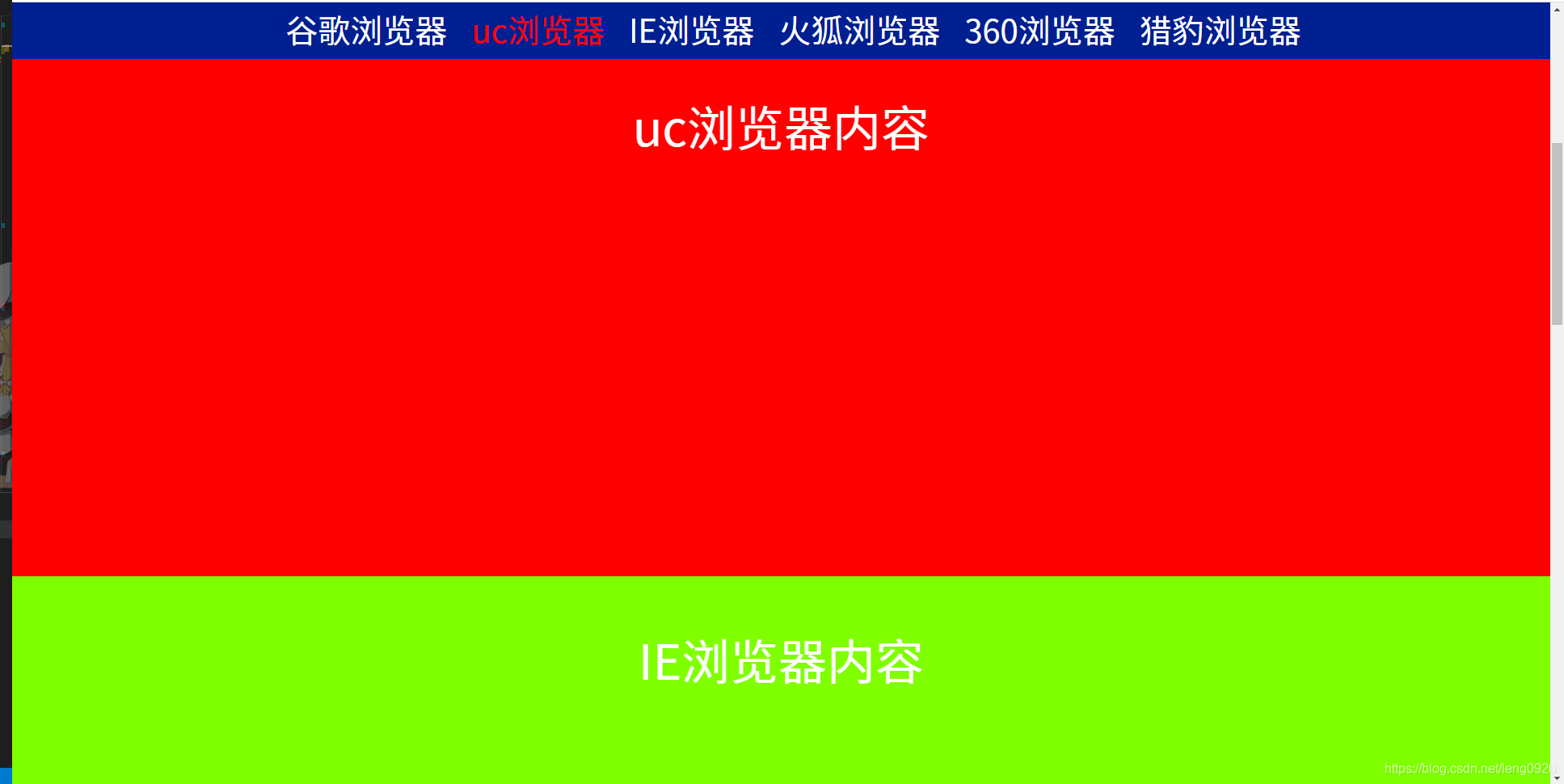
</style>效果图:
总结
以上为个人经验,希望能给大家一个参考,也希望大家多多支持代码网。





发表评论