
 我要评论
我要评论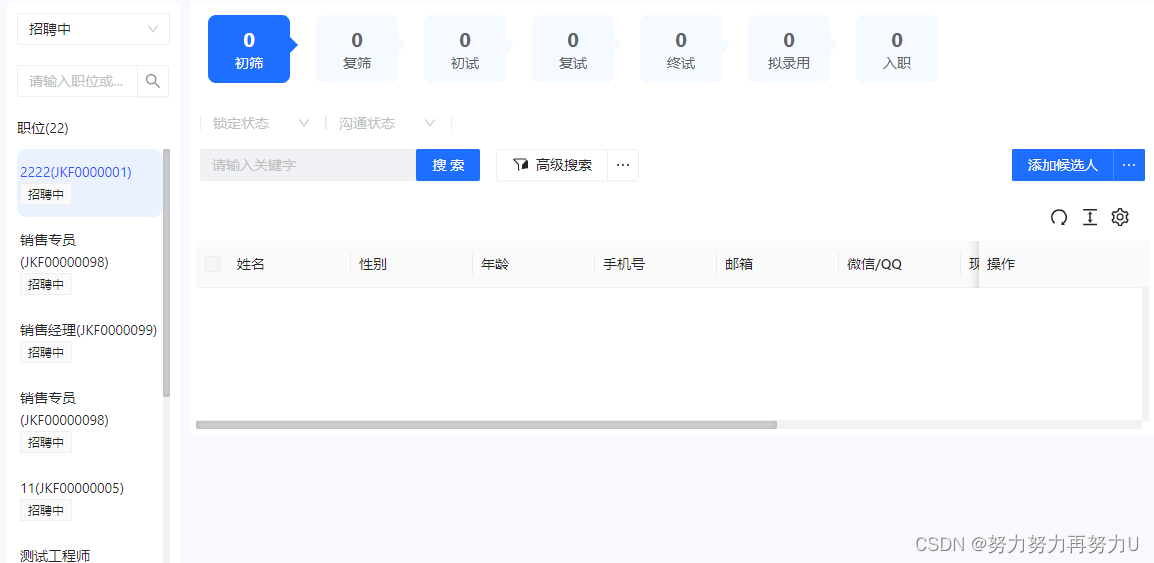
从b页面进行xx操作后需要跳转到a页面,并定位到aa职位,上图为a页面。
a页面的左侧是div,内层包裹list组件
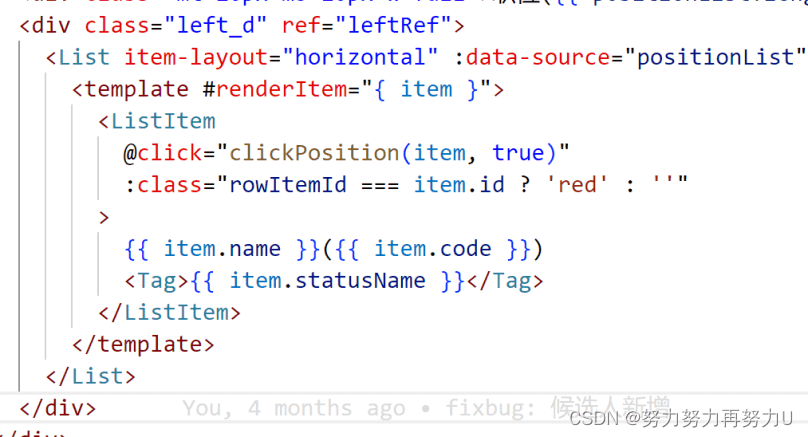
给div定义ref=leftref,在代码中写如下:
  function scrolltop() {
    if (leftref.value) {
      console.log('99', leftref.value);

      nexttick(() => {
        leftref.value.scrolltop = 1000;
        // scrollby(0, document.body.scrollwidth);
      });
    }
  }

onmounted(async () => {
    if (router.currentroute.value.query.id) {
      positionchoosecode.value = router.currentroute.value.query.id;
      positionstatusvalue.value = router.currentroute.value.query.id;
    }
    const positionid = router.currentroute.value.query.positionid;
    if (!!positionid) {
      cstore.setpositionid(positionid);
    }

    console.log('mounted--positionid', positionid);

    await getpositiondictionary(positionchoosecode.value, '');
    await getdictionaries();
    scrolltop();
  });
第一,需要等待数据渲染完成后,再调用scrolltop,设置scrolltop=1000,这样页面初始化滚动条位置会改变。
第二,找到当前职位的高度,也要等职位列表数据渲染完成后,获取
    console.log('positionlist.value', positionlist.value);

    rowitemid.value = item.id;
    //找到前面有多少个元素
    let index = positionlist.value.findindex((it) => it.id === rowitemid.value);
    console.log('找到前面有多少个元素', index + 1);
    num.value = index - 2;

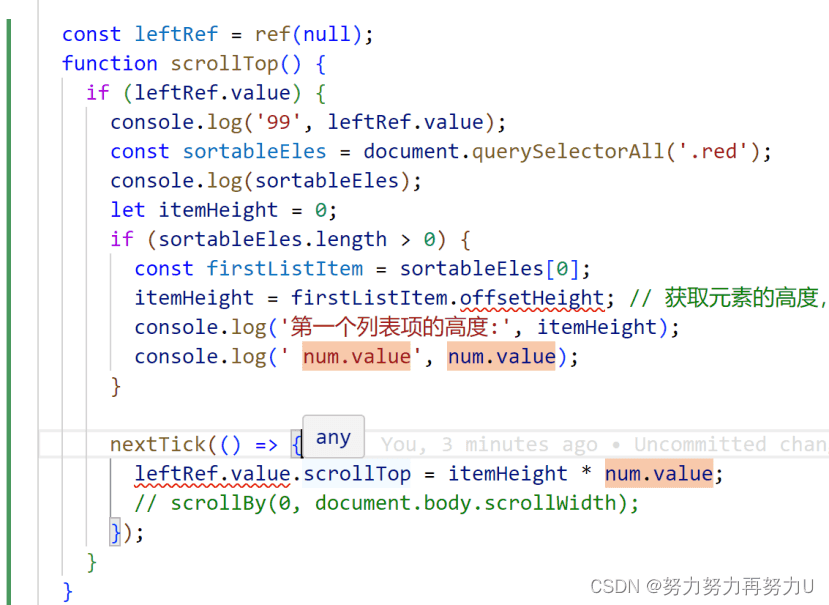
获取当前职位,当前职位会有class==red的,通过class获取ele;

 const sortableeles = document.queryselectorall('.red');
      console.log(sortableeles);
      let itemheight = 0;
      if (sortableeles.length > 0) {
        const firstlistitem = sortableeles[0];
        itemheight = firstlistitem.offsetheight; // 获取元素的高度,包括内边距和边框
        console.log('第一个列表项的高度:', itemheight);
        console.log(' num.value', num.value);
      }
完整的scrolltop方法如下
总结:
滚动条要滚动起来
选中含有滚动条的元素,定义一个const leftref = ref(null),在数据加载完成后设置leftref.value.scrolltop
滚动条的位置
等待数据加载完后获取当前选中的元素,通过.offsetheight获取元素的高度
到此这篇关于前端vue3手动设置滚动条位置/自动定位的文章就介绍到这了,更多相关vue3手动设置滚动条位置内容请搜索代码网以前的文章或继续浏览下面的相关文章希望大家以后多多支持代码网!



发表评论