
 我要评论
我要评论一、环境准备与依赖配置
springboot工程:
达梦数据库
二、数据库配置信息
spring:
  datasource:
    type: com.alibaba.druid.pool.druiddatasource
    druid:
      primary:
        driver-class-name: dm.jdbc.driver.dmdriver
        url: jdbc:dm://xxxxx.5:5236/sacoa_business
        username: sysdba
        password: sysdba
      second:
        url: jdbc:mysql://xxxxx:3306/testdb?characterencoding=utf-8&useunicode=true&servertimezone=gmt%2b8
        driver-class-name: com.mysql.cj.jdbc.driver
        username: root
        password: chen
      third:
        url: jdbc:dm://xxxxx:5236/sacoa_platform
        username: sysdba
        password: sysdba
        driver-class-name: dm.jdbc.driver.dmdriver
      #初始连接数量
      initial-size: 20
      #最小连接数量
      min-idle: 20
      #最大连接数量
      max-active: 1000
      #获取连接等待超时的时间 单位是毫秒,这里配置60秒
      max-wait: 30000
三、添加相关依赖
如果是微服务结构,首先在项目的pom.xml文件中添加相关依赖
      <!--达梦-->
      <dependency>
        <groupid>com.dameng</groupid>
        <artifactid>dmjdbcdriver18</artifactid>
        <version>8.1.3.140</version>
      </dependency>
其次在使用连接数据库的模块中,再次引入依赖!
如果是springboot项目只需要引入一次即可
四、controller测试
@requestmapping(httpconstants.rest_url_prefix+"/test")
@api(value = "testcontroller", tags = "测试")
@restcontroller
public class testcontroller {

    @resource
    private redisutil redisutil;
    @autowired
    private jdbctemplate jdbctemplate;

    @apioperation(value = "测试datasource" , httpmethod = "get")
    @getmapping("/testconnection")
    public string testdatabaseconnection() {
        list<string> result = jdbctemplate.queryforlist("select 'connected to dm database successfully!' from dual", string.class);
        return result.isempty() ? "connection failed." : result.get(0);
    }


    @apioperation(value = "测试" , httpmethod = "get")
    @getmapping("{name}")
    public responseentity<string> test(@pathvariable("name")string name) {
        return responseentity.ok("hello + " + name);
    }

    @apioperation(value = "测试redis" , httpmethod = "get")
    @getmapping("/redis/{name}")
    public responseentity<string> testredis(@pathvariable("name") string name) {
        redisutil.set(name, "redis: " + name);
        object nameobj = redisutil.get(name);
        return responseentity.ok("hello + " + nameobj);
    }

}
五、测试
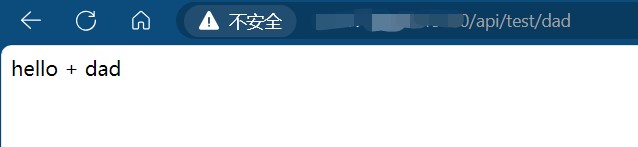
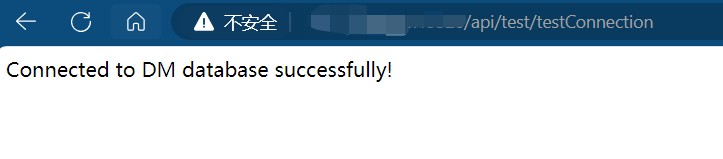
测试连接成功!
六、总结
以上为个人经验,希望能给大家一个参考,也希望大家多多支持代码网。




发表评论