
 我要评论
我要评论01 引言
之前在前文中介绍了三款html转pdf的工具。这不,又发现了两款类似的工具,整理一下分享给大家。
02 itext-pdfhtml-java
2.1 简介
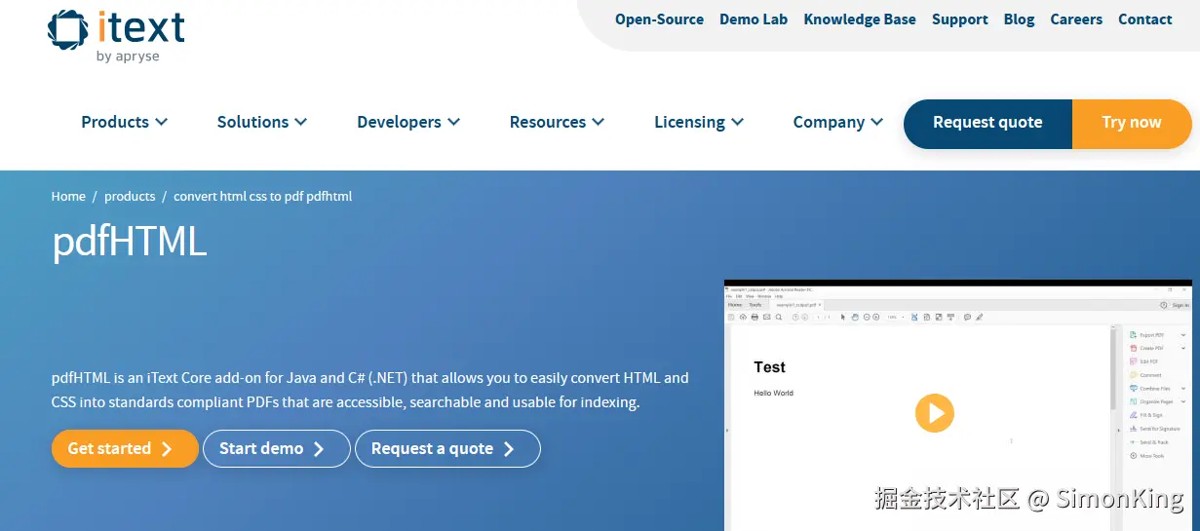
itext pdfhtml是itext7套件的一个附加组件,专门用于将html和css内容转换为pdf文档。它基于itext核心pdf生成引擎,提供了高质量的html到pdf转换功能。性能表现非常优异。
主要特性:
- 完整的
html5和css3支持:能够处理现代网页布局和样式 - 字体嵌入:自动处理web字体和系统字体
- 响应式设计:支持媒体查询和响应式布局
- 高保真转换:保持html内容的视觉保真度
- java原生:专为java生态系统设计
github地址:github.com/itext/itext-pdfhtml-java
官方地址:itextpdf.com/products/convert-html-css-to-pdf-pdfhtml
2.2 案例
使用起来也非常简单,下面官方的案例:
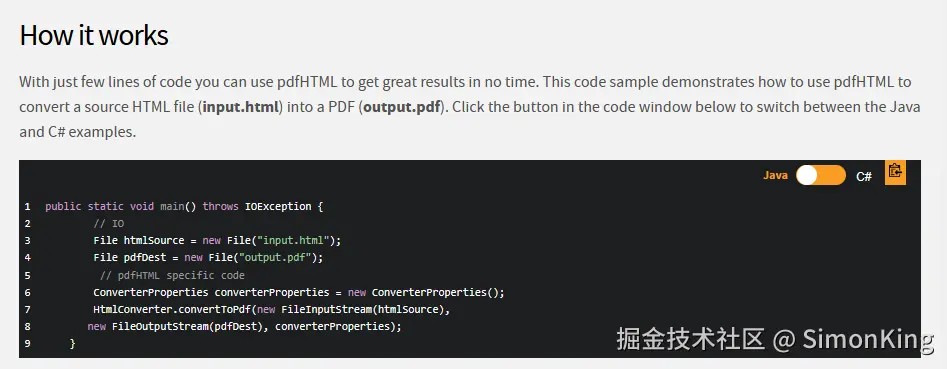
maven依赖:
<dependency>
    <groupid>com.itextpdf</groupid>
    <artifactid>html2pdf</artifactid>
    <version>6.2.1</version>
</dependency>
实践代码:
@requestmapping("index6")
public void index6(model model, httpservletresponse response) throws ioexception {
    list<map<string, object>> list = new arraylist<>();
    for (int i = 0; i < 3; i++) {
        map<string, object> item = new hashmap<>();
        item.put("image1", "http://example.com/2eb97.jpg");
        item.put("image2", "http://example.com/2f9c3.jpg");
        item.put("vehiclename", "路虎defender[卫士](进口)2023款defender130 48v[卫士 130 48v] 3.0t手自-体p400 hse");
        item.put("brandname", "路虎");
        item.put("seriesname", "defender[卫士]");
        item.put("modelyear", "2023款");
        item.put("licenseyear", sdf.format(new date()));
        item.put("displaymileage", df.format(new bigdecimal("9657")));
        item.put("dealdate", sdf.format(new date()));
        item.put("dealprice", df.format(new bigdecimal("702400")));

        item.put("licensecode", "沪a952714");

        list.add(item);
    }
    model.addattribute("list", list);
    map<string, object> map = new hashmap<>();
    map.put("list", list);

    context context = new context(locale.getdefault(), map);
    string htmlcontent = templateengine.process("index", context);
    system.out.println(htmlcontent);

    // ---------------------------------------------------
    /*itext-html2pdf*/
    converterproperties properties = new converterproperties();

    fontprovider fontprovider = new fontprovider();
    fontprovider.addsystemfonts();
//        fontprovider.addfont("c:\\windows\\fonts\\simhei.ttf");
    // 添加系统字体
    properties.setfontprovider(fontprovider);

    htmlconverter.converttopdf(htmlcontent, response.getoutputstream(), properties);
}
同样默认是不支持中文的,需要通过fontprovider添加指定的字体。fontprovider.addsystemfonts();直接添加系统字体,也可以通过addfont()添加自定义字体。页面必须声明字体,否则会出现乱码。
03 x-easypdf
3.1 简介
x-easypdf是一个java语言简化处理pdf的框架,包含fop模块与pdfbox模块,fop模块以创建功能为主,基于xsl-fo模板生成pdf文档,以数据源的方式进行模板渲染;pdfbox模块以编辑功能为主,对标准的pdfbox进行扩展,添加了成吨的功能。
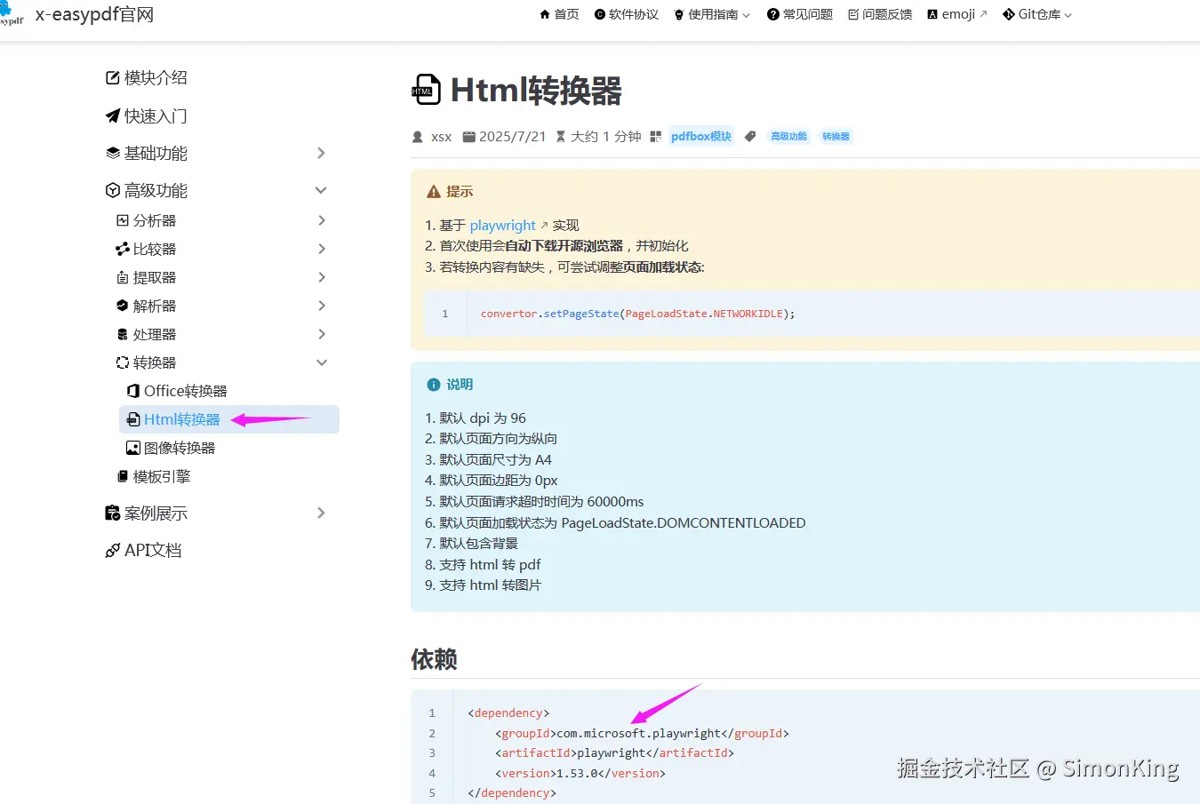
html转pdf是pdfbox模块下的一个转化器的功能,是基于 playwright 实现的。而playwright的依赖需要手动引入。playwright是一个跨语言的浏览器自动化库,由microsoft开发。虽然主要用于端到端测试,但其强大的pdf生成功能也使其成为html转pdf的优秀工具。
gitee地址:gitee.com/dromara/x-easypdf
官网地址:x-easypdf.cn/
3.2 案例
x-easypdf是对playwrigh的功能做了一层包装,使用起来更方便。
maven依赖
<dependency>
    <groupid>org.dromara</groupid>
    <artifactid>x-easypdf</artifactid>
    <version>3.4.7</version>
</dependency>
<dependency>
    <groupid>com.microsoft.playwright</groupid>
    <artifactid>playwright</artifactid>
    <version>1.53.0</version>
</dependency>
实践代码01
@requestmapping("index10")
public void index10(httpservletresponse response) throws ioexception {
    // 获取html转换器
    htmlconvertor convertor = pdfhandler.getdocumentconvertor().gethtmlconvertor();
    document pdf = convertor.topdf("http://127.0.0.1:8080/page/index");
    pdf.save(response.getoutputstream());
}
注意事项
playwrigh是基于浏览器引擎的,首次调用会下载默认的浏览器,下载完成之后,后续的使用就流畅了。而且默认支持中文,因为使用浏览器引擎,所以对于html和css支持较好。但是消耗资源较高。
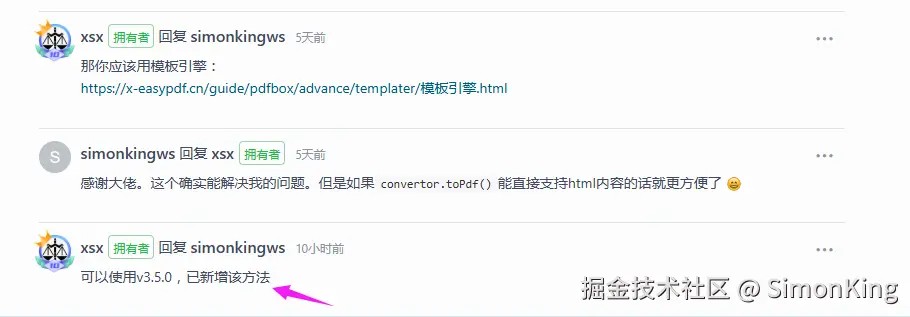
但是这里convertor.topdf()目前支持传入地址和文件。不支持直接html内容直接转化的。但是playwrigh本身是支持的。
小编已经给x-easypdf作者提了issues:gitee.com/dromara/x-e…
**注意:**截止发稿,官方已经在3.5.0版本支持了html内容转pdf。
实战代码02
使用模板引擎的方式:
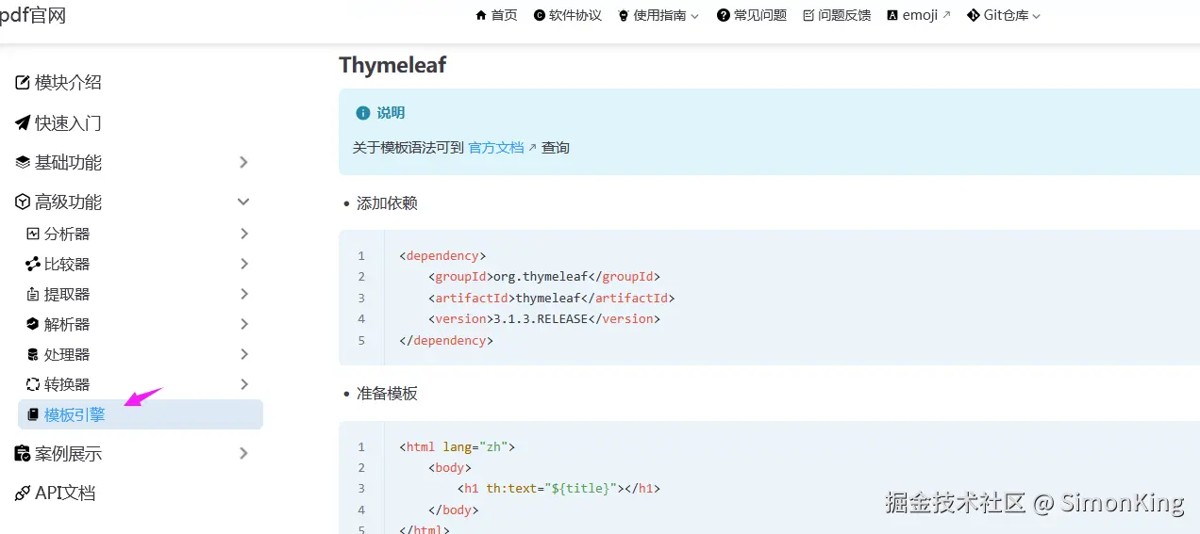
官网地址:x-easypdf.cn/guide/pdfbox/advance/templater
依然是建立在playwrigh基础之上。
@requestmapping("index12")
public void index12(httpservletresponse response) throws ioexception {
    list<map<string, object>> list = new arraylist<>();
    for (int i = 0; i < 3; i++) {
        map<string, object> item = new hashmap<>();
        item.put("image1", "http://example.com/2eb97.jpg");
        item.put("image2", "http://example.com/2f9c3.jpg");
        item.put("vehiclename", "路虎defender[卫士](进口)2023款defender130 48v[卫士 130 48v] 3.0t手自-体p400 hse");
        item.put("brandname", "路虎");
        item.put("seriesname", "defender[卫士]");
        item.put("modelyear", "2023款");
        item.put("licenseyear", sdf.format(new date()));
        item.put("displaymileage", df.format(new bigdecimal("9657")));
        item.put("dealdate", sdf.format(new date()));
        item.put("dealprice", df.format(new bigdecimal("702400")));

        item.put("licensecode", "沪a952714");

        list.add(item);
    }
    map<string, object> map = new hashmap<>();
    map.put("list", list);

    thymeleaftemplater templater = pdfhandler.getdocumenttemplater().getthymeleaftemplater();
    templater.settemplatepath("templates");
    templater.settemplatename("index.html");
    templater.settemplatedata(map);

    // 获取 html 内容
    string content = templater.gethtmlcontent();
    system.out.println(content);

    // 转换文档
    document document = templater.transform();
    document.save(response.getoutputstream());
}
这里需要说明的是:由于x-easypdf自行解析了thymeleaf模版,所以无法使用spring-boot-starter-thymeleaf的配置。templatepath和templatename都需要写完整。templatepath指classpath下的路径。
模板引擎可能会出现nested exception is java.lang.noclassdeffounderror: ognl/propertyaccessor的错误,需要引入ognl,且版本不能超过3.2。从 3.2 开始,会报java.lang.noclassdeffounderror: ognl/defaultmemberaccess。有效版本:
<dependency>
	<groupid>ognl</groupid>
	<artifactid>ognl</artifactid>
	<version>3.1.28</version>
</dependency>
边距可以通过打印样式控制:
@page {
    size: a4;
    margin: 20px;
}
3.3playwrigh原生写法
@requestmapping("index11")
public void index11(httpservletresponse response) throws ioexception {
    try (playwright playwright = playwright.create();
         browser browser = playwright.chromium().launch()) {
        browsercontext context = browser.newcontext();
        page page = context.newpage();

        // 从html内容生成pdf
        page.setcontent("<h1>hello, playwright!</h1>");
        byte[] pdf = page.pdf();

        bytearrayinputstream bais = new bytearrayinputstream(pdf);
        ioutils.copy(bais, response.getoutputstream());
    }
}
04 小结
itext pdfhtml内存占用低,转换速度快,适合服务器端批量处理。而playwright需要更多资源,但渲染质量极高,适合对视觉保真度要求高的场景,所以x-easypdf也是一样的。如果只是针对html转pdf的服务端转化的场景itext pdfhtml的优势更明显一下,关键它快!
也有粉丝朋友留言说jasperreports也很好用,小编也试了一下。jasperreports需要加载特定的模板,也许是因为不是很熟悉,用起来感觉有点别扭。这里就不推荐了,有兴趣的可以去试试!
以上就是java实现html转pdf的两款工具(itext-pdfhtml和x-easypdf)介绍与使用的详细内容,更多关于java html转pdf的资料请关注代码网其它相关文章!



发表评论