
 我要评论
我要评论前言
在 spring boot 中,自定义 starter 是一种非常强大的方式,可以将常用的功能模块封装成可复用的组件。本文将详细介绍如何创建一个自定义 starter,并提供完整的使用流程和代码示例。
一、自定义 starter 原理
spring boot 的自动配置机制依赖于 meta-inf/spring.factories 文件中的 enableautoconfiguration 配置项。当项目启动时,spring boot 会扫描所有 meta-inf/spring.factories 文件,加载其中指定的自动配置类。
启动流程图解:
starter → autoconfigure → spring-boot-starter
↑
└─ meta-inf/spring.factories
starter:maven/gradle 依赖包(启动器)autoconfigure:包含自动配置逻辑的包spring.factories:配置自动配置类的入口文件
二、项目结构设计
我们以一个简单的“hello world”功能为例,创建一个名为 atguigu-hello-spring-boot-starter 的自定义 starter。
模块划分
├── atguigu-hello-spring-boot-starter (starter)
│ ├── pom.xml
│ └── src/main/java/com/atguigu/hello/helloservice.java
│
├── atguigu-hello-spring-boot-starter-autoconfigure (autoconfigure)
│ ├── pom.xml
│ ├── src/main/java/com/atguigu/hello/config/helloautoconfiguration.java
│ ├── src/main/java/com/atguigu/hello/config/helloproperties.java
│ └── src/main/resources/meta-inf/spring.factories
三、代码实现
1. 创建 autoconfigure 模块
pom.xml
<?xml version="1.0" encoding="utf-8"?>
<project xmlns="http://maven.apache.org/pom/4.0.0"
         xmlns:xsi="http://www.w3.org/2001/xmlschema-instance"
         xsi:schemalocation="http://maven.apache.org/pom/4.0.0
         http://maven.apache.org/xsd/maven-4.0.0.xsd">
    <modelversion>4.0.0</modelversion>

    <groupid>com.atguigu</groupid>
    <artifactid>atguigu-hello-spring-boot-starter-autoconfigure</artifactid>
    <version>1.0.0</version>

    <parent>
        <groupid>org.springframework.boot</groupid>
        <artifactid>spring-boot-starter-parent</artifactid>
        <version>3.1.5</version>
        <relativepath/>
    </parent>

    <dependencies>
        <dependency>
            <groupid>org.springframework.boot</groupid>
            <artifactid>spring-boot-autoconfigure</artifactid>
        </dependency>
    </dependencies>
</project>
helloproperties.java(配置属性类)
package com.atguigu.hello.config;

import org.springframework.boot.context.properties.configurationproperties;
import org.springframework.stereotype.component;

@component
@configurationproperties(prefix = "hello")
public class helloproperties {

    private string message = "hello, world!";

    public string getmessage() {
        return message;
    }

    public void setmessage(string message) {
        this.message = message;
    }
}
helloautoconfiguration.java(自动配置类)
package com.atguigu.hello.config;

import org.springframework.boot.autoconfigure.condition.conditionalonmissingbean;
import org.springframework.boot.context.properties.enableconfigurationproperties;
import org.springframework.context.annotation.bean;
import org.springframework.context.annotation.configuration;

@configuration
@enableconfigurationproperties(helloproperties.class)
public class helloautoconfiguration {

    @bean
    @conditionalonmissingbean
    public helloservice helloservice(helloproperties properties) {
        return new helloservice(properties.getmessage());
    }
}
helloservice.java(业务逻辑类)
package com.atguigu.hello;

public class helloservice {

    private final string message;

    public helloservice(string message) {
        this.message = message;
    }

    public string sayhello() {
        return message;
    }

    public void printhello() {
        system.out.println(sayhello());
    }
}
meta-inf/spring.factories
org.springframework.boot.autoconfigure.enableautoconfiguration=\
com.atguigu.hello.config.helloautoconfiguration
注意:spring.factories 文件必须放在 src/main/resources/meta-inf/ 目录下。
2. 创建 starter 模块
pom.xml
<?xml version="1.0" encoding="utf-8"?>
<project xmlns="http://maven.apache.org/pom/4.0.0"
         xmlns:xsi="http://www.w3.org/2001/xmlschema-instance"
         xsi:schemalocation="http://maven.apache.org/pom/4.0.0
         http://maven.apache.org/xsd/maven-4.0.0.xsd">
    <modelversion>4.0.0</modelversion>

    <groupid>com.atguigu</groupid>
    <artifactid>atguigu-hello-spring-boot-starter</artifactid>
    <version>1.0.0</version>

    <parent>
        <groupid>org.springframework.boot</groupid>
        <artifactid>spring-boot-starter-parent</artifactid>
        <version>3.1.5</version>
        <relativepath/>
    </parent>

    <dependencies>
        <!-- 引入 autoconfigure 包 -->
        <dependency>
            <groupid>com.atguigu</groupid>
            <artifactid>atguigu-hello-spring-boot-starter-autoconfigure</artifactid>
            <version>1.0.0</version>
        </dependency>
    </dependencies>
</project>
说明:这个 starter 只是一个“门面”,真正实现自动配置的是 autoconfigure 模块。
四、使用自定义 starter
1. 在目标项目中引入 starter
pom.xml
<dependency>
    <groupid>com.atguigu</groupid>
    <artifactid>atguigu-hello-spring-boot-starter</artifactid>
    <version>1.0.0</version>
</dependency>
2. 配置文件application.yml
hello:
  message: "hello, spring boot!"
3. 编写测试代码
@springbootapplication
public class demoapplication {

    public static void main(string[] args) {
        springapplication.run(demoapplication.class, args);
    }

    @autowired
    private helloservice helloservice;

    @postconstruct
    public void init() {
        helloservice.printhello(); // 输出: hello, spring boot!
    }
}
五、完整流程总结
| 步骤 | 描述 |
|---|---|
| 1 | 创建 autoconfigure 模块,包含自动配置逻辑 |
| 2 | 编写 @configuration 类,使用 @enableconfigurationproperties 绑定配置 |
| 3 | 在 meta-inf/spring.factories 中注册自动配置类 |
| 4 | 创建 starter 模块,仅依赖 autoconfigure |
| 5 | 在主项目中引入 starter,无需额外配置 |
| 6 | 通过 application.yml 设置参数,自动生效 |
六、关键注解说明
| 注解 | 作用 |
|---|---|
| @configuration | 标记为配置类 |
| @enableconfigurationproperties | 启用配置属性绑定 |
| @conditionalonmissingbean | 当容器中没有该 bean 时才创建 |
| @component | 将类注册为 spring bean |
| @configurationproperties | 绑定配置文件前缀属性 |
七、扩展建议
- 支持多环境配置(如
dev,prod) - 添加日志记录或监控功能
- 使用
@conditionalonclass或@conditionalonproperty实现更复杂的条件判断 - 提供接口供外部扩展
八、注意事项
spring.factories文件格式必须正确,不能有空格或换行错误。- 确保
autoconfigure模块的spring-boot-autoconfigure依赖已添加。 - 启动器模块不要直接写业务逻辑,只做依赖管理。
- 版本号保持一致,避免冲突。
九、运行效果
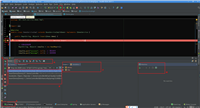
启动项目后,控制台输出
hello, spring boot!
说明自定义 starter 成功加载并执行了自动配置逻辑。
总结:通过这种方式,你可以轻松地将任何功能封装为可复用的 spring boot starter,提升开发效率与代码复用性。
到此这篇关于springboot中自定义starter的完整教程的文章就介绍到这了,更多相关springboot自定义starter内容请搜索代码网以前的文章或继续浏览下面的相关文章希望大家以后多多支持代码网!



发表评论