
 我要评论
我要评论说明:自动装配是spring boot框架的一大特点,简单说,是项目启动时,自动创建一系列bean对象。
本文介绍几个借助spring boot自动装配的用法。
基础用法
用法一:基本操作
最基础的用法是用 @bean 注解,手动将对象放入到 spring boot 的ioc容器中,其他地方就可以使用 @autowired 注解直接使用该对象。
如下:
(某个类对象,注意类上没有额外加注解)
public class demoservice {
    public string test() {
        return "test";
    }
}
(将对象放入到 ioc 容器中)
import com.hezy.service.demoservice;
import org.springframework.context.annotation.bean;
import org.springframework.context.annotation.configuration;
@configuration
public class autobeanconfiguration {
    @bean
    public demoservice testbean() {
        return new demoservice();
    }
}
(直接注入使用)
import com.hezy.service.demoservice;
import org.springframework.beans.factory.annotation.autowired;
import org.springframework.web.bind.annotation.getmapping;
import org.springframework.web.bind.annotation.requestmapping;
import org.springframework.web.bind.annotation.restcontroller;
@restcontroller
@requestmapping("/demo")
public class democontroller {
    @autowired
    private demoservice demoservice ;
    @getmapping
    public string sayhello() {
        return demoservice.test();
    }
}
启动项目,调用,正常返回结果
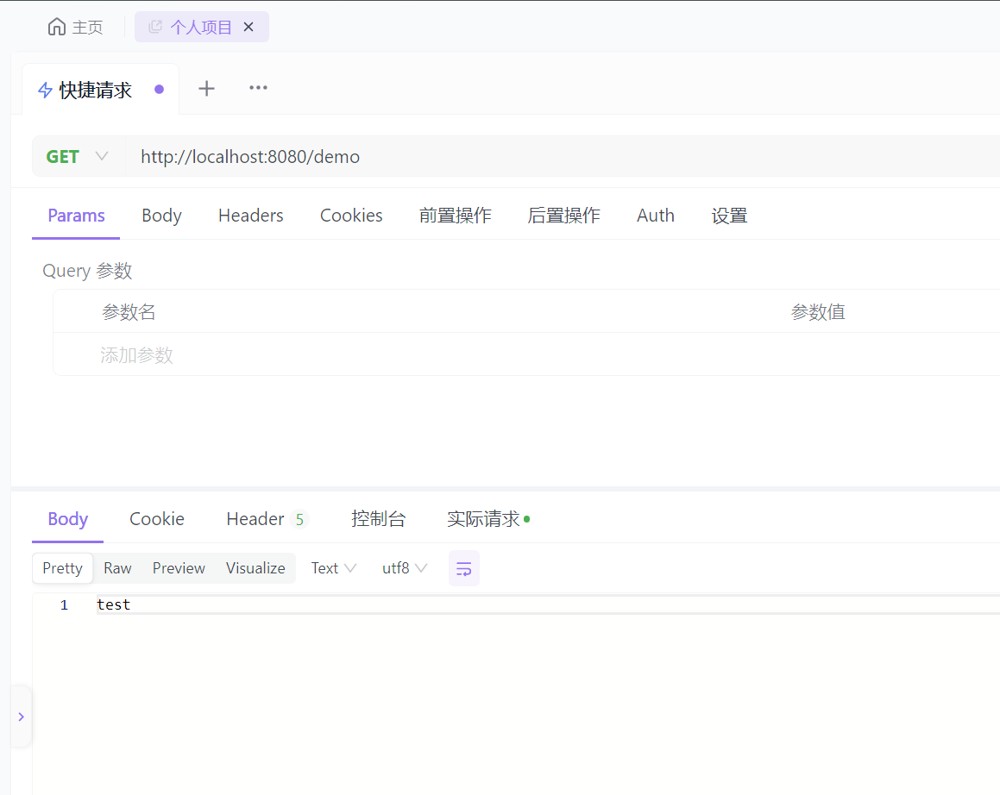
另外,使用 @bean 注解将对象放入 ioc 容器,需要配合类上的 @configuration 注解,所以通常来说,我们都会创建一个配置类,将需要实例化的 bean 对象都放入到这个配置类中,最后再使用服务注册的方式,将这个配置的全限定类名放到 meta-inf 文件下的 org.springframework.boot.autoconfigure.autoconfiguration.imports 文件里,这样其他引入该模块的其他模块,就能直接注入该模块的 bean 对象。
用法二:获取指定service
在一些场景,比如将数据生成文件(excel、word、pdf),我们需要根据配置来调用指定的 service 实现类(excelserviceimpl、wordserviceimpl、pdfserviceimpl),我们通常的做法是给这些 service 设置一个名称,然后使用 applicationcontext 的 ap i获取指定实现类调用。
如下:
(创建一个写服务接口,其他具体实现类实现该接口)
/**
 * 写服务接口
 */
public interface writeservice {
    string write(string content);
}
(excel实现类)
import org.springframework.stereotype.service;
/**
 * excel实现类
 */
@service("excel")
public class excelserviceiimpl implements writeservice {
    @override
    public string write(string content) {
        return "excel:" + content;
    }
}
(word实现类)
import org.springframework.stereotype.service;
/**
 * word实现类
 */
@service("word")
public class wordserviceimpl implements writeservice {
    @override
    public string write(string content) {
        return "word:" + content;
    }
}
(pdf实现类)
import org.springframework.stereotype.service;
/**
 * pdf实现类
 */
@service("pdf")
public class pdfserviceimpl implements writeservice {
    @override
    public string write(string content) {
        return "pdf:" + content;
    }
}
(使用,使用 applicationcontext 的 getbean方法获取指定实现类调用其方法执行)
import org.springframework.beans.factory.annotation.autowired;
import org.springframework.context.applicationcontext;
import org.springframework.stereotype.service;
@service
public class testservice {
    @autowired
    private applicationcontext applicationcontext;
    public string test(string type, string content) {
        return applicationcontext.getbean(type, writeservice.class).write(content);
    }
}
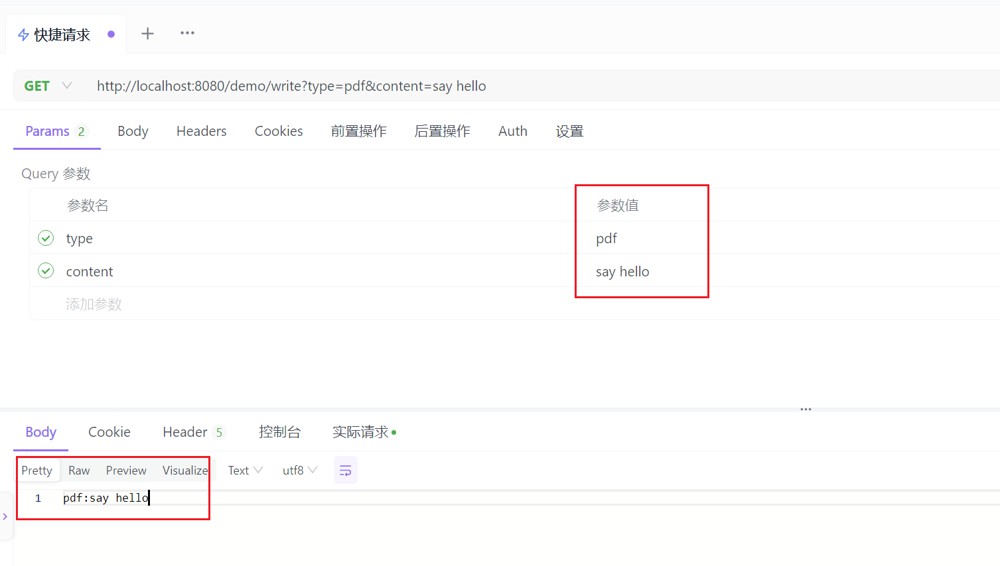
(具体使用哪一个实现类,来自前端传递的参数)
    @autowired
    private testservice testservice;
    @getmapping("/write")
    public string write(string type, string content) {
        return testservice.test(type, content);
    }
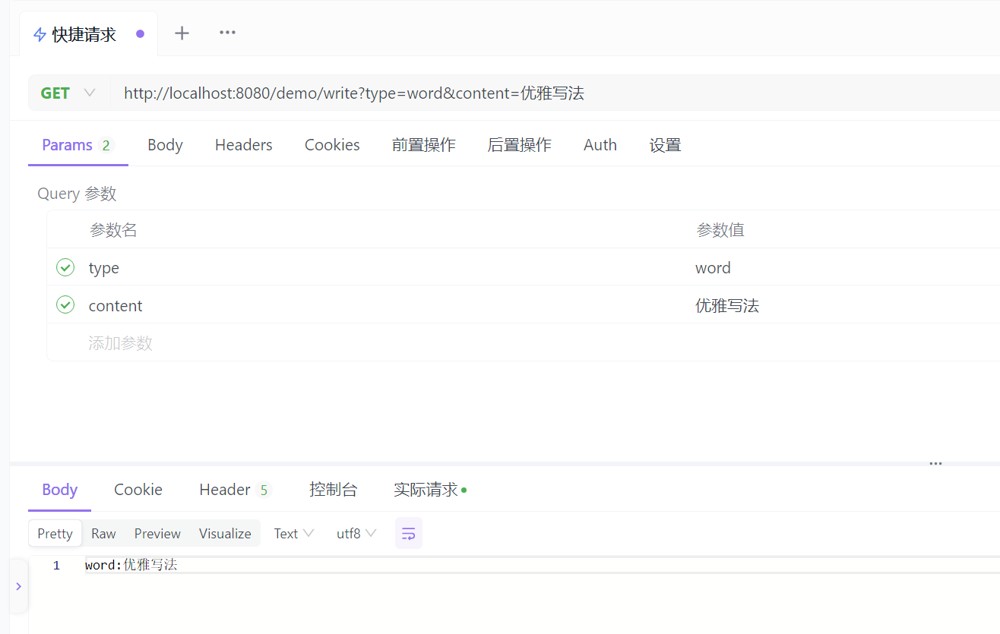
启动项目,传递执行写操作的类型及内容,如下。这样就很方便了,是策略模式的一种体现。
高级用法
用法一:获取某接口的所有实现类
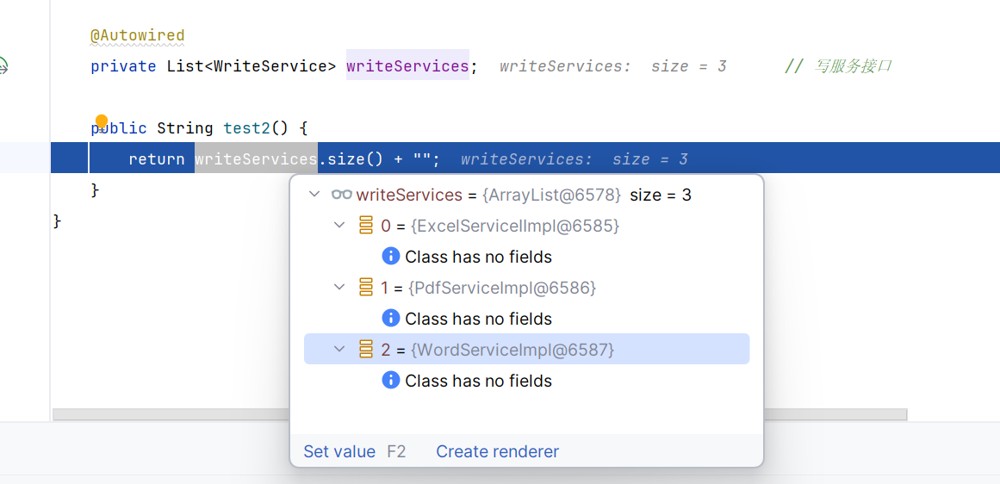
假设一个场景,我们需要获取某接口的所有实现类,依次执行,返回最终结果。这时我们可以通过下面这种方式,直接获取所有实现类的集合:
    @autowired
    private list<writeservice> writeservices;
    public string test2() {
        return writeservices.size() + "";
    }
启动项目,调用接口,打断点查看集合,可见该接口的所有实现类
这种用法场景挺多的,作者在实际开发中也遇到过。可以参看下面这两篇博客介绍:
用法二:获取具体实现类的map映射
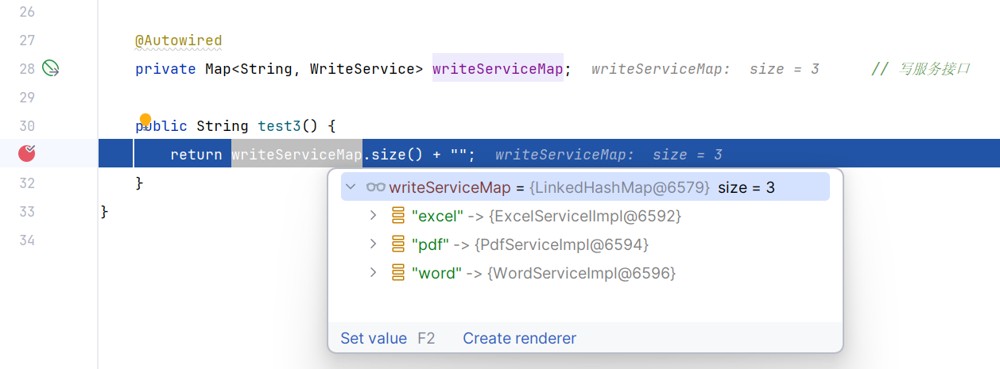
在前面基础用法中,我们提到获取指定 service 可以使用 applicationcontext 的 api,其实更简单的可以直接使用下面这种方式:
    @autowired
    private map<string, writeservice> writeservicemap;
    public string test3() {
        return writeservicemap.size() + "";
    }
启动项目,断点打在这里,可以看到 map 里面存的 key 是 bean 名称,value 是具体实现类
所以基础用法的代码,可以修改如下:
    @autowired
    private map<string, writeservice> writeservicemap;
    public string test(string type, string content) {
        return writeservicemap.get(type).write(content);
    }
这种写法是不是更简洁、优雅
总结
本文介绍了spring boot 自动装配的几种用法。
到此这篇关于spring boot 自动装配的几种用法示例小结的文章就介绍到这了,更多相关springboot自动装配内容请搜索代码网以前的文章或继续浏览下面的相关文章希望大家以后多多支持代码网!





发表评论