
 我要评论
我要评论springboot集成图片验证码框架easy-captcha
此项目已经很久未维护,如有更好的选择,建议使用更好的选择!!!
一、引言
验证码(captcha)是现代应用中防止机器人攻击、保护接口安全的核心手段之一。然而,从零开发验证码模块需要处理图形渲染、算法设计、安全防护等诸多复杂问题。easy-captcha 作为一款轻量级开源验证码框架,以简洁的api和高度可定制性成为开发者的优选方案。下面我们将介绍如何将easy-captcha框架整合到springboot项目中。
二、依赖
<dependency>
    <groupid>com.github.whvcse</groupid>
    <artifactid>easy-captcha</artifactid>
    <version>1.6.2</version>
</dependency>
三、代码
1. easycaptcha配置类
我们可以修改easycaptchatypeenum的枚举值来使用不同的验证码类型
@configuration
@data
public class easycaptchaconfig {
    /**
     * 验证码类型
     */
    private easycaptchatypeenum type = easycaptchatypeenum.gif;
    /**
     * 验证码缓存过期时间(单位:秒)
     */
    private long ttl = 120l;
    /**
     * 验证码内容长度
     */
    private int length = 4;
    /**
     * 验证码宽度
     */
    private int width = 120;
    /**
     * 验证码高度
     */
    private int height = 36;
    /**
     * 验证码字体
     */
    private string fontname = "verdana";
    /**
     * 字体风格
     */
    private integer fontstyle = font.plain;
    /**
     * 字体大小
     */
    private int fontsize = 20;
}
2. easycaptchatypeenum枚举类
/**
 * @desc: easycaptcha 验证码类型枚举
 * @author: shy
 * @date: 2025/02/27 16:55
 */
public enum easycaptchatypeenum {
    /**
     * 算数
     */
    arithmetic,
    /**
     * 中文
     */
    chinese,
    /**
     * 中文闪图
     */
    chinese_gif,
    /**
     * 闪图
     */
    gif,
    /**
     * png格式验证码
     */
    spec
}
3. 验证码生成器
/**
 * @desc: 验证码生成器
 * @author: shy
 * @date: 2025/02/27 16:59
 */
@component
@requiredargsconstructor
public class easycaptchaproducer {
    private final easycaptchaconfig captchaconfig;
    public captcha getcaptcha() {
        captcha captcha;
        int width = captchaconfig.getwidth();
        int height = captchaconfig.getheight();
        int length = captchaconfig.getlength();
        string fontname = captchaconfig.getfontname();
        switch (captchaconfig.gettype()) {
            case arithmetic:
                captcha = new arithmeticcaptcha(width, height);
                //固定设置为两位,图片为算数运算表达式
                captcha.setlen(2);
                break;
            case chinese:
                captcha = new chinesecaptcha(width, height);
                captcha.setlen(length);
                break;
            case chinese_gif:
                captcha = new chinesegifcaptcha(width, height);
                captcha.setlen(length);
                break;
            case gif:
                captcha = new gifcaptcha(width, height);//最后一位是位数
                captcha.setlen(length);
                break;
            case spec:
                captcha = new speccaptcha(width, height);
                captcha.setlen(length);
                break;
            default:
                throw new runtimeexception("验证码配置信息错误!正确配置查看 captchatypeenum ");
        }
        // 使用默认字体即可解决中文乱码问题
        captcha.setfont(new font(fontname, captchaconfig.getfontstyle(), captchaconfig.getfontsize()));
        return captcha;
    }
}
4. 验证码生成service
/**
 * @desc: easycaptcha 业务类
 * @author: shy
 * @date: 2025/02/27 17:02
 */
@component
@requiredargsconstructor
public class easycaptchaservice {
    private final easycaptchaproducer easycaptchaproducer;
    private final easycaptchaconfig captchaconfig;
    /**
     * 获取easycaptcha图片验证码
     *
     * @param
     * @return captcha
     * @throws
     * @author shy
     * @date 2025/02/27 22:18
     */
    public captcha getcaptcha() {
        // 获取验证码
        captcha captcha = easycaptchaproducer.getcaptcha();
        // 验证码文本
        string captchatext = captcha.text();
        // todo 验证码文本存储redis比对
        system.out.println("验证码文本:" + captchatext);
        return captcha;
    }
}
5. 对外接口
@getmapping("/geteasycaptcha")
@apioperation(value = "获取easycaptcha图片验证码", notes = "获取easycaptcha图片验证码", httpmethod = "get")
public void geteasycaptcha() {
    captcha captcha = captchaservice.getcaptcha();
    try {
        captcha.out(response.getoutputstream());
        // 以上两种方式都可以输出图片验证码
        //captchautil.out(captcha, request, response);
    } catch (ioexception e) {
        throw new runtimeexception();
    }
    super.geteasycaptcha();
}
四、验证码展示

动态验证码

中文验证码
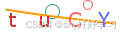
png格式验证码
五、总结
easy-captcha 通过模块化设计平衡了安全性与开发效率,其源码结构清晰(仅核心类约15个),适合二次开发。无论是快速实现基础验证功能,还是构建企业级人机验证系统,该框架都能提供可靠支持。建议结合具体业务需求,在验证码样式、验证流程上做深度定制。
github 地址:https://github.com/whvcse/easycaptcha
到此这篇关于springboot集成图片验证码框架easy-captcha的文章就介绍到这了,更多相关springboot验证码easy-captcha内容请搜索代码网以前的文章或继续浏览下面的相关文章希望大家以后多多支持代码网!


发表评论