
 我要评论
我要评论一、前言
小程序没办法直接导出pdf或一些文档,只能借助api先将文件下载下来并打开,再让用户手动去保存。之前做“小程序当前页面截图转pdf导出”功能的时候,小程序好像也无法实现。所以要打开文件,都让后端去做吧,要么给前端一个文件地址,要么返回二进制文件流,这样小程序就能打开文件了。
二、需要的wx api
- downloadfile(下载文件)
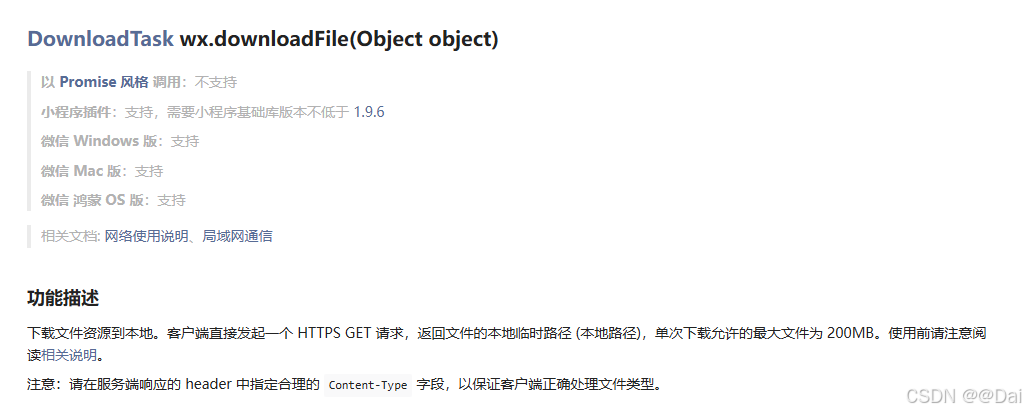
- opendocument(打开文件)
showmenu设置为true才能支持用户把文件下载到本地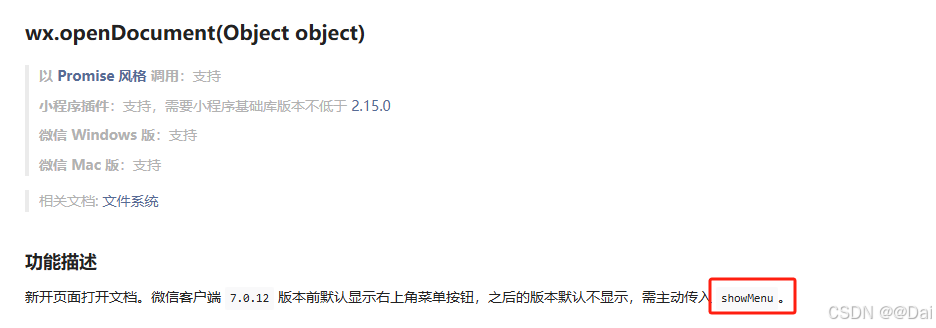
三、完整代码
const previewpdf = (url) => { // 预览pdf
	uni.showloading({
		title: '加载中',
		mask: true
	})

	return new promise((resolve, reject) => {
		uni.downloadfile({
			url: baseurl + url,
			header: {
				'authorization': store.state.token
			},
			success: (res) => {
				if (res.statuscode === 200) {
					uni.opendocument({
						filepath: res.tempfilepath,
						showmenu: true, //显示右上角三个点,支持手动保存到本地
						success: (res) => {
							uni.hideloading()
							resolve(true)
						},
						fail: (err) => {
							uni.hideloading()
							resolve(true)
							uni.showtoast({
								title: '打开失败',
								icon: 'none'
							})
						}
					})
				}
			},
			fail: (err) => {
				uni.hideloading()
				uni.showtoast({
					title: '下载失败',
					icon: 'none'
				})
			}
		})
	})
}
总结
到此这篇关于前端小程序实现预览pdf并导出的文章就介绍到这了,更多相关前端小程序预览pdf并导出内容请搜索代码网以前的文章或继续浏览下面的相关文章希望大家以后多多支持代码网!




发表评论