
 我要评论
我要评论一,公众号
首先我们需要有一个微信服务公众号
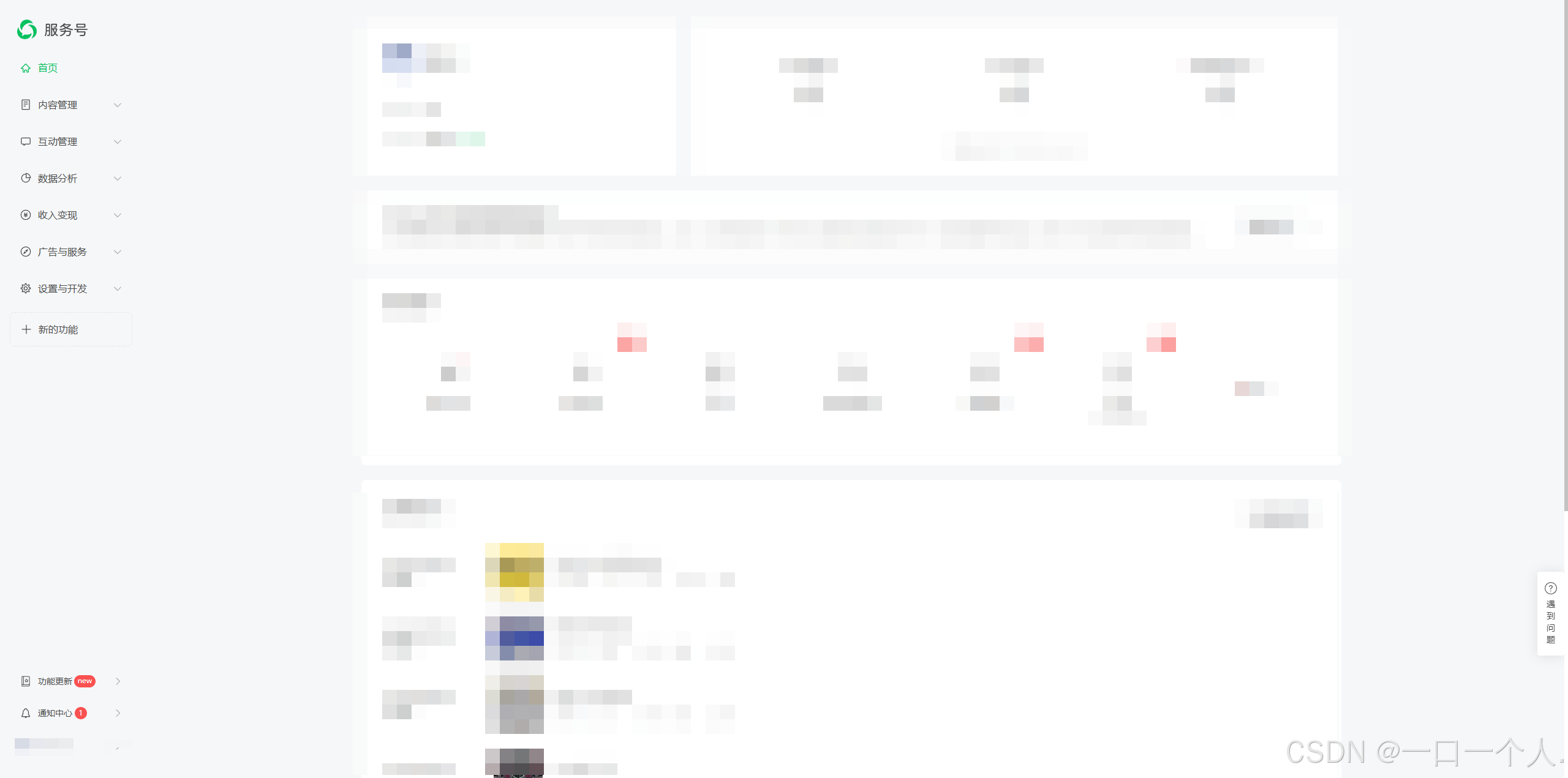
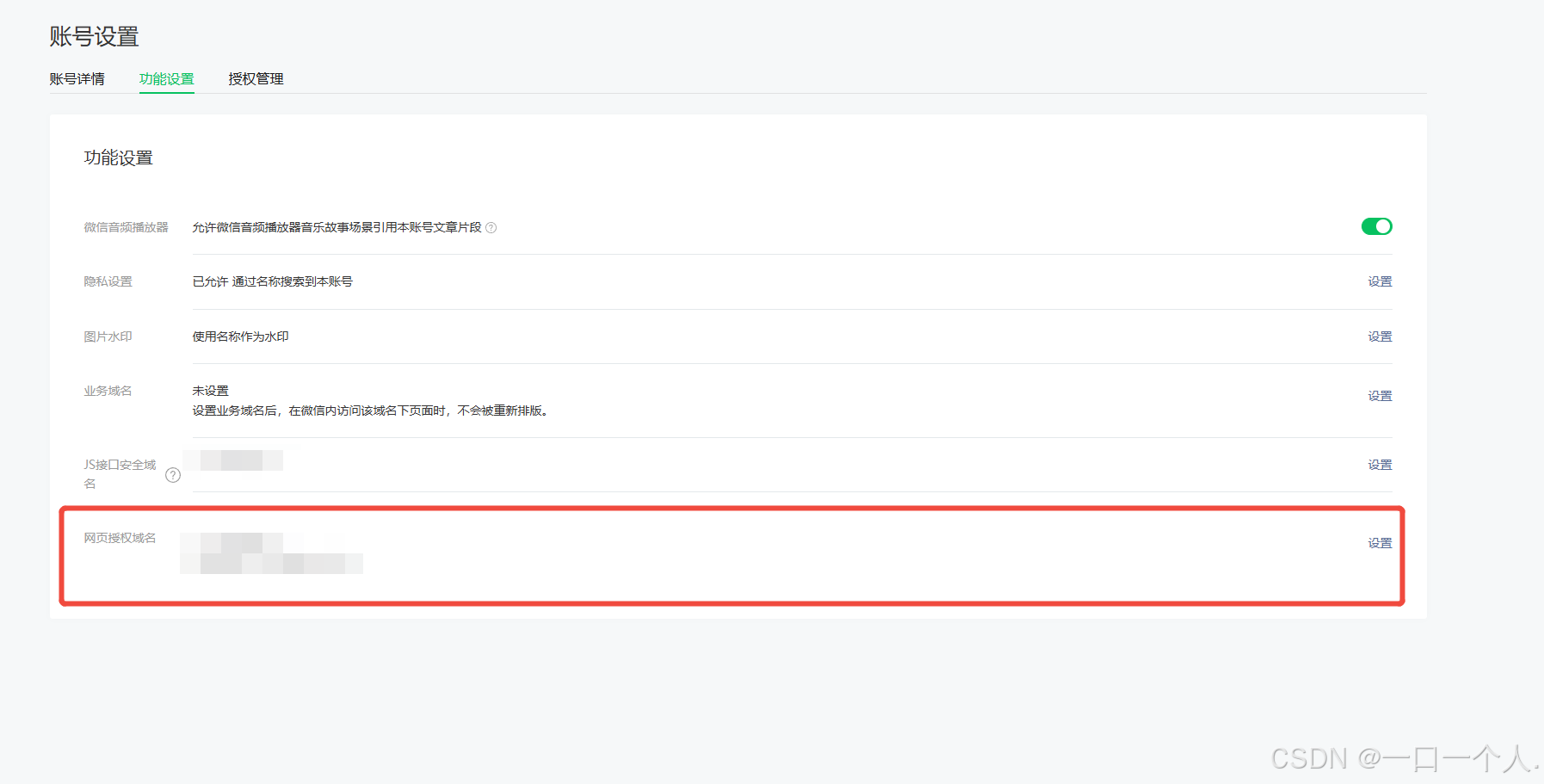
首先账号是需要时公众号下的开发者
还需要在网页授权域名中配置 相应的h5正式域名 正式上线是需要用到这个的
二,重定向code说明
首先我们这为了方便调试 会将线上和本地调试 分开进行调试
这样就需要我们在前端执行中 判断好
我们可以先看这个 微信网页授权的开发文档 这个 重定向登录 说白了就是 一个微信授权
需要跳转这个链接
https://open.weixin.qq.com/connect/oauth2/authorize?appid=${appid.value}&redirect_uri=${local}&response_type=code&connect_redirect=1&scope=snsapi_userinfo&state=state#wechat_redirect其中的local 就是微信会帮我们跳转的地址 所以我们需要微信跳转回来哪个页面 我们就填哪个页面就好了
还是需要编码的local
  let local = `http://h5.liangpiao.net.cn/cdx2.html`; // 获取页面url

  if (window.location.origin.indexof("192.168.110.71") !== -1) {
    local = `http://h5.liangpiao.net.cn/cdx1.html`; // 获取页面url

  //  地址转码
  local = encodeuricomponent(local);

  //  获取 code 地址
  let url = `https://open.weixin.qq.com/connect/oauth2/authorize?appid=${appid.value}&redirect_uri=${local}&response_type=code&connect_redirect=1&scope=snsapi_userinfo&state=state#wechat_redirect`;

  window.location.href = url;
看以上的代码
我们可以看到有两个html 文件 一个是本地的地址 一个是线上的地址
这个就是重定向地址
<!doctype html>
<html lang="zh">
	<head>
		<meta charset="utf-8" />
		<meta http-equiv="x-ua-compatible" content="ie=edge" />
		<meta name="viewport" content="width=device-width, initial-scale=1.0" />
		<title>document</title>
	</head>
	<body></body>
</html>
<script>
	window.onload = function() {
		window.location.href = `http://192.168.110.71:5173/#/pages/login/index/${location.search}`;
	};
</script>
这个html 里的内容就是一段js
跳转的是
http://192.168.110.71:5173/#/pages/login/index/${location.search}
这个页面 就是说微信会重定向到这个页面里 ·location.search· 这个 / 后面的参数 这个必填 是用来接收查询参数的 会有code 参数在这个查询参数里面
这个链接 是我们本地的调试 链接
如果正式上线 我们需要 把本地ip变成 线上正式地址 但是我们为了调试方便 我们可以将这个两个都写上
三,开发使用
首先我们写一个函数
	const getcode = () => {
		let local = `http://xxxxx/cdx2.html`; // 获取页面url 线上


		if (window.location.origin.indexof("192.168.110.71") !== -1) {
			local = `http://xxxxx/cdx1.html`; // 获取页面url  本地
		}

		//  地址转码
		local = encodeuricomponent(local);

		//  获取 code 地址
		let url =
			`https://open.weixin.qq.com/connect/oauth2/authorize?appid=${appid.value}&redirect_uri=${local}&response_type=code&connect_redirect=1&scope=snsapi_userinfo&state=state#wechat_redirect`;

		window.location.href = url;
		// taro.hideloading();
	};
	//用户重定向登录
	const getuserinfo = async (option) => {
		let code = option.code;
		let userinfo = uni.getstoragesync("userinfo") ?
			uni.getstoragesync("userinfo") :
			null;

		if (userinfo) {
			userinfo = await userapi
				.userinfo({
					userid: userinfo.id
				})
				.then((res : any) => res.data);
			// if (!userinfo) {
			// 	taro.removestoragesync("userinfo");
			// }
		} else if (code) {
			const openid = await userapi
				.emitcodebyh5({
					code
				})
				.then((res : any) => res.data);

			openid.value = openid;
			uni.setstoragesync("openid", openid);
			const userinfores = await userapi
				.login({
					username: openid
				})
				.then((res : any) => res);
			if (userinfores.state === 200) {
				userinfo = userinfores.data;
				uni.setstoragesync("userinfo", userinfores.data);
				userinfo.value = userinfores.data;
				userstore.setuserinfo(userinfores.data);
				userstore.settoken(userinfores["token"]);
			} else if (userinfores.state === 202) {
				return

			}
		}
		// 如果 userinfo 为空 代表 本地 没有 缓存数据 且 code 不存在 获取失效  重新获取code
		if (!userinfo) {
			getcode();
			return;
		} else {

		}
	};
我们需要做一个判断 根据缓存判断 微信公众号 就是依据 微信的缓存进行判断开发 为了避免有太多的 重定向跳转 影响用户体验
这个需要做好判断 否则会造成 重定向一直进行
总结
到此这篇关于前端微信h5公众号实现授权登录的文章就介绍到这了,更多相关前端微信h5公众号授权登录内容请搜索代码网以前的文章或继续浏览下面的相关文章希望大家以后多多支持代码网!



发表评论