
 我要评论
我要评论上一篇文章介绍了 spring boot 3 整合 elasticsearch 8.x 的几种客户端形式,除此之外,spring data 对 elasticsearch 还提供了 repository 支持,与前面讨论的jpa repository 一样,其基本原理是根据方法名称自动为你构建查询,提供了更简便的数据搜索和分析功能。本文将介绍如何使用 spring data elasticsearch repository 来构建一个简单的搜索应用。
1. 环境准备
1.1 项目依赖
在 pom.xml 中添加以下依赖:
<dependency>
    <groupid>org.springframework.boot</groupid>
    <artifactid>spring-boot-starter-data-elasticsearch</artifactid>
</dependency>
确保 spring-boot-starter-data-elasticsearch 的版本与 spring boot 3 兼容。
1.2 elasticsearch 配置
在 application.properties 或 application.yml 中配置 elasticsearch 的连接信息:
spring:
  elasticsearch:
    uris: "http://localhost:9200"
    socket-timeout: "10s"
    username: "user"
    password: "secret"
2. 使用repository的基本步骤
2.1 创建实体类
我们定义一个 product 实体类,表示产品信息:
package com.coderjia.boot318es.bean;
import lombok.allargsconstructor;
import lombok.data;
import org.springframework.data.annotation.id;
import org.springframework.data.elasticsearch.annotations.document;
/**
 * @author coderjia
 * @create 2024/11/3 下午 04:37
 * @description
 **/
@data
@document(indexname = "products")
@allargsconstructor
public class product {
    @id
    private string id;
    private string name;
    private string description;
    private double price;
}
2.2 创建 repository 接口
elasticsearchrepository 是 spring data elasticsearch 提供的一个接口,用于简化与 elasticsearch 交互的操作。它继承自 crudrepository 和 pagingandsortingrepository,扩展了基本的 crud(创建、读取、更新、删除)功能,支持分页和排序,还提供了对 elasticsearch 特有的操作支持。使用 elasticsearchrepository,开发者可以快速构建功能全面的数据访问层,而无需编写复杂的 elasticsearch 客户端代码。
2.2.1 主要作用和优点
- 简化数据操作:提供了基础的 crud 方法,如
save()、findbyid()、findall()和deletebyid()等,方便开发者直接使用。 - 自定义查询:通过定义接口中的方法(如
findbyname(string name)),可以自动生成符合方法命名规范的查询。 - 分页与排序:内置了分页和排序支持,方法如
findall(pageable pageable)可以直接返回分页数据。 - 与 spring 无缝集成:使用 spring 的依赖注入和配置机制,无需手动创建或管理客户端连接。
- 减少代码复杂度:自动实现常用的数据库操作,减少重复代码,提高开发效率。
2.2.2 使用场景
- 需要快速实现基于 elasticsearch 的应用程序,且不希望编写底层客户端调用代码。
- 开发中涉及到简单或中等复杂度的查询,使用方法命名约定生成查询即可满足需求。
- 项目中需要分页、排序功能而不想手动处理分页逻辑。
定义 productrepository 接口,继承 elasticsearchrepository:
package com.coderjia.boot318es.dao;
import com.coderjia.boot318es.bean.product;
import org.springframework.data.elasticsearch.repository.elasticsearchrepository;
import java.util.list;
/**
 * @author coderjia
 * @create 2024/11/4 下午 09:29
 * @description
 **/
public interface productrepository extends elasticsearchrepository<product, string> {
    /**
     * 自定义通过name查询
     *
     * @param name
     * @return
     */
    list<product> findbyname(string name);
}
2.3 服务层实现
在服务层中实现增删改查的业务逻辑:
package com.coderjia.boot318es.service;
import com.coderjia.boot318es.bean.product;
import com.coderjia.boot318es.dao.productrepository;
import jakarta.annotation.resource;
import org.springframework.data.domain.page;
import org.springframework.data.domain.pageable;
import org.springframework.stereotype.service;
import java.util.list;
import java.util.optional;
/**
 * @author coderjia
 * @create 2024/11/4 下午 09:29
 * @description
 **/
@service
public class productservice {
    @resource
    private productrepository productrepository;
    // 创建或更新产品
    public product saveproduct(product product) {
        return productrepository.save(product);
    }
    // 根据 id 查询产品
    public optional<product> findbyid(string id) {
        return productrepository.findbyid(id);
    }
    // 根据名称查询产品
    public list<product> findbyname(string name) {
        return productrepository.findbyname(name);
    }
    // 获取所有产品
    public page<product> findall(pageable pageable) {
        return productrepository.findall(pageable);
    }
    // 删除产品
    public void deleteproduct(string id) {
        productrepository.deletebyid(id);
    }
}
2.4 控制器层
在控制器层实现 rest api 接口,处理增删改查请求:
package com.coderjia.boot318es.controller;
import com.coderjia.boot318es.bean.product;
import com.coderjia.boot318es.service.productservice;
import jakarta.annotation.resource;
import org.springframework.data.domain.page;
import org.springframework.data.domain.pagerequest;
import org.springframework.data.domain.pageable;
import org.springframework.web.bind.annotation.deletemapping;
import org.springframework.web.bind.annotation.getmapping;
import org.springframework.web.bind.annotation.pathvariable;
import org.springframework.web.bind.annotation.postmapping;
import org.springframework.web.bind.annotation.requestbody;
import org.springframework.web.bind.annotation.requestmapping;
import org.springframework.web.bind.annotation.requestparam;
import org.springframework.web.bind.annotation.restcontroller;
import java.util.list;
import java.util.optional;
/**
 * @author coderjia
 * @create 2024/11/4 下午 09:30
 * @description
 **/
@restcontroller
@requestmapping("/products")
public class productcontroller {
    @resource
    private productservice productservice;
    // 创建或更新产品
    @postmapping
    public product createorupdateproduct(@requestbody product product) {
        return productservice.saveproduct(product);
    }
    // 根据 id 查询产品
    @getmapping("/{id}")
    public optional<product> getproductbyid(@pathvariable string id) {
        return productservice.findbyid(id);
    }
    // 根据名称查询产品
    @getmapping("/search")
    public list<product> searchbyname(@requestparam string name) {
        return productservice.findbyname(name);
    }
    // 获取所有产品
    @getmapping
    public list<product> getallproducts(
            @requestparam(defaultvalue = "0") int page,
            @requestparam(defaultvalue = "10") int size) {
        pageable pageable = pagerequest.of(page, size);
        page<product> products = productservice.findall(pageable);
        return products.getcontent();
    }
    // 删除产品
    @deletemapping("/{id}")
    public string deleteproduct(@pathvariable string id) {
        productservice.deleteproduct(id);
        return "product deleted successfully!";
    }
}
3. 测试应用
3.1 启动 elasticsearch
确保 elasticsearch 8.x 正在运行,并且可以通过 http://localhost:9200 访问。
3.2 启动 spring boot 应用
运行 spring boot 应用,确保没有错误。
3.3 测试 api
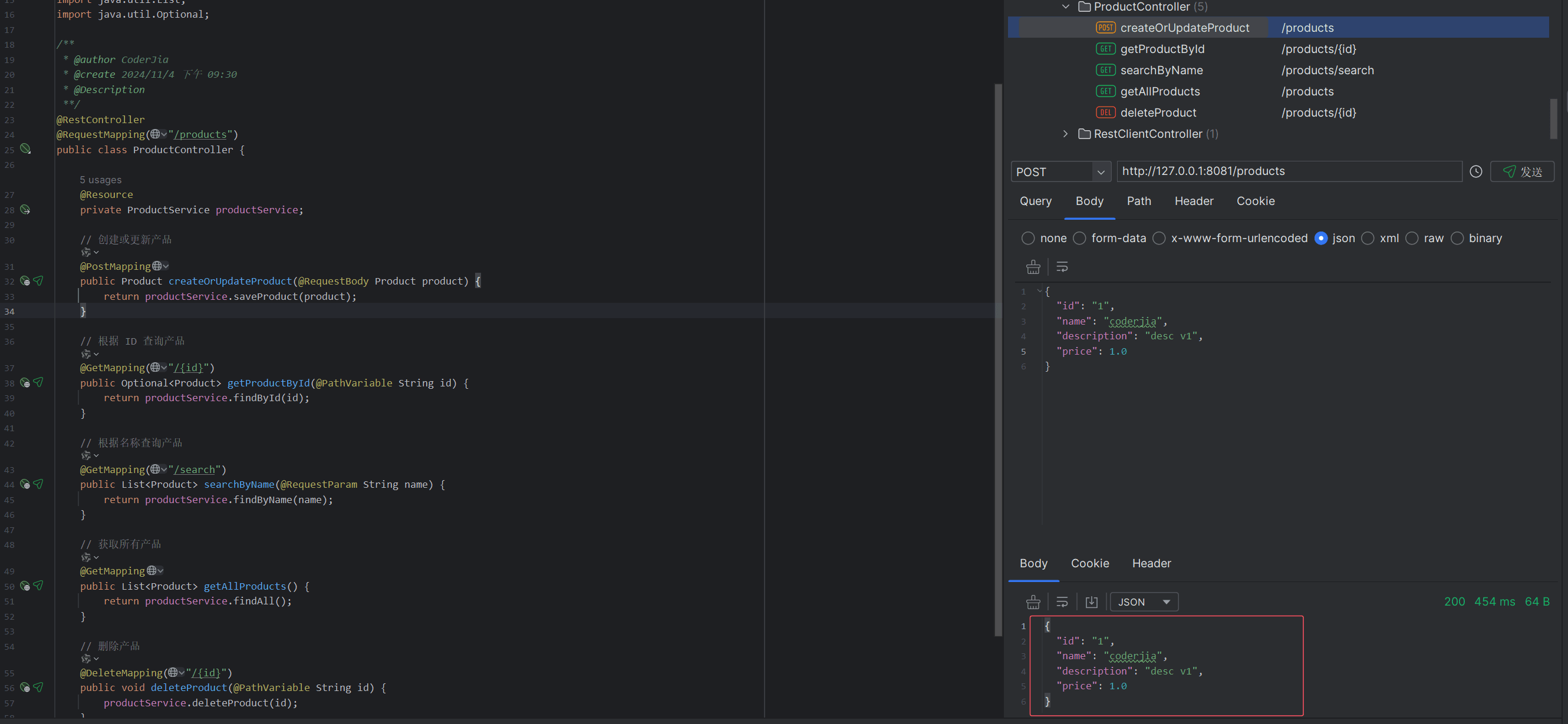
创建产品:
post http://localhost:8080/products
content-type: application/json
{
  "id": "1",
  "name": "coderjia",
  "description": "desc v1",
  "price": 1.0
}
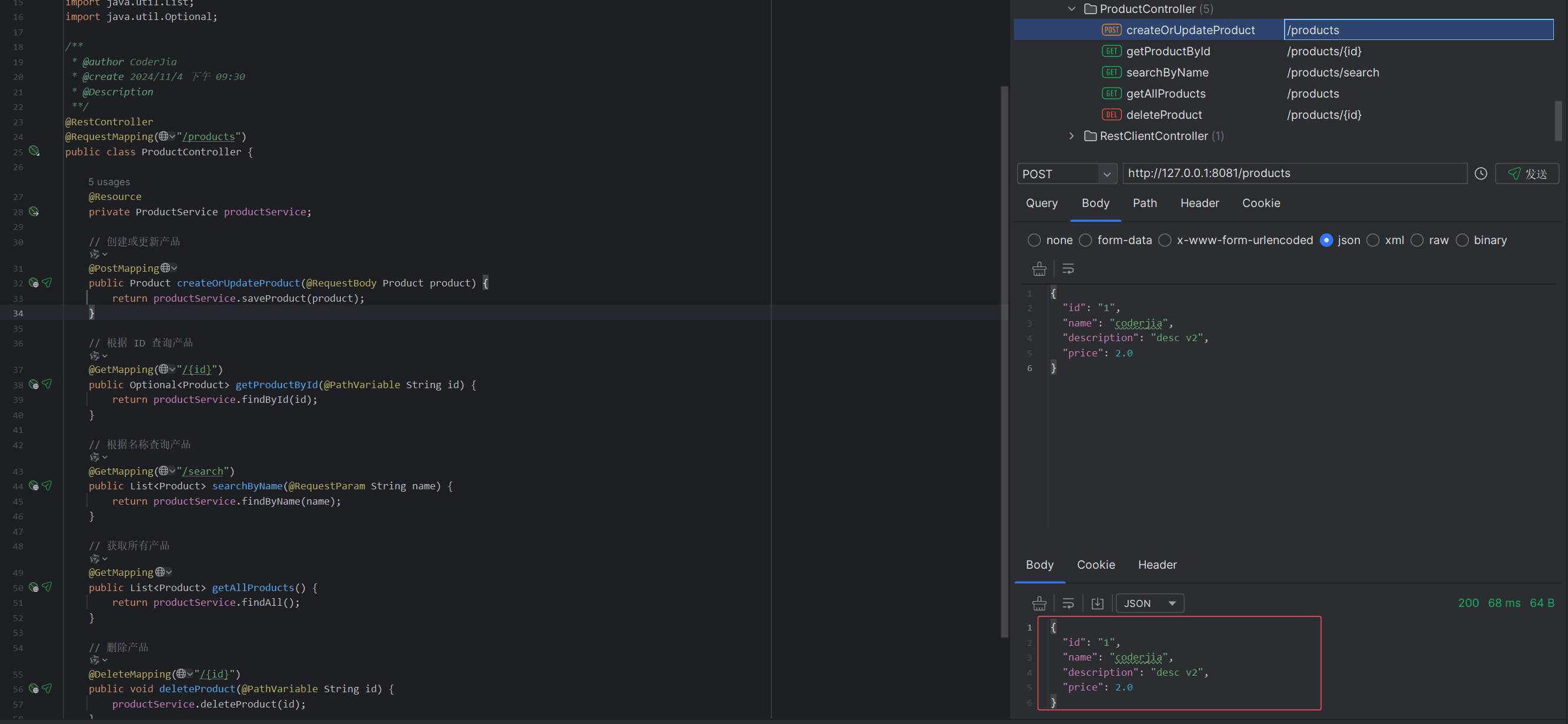
更新产品:
post http://localhost:8080/products
content-type: application/json
{
  "id": "1",
  "name": "coderjia",
  "description": "desc v2",
  "price": 2.0
}
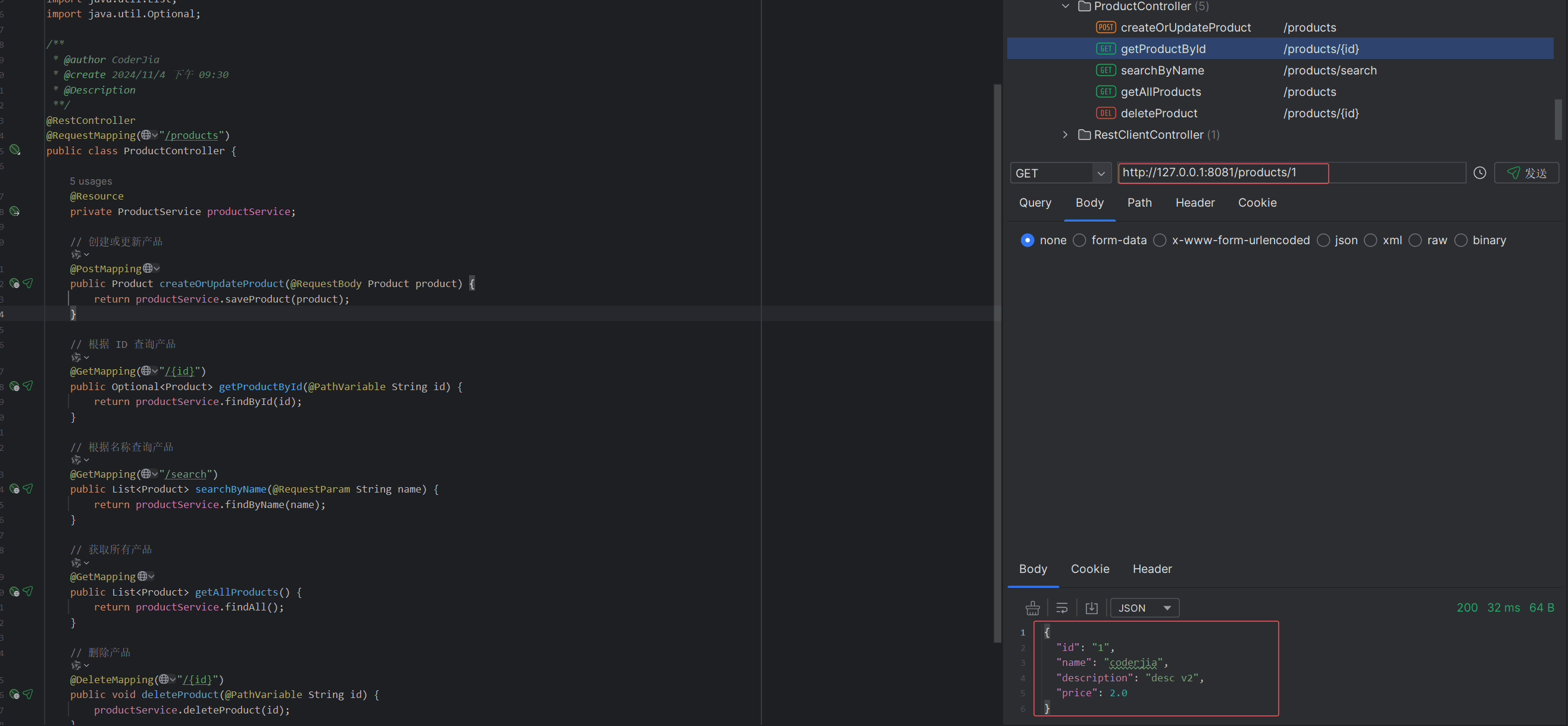
根据 id 查询产品:
get http://localhost:8080/products/1
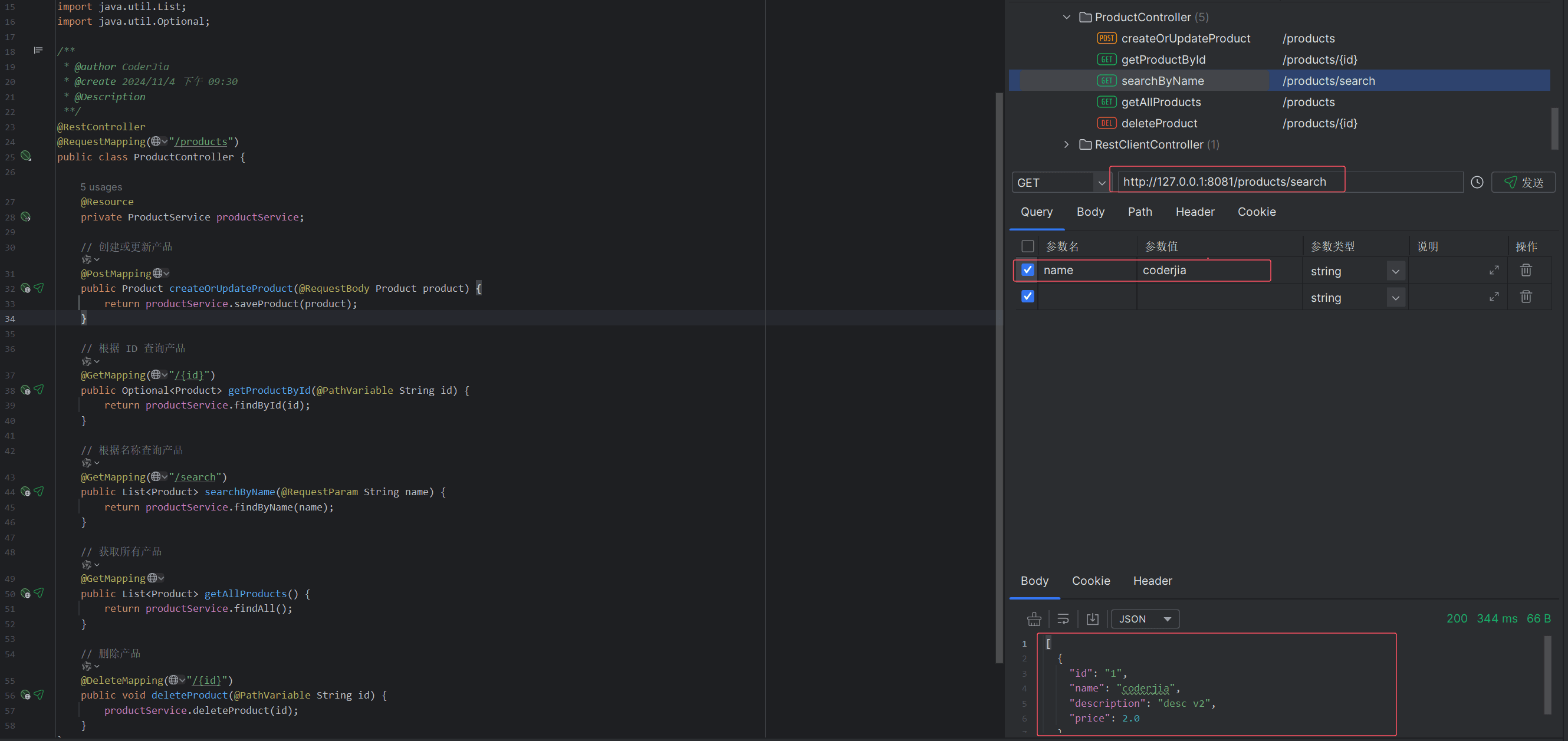
根据名称查询产品:
get http://localhost:8080/products/search?name=coderjia
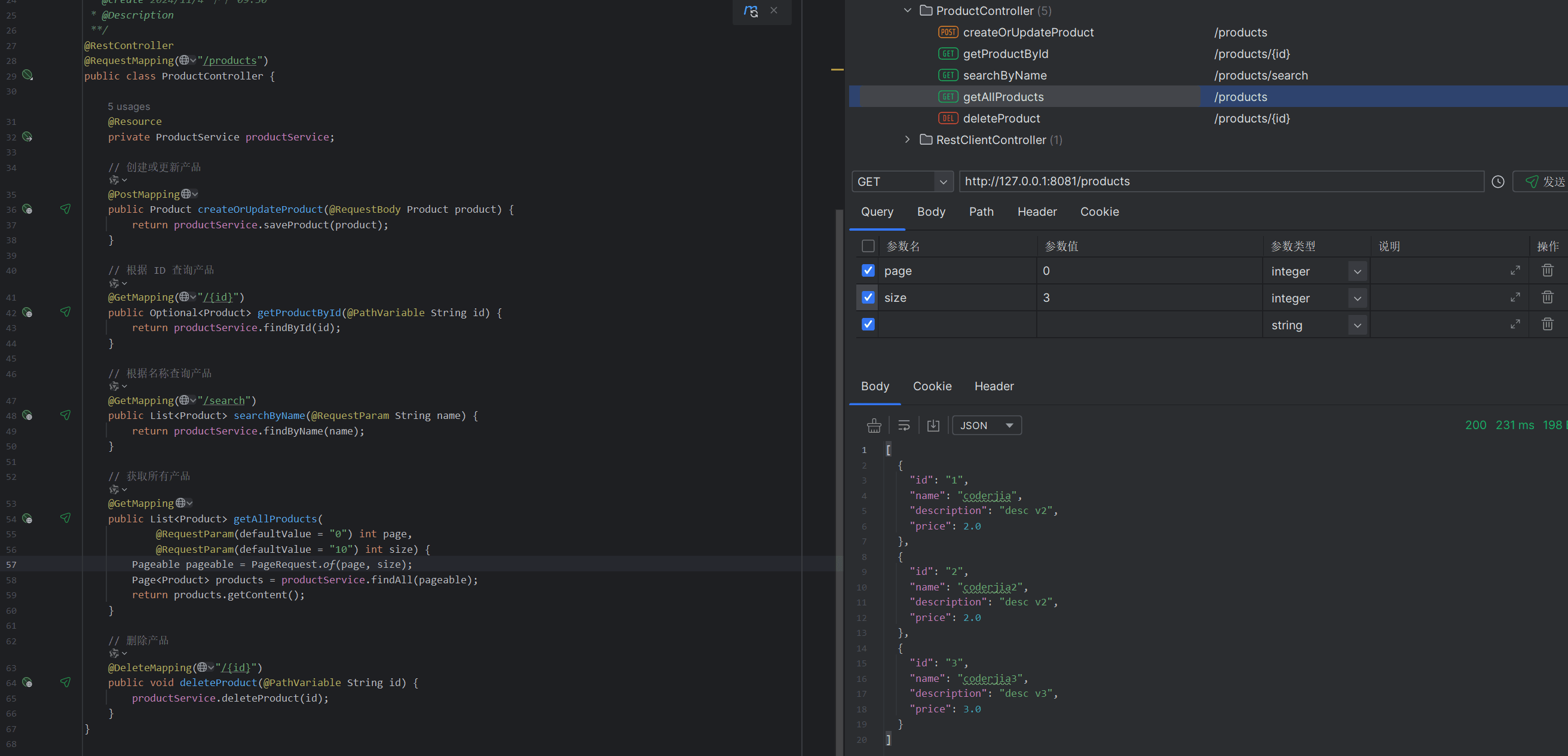
获取所有产品(分页):
get http://localhost:8080/products?page=0&size=3
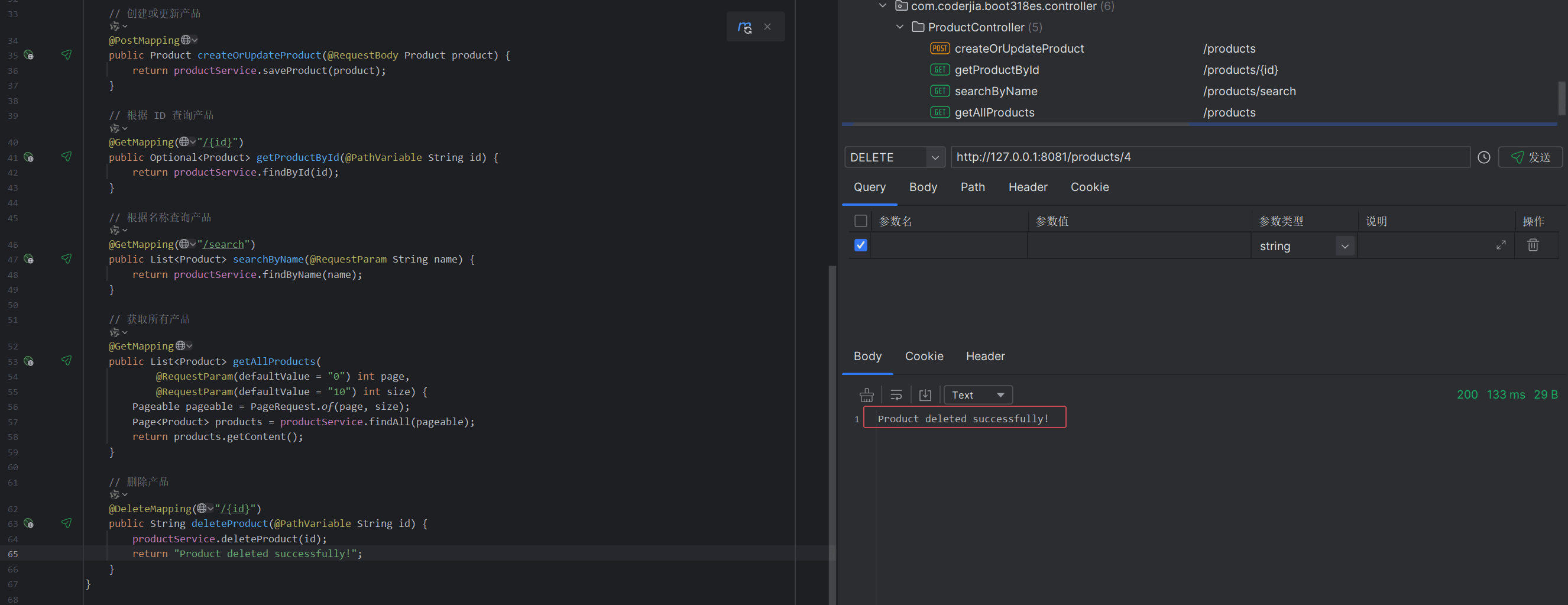
删除产品:
delete http://localhost:8080/products/1
4. 总结
通过以上步骤,我们构建了一个完整的 spring boot 3 和 elasticsearch 8.x 的增删改查示例应用。使用 spring data elasticsearch repository,我们能够快速实现对 elasticsearch 的基本 crud 操作,简化了开发流程。希望这个示例能够帮助你理解如何在项目中有效使用 elasticsearch!
到此这篇关于springboot3整合 elasticsearch 8.x 使用repository构建增删改查示例应用的文章就介绍到这了,更多相关springboot3整合 elasticsearch 8.x内容请搜索代码网以前的文章或继续浏览下面的相关文章希望大家以后多多支持代码网!





发表评论