
 我要评论
我要评论1 vuex
1.1 vuex概述
回顾组件之间共享数据的方式:
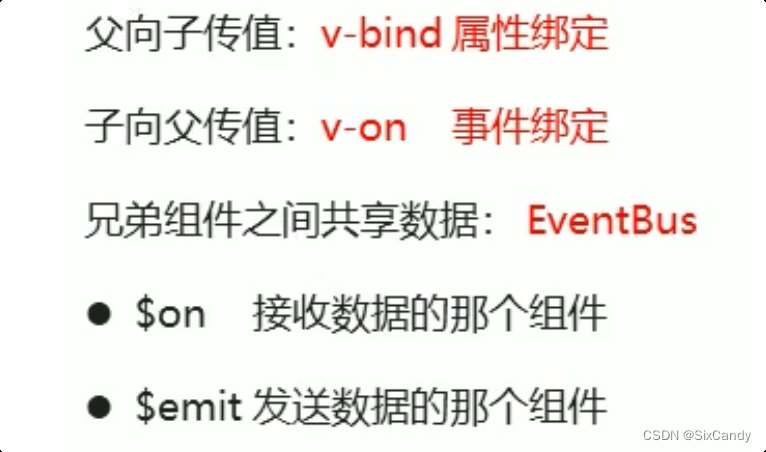
vuex是实现组件数据(状态)管理的一种机制,可以方便的实现组件之间数据共享。
使用vuex的好处:
- 集中管理共享数据,易于开发和后期维护
- 高效实现组件的数据共享,提高开发效率
- 存在vuex中的数据都是响应式的,能够实时保持数据与页面的同步
1.2 vuex的基本使用
- 安装vuex依赖包
npm i vuex --save
- 导入vuex包
import vuex from 'vuex'
vue.use(vuex)
- 创建store对象
const store = new vuex.store({
  //state中存放的就是全局共享数据
  state:{count:0}
})- 将store对象挂载到vue中
new vue ({
  el:'#app',
  render: h=>h(app),
  router,
  //将创建的共享数据对象,挂载到vue实例中,所有组件就可以直接从store中获取全局的数据了
  store
})
1.3 vuex的核心概念
- 1.3.1 state
state提供唯一的公共数据源,所有共享的数据都要统一放到store的state中
组件访问的state中数据的第一种方式:
this.$store.state.全局数据名称
组件访问的state中数据的第二种方式:
//从vuex中导入mapstate函数
import {mapstate} from 'vuex'
注释:通过导入的mapstate函数,将当前组件需要的全局数据,映射为当前组件的computed计算属性:
//例如:
computed:{
   ...mapstate(['count'])
}
- 1.3.2 mutation
mutation用于变更store的数据

触发 mutation的第一种方式:this.$store.commit()函数
实例代码:
 mutations: {
   add(state){
     //变更状态
     state.count++
   }
 },
<template>
<div>
<h3>当前最新的count值:{{this.$store.state.count}}</h3>
<button @click="handle1">+1</button>
</div>
</template>
<script>
export default {
data(){
return{};
},
methods:{
//触发mutation
handle1(){
this.$store.commit('add')
}
}
}
</script>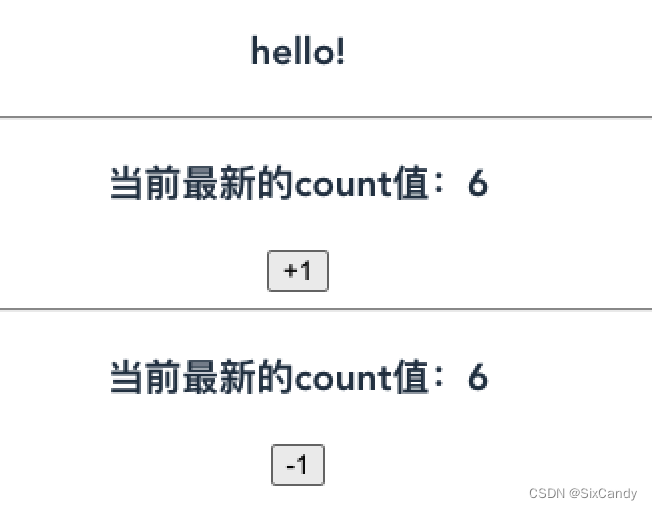
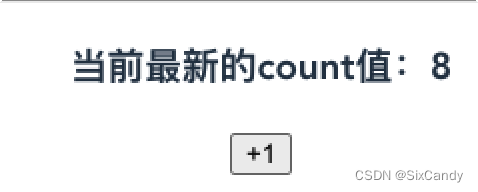
mutation时传递参数:
 mutations: {
   addn(state,step){
     //变更状态
     state.count += step
   }
 },
handle2(){
this.$store.commit('addn',2)
}
触发mutation的第二种方式:
mutations: {
sub(state){
state.count--
},
subn(state,step){
state.count -= step
},
},<template>
<div>
<h3>当前最新的count值:{{count}}</h3>
<button @click="handlersub">-1</button>
<button @click="handlesub2">-2</button>
</div>
</template>
<script>
import { mapstate ,mapmutations} from 'vuex';
export default {
computed:{
...mapstate(['count'])
},
methods:{
...mapmutations(['sub','subn']),
handlersub(){
this.sub()
},
handlesub2(){
this.subn(2)
}
}
}
</script>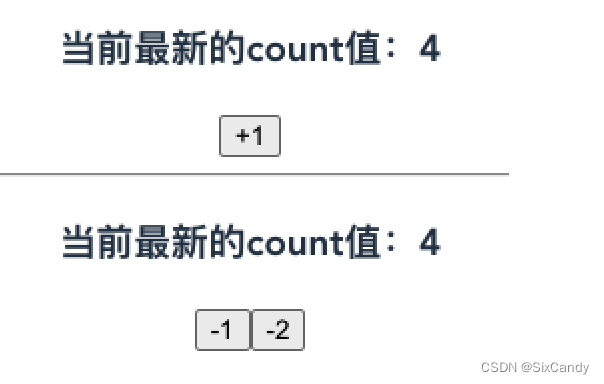
- 1.3.3 action
action用于处理异步任务
在actions中不能直接修改state中的数据,必须通过context.commit触发某个mutations中的函数
触发actions的第一种方式:
this.$store.dispatch()
actions中携带参数:
//context是默认参数
addndely(context,step){
settimeout(()=>{
context.commit('addn',step)
},1000)
}触发actions的第二种方式:
import {mapactions} from 'vuex';
export default {
methods:{
//触发actions
...mapactions(['addndely']),
}
}- 1.3.4 getter
getter用于对store中的数据进行加工处理形成新的数据

使用getters的第一种方式:
this.$store.getters.函数名称
使用getters的第二种方式:
import {mapgetters} from 'vuex';
export default {
computed:{
...mapgetters(['shownum'])
},
}store.js:
import { settimeout } from 'core-js'
import vue from 'vue'
import vuex from 'vuex'
vue.use(vuex)
export default new vuex.store({
state: {
count:0
},
getters: {
//这是一个函数
shownum:state =>{
return '最新count:'+state.count
}
},
mutations: {
add(state){
//变更状态
state.count++
},
addn(state,step){
//变更状态
state.count += step
},
sub(state){
state.count--
},
subn(state,step){
state.count -= step
},
},
actions: {
//context是默认参数
addndely(context,step){
settimeout(()=>{
context.commit('addn',step)
},1000)
}
},
modules: {
}
})addi.vue:
<template>
<div>
<h3>当前最新的count值:{{this.$store.state.count}}</h3>
<!-- <h4>getters:{{$store.getters.shownum}}</h4> -->
<h4>getters:{{shownum}}</h4>
<button @click="handle1">+1</button>
<button @click="handle3">+2</button>
<button @click="addndely">+dely</button>
</div>
</template>
<script>
import { mapmutations,mapactions,mapgetters} from 'vuex';
export default {
computed:{
...mapgetters(['shownum'])
},
methods:{
//触发mutation
...mapmutations(['add','addn']),
...mapactions(['addndely']),
handle1(){
this.add()
},
handle2(){
 this.$store.commit('addn',2)
},
handle3(){
this.$store.dispatch('addndely',2)
}
}
}
</script>sub.vue:
<template>
 <div>
     <h3>当前最新的count值:{{count}}</h3>
     <button @click="handlersub">-1</button>
     <button @click="handlesub2">-2</button>
 </div>
</template>
<script>
import { mapstate ,mapmutations} from 'vuex';
export default {
   computed:{
       ...mapstate(['count'])
   },
   methods:{
       ...mapmutations(['sub','subn']),
       handlersub(){
           this.sub()
       },
       handlesub2(){
           this.subn(2)
       }
   }
}
</script>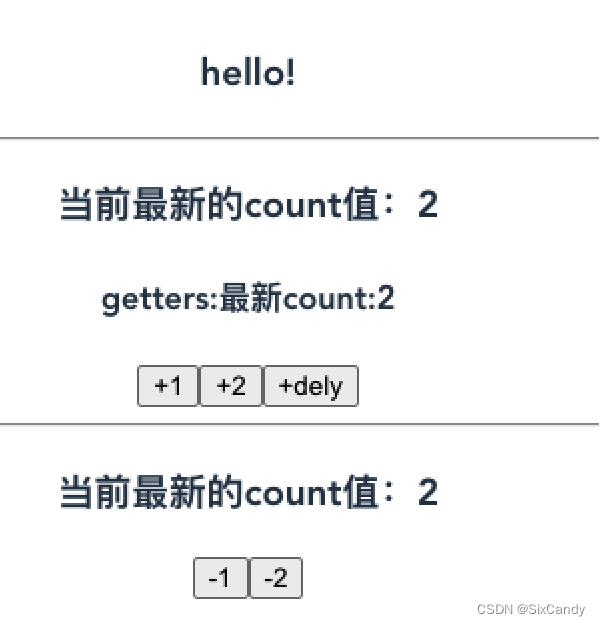
总结
以上为个人经验,希望能给大家一个参考,也希望大家多多支持代码网。



发表评论