
 我要评论
我要评论vue el-table多选样式变为单选效果
我最近在我的 项目开发中遇到一个需要将el-table复选框变单选的需求,同时单选某一行会异步调用接口,请求后台数据;我解决问题之后,觉得还是把这些改进写清楚,方便 vue 的初学者。
问题
(1)调用接口异步,可能会出现慢的接口更新快的接口的数据(解决);
效果图
1、默认进来的数据
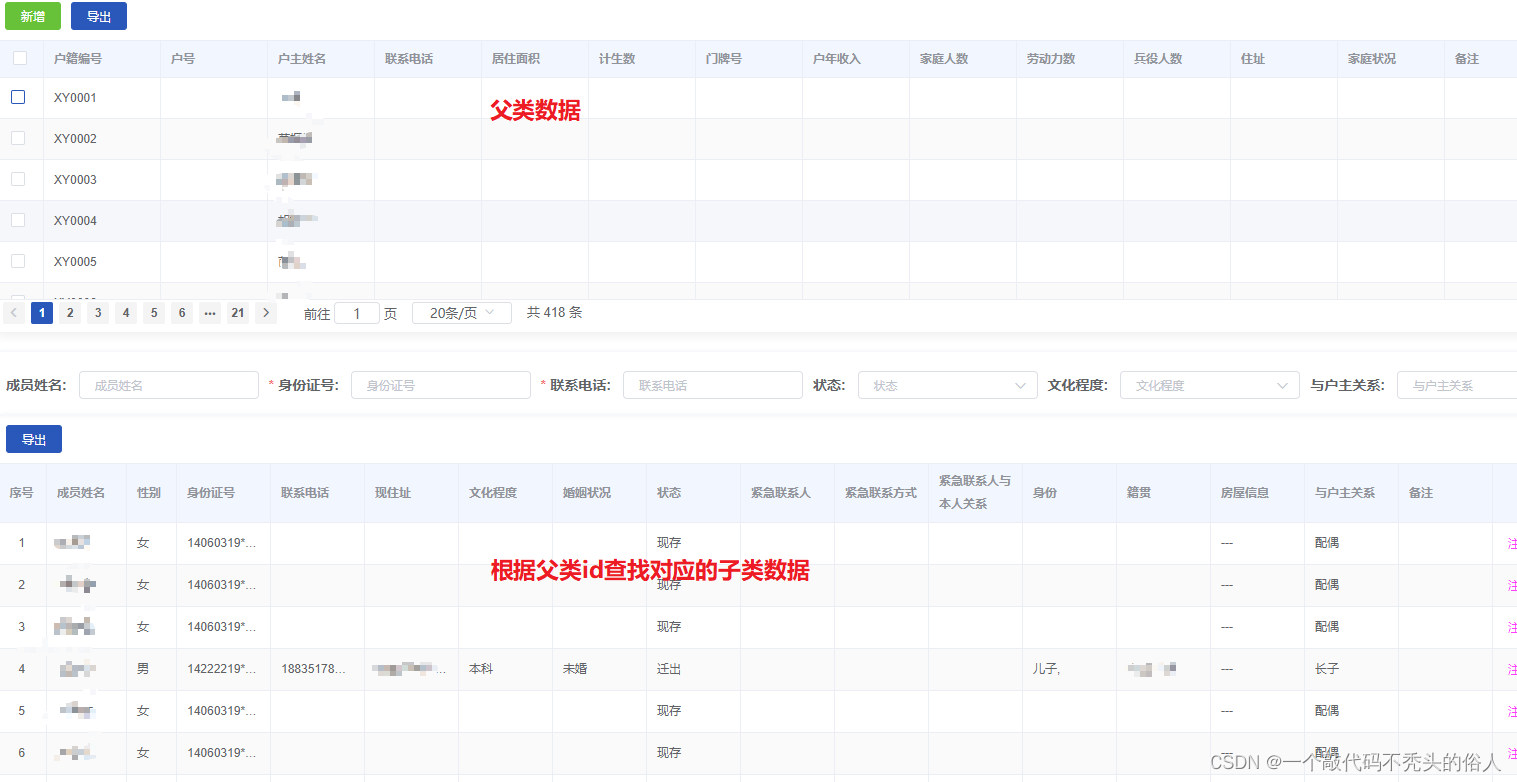
2、选择父类一条后的数据
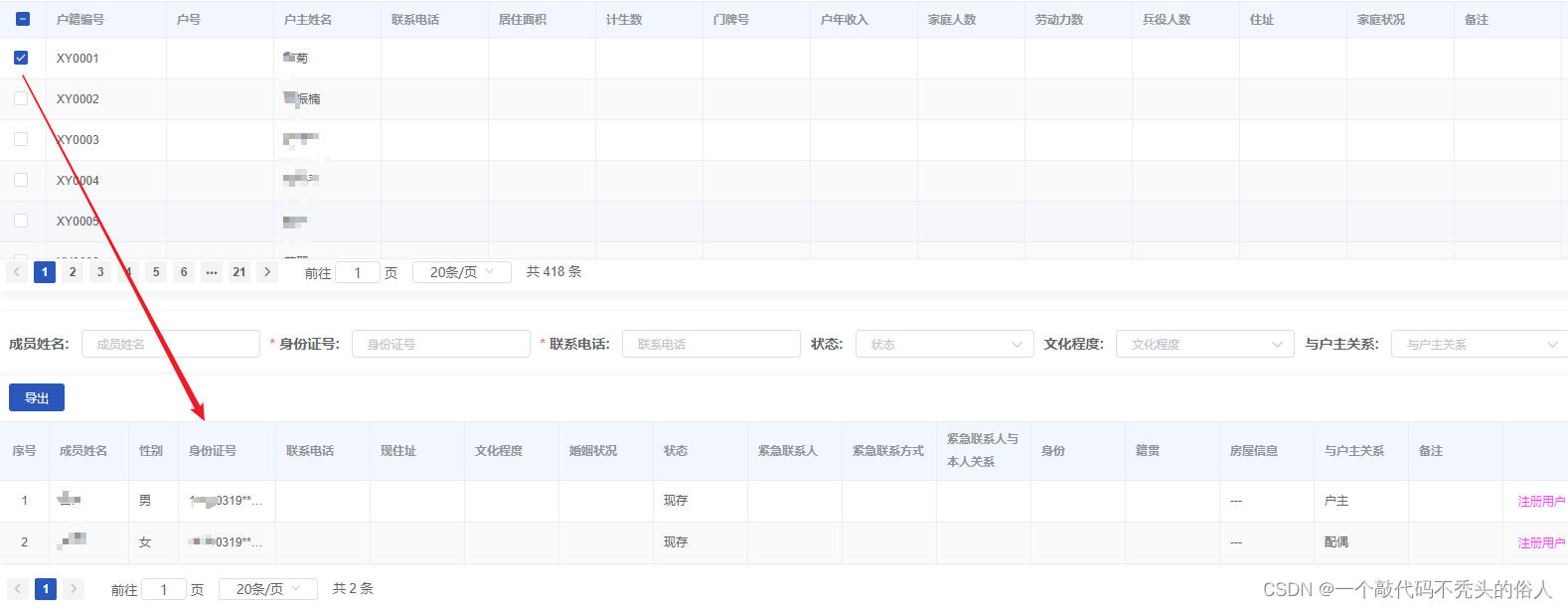
3、每次切换父类复选框,只能查到对应的数据
代码:
<el-table
        ref="multipletable"
        class="el-table-container"
        :header-cell-style="{ background: '#dee9fd66' }"
        height="260px"
        :row-style="{ height: '15px' }"
        size="mini"
        v-loading="loading"
        stripe
        border
        :data="tabledata"
        @selection-change="handleselectionchange"
        @select-all="dialogcheck"
        @select="dialogcheck"
      >
handleselectionchange(val) {},
dialogcheck: function (selection, row) {
this.$refs.multipletable.clearselection();
if (selection.length === 0) {
this.$refs.householdmember.queryfirstpage('');
return;
}
if (row) {
const obj = json.parse(json.stringify(row));
this.$refs.householdmember.queryfirstpage(obj.id);
this.$refs.multipletable.togglerowselection(row, true);
}
},其中:
this.$refs.householdmember.queryfirstpage(obj.id);和this.$refs.householdmember.queryfirstpage('');为所调的接口
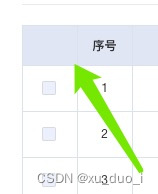
vue弹窗表格 多选变单选 隐藏左上角全选方块
效果

给table标签加class
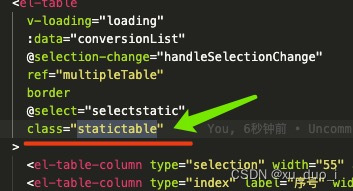
设置style样式
::v-deep .statictable .el-table__header .el-checkbox__inner {
display: none;

}
总结
以上为个人经验,希望能给大家一个参考,也希望大家多多支持代码网。




发表评论