
 我要评论
我要评论建议使用rest client测试接口
方式一:form-data形式
参数以key-value形式传递,参数和值会直接拼接到请求url后边显示存在(post http://localhost:8080/users/insert?id=5&username=刘明);
适用于所有请求方式;
后台接收参数时使用注解@requestparam
post
提交资源时一般post请求方式,当然所有的增删改也可已使用post请求
使用@requestparam(value = “key”) 绑定请求参数到方法入参时,参数名可以不与前台key一致
@restcontroller
@requestmapping("/users")
public class userscontroller {
    @postmapping("/insert")
    public restresult insertuserinfo(@requestparam("userid") int id, string username, string password, int age,string sex, string phone) {...}
}
请求参数可以这样显示接收,也可以从 request 中获取
insertuserinfo(httpservletrequest request) {
        string userid = request.getparameter("userid");
        string phone = request.getparameter("phone");
		...
}
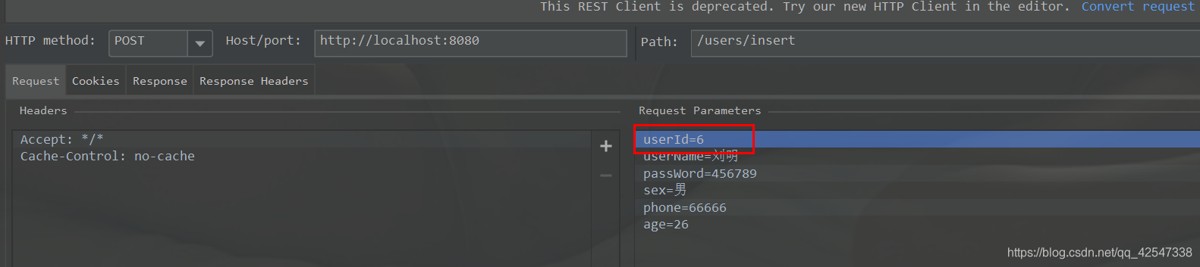
如果请求参数为定义的对象属性时,可以直接使用对象接收参数
public class user {
    private int id;
    private string username;
    private string password;
    private int age;
    private string sex;
    private string phone;
}
@postmapping("/insert")
    public restresult insertuserinfo(user user) {...}
delete
删除资源
使用@pathvariable 获取url路径中的参数
@deletemapping("/delete/{id}")
public restresult deleteuser(@pathvariable("id") int userid) {...}
put
更新资源
@putmapping("/update/{id}")
public restresult updateuser(@pathvariable int id, string phone) {...}

get
获取资源
@getmapping("/query/{id}")
    public restresult queryuser(@pathvariable int id) {...}

方式二、content-type形式
因为get请求头中无content-type字段,所以此种方式只适用于post/delete/put请求,用来处理:applicatin/json格式的参数
参数以json形式传递,后台获取参数时使用注解@requestbody
@postmapping("/insert")
    public restresult insertuserinfo(@requestbody user user) {...}
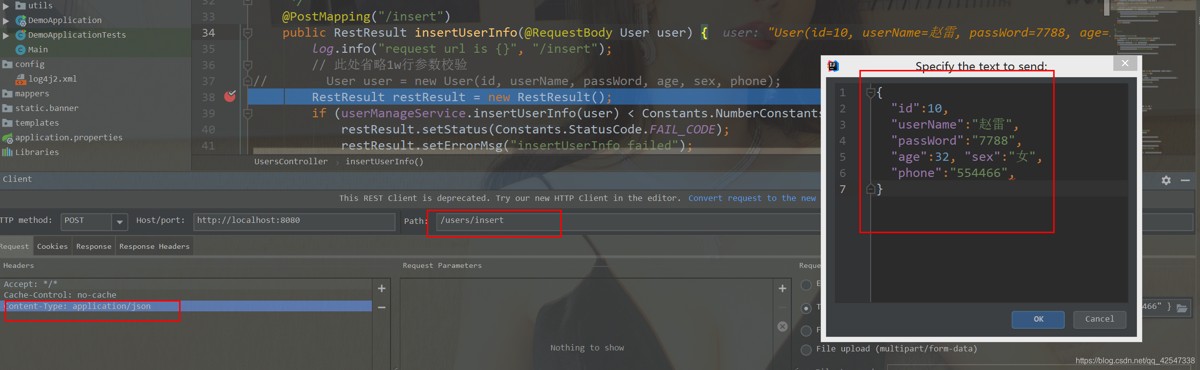
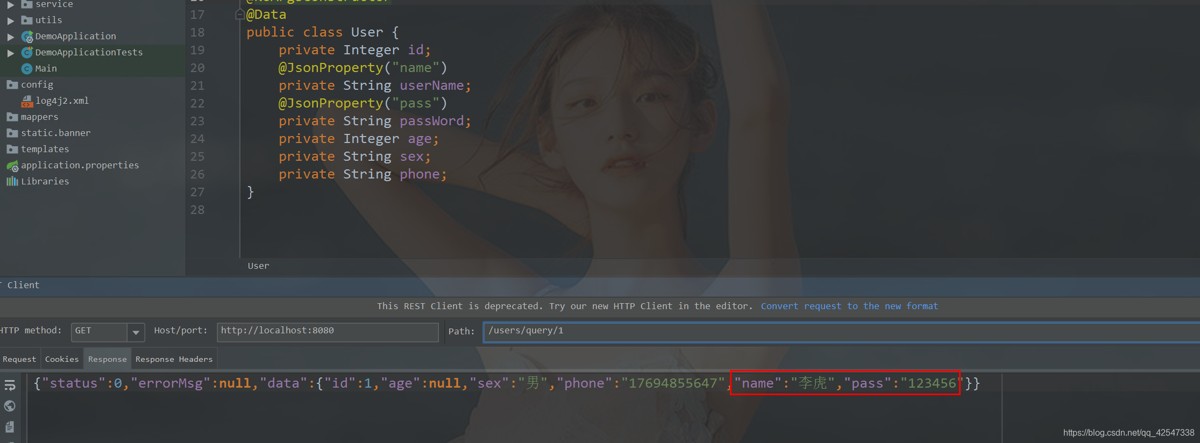
我们也可以使用@jsonproperty 注解来绑定json中的key和bean实体的属性
这时候,前台在传递参数时,可以使用与属性名一致,也可以与注解中的value一致
但是这里得注意:这里返回给前台的json对象中的key将会是直接中的值
public class user {
    private integer id;
    @jsonproperty("name")
    private string username;
    @jsonproperty("pass")
    private string password;
    private integer age;
    private string sex;
    private string phone;
}
总结
很明显,方式一在传递参数时,如果传入的参数太长时,或许会超过某些浏览器与服务器对url的长度限制,会导致请求失败,因此在实际应用中,对于get请求我们一般使用form表单形式传递参数,post/delete/put请求我们考虑使用方式二;
对于请求参数过多的,我们可以使用java bean来接收参数
以上为个人经验,希望能给大家一个参考,也希望大家多多支持代码网。





发表评论