
 我要评论
我要评论一套后端,多web部署
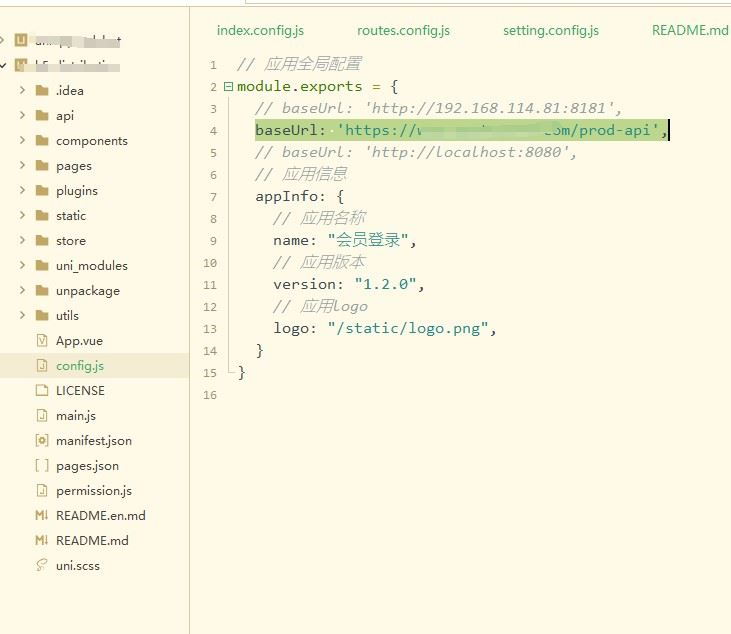
1.h5打包配置
baseurl: ‘https://www.xxxx.com/prod-api’,后端请求地址
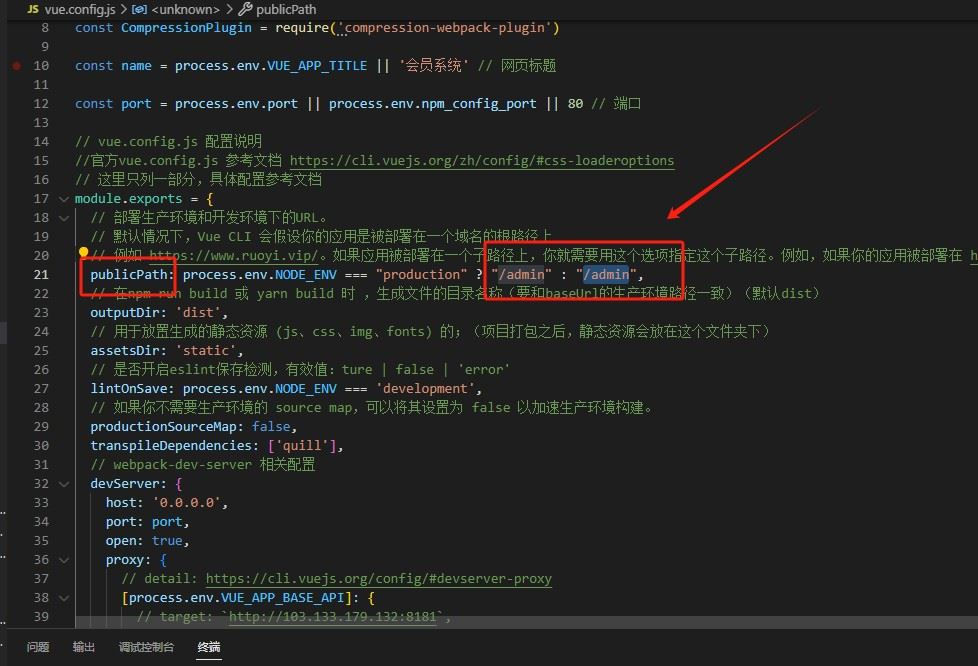
2.后台管理端打包
修改vue.config.js
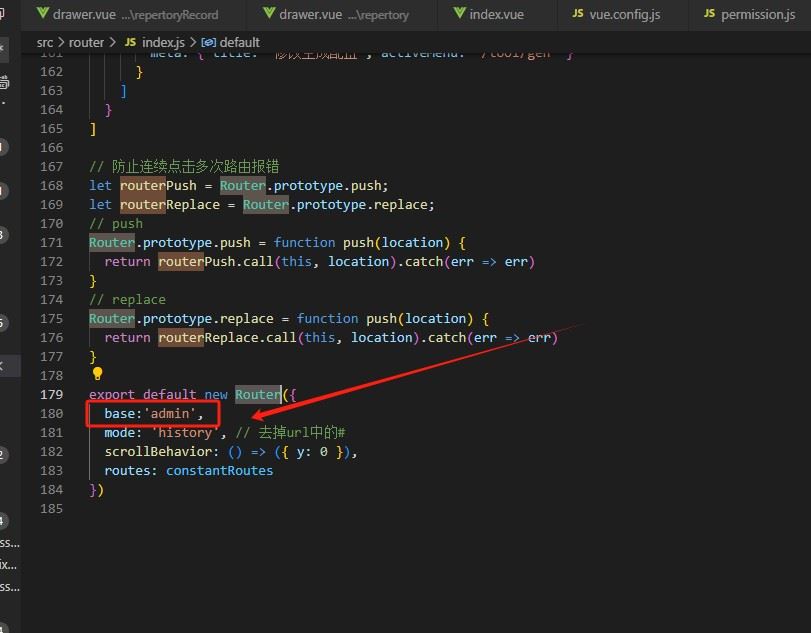
index.js 修改router路由 base路径(看项目用法)
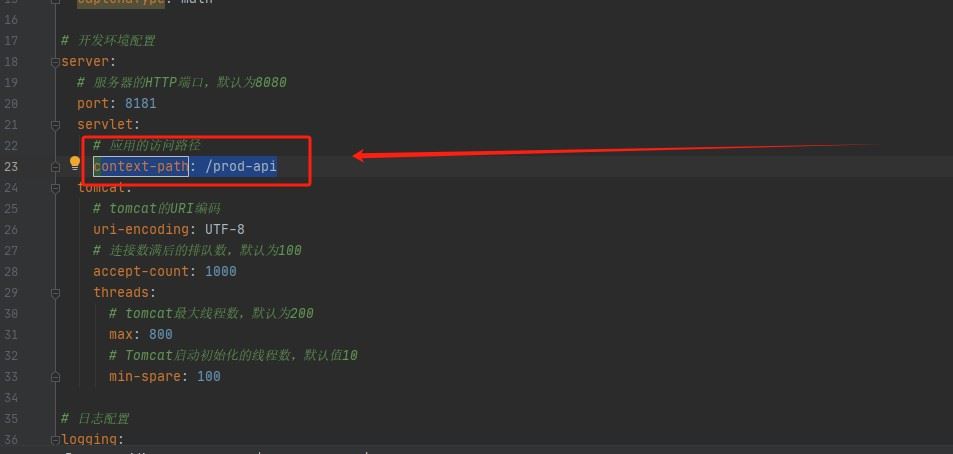
3.修改java打包方式
context-path: /prod-api
4.配置nginx文件
nginx配置 nginx.conf配置文件
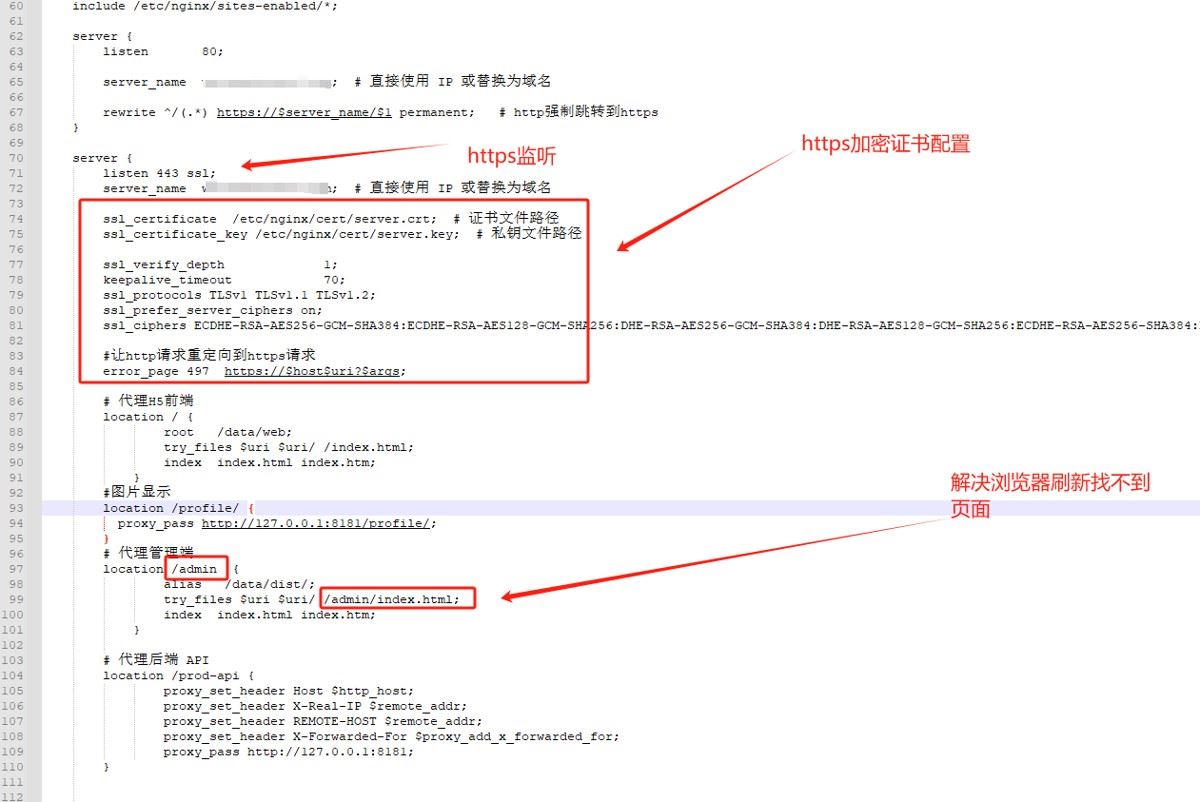
server {
listen 80;

    server_name  www.xxxx.com;  # 直接使用 ip 或替换为域名

    rewrite ^/(.*) https://$server_name/$1 permanent;    # http强制跳转到https
}

server {
    listen 443 ssl;
    server_name  www.xxxx.com;  # 直接使用 ip 或替换为域名

    ssl_certificate  /etc/nginx/cert/server.crt;  # 证书文件路径
    ssl_certificate_key /etc/nginx/cert/server.key;  # 私钥文件路径

    ssl_verify_depth             1;
    keepalive_timeout            70;
    ssl_protocols tlsv1 tlsv1.1 tlsv1.2;
    ssl_prefer_server_ciphers on;
    ssl_ciphers ecdhe-rsa-aes256-gcm-sha384:ecdhe-rsa-aes128-gcm-sha256:dhe-rsa-aes256-gcm-sha384:dhe-rsa-aes128-gcm-sha256:ecdhe-rsa-aes256-sha384:ecdhe-rsa-aes128-sha256:ecdhe-rsa-aes256-sha:ecdhe-rsa-aes128-sha:dhe-rsa-aes256-sha256:dhe-rsa-aes128-sha256:dhe-rsa-aes256-sha:dhe-rsa-aes128-sha:ecdhe-rsa-des-cbc3-sha:edh-rsa-des-cbc3-sha:aes256-gcm-sha384:aes128-gcm-sha256:aes256-sha256:aes128-sha256:aes256-sha:aes128-sha:des-cbc3-sha:high:!anull:!enull:!export:!camellia:!des:!md5:!psk:!rc4;

    #让http请求重定向到https请求
    error_page 497  https://$host$uri?$args;

    # 代理h5前端
    location / {
            root   /data/web;
            try_files $uri $uri/ /index.html;
            index  index.html index.htm;
        }
    #图片显示
    location /profile/ {
      proxy_pass http://127.0.0.1:8181/profile/;
    }
    # 代理管理端
    location /admin  {
            alias   /data/dist/;
            try_files $uri $uri/ /admin/index.html;
            index  index.html index.htm;
        }

    # 代理后端 api
    location /prod-api {
            proxy_set_header host $http_host;
            proxy_set_header x-real-ip $remote_addr;
            proxy_set_header remote-host $remote_addr;
            proxy_set_header x-forwarded-for $proxy_add_x_forwarded_for;
            proxy_pass http://127.0.0.1:8181;
    }


}
5.访问服务
https://www.xxxx.com 直接访问h5页面
https://www.xxxx.com/admin 直接访问管理后台
总结
以上为个人经验,希望能给大家一个参考,也希望大家多多支持代码网。




发表评论