
 我要评论
我要评论java日期格式化
1.一代日期类date结合simpledateformat格式化
/**
 * @author shui
 * @description 一代日期类date结合simpledateformat格式化(simpledateformat只能格式化date类型)
 * @created 2024/7/11
 */
public class simpledateformatexample {

    public static void main(string[] args) {
        date date;
//        date = new date(); // 当前日期时间
        date = new date(124, 0, 2, 13, 4, 5);   // 测试日期时间, 此方法是在1900+输入的年份,具体看源码


        system.out.println(new simpledateformat("yy年mm月dd日").format(date));
        system.out.println(new simpledateformat("yyyy年mm月dd日").format(date));
        system.out.println(new simpledateformat("hh时mm分").format(date));
        system.out.println(new simpledateformat("yyyy/mm/dd日 hh:mm:ss").format(date));
        system.out.println(new simpledateformat("yyyy年mm月dd日 hh时mm分ss秒 e").format(date));
        system.out.println(new simpledateformat("yyyy-mm-dd hh-mm-ss").format(date));
        system.out.println(new simpledateformat("今年已经过了ddd天,快w个星期,现在是这个月的第w个星期").format(date));

//        y	        年,一个y代表一位       	            "yyy"代表019,"yyyy"代表2019
//        m	        月份	                                例如八月,m代表8,mm代表08
//        w	        一年中的第几周	                        常用ww表示
//        w	        一个月中的第几周	                    常用ww表示
//        d	        一个月中的第几天	                    常用dd表示
//        d	        一年中的第几天	                        常用ddd表示
//        e	        星期几,用e表示星期,根据不同语言环境返回	china表示星期几,us表示英文缩写
//        a	        上午或下午	                        am代表上午,pm代表下午
//        h	        一天中的小时数,二十四小时制	            常用hh表示
//        h	        一天中的小时数,十二小时制	            常用hh表示
//        m	        分钟数	                            常用mm表示
//        s	        秒数	                                常用ss表示
//        s	        毫秒数	                            常用sss表示
    }

}
2.二代日期类calendar格式化
/**
 * @author shui
 * @description 二代日期类calendar格式化
 * @created 2024/7/11
 */
public class calendarexample {

    public static void main(string[] args) {

        //1.calendar是一个抽象类,并且构造器的private
        //2.可以通过 getinstance()来获取实例
        //3.通过来大量的方法和字段提供给程序员(灵活)
        //4.如果我们需要按照 24小时进制来获取时间,calendar.hour 改成->calendar.hour_of_day
        calendar c = calendar.getinstance();//创建日历类对象
        system.out.println("c=" + c);
        //2.获取日历对象的某个日历字段
        system.out.println("年:" + c.get(calendar.year));
        //这里为什么要+1,因为calendar 返回月的时候,是从0开始编号
        system.out.println("月:" + (c.get(calendar.month)+1));
        system.out.println("日:" + c.get(calendar.day_of_month));
        system.out.println("小时:" + c.get(calendar.hour));
        system.out.println("分钟:" + c.get(calendar.minute));
        system.out.println("秒:" + c.get(calendar.second));
        //calendar 没有专门的格式化方式,使用需要程序员直接来组合显示
        system.out.println(c.get(calendar.year) + "-" + (c.get(calendar.month)+1) + "-" + c.get(calendar.day_of_month) +
                " " + c.get(calendar.hour) + ":" + c.get(calendar.minute) + ":" + c.get(calendar.second));


    }

}
3.前面两代日期类的不足分析
前面两代日期类,即java中的java.util.date类和java.util.calendar类,各自存在一些不足之处。以下是对这两类日期类不足之处的详细分析:
第一代日期类:java.util.date
- 可变性
date对象是可变的,这意味着一旦创建了date对象,就可以修改它表示的时间。然而,像日期和时间这样的类应该是不可变的,以避免在多线程环境下引发问题。
- 偏移性
date类中的年份是从1900年开始计算的,而月份则是从0开始编号的(即0代表1月,11代表12月)。这种偏移性可能导致在使用时产生混淆。
- 格式化
- 尽管
date类提供了tostring()方法来将日期转换为字符串,但它提供的格式通常是固定的,并且不够灵活。如果需要自定义日期格式,通常需要使用simpledateformat类进行格式化,但这增加了使用的复杂性。
- 尽管
- 线程安全性
date类不是线程安全的,这意味着在多线程环境中,如果多个线程同时修改同一个date对象,可能会导致数据不一致的问题。
- 方法弃用
- 随着
calendar类的引入,date类中的许多方法逐渐被弃用,因为它们的功能被calendar类更好地实现或替代了。
- 随着
第二代日期类:java.util.calendar
- 可变性
- 与
date类类似,calendar对象也是可变的。这同样可能导致在多线程环境下的数据不一致问题。
- 与
- 偏移性
- 尽管
calendar类在年份和月份的表示上比date类更加直观(年份从当前年份开始计算,月份从1开始编号),但它仍然保留了某些偏移性,比如星期字段的编号是从周日开始的(即周日为1,周六为7)。
- 尽管
- 格式化
calendar类本身不提供直接的格式化方法。如果需要格式化日期,通常需要与simpledateformat类结合使用,这增加了使用的复杂性。
- 线程安全性
calendar类同样不是线程安全的。在多线程环境中,如果多个线程同时访问或修改同一个calendar对象,可能会导致数据不一致的问题。
- 设计复杂性
calendar类的设计相对复杂,它包含了多个字段(如年、月、日、时、分、秒等),并且这些字段之间存在一定的依赖关系。这增加了使用的难度和出错的可能性。
综上所述,前面两代日期类在可变性、偏移性、格式化、线程安全性以及设计复杂性等方面都存在一些不足之处。为了克服这些不足,java在jdk 8中引入了新的日期时间api,包括localdate、localtime、localdatetime等类,以及datetimeformatter用于格式化日期和instant用于表示时间戳等,这些新的类和方法提供了更加强大和灵活的日期时间处理能力。
4.使用string.format()格式化
在java中string类格式化的方法,是静态format()用于创建格式化的字符串。
format(string format, object... args) 新字符串使用本地语言环境,返回格式化后的新字符串。
format(locale locale, string format, object... args) 使用指定语言环境,返回格式化后的新字符串。
格式化一代日期类
/**
 * @author shui
 * @description string.format()格式化一代日期类date
 * @created 2024/7/10
 */
public class stringformatdateexample {

    public static void main(string[] args) {
        date date;
//        date = new date(); // 当前日期时间
        date = new date(124, 0, 2, 13, 4, 5);   // 测试日期时间, 此方法是在1900+输入的年份,具体看源码
        system.out.println(new simpledateformat("yyyy-mm-dd hh:mm:ss").format(date));   // 2024-01-02 03:04:05


// %tx 表示日期格式
        system.out.println("主要测试本地语言环境");
        system.out.println("===============================================日期格式化===============================================");
        printformatdate(date, "%te", "一个月中的某一天(1~31)(不保留高位0)", null);   // 2
        printformatdate(date, "%td", "一个月中的第几天(1~31)(保留高位0)", null);   // 02
        printformatdate(date, "%tj", "一年中的第几天(1~366)(保留高位0)", null);   // 002
        printformatdate(date, "%ty", "4位年份", null);    // 2024
        printformatdate(date, "%ty", "2位年份", null);   // 24
        printformatdate(date, "%tm", "月份", null);   // 01
        printformatdate(date, "%tb", "指定语言环境的月份简称", null);  // 一月
        printformatdate(date, "%tb", "指定语言环境的月份全称", null);  // 一月
        printformatdate(date, "%ta", "指定语言环境的星期简称", null); // 星期二
        printformatdate(date, "%ta", "指定语言环境的星期全称", null); // 星期二
        system.out.println("指定美国语言环境");
        printformatdate(date, "%tb", "指定语言环境的月份简称", locale.us);  // jan
        printformatdate(date, "%tb", "指定语言环境的月份全称", locale.us);  // january
        printformatdate(date, "%ta", "指定语言环境的星期简称", locale.us); // tue
        printformatdate(date, "%ta", "指定语言环境的星期全称", locale.us); // tuesday

        system.out.println("===============================================时间格式化===============================================");
        printformatdate(date, "%th", "2位数字的24时制的小时(00~23)", null);   // 03
        printformatdate(date, "%ti", "2位数字的12时制的小时(00~23)", null);   // 03
        printformatdate(date, "%tm", "2位数字的分钟(00~59)", null);    // 04
        printformatdate(date, "%ts", "2位数字的秒数(00~60)", null);    // 05
        printformatdate(date, "%tl", "3位数字的毫秒(000~999)", null);   // 000
        printformatdate(date, "%tp", "指定语言环境下的上午或下午标记", null); // 上午
        printformatdate(date, "%tz", "时区缩写形式的字符串", null);   // cst

        system.out.println("===============================================日期和时间组合格式化===============================================");
        printformatdate(date, "%tf", "年-月-日格式", null);   // 2024-01-02
        printformatdate(date, "%td", "月/日/年格式", null);   // 01/02/24
        printformatdate(date, "%tt", "时:分:秒24时制", null);   // 03:04:05
        printformatdate(date, "%tr", "时:分 24时制", null);   // 03:04
        printformatdate(date, "%tc", "星期 月 日 时:分:秒 时区缩写 年 24小时制", null);   // 星期二 一月 02 03:04:05 cst 2024
        printformatdate(date, "%tr", "时:分 上/下午 12时制", null);   // 03:04:05 上午

        system.out.println("===============================================自由组合格式化===============================================");
        system.out.println(string.format("%tf %tt", date, date));   // 2024-01-02 13:04:05
        system.out.println(string.format("%ty年%tm月%td日 %th时%tm分%ts秒", date, date, date, date, date, date)); // 2024年01月02日 13时04分05秒
        // 省略写法,可以不用string,format, 但必需用 printf , 末尾用 %n 实现换行
        system.out.printf("%tf %tt%n", date, date); // 2024-01-02 13:04:05
        system.out.printf("%ty年%tm月%td日 %th时%tm分%ts秒%n", date, date, date, date, date, date);   // 2024年01月02日 13时04分05秒

    }

    public static void printformatdate(date date, string formatstr, string message, locale l) {
        if (l == null) {
            l = locale.getdefault();
        }
        system.out.println(processstr(formatstr, 12)
                + "\t"
                + processstr(string.format(l, formatstr, date), 36)
                + "\t"
                + processstr(message, 36));
    }

    public static string processstr(string str, int len) {
        if (str.length() >= len) {
            return str;
        } else {
            stringbuilder sb = new stringbuilder();
            sb.append(str);
            for (int i = 0; i < len - str.length(); i++) {
                sb.append(" ");
            }
            return sb.tostring();
        }
    }
}
格式化二代日期类
/**
 * @author shui
 * @description string.format()格式化二代日期类calendar
 * @created 2024/7/11
 */
public class stringformatcalendarexample {

    public static void main(string[] args) {

        calendar date = calendar.getinstance();

        // %tx 表示日期格式
        system.out.println("主要测试本地语言环境");
        system.out.println("===============================================日期格式化===============================================");
        printformatdate(date, "%te", "一个月中的某一天(1~31)(不保留高位0)", null);   // 2
        printformatdate(date, "%td", "一个月中的第几天(1~31)(保留高位0)", null);   // 02
        printformatdate(date, "%tj", "一年中的第几天(1~366)(保留高位0)", null);   // 002
        printformatdate(date, "%ty", "4位年份", null);    // 2024
        printformatdate(date, "%ty", "2位年份", null);   // 24
        printformatdate(date, "%tm", "月份", null);   // 01
        printformatdate(date, "%tb", "指定语言环境的月份简称", null);  // 一月
        printformatdate(date, "%tb", "指定语言环境的月份全称", null);  // 一月
        printformatdate(date, "%ta", "指定语言环境的星期简称", null); // 星期二
        printformatdate(date, "%ta", "指定语言环境的星期全称", null); // 星期二
        system.out.println("指定美国语言环境");
        printformatdate(date, "%tb", "指定语言环境的月份简称", locale.us);  // jan
        printformatdate(date, "%tb", "指定语言环境的月份全称", locale.us);  // january
        printformatdate(date, "%ta", "指定语言环境的星期简称", locale.us); // tue
        printformatdate(date, "%ta", "指定语言环境的星期全称", locale.us); // tuesday

        system.out.println("===============================================时间格式化===============================================");
        printformatdate(date, "%th", "2位数字的24时制的小时(00~23)", null);   // 03
        printformatdate(date, "%ti", "2位数字的12时制的小时(00~23)", null);   // 03
        printformatdate(date, "%tm", "2位数字的分钟(00~59)", null);    // 04
        printformatdate(date, "%ts", "2位数字的秒数(00~60)", null);    // 05
        printformatdate(date, "%tl", "3位数字的毫秒(000~999)", null);   // 000
        printformatdate(date, "%tp", "指定语言环境下的上午或下午标记", null); // 上午
        printformatdate(date, "%tz", "时区缩写形式的字符串", null);   // cst

        system.out.println("===============================================日期和时间组合格式化===============================================");
        printformatdate(date, "%tf", "年-月-日格式", null);   // 2024-01-02
        printformatdate(date, "%td", "月/日/年格式", null);   // 01/02/24
        printformatdate(date, "%tt", "时:分:秒24时制", null);   // 03:04:05
        printformatdate(date, "%tr", "时:分 24时制", null);   // 03:04
        printformatdate(date, "%tc", "星期 月 日 时:分:秒 时区缩写 年 24小时制", null);   // 星期二 一月 02 03:04:05 cst 2024
        printformatdate(date, "%tr", "时:分 上/下午 12时制", null);   // 03:04:05 上午

        system.out.println("===============================================自由组合格式化===============================================");
        system.out.println(string.format("%tf %tt", date, date));   // 2024-01-02 13:04:05
        system.out.println(string.format("%ty年%tm月%td日 %th时%tm分%ts秒", date, date, date, date, date, date)); // 2024年01月02日 13时04分05秒
        // 省略写法,可以不用string,format, 但必需用 printf , 末尾用 %n 实现换行
        system.out.printf("%tf %tt%n", date, date); // 2024-01-02 13:04:05
        system.out.printf("%ty年%tm月%td日 %th时%tm分%ts秒%n", date, date, date, date, date, date);   // 2024年01月02日 13时04分05秒

    }

    public static void printformatdate(calendar date, string formatstr, string message, locale l) {
        if (l == null) {
            l = locale.getdefault();
        }
        system.out.println(processstr(formatstr, 12)
                + "\t"
                + processstr(string.format(l, formatstr, date), 36)
                + "\t"
                + processstr(message, 36));
    }

    public static string processstr(string str, int len) {
        if (str.length() >= len) {
            return str;
        } else {
            stringbuilder sb = new stringbuilder();
            sb.append(str);
            for (int i = 0; i < len - str.length(); i++) {
                sb.append(" ");
            }
            return sb.tostring();
        }
    }

}
格式化三代日期类
/**
 * @author shui
 * @description string.format()格式化二代日期类localdatetime
 * @created 2024/7/11
 */
public class stringformatlocaldatetimeexample {

    public static void main(string[] args) {

        localdatetime date = localdatetime.now();

        // %tx 表示日期格式
        system.out.println("主要测试本地语言环境");
        system.out.println("===============================================日期格式化===============================================");
        printformatdate(date, "%te", "一个月中的某一天(1~31)(不保留高位0)", null);   // 2
        printformatdate(date, "%td", "一个月中的第几天(1~31)(保留高位0)", null);   // 02
        printformatdate(date, "%tj", "一年中的第几天(1~366)(保留高位0)", null);   // 002
        printformatdate(date, "%ty", "4位年份", null);    // 2024
        printformatdate(date, "%ty", "2位年份", null);   // 24
        printformatdate(date, "%tm", "月份", null);   // 01
        printformatdate(date, "%tb", "指定语言环境的月份简称", null);  // 一月
        printformatdate(date, "%tb", "指定语言环境的月份全称", null);  // 一月
        printformatdate(date, "%ta", "指定语言环境的星期简称", null); // 星期二
        printformatdate(date, "%ta", "指定语言环境的星期全称", null); // 星期二
        system.out.println("指定美国语言环境");
        printformatdate(date, "%tb", "指定语言环境的月份简称", locale.us);  // jan
        printformatdate(date, "%tb", "指定语言环境的月份全称", locale.us);  // january
        printformatdate(date, "%ta", "指定语言环境的星期简称", locale.us); // tue
        printformatdate(date, "%ta", "指定语言环境的星期全称", locale.us); // tuesday

        system.out.println("===============================================时间格式化===============================================");
        printformatdate(date, "%th", "2位数字的24时制的小时(00~23)", null);   // 03
        printformatdate(date, "%ti", "2位数字的12时制的小时(00~23)", null);   // 03
        printformatdate(date, "%tm", "2位数字的分钟(00~59)", null);    // 04
        printformatdate(date, "%ts", "2位数字的秒数(00~60)", null);    // 05
        printformatdate(date, "%tl", "3位数字的毫秒(000~999)", null);   // 000
        printformatdate(date, "%tp", "指定语言环境下的上午或下午标记", null); // 上午
//        printformatdate(date, "%tz", "时区缩写形式的字符串", null);   // 报异常

        system.out.println("===============================================日期和时间组合格式化===============================================");
        printformatdate(date, "%tf", "年-月-日格式", null);   // 2024-01-02
        printformatdate(date, "%td", "月/日/年格式", null);   // 01/02/24
        printformatdate(date, "%tt", "时:分:秒24时制", null);   // 03:04:05
        printformatdate(date, "%tr", "时:分 24时制", null);   // 03:04
//        printformatdate(date, "%tc", "星期 月 日 时:分:秒 时区缩写 年 24小时制", null);   // 异常
        printformatdate(date, "%tr", "时:分 上/下午 12时制", null);   // 03:04:05 上午

        system.out.println("===============================================自由组合格式化===============================================");
        system.out.println(string.format("%tf %tt", date, date));   // 2024-01-02 13:04:05
        system.out.println(string.format("%ty年%tm月%td日 %th时%tm分%ts秒", date, date, date, date, date, date)); // 2024年01月02日 13时04分05秒
        // 省略写法,可以不用string,format, 但必需用 printf , 末尾用 %n 实现换行
        system.out.printf("%tf %tt%n", date, date); // 2024-01-02 13:04:05
        system.out.printf("%ty年%tm月%td日 %th时%tm分%ts秒%n", date, date, date, date, date, date);   // 2024年01月02日 13时04分05秒

        // localdate 和 localtime 自行测试
    }

    public static void printformatdate(localdatetime date, string formatstr, string message, locale l) {
        if (l == null) {
            l = locale.getdefault();
        }
        system.out.println(processstr(formatstr, 12)
                + "\t"
                + processstr(string.format(l, formatstr, date), 36)
                + "\t"
                + processstr(message, 36));
    }

    public static string processstr(string str, int len) {
        if (str.length() >= len) {
            return str;
        } else {
            stringbuilder sb = new stringbuilder();
            sb.append(str);
            for (int i = 0; i < len - str.length(); i++) {
                sb.append(" ");
            }
            return sb.tostring();
        }
    }

}
5.三代日期类localdatetime结合datetimeformatter格式化 (推荐)
/**
 * @author shui
 * @description 三代日期类localdatetime结合datetimeformatter格式化(datetimeformatter只能格式化localdatetime/localdate/localtime/zoneddatetime类型)
 * @created 2024/7/12
 */
public class datetimeformatterexample {

    public static void main(string[] args) {

        //第三代日期
        //1.使用now() 返回表示当前时间日期的 对象
        localdatetime now = localdatetime.now();
//        localdate now = localdate.now();
//        localtime now = localtime.now();
//        zoneddatetime now = zoneddatetime.now();
        system.out.println(now);


        //2.使用datetimeformatter 对象来进行格式化
        // 创建 datetimeformatter对象
        datetimeformatter datetimeformatter = datetimeformatter.ofpattern("yyyy年mm月dd日 hh小时mm分钟ss秒");
        system.out.println(processstr("now", 12) + "\t\t=\t\t" + datetimeformatter.format(now));

        system.out.println(processstr("年", 12) + "\t\t=\t\t" + now.getyear());
        system.out.println(processstr("月", 12) + "\t\t=\t\t" + now.getmonth());
        system.out.println(processstr("月", 12) + "\t\t=\t\t" + now.getmonthvalue());
        system.out.println(processstr("日", 12) + "\t\t=\t\t" + now.getdayofmonth());
        system.out.println(processstr("时", 12) + "\t\t=\t\t" + now.gethour());
        system.out.println(processstr("分", 12) + "\t\t=\t\t" + now.getminute());
        system.out.println(processstr("秒", 12) + "\t\t=\t\t" + now.getsecond());

        localdate now1 = localdate.now();//可以获取年月日
        system.out.println(processstr("now1", 12) + "\t\t=\t\t" + now1);

        localtime now2 = localtime.now();//获取时分秒
        system.out.println(processstr("now2", 12) + "\t\t=\t\t" + now2);


        //通过 plus 和 minus 方法可以对当前时间进行加或者减
        //2月后
        system.out.println(processstr("890天", 12) + "\t\t=\t\t" + datetimeformatter.format(now.minusmonths(2)));
        system.out.println(processstr("now", 12) + "\t\t=\t\t" + datetimeformatter.format(now));

        //890天后
        system.out.println(processstr("890天后", 12) + "\t\t=\t\t" + datetimeformatter.format(now.plusdays(890)));
        system.out.println(processstr("now", 12) + "\t\t=\t\t" + datetimeformatter.format(now));

        //3456分钟前
        system.out.println(processstr("3456分钟前", 12) + "\t\t=\t\t" + datetimeformatter.format(now.minusminutes(3456)));
        system.out.println(processstr("now", 12) + "\t\t=\t\t" + datetimeformatter.format(now));

    }

    public static string processstr(string str, int len) {
        if (str.length() >= len) {
            return str;
        } else {
            stringbuilder sb = new stringbuilder();
            sb.append(str);
            for (int i = 0; i < len - str.length(); i++) {
                sb.append(" ");
            }
            return sb.tostring();
        }
    }
}
6.springmvc日期格式化(前端传输表单格式数据)
1.在实体中加入日期格式化注解
@datetimeformat(pattern = "yyyy-mm-dd hh:mm:ss")
private date createtime;
2.在单个controller中设置表单日期,把date.class格式化(会将该控制器所有请求参数date类型都按指定格式化)
7.springboot日期格式化(json数据)
1.全局时间格式化
spring boot 默认使用 jackson 作为 json 处理库,所以设置会生效(一般用配置文件配置即可)
application.yaml文件
# 格式化全局时间字段
spring.jackson.date-format=yyyy-mm-dd hh:mm:ss
# 指定时间区域类型
spring.jackson.time-zone=gmt+8
application.properties文件
spring.jackson.date-format=yyyy-mm-dd hh:mm:ss	#统一转换为指定格式
spring.jackson.time-zone=gmt+8	# 时区修改为东8区
配置全局日期转换类
- 注意:javabean中的属性上面标注的
@jsonformat、@datetimeformat、@temporal的注解优先级高于配置类globaldateconvertconfig.java - 配置全局日期格式化,支持date、localdate、localdatetime、localtime等类型的格式化
- 编写一个配置类并实现
webmvcconfigurer接口,重写extendmessageconverters(list> converters)方法来实现 - 配置类
globaldateconvertconfig.java如下
/**
 * 配置全局日期格式化,支持date、localdate、localdatetime、localtime等类型的转换
 * 使用此方法, 以下 spring-boot: jackson时间格式化 配置 将会失效
 * spring.jackson.time-zone=gmt+8
 * spring.jackson.date-format=yyyy-mm-dd hh:mm:ss
 * 原因: 会覆盖 @enableautoconfiguration 关于 webmvcautoconfiguration 的配置
 */
@configuration
public class globaldateconvertconfig implements webmvcconfigurer {
    @override
    public void extendmessageconverters(list<httpmessageconverter<?>> converters) {
        //webmvcconfigurer.super.extendmessageconverters(converters);
        mappingjackson2httpmessageconverter converter = new mappingjackson2httpmessageconverter();

        objectmapper objectmapper = converter.getobjectmapper();

        simplemodule simplemodule = new simplemodule();

        //  localdatetime时间格式化
        simplemodule.addserializer(localdatetime.class, new localdatetimeserializer(datetimeformatter.ofpattern("yyyy-mm-dd hh:mm:ss")));

        // localdate时间格式化
        simplemodule.addserializer(localdate.class, new localdateserializer(datetimeformatter.ofpattern("yyyy-mm-dd")));

        // localtime时间格式化
        simplemodule.addserializer(localtime.class, new localtimeserializer(datetimeformatter.ofpattern("hh:mm:ss")));
        objectmapper.registermodule(simplemodule);

        //data 时间格式化
        objectmapper.configure(deserializationfeature.fail_on_unknown_properties, false);
        objectmapper.setdateformat(new simpledateformat("yyyy-mm-dd hh:mm:ss"));

        converter.setobjectmapper(objectmapper);
        converters.add(0, converter);
    }
}
2.在实体中加注解
// jackson设置日期格式
@jsonformat(pattern="yyyy-mm-dd hh:mm:ss", timezone="gmt+8")
private date createtime;

// fastjson 设置日期格式
@jsonfield(format = "yyyy-mm-dd hh:mm:ss", timezone = "utc")
private date date;

// 注解将yyyy-mm-dd的形式转换为date数据
@datetimeformat(pattern = "yyyy-mm-dd hh:mm:ss")
private date birthday;

@temporal(temporaltype.timestamp)
private date createtime;

// 说明
// @jsonformat注解适用于jackson,@jsonfield注解适用于fastjson
// @datetimeformat将字符类型转换为date类型(一般前后端不分离,表单提交数据使用)
// @temporal实现日期格式转换,它自带属性参数
注意:需要日期工具类,直接用hu-tool的即可,
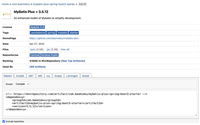
[中文文档]: https://doc.hutool.cn/ 文档
引入依赖
<dependency>
    <groupid>cn.hutool</groupid>
    <artifactid>hutool-core</artifactid>
    <version>5.8.28</version>
</dependency>
8.部分前台格式化日期
jsp模版引擎
 <%@ taglib uri="http://java.sun.com/jsp/jstl/fmt" prefix="fmt"%>
    <fmt:formatdate value="${job.jobtime }" pattern="yyyy-mm-dd hh:mm:ss"/>
freemarker模版引擎
<input id="receiveapptime" name="receiveapptime" type="text" value="${(bean.receiveapptime?string('yyyy-mm-dd'))!}" />
thymeleaf模板引擎
[[${#dates.format(date)}]] 或 th:text="${#dates.format(date)}
[[${#dates.formatiso(date)}]] 或 th:text="${#dates.formatiso(date)}
[[${#dates.format(date, 'yyyy-mm-dd hh:mm:ss')}]] 或 th:text="${#dates.format(date, 'yyyy-mm-dd hh:mm:ss')}
js格式化日期
实现方法一(不灵活,需要重复编码)
function formatdate(date) {
  const year = date.getfullyear();
  const month = string(date.getmonth() + 1).padstart(2, '0'); // 月份是从0开始的
  const day = string(date.getdate()).padstart(2, '0');
  const hour = string(date.gethours()).padstart(2, '0');
  const minute = string(date.getminutes()).padstart(2, '0');
  const second = string(date.getseconds()).padstart(2, '0');
  return `${year}-${month}-${day} ${hour}:${minute}:${second}`;
}

const date = new date();
console.log(formatdate(date));
实现方法二(工具类全局使用 ,灵活)
function formatdate(date, options = {}) {
    const year = date.getfullyear().tostring();
    const month = string(date.getmonth() + 1).padstart(2, '0');
    const day = string(date.getdate()).padstart(2, '0');
    const hour = options.hour24 ? string(date.gethours()).padstart(2, '0') :
                                 ((h = date.gethours() % 12 || 12) < 10 ? '0' : '') + h;
    const minute = string(date.getminutes()).padstart(2, '0');
    const second = string(date.getseconds()).padstart(2, '0');
    const ampm = options.hour24 ? '' : date.gethours() < 12 ? 'am' : 'pm';

    // 默认格式或自定义格式
    const defaultformat = `${year}-${month}-${day} ${hour}:${minute}:${second}`;
    const customformat = options.format || defaultformat;

    // 替换模板字符串中的占位符
    return customformat
        .replace(/yyyy/g, year)
        .replace(/mm/g, month)
        .replace(/dd/g, day)
        .replace(/hh/g, hour)
        .replace(/mm/g, minute)
        .replace(/ss/g, second)
        .replace(/ampm/gi, ampm); // 注意大小写不敏感
}

// 使用示例
const now = new date();
console.log(formatdate(now, { format: 'yyyy-mm-dd hh:mm:ss' })); // 标准24小时格式
console.log(formatdate(now, { format: 'mm/dd/yyyy hh:mm:ss ampm', hour24: false }));
elementui的日期格式化
<template>
  <el-date-picker
    v-model="value"
    type="date"
    placeholder="选择日期"
    format="yyyy 年 mm 月 dd 日"
    value-format="yyyy-mm-dd">
  </el-date-picker>
</template>

<script>
export default {
  data() {
    return {
      value: ''
    };
  }
}
</script>
elementplus的日期格式化
<el-date-picker
        v-model="value1"
        type="date"
        placeholder="选择日期"
        format="yyyy/mm/dd"
        value-format="yyyy-mm-dd"
      />
参考文献
https://blog.csdn.net/wangli123956/article/details/131139869
https://blog.csdn.net/gr912308719/article/details/80299898
https://blog.csdn.net/pleaseprintf/article/details/131708101
https://blog.csdn.net/m0_73709096/article/details/134101832
https://www.cnblogs.com/luliang888/p/11075090.html
https://www.cnblogs.com/woms/p/6037902.html
https://blog.csdn.net/yuanjinshenglife/article/details/135901295
https://blog.csdn.net/cxyxysam/article/details/135653224
https://blog.csdn.net/qq_19309473/article/details/125041273
https://blog.csdn.net/qq_45110186/article/details/136261827
https://www.jb51.net/program/320962vro.htm
https://cloud.tencent.com/developer/article/2044647
https://cloud.tencent.com/developer/article/2044647




发表评论