
 我要评论
我要评论使用nexus作为 公司maven私服
可以使用docker快速安装一个
maven 私服setttings配置
<?xml version="1.0" encoding="utf-8"?>
<settings xmlns="http://maven.apache.org/settings/1.2.0"
          xmlns:xsi="http://www.w3.org/2001/xmlschema-instance"
          xsi:schemalocation="http://maven.apache.org/settings/1.2.0 https://maven.apache.org/xsd/settings-1.2.0.xsd">
  <!-- localrepository
   | the path to the local repository maven will use to store artifacts.
   |
   | default: ${user.home}/.m2/repository
  <localrepository>/path/to/local/repo</localrepository>
  -->
<localrepository>d:\dev\mavenrepository</localrepository>
  <!-- interactivemode
   | this will determine whether maven prompts you when it needs input. if set to false,
   | maven will use a sensible default value, perhaps based on some other setting, for
   | the parameter in question.
   |
   | default: true
  <interactivemode>true</interactivemode>
  -->

  <!-- offline
   | determines whether maven should attempt to connect to the network when executing a build.
   | this will have an effect on artifact downloads, artifact deployment, and others.
   |
   | default: false
  <offline>false</offline>
  -->

  <!-- plugingroups
   | this is a list of additional group identifiers that will be searched when resolving plugins by their prefix, i.e.
   | when invoking a command line like "mvn prefix:goal". maven will automatically add the group identifiers
   | "org.apache.maven.plugins" and "org.codehaus.mojo" if these are not already contained in the list.
   |-->
  <plugingroups>
    <!-- plugingroup
     | specifies a further group identifier to use for plugin lookup.
    <plugingroup>com.your.plugins</plugingroup>
    -->
  </plugingroups>

  <!-- proxies
   | this is a list of proxies which can be used on this machine to connect to the network.
   | unless otherwise specified (by system property or command-line switch), the first proxy
   | specification in this list marked as active will be used.
   |-->
  <proxies>
    <!-- proxy
     | specification for one proxy, to be used in connecting to the network.
     |
    <proxy>
      <id>optional</id>
      <active>true</active>
      <protocol>http</protocol>
      <username>proxyuser</username>
      <password>proxypass</password>
      <host>proxy.host.net</host>
      <port>80</port>
      <nonproxyhosts>local.net|some.host.com</nonproxyhosts>
    </proxy>
    -->
  </proxies>

<!--新增仓库认证账号密码-->
<servers>

	<server>
        <id>nexus-releases</id>
        <username>xxxx</username>
        <password>xxx@xxx</password>
    </server>
    <server>
        <id>nexus-snapshots</id>
        <username>xxxx</username>
        <password>xxx@xxx</password>
    </server>
</servers>


  <mirrors>

	<mirror>
	<id>alimaven</id>
	<name>aliyun maven</name>
	<url>http://maven.aliyun.com/nexus/content/groups/public/</url>
	<mirrorof>central</mirrorof>
	</mirror>

  </mirrors>

  <!-- profiles
   | this is a list of profiles which can be activated in a variety of ways, and which can modify
   | the build process. profiles provided in the settings.xml are intended to provide local machine-
   | specific paths and repository locations which allow the build to work in the local environment.
   |
   | for example, if you have an integration testing plugin - like cactus - that needs to know where
   | your tomcat instance is installed, you can provide a variable here such that the variable is
   | dereferenced during the build process to configure the cactus plugin.
   |
   | as noted above, profiles can be activated in a variety of ways. one way - the activeprofiles
   | section of this document (settings.xml) - will be discussed later. another way essentially
   | relies on the detection of a system property, either matching a particular value for the property,
   | or merely testing its existence. profiles can also be activated by jdk version prefix, where a
   | value of '1.4' might activate a profile when the build is executed on a jdk version of '1.4.2_07'.
   | finally, the list of active profiles can be specified directly from the command line.
   |
   | note: for profiles defined in the settings.xml, you are restricted to specifying only artifact
   |       repositories, plugin repositories, and free-form properties to be used as configuration
   |       variables for plugins in the pom.
   |
   |-->
<!--新增私有仓库-->
<profiles>

<profile>
  <id>nexus</id>
  <repositories>
    <repository>
      <id>nexus-releases</id>
      <url>http://nexus地址:端口/repository/maven-releases/</url>
      <releases><enabled>true</enabled></releases>
      <snapshots><enabled>false</enabled></snapshots>
    </repository>
    <repository>
      <id>nexus-snapshot</id>
      <url>http://1http://nexus地址:端口/repository/maven-snapshots/</url>
      <releases><enabled>false</enabled></releases>
      <snapshots><enabled>true</enabled></snapshots>
    </repository>
  </repositories>
  <pluginrepositories>
    <pluginrepository>
      <id>nexus-release</id>
      <url>http://http://nexus地址:端口/repository/maven-releases/</url>
      <releases><enabled>true</enabled></releases>
      <snapshots><enabled>false</enabled></snapshots>
    </pluginrepository>
    <pluginrepository>
      <id>nexus-snapshot</id>
      <url>http://http://nexus地址:端口/repository/maven-snapshots/</url>
      <releases><enabled>false</enabled></releases>
      <snapshots><enabled>true</enabled></snapshots>
    </pluginrepository>
  </pluginrepositories>
</profile>
  </profiles>

 <!-- 激活nexus profile -->
<activeprofiles>
  <activeprofile>nexus</activeprofile>
</activeprofiles>
  <!-- activeprofiles
   | list of profiles that are active for all builds.
   |
  <activeprofiles>
    <activeprofile>alwaysactiveprofile</activeprofile>
    <activeprofile>anotheralwaysactiveprofile</activeprofile>
  </activeprofiles>
  -->
</settings>
maven项目 pom配置
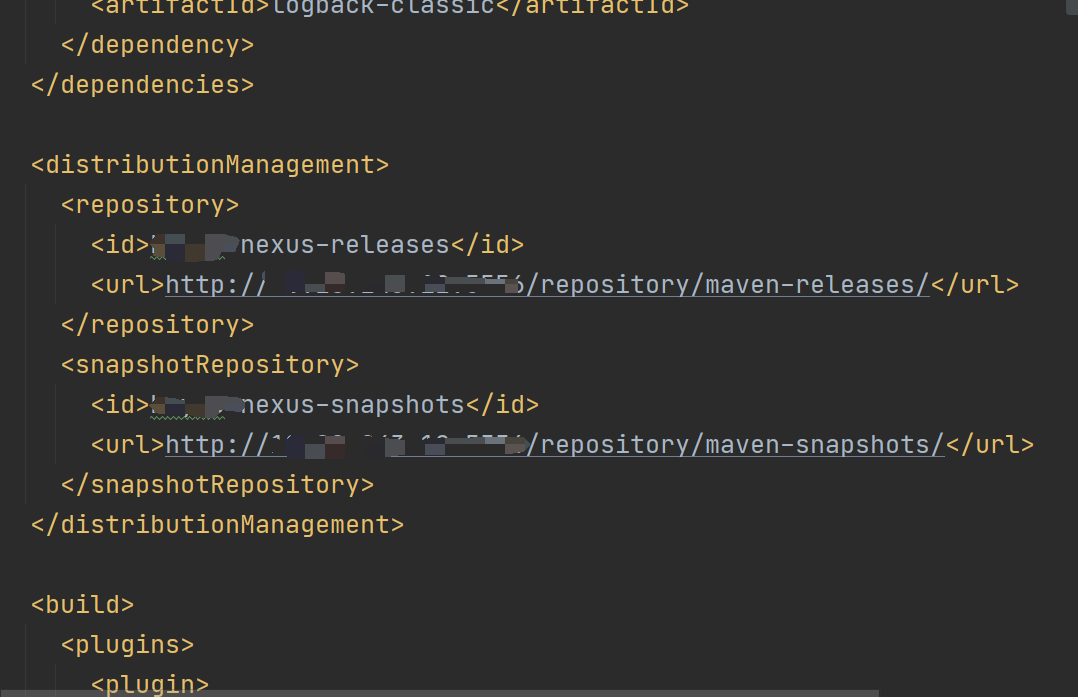
<distributionmanagement>
    <repository>
      <id>nexus-releases</id>
      <url>http://nexus地址:端口/repository/maven-releases/</url>
    </repository>
    <snapshotrepository>
      <id>nexus-snapshots</id>
      <url>http://nexus地址:端口/repository/maven-snapshots/</url>
    </snapshotrepository>
  </distributionmanagement>
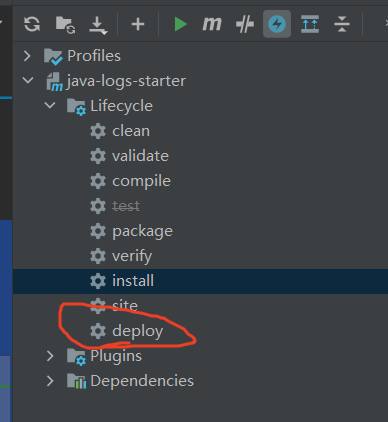
测试效果
maven deploy
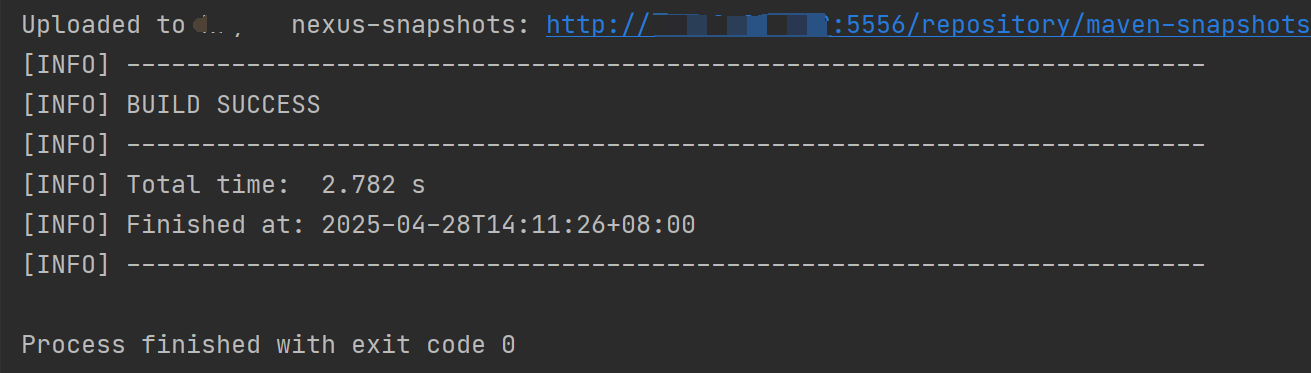

引用,在项目的pom里添加对应依赖即可
总结
以上为个人经验,希望能给大家一个参考,也希望大家多多支持代码网。





发表评论