
 我要评论
我要评论一、摘要
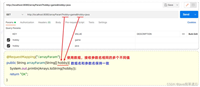
spring security除了可以在配置文件中配置权限校验规则,还可以使用注解方式控制类 中方法的调用。
例如controller中的某个方法要求必须具有某个权限才可以访问,此时就 可以使用spring security框架提供的注解方式进行控制。
二、实现步骤
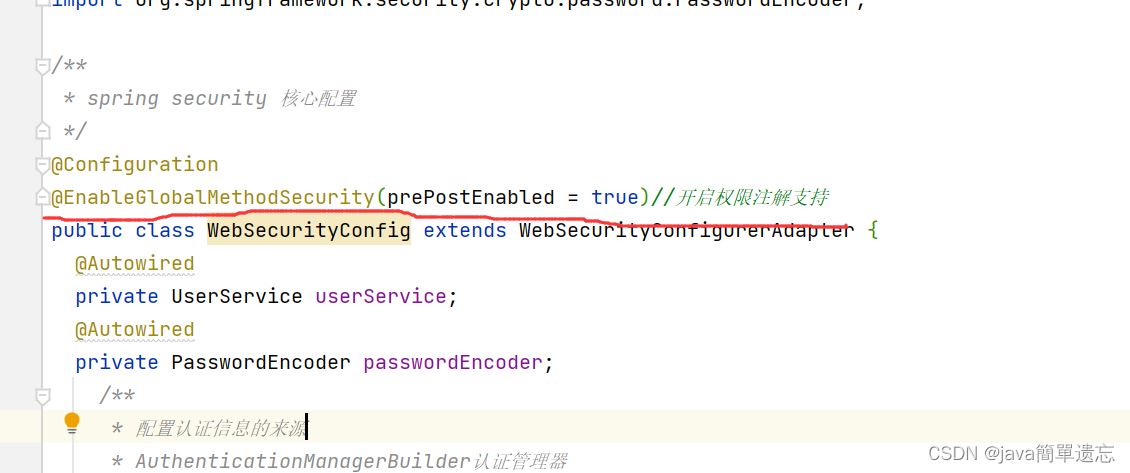
2.1 在配置类中添加权限注解的支持
package com.by.config;

//import com.by.service.userservice;
import com.by.service.userservice;
import org.springframework.beans.factory.annotation.autowired;
import org.springframework.context.annotation.bean;
import org.springframework.context.annotation.configuration;
import org.springframework.security.config.annotation.authentication.builders.authenticationmanagerbuilder;
import org.springframework.security.config.annotation.method.configuration.enableglobalmethodsecurity;
import org.springframework.security.config.annotation.web.builders.httpsecurity;
import org.springframework.security.config.annotation.web.builders.websecurity;
import org.springframework.security.config.annotation.web.configuration.websecurityconfigureradapter;
import org.springframework.security.crypto.bcrypt.bcryptpasswordencoder;
import org.springframework.security.crypto.password.passwordencoder;

/**
 * spring security 核心配置
 */
@configuration
@enableglobalmethodsecurity(prepostenabled = true)//开启权限注解支持
public class websecurityconfig extends websecurityconfigureradapter {
  @autowired
  private userservice userservice;
  @autowired
  private passwordencoder passwordencoder;
    /**
     * 配置认证信息的来源
     * authenticationmanagerbuilder认证管理器
     */
    @override
    protected void configure(authenticationmanagerbuilder auth) throws exception {
        // 配置认证提供者
        auth.userdetailsservice(userservice).passwordencoder(passwordencoder);//配置认证提供者
        super.configure(auth);//密码
    }

    /**
     * 配置web的安全(忽略的静态资源)
     *
     * @param web
     * @throws exception
     */
    @override
    public void configure(websecurity web) throws exception {
        //web.ignoring().antmatchers("/pages/a.html","/pages/b.html");
         //web.ignoring().antmatchers("/pages/**");
        //指定login.html页面可以匿名访问
        web.ignoring().antmatchers("/login.html");
    }

    /**
     * 配置http请求的安全(认证、授权、退出)
     * httpsecurity 用于构建一个安全过滤器链 securityfilterchain
     *
     * @param http
     * @throws exception
     */
    @override
    protected void configure(httpsecurity http) throws exception {
//        super.configure(http);
        http.formlogin()
                .loginpage("/login.html")// 默认页面
                .loginprocessingurl("/login")//请求
                .usernameparameter("username")
                .passwordparameter("password")
                // 请求成功后访问哪个路径
                .defaultsuccessurl("/index.html",true);
        //权限配置
        http.authorizerequests()
               //.antmatchers("pages/a.html").authenticated()
                .antmatchers("/pages/b.html").hasauthority("add")
                /**
                 * 拥有role_admin可以访问d页面
                 * 注意:此处虽然写的是admin,但是框架会自动添加前缀role_
                 */
                .antmatchers("pages/c.html").hasrole("admin")
//                其他资源均需要登录后访问
                .anyrequest().authenticated();
//        super.configure(http);
        //关闭跨站请求防护
        http.csrf().disable();
    }

    /**
     * 配置加密对象
     * @return
     */
    @bean
    public passwordencoder passwordencoder(){
        return new bcryptpasswordencoder();
    }
}
2.2 创建controller类
在controller的方法上加入注解进行权限控制
package com.by.controller;

import org.springframework.security.access.prepost.preauthorize;
import org.springframework.web.bind.annotation.requestmapping;
import org.springframework.web.bind.annotation.restcontroller;

@restcontroller
@requestmapping("/hello")
public class hellocontroller {
    @requestmapping("/add")
    /**
     * 表示用户要拥有add权限 才能访问该方法
     */
    @preauthorize("hasauthority('add')")
    public string add(){
        system.out.println("add");
        return "success";
    }

}
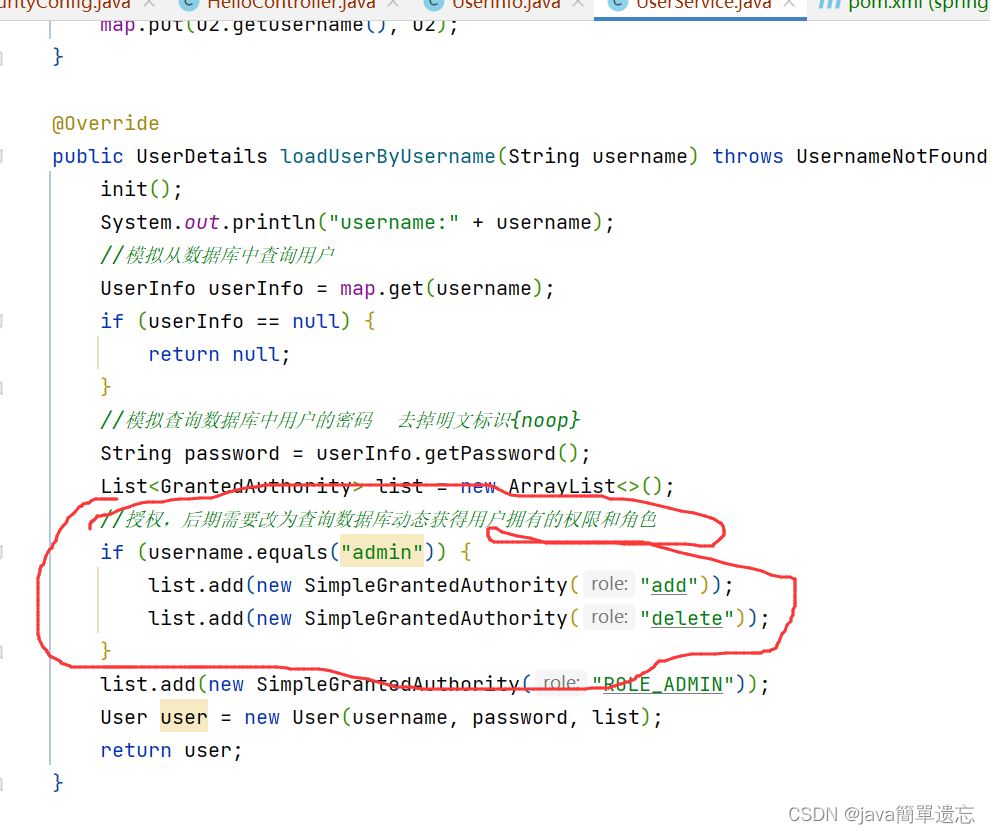
2.3 userservice类
package com.by.service;

import com.by.pojo.userinfo;
import org.springframework.beans.factory.annotation.autowired;
import org.springframework.security.core.grantedauthority;
import org.springframework.security.core.authority.simplegrantedauthority;
import org.springframework.security.core.userdetails.user;
import org.springframework.security.core.userdetails.userdetails;
import org.springframework.security.core.userdetails.userdetailsservice;
import org.springframework.security.core.userdetails.usernamenotfoundexception;
import org.springframework.security.crypto.bcrypt.bcryptpasswordencoder;
import org.springframework.security.crypto.password.passwordencoder;
import org.springframework.stereotype.component;

import java.util.arraylist;
import java.util.hashmap;
import java.util.list;
import java.util.map;

@component
public class userservice implements userdetailsservice {
    @autowired
   private passwordencoder passwordencoder;


    //模拟向数据库中插入数据
    public map<string, userinfo> map = new hashmap<>();

    public void init() {
        userinfo u1 = new userinfo();
        u1.setusername("admin");
        u1.setpassword(passwordencoder.encode("123"));
        userinfo u2 = new userinfo();
        u2.setusername("user");
        u2.setpassword(passwordencoder.encode("123"));
        map.put(u1.getusername(), u1);
        map.put(u2.getusername(), u2);
    }

    @override
    public userdetails loaduserbyusername(string username) throws usernamenotfoundexception {
        init();
        system.out.println("username:" + username);
        //模拟从数据库中查询用户
        userinfo userinfo = map.get(username);
        if (userinfo == null) {
            return null;
        }
        //模拟查询数据库中用户的密码  去掉明文标识{noop}
        string password = userinfo.getpassword();
        list<grantedauthority> list = new arraylist<>();
        //授权,后期需要改为查询数据库动态获得用户拥有的权限和角色
        if (username.equals("admin")) {
            list.add(new simplegrantedauthority("add"));
            list.add(new simplegrantedauthority("delete"));
        }
        list.add(new simplegrantedauthority("role_admin"));
        user user = new user(username, password, list);
        return user;
    }

    public static void main(string[] args) {
        for (int i = 0; i < 3; i++) {
            string password="123456";
            /**
             * bcryptpasswordencoder是spring security
             * 提供的一个加密的api
             */
            bcryptpasswordencoder bcryptpasswordencoder = new bcryptpasswordencoder();
            string hashpassword = bcryptpasswordencoder.encode(password);
            system.out.println(hashpassword);
            boolean flag = bcryptpasswordencoder.matches("123456", hashpassword);
            system.out.println(flag);

        }
    }
}
三、测试
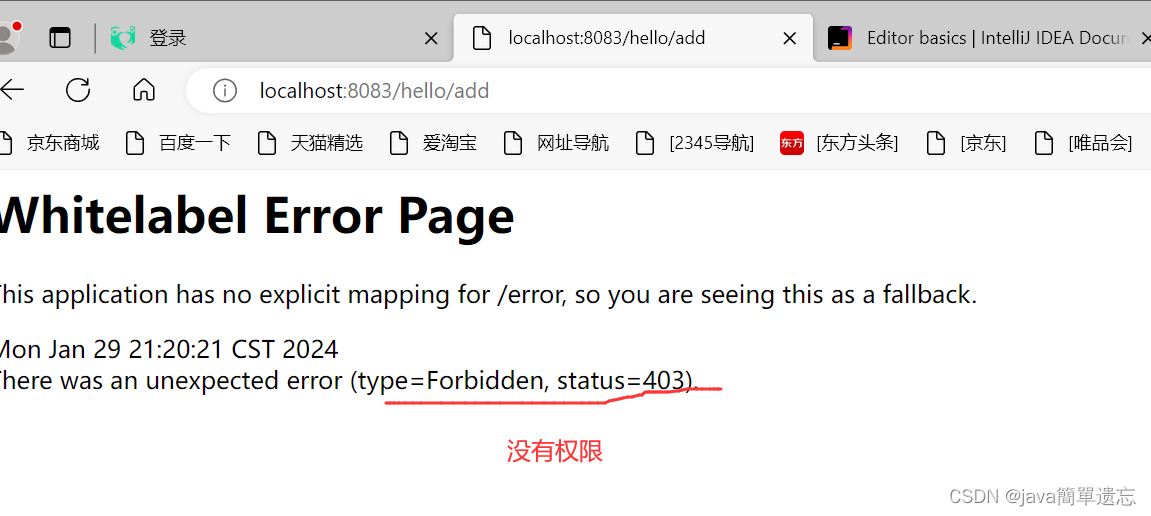
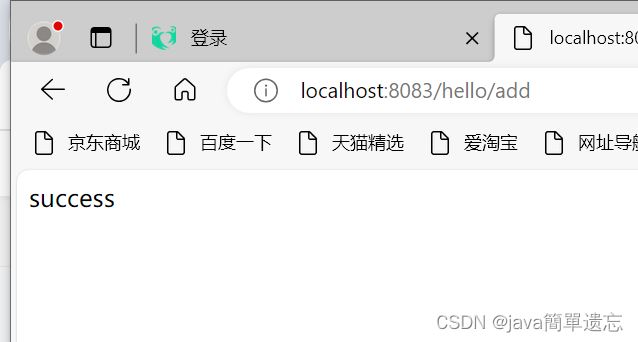
可以看出admin有add方法的访问权限,而user则没有add方法的访问权限
3.1 user测试
3.2 admin 测试
四、退出登录功能
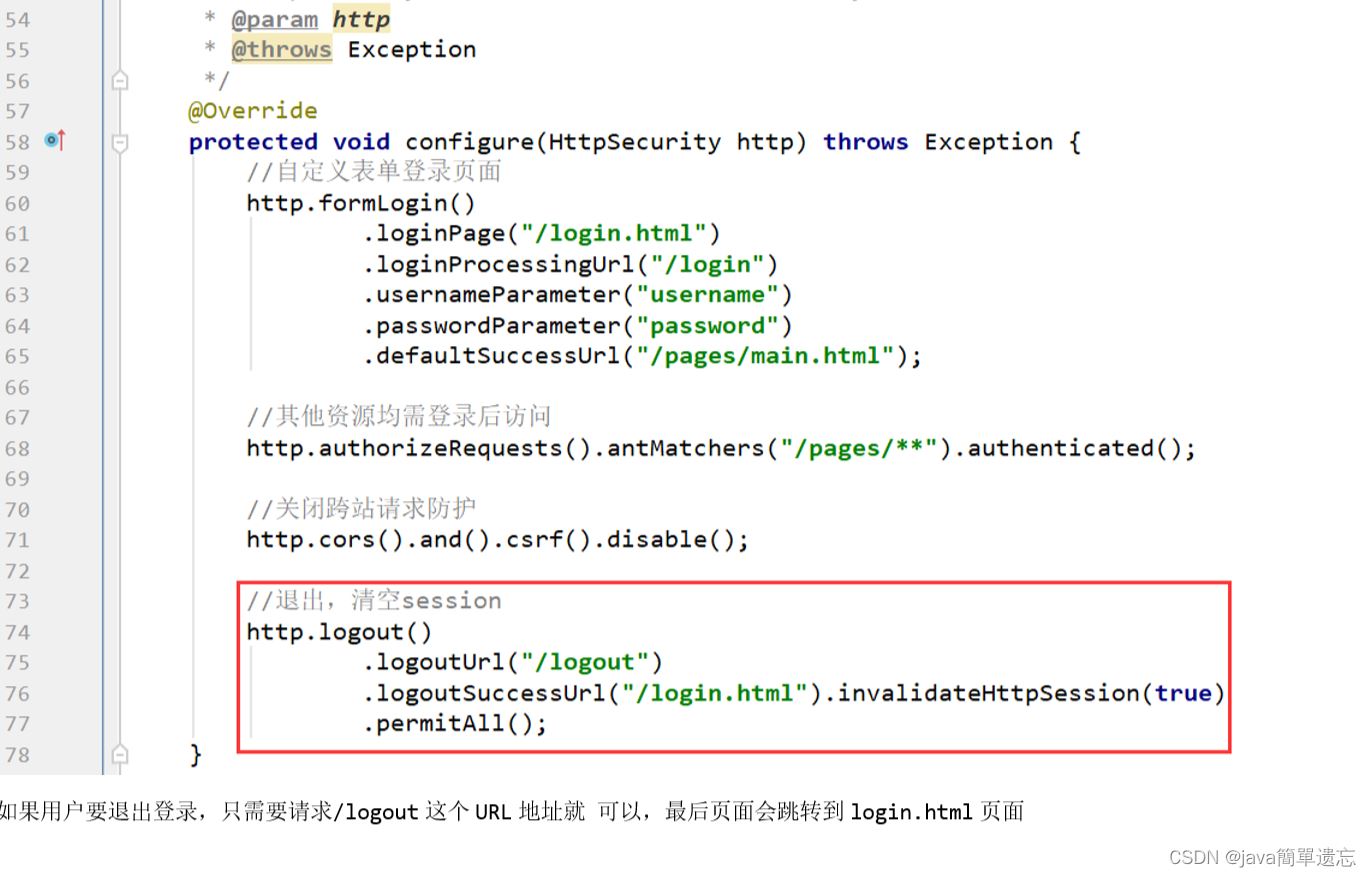
用户完成登录后spring security框架会记录当前用户认证状态为已认证状态,即表示用 户登录成功了。
那用户如何退出登录呢?我们可以配置类中进行如下 配置:
package com.by.config;

//import com.by.service.userservice;
import com.by.service.userservice;
import org.springframework.beans.factory.annotation.autowired;
import org.springframework.context.annotation.bean;
import org.springframework.context.annotation.configuration;
import org.springframework.security.config.annotation.authentication.builders.authenticationmanagerbuilder;
import org.springframework.security.config.annotation.method.configuration.enableglobalmethodsecurity;
import org.springframework.security.config.annotation.web.builders.httpsecurity;
import org.springframework.security.config.annotation.web.builders.websecurity;
import org.springframework.security.config.annotation.web.configuration.websecurityconfigureradapter;
import org.springframework.security.crypto.bcrypt.bcryptpasswordencoder;
import org.springframework.security.crypto.password.passwordencoder;

/**
 * spring security 核心配置
 */
@configuration
@enableglobalmethodsecurity(prepostenabled = true)//开启权限注解支持
public class websecurityconfig extends websecurityconfigureradapter {
  @autowired
  private userservice userservice;
  @autowired
  private passwordencoder passwordencoder;
    /**
     * 配置认证信息的来源
     * authenticationmanagerbuilder认证管理器
     */
    @override
    protected void configure(authenticationmanagerbuilder auth) throws exception {
        // 配置认证提供者
        auth.userdetailsservice(userservice).passwordencoder(passwordencoder);//配置认证提供者
        super.configure(auth);//密码
    }

    /**
     * 配置web的安全(忽略的静态资源)
     *
     * @param web
     * @throws exception
     */
    @override
    public void configure(websecurity web) throws exception {
        //web.ignoring().antmatchers("/pages/a.html","/pages/b.html");
         //web.ignoring().antmatchers("/pages/**");
        //指定login.html页面可以匿名访问
        web.ignoring().antmatchers("/login.html");
    }

    /**
     * 配置http请求的安全(认证、授权、退出)
     * httpsecurity 用于构建一个安全过滤器链 securityfilterchain
     *
     * @param http
     * @throws exception
     */
    @override
    protected void configure(httpsecurity http) throws exception {
//        super.configure(http);
        http.formlogin()
                .loginpage("/login.html")// 默认页面
                .loginprocessingurl("/login")//请求
                .usernameparameter("username")
                .passwordparameter("password")
                // 请求成功后访问哪个路径
                .defaultsuccessurl("/index.html",true);
        //权限配置
        http.authorizerequests()
               //.antmatchers("pages/a.html").authenticated()
                .antmatchers("/pages/b.html").hasauthority("add")
                /**
                 * 拥有role_admin可以访问d页面
                 * 注意:此处虽然写的是admin,但是框架会自动添加前缀role_
                 */
                .antmatchers("pages/c.html").hasrole("admin")
//                其他资源均需要登录后访问
                .anyrequest().authenticated();
        /**
         * 退出登录
         */
        http.logout()
                .logouturl("/logout")
                        .logoutsuccessurl("/login.html").invalidatehttpsession(true);


//        super.configure(http);
        //关闭跨站请求防护
        http.csrf().disable();
    }

    /**
     * 配置加密对象
     * @return
     */
    @bean
    public passwordencoder passwordencoder(){
        return new bcryptpasswordencoder();
    }
}
在a.html 设置一个退出登录的超链接
<!doctype html>
<html lang="en">
<head>
    <meta charset="utf-8">
    <title>title</title>
</head>
<body>
我是b.html
<a href="/logout" rel="external nofollow" >退出登录</a>
</body>
</html>
测试
登录后访问localhost:8083/pages/a.html 然后点击退出登录。
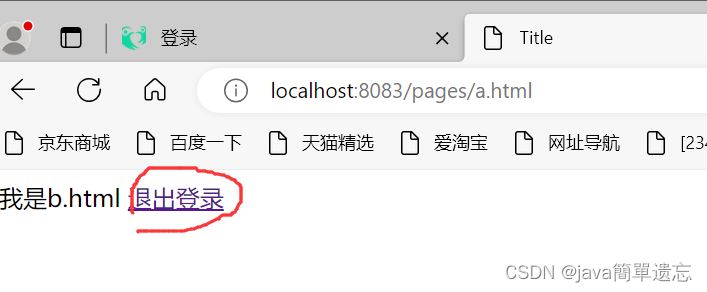
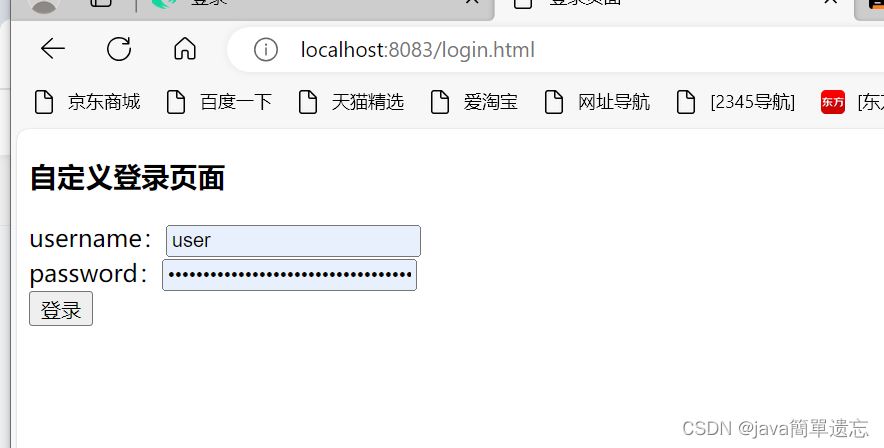
如果用户要退出登录,只需要请求/logout这个url地址就 可以,最后页面会跳转到login.html页面
总结
以上为个人经验,希望能给大家一个参考,也希望大家多多支持代码网。


发表评论