
 我要评论
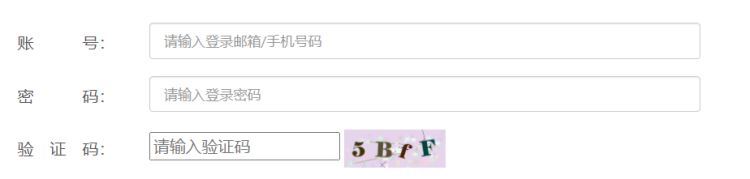
我要评论这是一个登录页面,在登录的最后一部,很多时候都会让我们输入验证码,今天就来讲讲如何在springboot中实现图形验证码的生成。验证码的生成是一个非常常用的工具类,网上有很多写法。
手写验证码
首先说明一下,这里的手写,并不是博主自己手写的,而是在github中看到过一个项目,项目中有涉及到一个验证码的源码,感觉还不错。
新建验证码工具类
验证码工具类
public class code {
    public static final string randomcodekey = "validatecode";
    //将图片存放到session中的key

    private random random = new random();//生成随机数

    private string randomstring = "0123456789abcdefghijklmnopqrstuvwxyz";
    //图片中随机产生的字母或数字

    private int width = 80;//图片宽
    private int height = 26;//图片高
    private int linesize = 40;//干扰线数量
    private int stringnum = 4;//随机产生字符数量

    //获得字体
    private font getfont(){
        return new font("fixedsys",font.center_baseline,18);
    }

    //获得随机颜色值
    private color getrandcolor(int fc,int bc){
        if(fc > 255) {
            fc = 255;
        }
        if(bc > 255) {
            bc = 255;
        }
        int r = fc + random.nextint(bc-fc-16);
        int g = fc + random.nextint(bc-fc-14);
        int b = fc + random.nextint(bc-fc-18);
        return new color(r,g,b);
    }

    /*
     * 返回随机的字符
     */
    private string getrandomstring(int num){
        return string.valueof(randomstring.charat(num));
    }

    /*
     * 绘制字符串
     */
    private string drawstring(graphics g, string randomstring, int i){
        g.setfont(getfont());
        g.setcolor(new color(random.nextint(101),random.nextint(111),random.nextint(121)));
        string rand = string.valueof(getrandomstring(random.nextint(this.randomstring.length())));
        randomstring += rand;
        g.translate(random.nextint(3), random.nextint(3));
        g.drawstring(rand, 13 * i, 16);
        return randomstring;
    }

    /*
     * 绘制干扰线
     */
    private void drawline(graphics g){
        int x = random.nextint(width);
        int y = random.nextint(height);
        int xl = random.nextint(13);
        int yl = random.nextint(15);
        g.drawline(x, y, x + xl, y + yl);
    }

    //核心方法:生成随机验证码,并返回
    public void getvalidatecode(httpservletrequest request, httpservletresponse response) {
        httpsession session = request.getsession();
        bufferedimage image = new bufferedimage(width,height,bufferedimage.type_int_bgr);
        graphics g = image.getgraphics();//产生image对象的graphics对象,改对象可以在图像上进行各种绘制操作
        g.fillrect(0, 0, width, height);
        g.setfont(new font("times new roman",font.roman_baseline,18));
        g.setcolor(getrandcolor(110, 133));

        //绘制干扰线
        for(int i = 0;i <= linesize; i++){
            drawline(g);
        }

        //绘制随机字符
        string randomstring = "";
        for(int i = 1; i <= stringnum; i++){
            randomstring = drawstring(g, randomstring, i);
        }

        //将生成的随机字符串装进session作用域
        session.removeattribute(randomcodekey);
        session.setattribute(randomcodekey, randomstring);
        system.out.println(randomstring);//输出生成的随机字符串

        g.dispose();//关闭窗体,释放资源
        try {
            imageio.write(image, "jpeg", response.getoutputstream());//将内存中的图片通过流动形式输出到客户端
        } catch (exception e) {
            e.printstacktrace();
        }
    }
}
在springboot项目中新建一个util包,用于存放工具类,这样一个验证码工具类就写好了。
controller中调用
工具类写好后,就可以在controller中调用
    @getmapping("/checkcode2")
    public void checkcode2(httpservletrequest request, httpservletresponse response){
        response.setcontenttype("image/jpeg");
        response.setdateheader("expires",0);
        response.setheader("pragma","no-cache");
        response.setheader("cache-control","no-cache");
        //引用验证码工具类,生成验证码
        code code=new code();
        code.getvalidatecode(request,response);
    }
@getmapping("/checkcode2"): 这是一个spring mvc注解,表示当客户端发送一个get请求到/checkcode2路径时,将调用checkcode2方法。public void checkcode2(httpservletrequest request, httpservletresponse response): 这是一个控制器方法,接收httpservletrequest和httpservletresponse对象作为参数,用于处理http请求和响应。response.setcontenttype("image/jpeg");: 设置响应的内容类型为jpeg格式的图片。response.setdateheader("expires",0);: 设置响应头expires为0,表示页面内容已过期,浏览器应当每次都从服务器获取最新内容。response.setheader("pragma","no-cache");: 设置响应头pragma为no-cache,指示浏览器不要缓存页面内容。response.setheader("cache-control","no-cache");: 设置响应头cache-control为no-cache,进一步指示浏览器不要缓存页面内容。code code=new code();: 创建一个code类的实例。code.getvalidatecode(request,response);: 调用code实例的getvalidatecode方法,生成验证码并将其写入响应中。
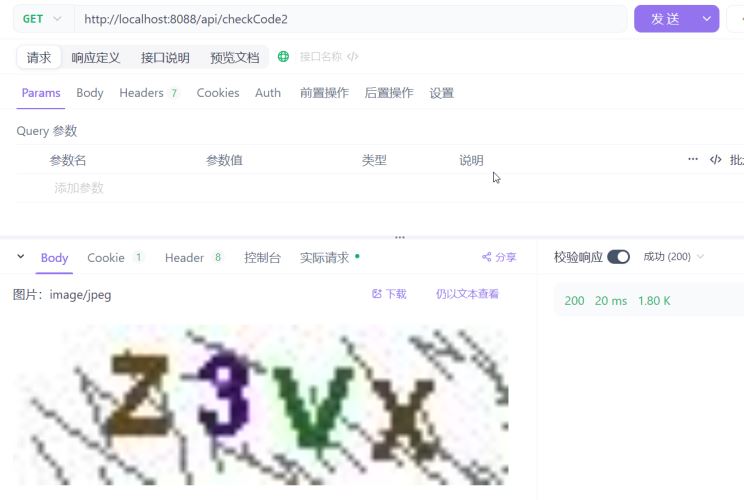
apifox中验证
hutool图形验证码
hutool官网:https://www.hutool.cn/docs/#/
正如官网简介所言,hutool是一个小而全的java工具类库,它提供了很多常用的工具类,几乎包罗万象。

今天我们使用的是hutool-captcha(图形验证码)。
引入依赖
这里使用的是maven,如果是其他的项目构建工具,请参考文档。
单独引入图形验证码的依赖模块
    <!-- 添加图形验证码依赖 -->
    <dependency>
      <groupid>cn.hutool</groupid>
      <artifactid>hutool-captcha</artifactid>
      <version>5.8.6</version>
    </dependency>
当然,为了方便,也可以按照文档中的方法,引入所有模块。
<dependency>
    <groupid>cn.hutool</groupid>
    <artifactid>hutool-all</artifactid>
    <version>5.8.16</version>
</dependency>
linecaptcha:线段干扰的验证码
    @getmapping("/checkcode1")
    public void checkcode(httpservletresponse response) throws ioexception {
        //调用hutool的图形验证码
        linecaptcha captcha = captchautil.createlinecaptcha(130, 38, 5, 5);
        //指示浏览器不要缓存页面内容
        response.setheader("pragma","no-cache");
        //进一步指示浏览器不要缓存页面内容
        response.setheader("cache-control","no-cache");
        //表示页面内容已过期,浏览器应当每次都从服务器获取最新内容
        response.setdateheader("expires",0);
        //表示返回的内容为jpeg格式的图片
        response.setcontenttype("image/jpeg");

        //图片验证码写出
        captcha.write(response.getoutputstream());
        //关闭流
        response.getoutputstream().close();
    }
linecaptcha captcha = captchautil.createlinecaptcha(130, 38, 5, 5);
定义图形验证码的长、宽、验证码字符数、干扰线宽度linecaptcha captcha = captchautil.createlinecaptcha(130, 38)
定义图形验证码的长、宽
上面这两种写法都是可以的
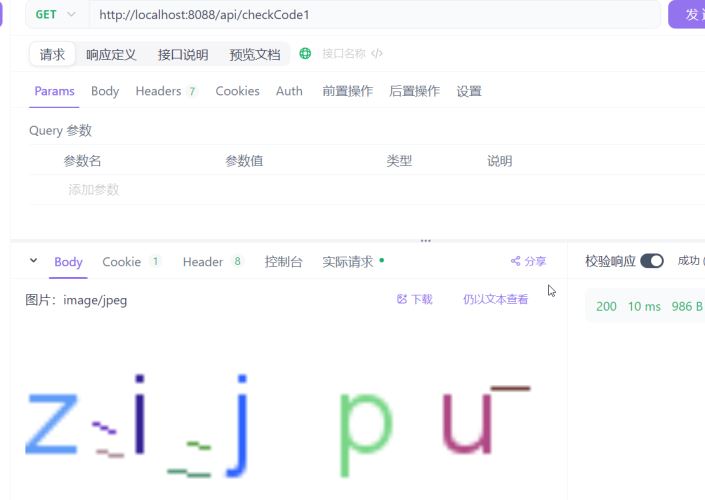
circlecaptcha:圆形干扰验证码
 @getmapping("/checkcode1")
    public void checkcode(httpservletresponse response) throws ioexception {
        //调用hutool的图形验证码
        circlecaptcha captcha = captchautil.createcirclecaptcha(130, 38, 5, 20);
        //指示浏览器不要缓存页面内容
        response.setheader("pragma","no-cache");
        //进一步指示浏览器不要缓存页面内容
        response.setheader("cache-control","no-cache");
        //表示页面内容已过期,浏览器应当每次都从服务器获取最新内容
        response.setdateheader("expires",0);
        //表示返回的内容为jpeg格式的图片
        response.setcontenttype("image/jpeg");

        //图片验证码写出
        captcha.write(response.getoutputstream());
        //关闭流
        response.getoutputstream().close();
    }
circlecaptcha captcha = captchautil.createcirclecaptcha(130, 38, 5, 20);
定义图形验证码的长、宽、验证码字符数、干扰⭕个数circlecaptcha captcha = captchautil.createcirclecaptcha(130, 38);
定义图形验证码的长、宽
圆形干扰验证码同样两种写法。
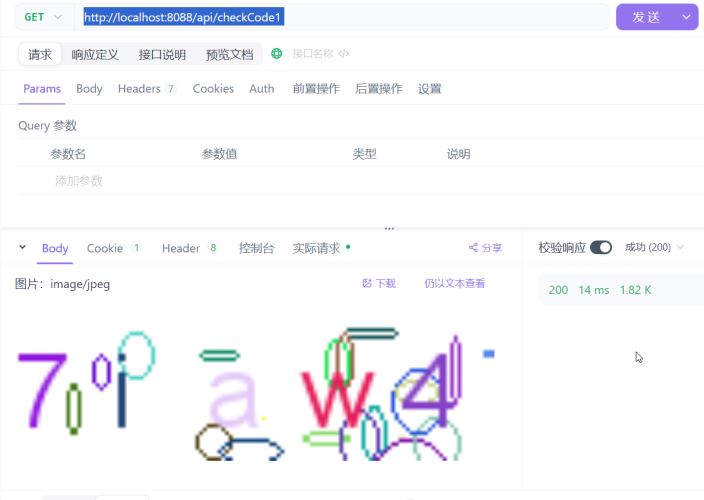
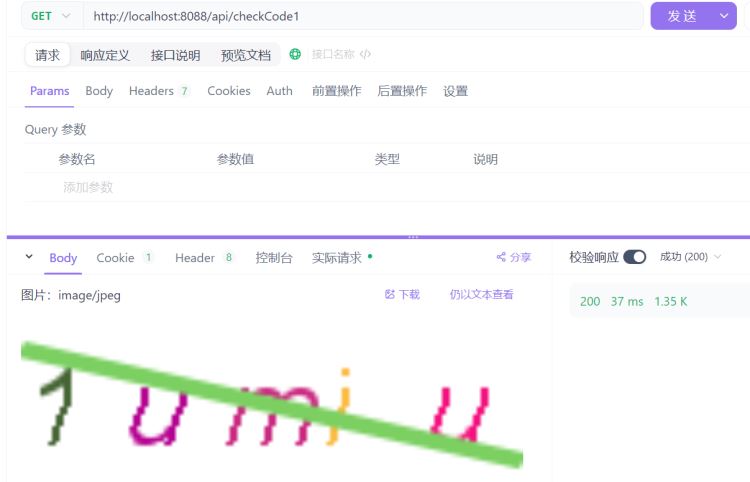
shearcaptcha:扭曲干扰验证码
    @getmapping("/checkcode1")
    public void checkcode(httpservletresponse response) throws ioexception {
        //调用hutool的图形验证码
        shearcaptcha captcha = captchautil.createshearcaptcha(130, 38,5,5);
        //指示浏览器不要缓存页面内容
        response.setheader("pragma","no-cache");
        //进一步指示浏览器不要缓存页面内容
        response.setheader("cache-control","no-cache");
        //表示页面内容已过期,浏览器应当每次都从服务器获取最新内容
        response.setdateheader("expires",0);
        //表示返回的内容为jpeg格式的图片
        response.setcontenttype("image/jpeg");

        //图片验证码写出
        captcha.write(response.getoutputstream());
        //关闭流
        response.getoutputstream().close();
    }
shearcaptcha captcha = captchautil.createshearcaptcha(130, 38,5,5);
定义图形验证码的长、宽、验证码字符数、干扰线宽度shearcaptcha captcha = captchautil.createshearcaptcha(130, 38);
定义图形验证码的长、宽
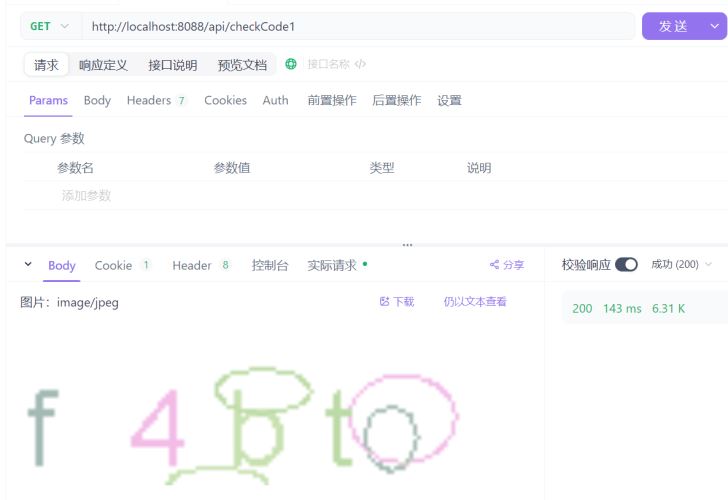
gifcaptcha:gif验证码
 @getmapping("/checkcode1")
    public void checkcode(httpservletresponse response) throws ioexception {
        //调用hutool的图形验证码
        gifcaptcha captcha = captchautil.creategifcaptcha(130, 38,5);
        //指示浏览器不要缓存页面内容
        response.setheader("pragma","no-cache");
        //进一步指示浏览器不要缓存页面内容
        response.setheader("cache-control","no-cache");
        //表示页面内容已过期,浏览器应当每次都从服务器获取最新内容
        response.setdateheader("expires",0);
        //表示返回的内容为jpeg格式的图片
        response.setcontenttype("image/jpeg");

        //图片验证码写出
        captcha.write(response.getoutputstream());
        //关闭流
        response.getoutputstream().close();
    }
gifcaptcha captcha = captchautil.creategifcaptcha(130, 38,5);
定义gif验证码的长、宽、验证码字符数gifcaptcha captcha = captchautil.creategifcaptcha(130, 38);
定义gif验证码的长、宽
大家可以去试试,这里截不出那种gif的效果
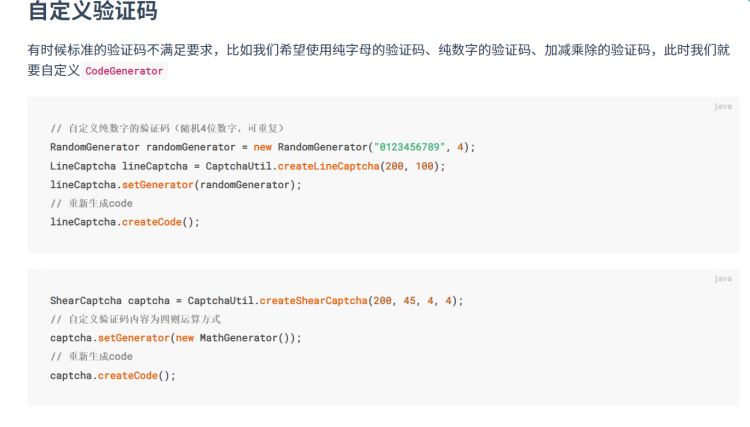
自定义验证码
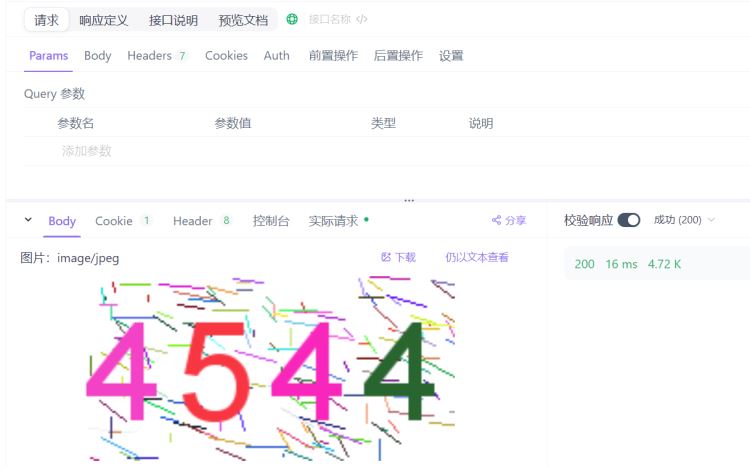
纯数字验证码
    @getmapping("/checkcode1")
    public void checkcode(httpservletresponse response) throws ioexception {
        // 自定义纯数字的验证码(随机4位数字,可重复)
        randomgenerator randomgenerator = new randomgenerator("0123456789", 4);
        linecaptcha captcha = captchautil.createlinecaptcha(200, 100);
        captcha.setgenerator(randomgenerator);
// 重新生成code
        captcha.createcode();
        //指示浏览器不要缓存页面内容
        response.setheader("pragma","no-cache");
        //进一步指示浏览器不要缓存页面内容
        response.setheader("cache-control","no-cache");
        //表示页面内容已过期,浏览器应当每次都从服务器获取最新内容
        response.setdateheader("expires",0);
        //表示返回的内容为jpeg格式的图片
        response.setcontenttype("image/jpeg");

        //图片验证码写出
        captcha.write(response.getoutputstream());
        //关闭流
        response.getoutputstream().close();
    }
当然除了linecaptcha,circlecaptcha,gifcaptcha,shearcaptcha都是可以的
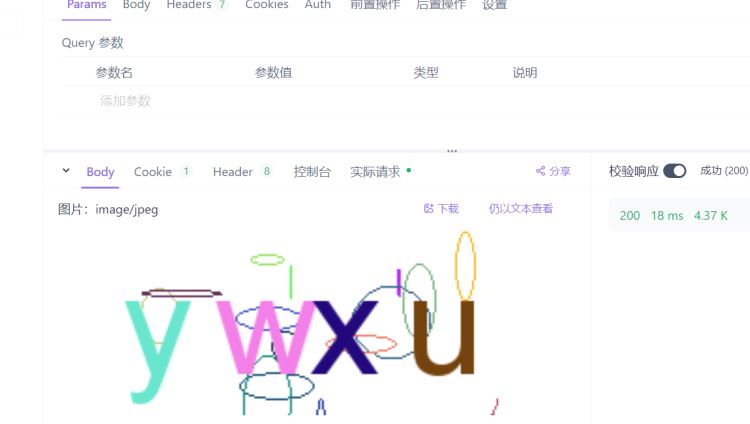
纯字母验证码
    @getmapping("/checkcode1")
    public void checkcode(httpservletresponse response) throws ioexception {
        // 自定义纯数字的验证码(随机4位数字,可重复)
        randomgenerator randomgenerator = new randomgenerator("abcdefghijklmnopqrstuvwyzx", 4);
        circlecaptcha captcha = captchautil.createcirclecaptcha(200, 100);
        captcha.setgenerator(randomgenerator);
// 重新生成code
        captcha.createcode();
        //指示浏览器不要缓存页面内容
        response.setheader("pragma","no-cache");
        //进一步指示浏览器不要缓存页面内容
        response.setheader("cache-control","no-cache");
        //表示页面内容已过期,浏览器应当每次都从服务器获取最新内容
        response.setdateheader("expires",0);
        //表示返回的内容为jpeg格式的图片
        response.setcontenttype("image/jpeg");

        //图片验证码写出
        captcha.write(response.getoutputstream());
        //关闭流
        response.getoutputstream().close();
    }
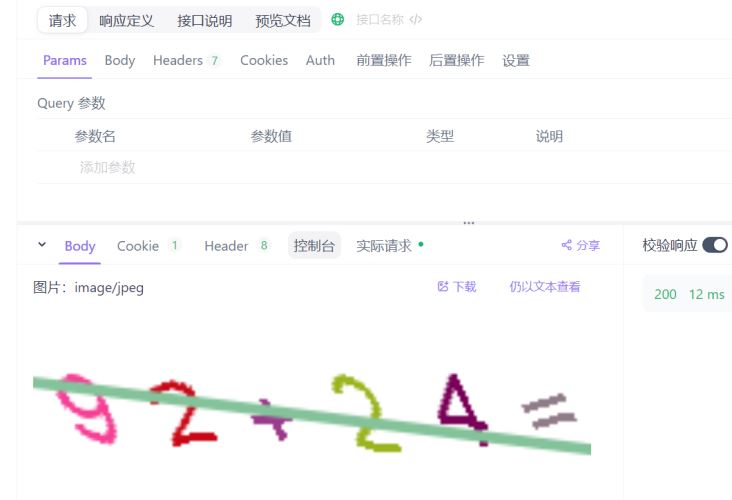
四则运算验证码
 @getmapping("/checkcode1")
    public void checkcode(httpservletresponse response) throws ioexception {
        shearcaptcha captcha = captchautil.createshearcaptcha(200, 45, 4, 4);
        // 自定义验证码内容为四则运算方式
        captcha.setgenerator(new mathgenerator());
        // 重新生成code
        captcha.createcode();
        //指示浏览器不要缓存页面内容
        response.setheader("pragma","no-cache");
        //进一步指示浏览器不要缓存页面内容
        response.setheader("cache-control","no-cache");
        //表示页面内容已过期,浏览器应当每次都从服务器获取最新内容
        response.setdateheader("expires",0);
        //表示返回的内容为jpeg格式的图片
        response.setcontenttype("image/jpeg");

        //图片验证码写出
        captcha.write(response.getoutputstream());
        //关闭流
        response.getoutputstream().close();
    }
以上就是springboot实现图形验证码生成的方法的详细内容,更多关于springboot图形验证码生成的资料请关注代码网其它相关文章!


发表评论