
 我要评论
我要评论iview datepicker之前月份禁用且下月可用
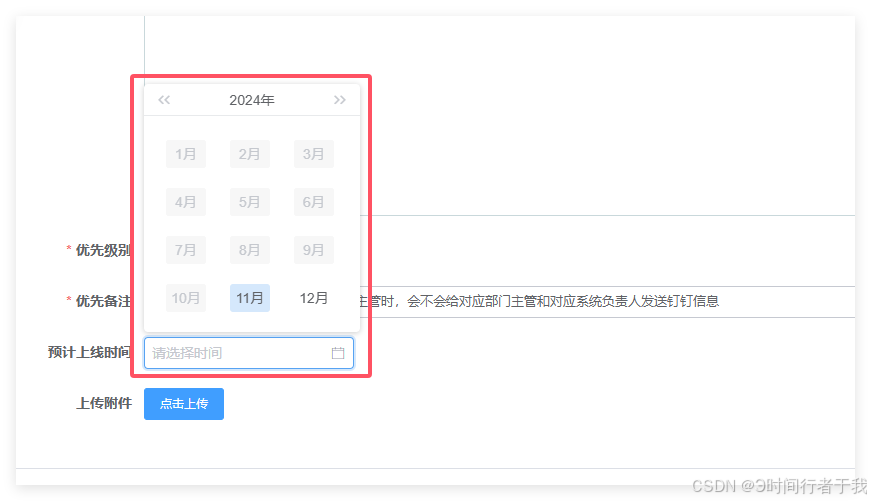
html代码
<datepicker type="month" :options="options4" :value="dialogform.estimatedstarttimewithcreate" @on-change="monthtime($event, 'loaddatestart')" placeholder="请选择时间" class="itemmonth" style="width: 210px"></datepicker>
js代码
data() {
    return {
    dialogform: {
        estimatedstarttimewithcreate: '', // 绑定的日期值
      },
		options4: {
	        disableddate(date) {
	          const disabledday = new date()
	          return date && date.valueof() < disabledday.setmonth(disabledday.getmonth() - 1)
	        }
      }
   }
},
methods: {
	monthtime(val) {
      console.log('monthtime:', val)
      this.dialogform.estimatedstarttimewithcreate = val
    }
}
到此这篇关于iview datepicker 仅允许选择当前月份及以后的月份的文章就介绍到这了,更多相关iview datepicker仅允许选择当前月份内容请搜索代码网以前的文章或继续浏览下面的相关文章希望大家以后多多支持代码网!



发表评论