
 我要评论
我要评论snippet craft
一个vs code代码片段管理插件
功能
创建和插入代码片段
在编辑器区域右键菜单中点击插入snippet,或在代码片段视图中点击条目,则会将代码片段插入到当前激活文档的光标位置。
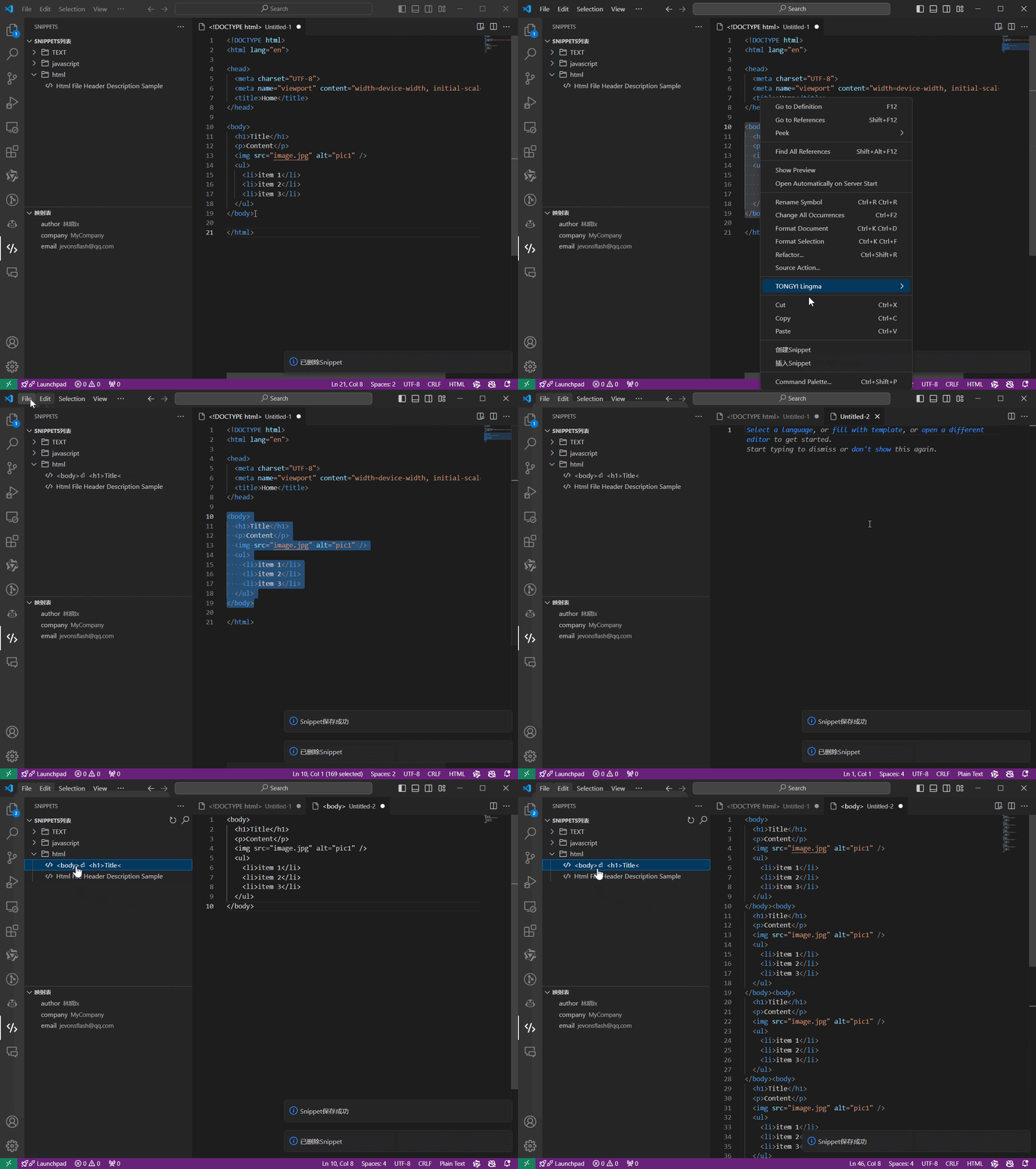
代码片段编辑
代码片段在左侧栏中,根据创建时的文件内容类型,分组显示代码片段,可编辑已有的代码片段。
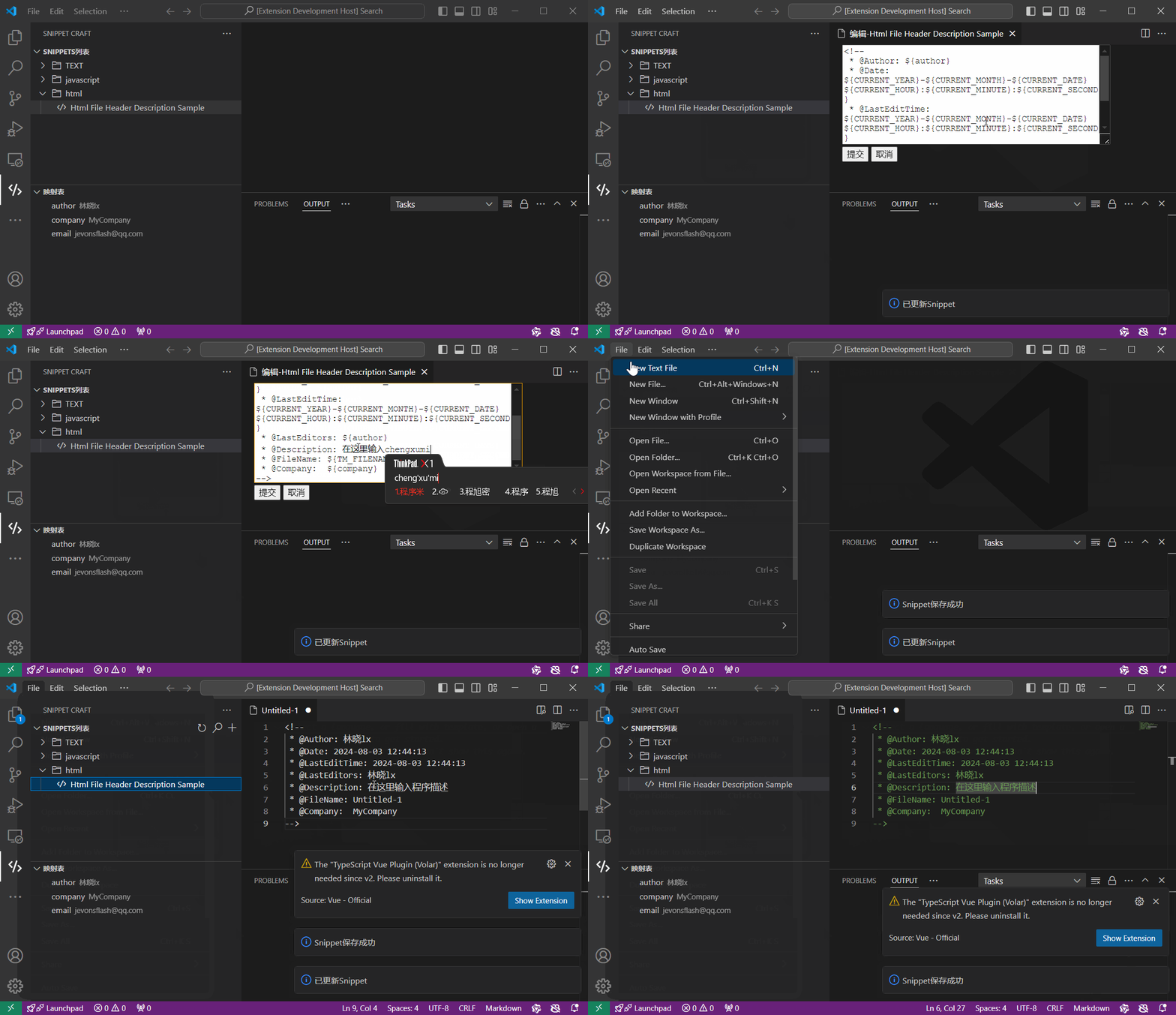
代码片段预览
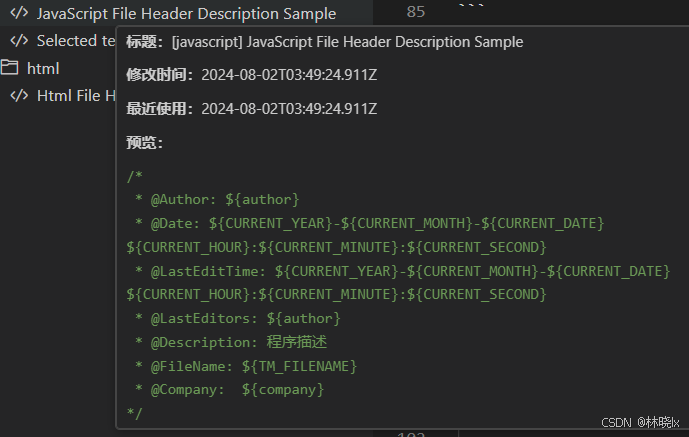
鼠标移动到代码片段条目上时,显示tooltip预览
默认映射
映射是插入代码片段时,自动替换的变量。
代码片段中通过设置占位符${var_name},在插入代码片段时,将自动替换为全局变量中的值。可用的映射如下表:
| 类别 | 变量 | 描述 |
|---|---|---|
| 文件和编辑器相关 | tm_selected_text | 当前选定的文本或空字符串 |
| tm_current_line | 当前行的内容 | |
| tm_current_word | 光标下的单词或空字符串的内容 | |
| tm_line_index | 基于零索引的行号 | |
| tm_line_number | 基于一个索引的行号 | |
| tm_filename | 当前文档的文件名 | |
| tm_filename_base | 当前文档的文件名(不含扩展名) | |
| tm_directory | 当前文档的目录 | |
| tm_filepath | 当前文档的完整文件路径 | |
| relative_filepath | 当前文档的相对文件路径(相对于打开的工作区或文件夹) | |
| clipboard | 剪贴板的内容 | |
| workspace_name | 打开的工作区或文件夹的名称 | |
| workspace_folder | 打开的工作区或文件夹的路径 | |
| cursor_index | 基于零索引的游标编号 | |
| cursor_number | 基于单索引的游标编号 | |
| 时间相关 | current_year | 本年度 |
| current_year_short | 当年的最后两位数字 | |
| current_month | 两位数字的月份(例如“02”) | |
| current_month_name | 月份的全名(例如“july”) | |
| current_month_name_short | 月份的简短名称(例如“jul”) | |
| current_date | 以两位数字表示的月份中的某一天(例如“08”) | |
| current_day_name | 日期的名称(例如“星期一”) | |
| current_day_name_short | 当天的简短名称(例如“mon”) | |
| current_hour24 | 小时制格式的当前小时 | |
| current_minute | 两位数的当前分钟数 | |
| current_second | 当前秒数为两位数 | |
| current_seconds_unix | 自 unix 纪元以来的秒数 | |
| current_timezone_offset | 当前 utc 时区偏移量为 +hh 或者 -hh (例如“-07:00”) | |
| 其他 | random6 | 6 个随机 base-10 数字 |
| random_hex6 | 6 个随机 base-16 数字 | |
| uuid | 第四版uuid |
注意:当自定义映射值未设置或者不可用时,将直接显示变量占位符
自定义映射
扩展初始化时,插入了三个常用的自定义映射,你可以自由更改或添加自定义映射。
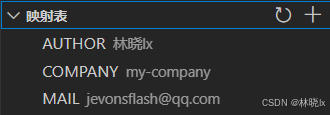
示例:
代码片段内容
value of 'author' is: ${author}
value of 'company' is: ${company}
value of 'mail' is: ${mail}
value of 'foobar' (non-exist) is: ${foobar}
插入代码片段后,显示如下:
value of 'author' is: 林晓lx
value of 'company' is: my-company
value of 'mail' is: jevonsflash@qq.com
value of 'foobar' (non-exist) is: ${foobar}
与自定义映射一样,当默认映射值未设置或者不可用时,将直接显示变量占位符
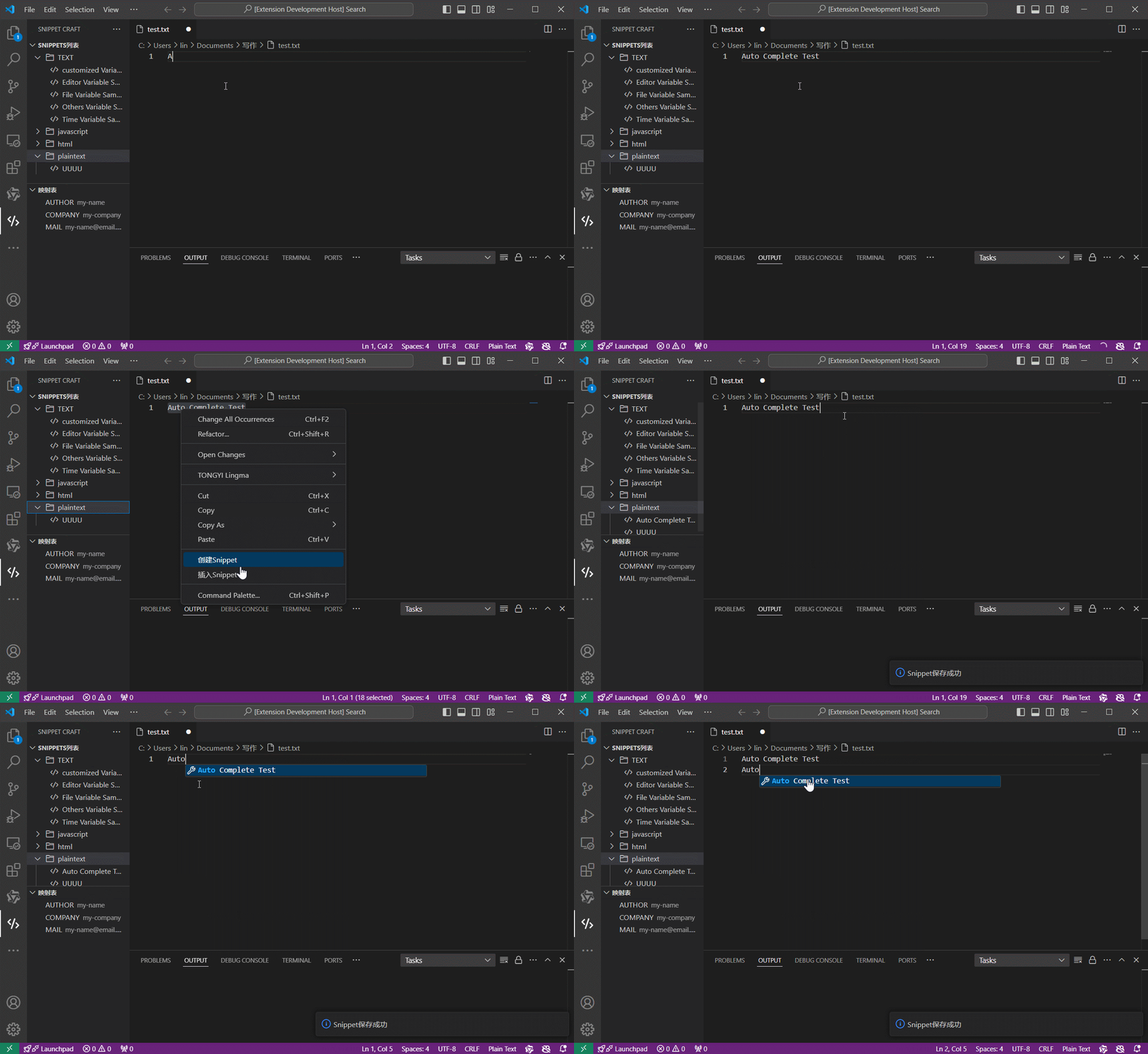
自动完成
代码片段可在编辑器中显示自动提示和补全内容。
快速开始
通过点击上方横幅上的安装按钮安装 snippet craft,或在 vs code 的扩展侧边栏中搜索 snippet craft 进行安装。
更新内容
| date | version | content |
|---|---|---|
| v0.1.0 | 2024-8-22 | 初始版本 |
todo 支持更多语言 使用monaco-editor 导入导出功能作者信息
作者:林小
邮箱:jevonsflash@qq.com
license
the mit license (mit)
项目地址




发表评论