
 我要评论
我要评论vue3网络请求添加loading
全局添加
import axios from 'axios'
import { elloading } from 'element-plus'

let loadingrequestcount = 0
let loadinginstance
const showloading = () => {
  if (loadingrequestcount === 0) {
    loadinginstance = elloading.service({ target: '#app' })
  }
  loadingrequestcount += 1
}
const hideloading = () => {
  if (loadingrequestcount <= 0) return
  loadingrequestcount -= 1
  if (loadingrequestcount === 0) {
    // nexttick(() => {
    loadinginstance.close()
    // })
  }
}

const service = axios.create({
  // baseurl: process.env.base_api,
  baseurl: 'http://localhost:4500',
  timeout: 3 * 1000
})

// 请求拦截器
service.interceptors.request.use(
  (config) => {
    showloading()
    return config
  },
  (error) => {
    promise.reject(error)
  }
)
service.interceptors.response.use(
  (res) => {
    hideloading()
  },
  (error) => {
    hideloading()
  }
)
export default service
elloading.service({ target: ‘#app' })target添加类名就是为某个类名添加loading。全局就是#app
局部添加
或者 按钮直接添加
let loadinginstance: any
// 添加loading
loadinginstance = elloading.service({ target: '.container_box' })
// 关闭laoding
loadinginstance.close()
vue优化:添加请求loading效果
目标:统一在每次请求后台时,添加 loading 效果
背景:有时候因为网络原因,一次请求的结果可能需要一段时间后才能回来, 此时,需要给用户 添加 loading 提示。
添加 loading 提示的好处:
- 节流处理:防止用户在一次请求还没回来之前,多次进行点击,发送无效请求
- 友好提示:告知用户,目前是在加载中,请耐心等待,用户体验会更好
实操步骤
1.请求拦截器中,每次请求,打开 loading
// 自定义配置 - 请求/响应 拦截器
// 添加请求拦截器
instance.interceptors.request.use(function (config) {
  // 在发送请求之前做些什么
  // 开启loading,禁止背景点击 (节流处理,防止多次无效触发)
  toast.loading({
    message: '加载中...',
    forbidclick: true, // 禁止背景点击
    loadingtype: 'spinner', // 配置loading图标
    duration: 0 // 不会自动消失
  })

  // 只要有token,就在请求时携带,便于请求需要授权的接口
  const token = store.getters.token
  if (token) {
    config.headers['access-token'] = token
    config.headers.platform = 'h5'
  }

  return config
}, function (error) {
  // 对请求错误做些什么
  return promise.reject(error)
})- 2.响应拦截器中,每次响应,关闭 loading
- 3.请求时,打开 loading
// 添加响应拦截器
instance.interceptors.response.use(function (response) {
  // 2xx 范围内的状态码都会触发该函数。
  // 对响应数据做点什么 (默认axios会多包装一层data,需要响应拦截器中处理一下)
  const res = response.data
  if (res.status !== 200) {
    // 给错误提示, toast 默认是单例模式,后面的 toast调用了,会将前一个 toast 效果覆盖
    // 同时只能存在一个 toast
    toast(res.message)
    // 抛出一个错误的promise
    return promise.reject(res.message)
  } else {
    // 正确情况,直接走业务核心逻辑,清除loading效果
    toast.clear()
  }
  return res
}, function (error) {
  // 超出 2xx 范围的状态码都会触发该函数。
  // 对响应错误做点什么
  return promise.reject(error)
})
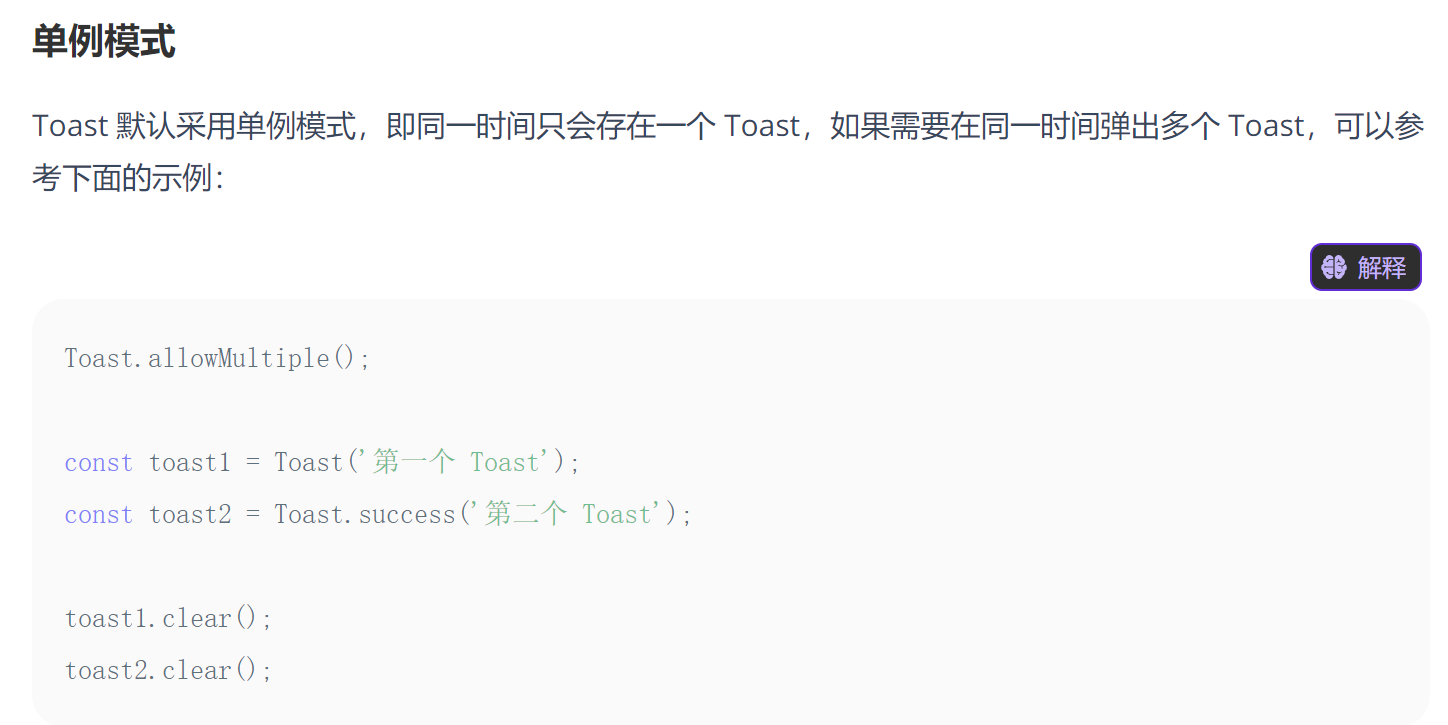
如果需要多个toast,则需要配置,但一般不用
总结
以上为个人经验,希望能给大家一个参考,也希望大家多多支持代码网。






发表评论