
 我要评论
我要评论一、html和css结构
可视区固定500px,设置 overflow-y: auto 来实现滚动。
1.1、html
<template>
  <div class="scroll" ref="scroll" @scroll="onscroll">
    <div class="crad" v-for="i in 10" :key="i"></div>
  </div>
</template>
1.2、css
<style lang="scss" scoped>
  .scroll {
    overflow: auto;
    height: 500px;
    .crad {
      height: 200px;
      margin-top: 10px;
      background-color: red;
    }
  }
</style>
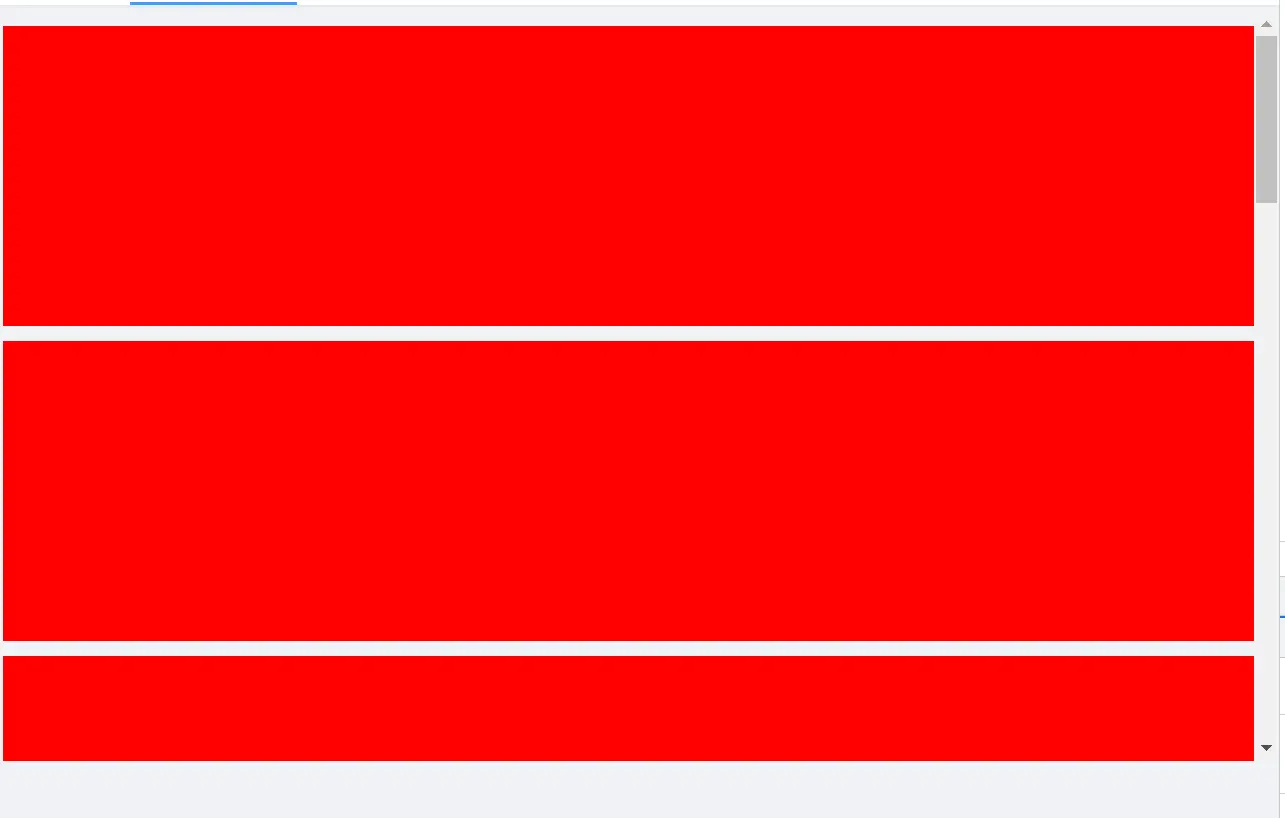
1.3、效果如下
二、实现思路
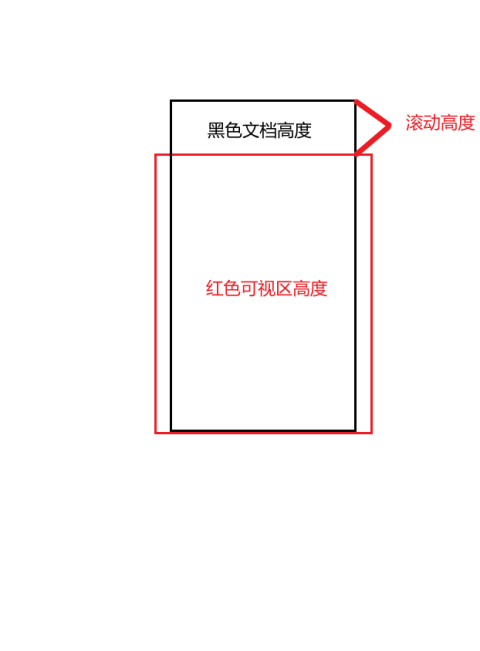
触发的条件是: 可视高度 + 滚动距离 >= 实际高度 。例子我会使用vue来实现,和原生实现是一样的。
- 可视高度(offsetheight):通过 dom 的
offsetheight获得,表示区域固定的高度。这里我推荐通过getboundingclientrect()来获取高度,因为使用前者会引起浏览器回流,造成一些性能问题。 - 滚动高度
(scrolltop):滚动事件中通过e.target.scrolltop获取,表示滚动条距离顶部的px - 实际高度(
scrollheight):通过dom 的 scrollheight获得,表示区域内所有内容的高度(包括滚动距离),也就是实际高度
2.1、基础实现
onscroll(e) {
    let scrolltop = e.target.scrolltop
    let scrollheight = e.target.scrollheight
    let offsetheight = math.ceil(e.target.getboundingclientrect().height)
    let currentheight = scrolltop + offsetheight
    if (currentheight >= scrollheight) {
        console.log('触底')
    }
}
2.2、添加距离底部多少距离触发
现在我们希望是离底部一定距离就触发事件,而不是等到完全触底。如果你做过小程序,这和onreachbottom差不多的意思。
声明一个离底部的距离变量
reachbottomdistance这时候触发条件:可视高度 + 滚动距离 + reachbottomdistance >= 实际高度
export default {
  data(){
    return {
      reachbottomdistance: 100
    }
  },
  methods: {
    onscroll(e) {
        let scrolltop = e.target.scrolltop
        let scrollheight = e.target.scrollheight
        let offsetheight = math.ceil(e.target.getboundingclientrect().height)
        let currentheight = scrolltop + offsetheight + this.reachbottomdistance
        if (currentheight >= scrollheight) {
            console.log('触底')
        }
    }
  }
}
2.3、再次优化
在距离底部100px时成功触发事件,但由于100px往下的区域是符合条件的,会导致一直触发,这不是我们想要的。
接下来做一些处理,让其进入后只触发一次:
export default {
  data(){
    return {
      flag: true,
      reachbottomdistance: 100
    }
  },
  methods: {
    onscroll(e) {
        let scrolltop = e.target.scrolltop
        let scrollheight = e.target.scrollheight
        let offsetheight = math.ceil(e.target.getboundingclientrect().height)
        let currentheight = scrolltop + offsetheight + this.reachbottomdistance
        if (currentheight >= scrollheight && this.flag) {
          console.log('触底')
          this.flag = false
        }
    }
  }
}
2.4、最终优化
实时去获取位置信息稍微会损耗性能,我们应该把不变的缓存起来,只实时获取可变的部分
export default {
  data(){
    return {
      flag: true,
      reachbottomdistance: 100
      offsetheight: 0,
    }
  },
  mounted(){
    // 页面加载完成后  将可视区高度存储起来
    let dom = this.$refs['scroll']
    this.offsetheight = math.ceil(dom.getboundingclientrect().height)
  },
  methods: {
    onscroll(e) {
        let scrolltop = e.target.scrolltop
        let scrollheight = e.target.scrollheight
        let currentheight = scrolltop + this.offsetheight + this.reachbottomdistance
        if (currentheight >= scrollheight && this.flag) {
          console.log('触底')
          this.flag = false
        }
    }
  }
}
三、利用触底事件实现滚动分页加载
<template>
  <div class="scroll"
       ref='scroll'
       @scroll="onscroll">
    <div class="crad"
         v-for="item in showlist"
         :key='item.id'></div>

    <p v-show="status=='loading'">加载中</p>
    <p v-show="status=='nomore'">没有更多了</p>
  </div>
</template>

<script>
import { fetchlist } from '@/api/index';
export default {
  data () {
    return {
      flag: true,
      reachbottomdistance: 100,
      offsetheight: 0,
      // 展示区list
      showlist: [],
      pageindex: 1,
      pagesize: 20,
      totalpage: 0,
      status: 'nomore'
    };
  },
  mounted () {
    // 页面加载完成后  将可视区高度存储起来
    let dom = this.$refs['scroll']
    this.offsetheight = math.ceil(dom.getboundingclientrect().height)
    this.getdatalist()
  },
  methods: {
   onscroll(e) {
        let scrolltop = e.target.scrolltop
        let scrollheight = e.target.scrollheight
        let currentheight = scrolltop + this.offsetheight + this.reachbottomdistance
        if (currentheight >= scrollheight && this.flag) {
          console.log('触底')
          this.flag = false
          this.pageindex++;
          this.getdatalist();
        }
    },
    getdatalist () {
      fetchlist({ current: this.pageindex, size: this.pagesize }).then((res) => {
        let list = res.data.data.list;
        this.totalpage = res.data.data.totalpage;
        this.showlist = this.showlist.concat(list);
        if (this.totalpage > this.showlist.length) {
          this.status = 'loading';
          //如果还有更多重新设置flag为true
          this.flag = true
        } else {
          this.status = 'nomore';
          //没有更多flag设置为false不在执行触底加载
          this.flag = false
        }
      });
    }
  }
}
</script>

<style lang='scss' scoped>
.scroll {
  overflow: auto;
  height: 500px;
  .crad {
    height: 200px;
    margin-top: 10px;
    background-color: red;
  }
}
</style>
总结
到此这篇关于js实现滚动触底的思路与代码的文章就介绍到这了,更多相关js实现滚动触底内容请搜索代码网以前的文章或继续浏览下面的相关文章希望大家以后多多支持代码网!






发表评论