
 我要评论
我要评论实现代码
<input type="file" id="file" />
<script>
    function imagescale(width, originwidth, originheight) {
        const scaleratio = width / originwidth;
        const scaleheight = scaleratio * originheight;
        return [width, scaleheight];
    }

    function compress(file, scalewidth, quality = 0.5) {
        return new promise((resolve, reject) => {
            const reader = new filereader();
            reader.readasdataurl(file);
            reader.onload = (e) => {
                let img = new image();
                img.src = e.target.result;
                img.onload = function () {
                    // 等比例缩放图片
                    const [width, height] = imagescale(
                        scalewidth,
                        img.width,
                        img.height
                    );
                    let canvas = document.createelement("canvas");
                    img.width = canvas.width = width;
                    img.height = canvas.height = height;
                    let ctx = canvas.getcontext("2d");
                    ctx.drawimage(img, 0, 0, img.width, img.height);
                    canvas.toblob(
                        (blob) => {
                            resolve(blob);
                        },
                        "image/jpeg",
                        quality
                    );
                };

                img.onerror = function () {
                    reject();
                };
            };
        });
    }

    file.onchange = function () {
        compress(this.files[0], 200).then((blob) => {
            let url = window.url.createobjecturl(blob);
            const img = document.createelement("img");
            img.src = url;
            img.width = 200;
            document.body.appendchild(img);
        });
    };
</script>
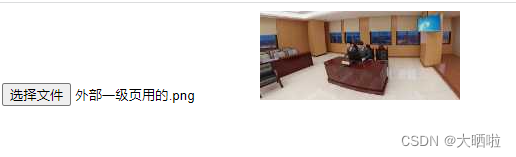
效果图
方法补充
除了上文的方法,小编还为大家介绍了其他javascrip等比压缩图片的方法,希望对大家有所帮助
js利用canvas实现图片等比例裁剪、压缩
原理:
图像压缩有两种方式,目前写的方法是两者都支持且能够共同处理
1.图像尺寸裁剪,由大变小
2.尺寸不变,图片质量缩减
引用代码:
if (!htmlcanvaselement.prototype.toblob) {
  object.defineproperty(htmlcanvaselement.prototype, 'toblob', {
    value: function(callback, type, quality) {
      var canvas = this
      settimeout(() => {
        var binstr = atob(canvas.todataurl(type, quality).split(',')[1])
        var len = binstr.length
        var arr = new uint8array(len)
        for (var i = 0; i < len; i++) {
          arr[i] = binstr.charcodeat(i)
        }
        callback(new blob([arr], { type: type || 'image/png' }))
      })
    }
  })
}

/**
 * 图片压缩
 * @param {object} options 参数
 * @param {string} options.content 图像内容
 * @param {number} options.maxwidth 最大宽度
 * @param {number} options.maxheight 最大高度
 * @param {number} options.quality 图像质量
 * @example rotateimage({ content: img, maxwidth: 1000, maxheight: 1000, quality: 0.8 })
 * @returns {promise<object>} 结果值
 */
const compressionimage = function(options = {}) {
  if (!options || typeof options !== 'object') {
    throw new error(`[compressionimage error]: options is not a object`)
  }
  if (!options.content || (typeof options.content !== 'string' && !(options.content instanceof file))) {
    throw new error(`[compressionimage error]: options.content is not a string or file`)
  }
  if (typeof options.maxwidth !== 'number') {
    throw new error(`[compressionimage error]: options.maxwidth is not a number`)
  }
  if (typeof options.maxheight !== 'number') {
    throw new error(`[compressionimage error]: options.maxheight is not a number`)
  }
  if (typeof options.quality !== 'number') {
    throw new error(`[compressionimage error]: options.quality is not a number`)
  }
  return new promise(resolve => {
    const set = (content, type) => {
      const canvasdom = document.createelement('canvas')
      const canvascontext = canvasdom.getcontext('2d')
      const img = new image()
      img.src = content
      img.onload = () => {
        let targetwidth
        let targetheight
        if (img.width > options.maxwidth && img.height > options.maxheight) {
          const rate = math.min(options.maxwidth / img.width, options.maxheight / img.height)
          targetwidth = img.width * rate
          targetheight = img.height * rate
        } else if (img.width > options.maxwidth) {
          targetwidth = options.maxwidth
          targetheight = (options.maxwidth / img.width) * img.height
        } else if (img.height > options.maxheight) {
          targetheight = options.maxheight
          targetwidth = (options.maxheight / img.height) * img.width
        } else {
          targetwidth = img.width
          targetheight = img.height
        }
        canvasdom.width = targetwidth
        canvasdom.height = targetheight
        canvascontext.drawimage(img, 0, 0, img.width, img.height, 0, 0, targetwidth, targetheight)
        const url = canvasdom.todataurl(type, options.quality)
        const callback = blob => {
          resolve({ url, blob })
        }
        canvasdom.toblob(callback, type, options.quality)
      }
    }
    if (options.content instanceof file) {
      const filereader = new filereader()
      filereader.readasdataurl(options.content)
      filereader.onload = e => {
        set(e.target.result, options.content.type)
      }
    } else if (typeof options.content === 'string') {
      const filecontent = options.content.includes('base64,') ? options.content : `data:image/jpeg;base64,${options.content}`
      const filetype =
        options.content.includes('data:image/png;base64,') ? 'image/png'
          : options.content.includes('data:image/gif;base64,') ? 'image/gif' : 'image/jpeg'
      set(filecontent, filetype)
    }
  })
}
调用方式:
const { url, blob } = await compressionimage({
  content: 'base64', //图像base64或file文件
  maxwidth: 1000, //最大宽度
  maxheight: 600, //最大高度
  quality: 0.7 //图像质量,1为100%,建议选值0.95以下,1输出后的图像较大
})
console.log('压缩后的base64内容', url)
console.log('压缩后的blob文件', blob)
到此这篇关于javascrip实现图片压缩与分辨率等比例缩放的文章就介绍到这了,更多相关javascrip图片等比缩放内容请搜索代码网以前的文章或继续浏览下面的相关文章希望大家以后多多支持代码网!






发表评论