Rust编译报错:link.exe未找到问题分析及解决
一、错误:error: linker 'link.exe' not found解决:1、installvisualstudioorbuildtools:microsoft c++ 生成
一、错误:error: linker 'link.exe' not found
解决:
1、 install visual studio or build tools:
microsoft c++ 生成工具 - visual studio

选择“使用 c++ 的桌面开发”工作负载,确保安装了以下组件:
- msvc v143 - vs 2022 c++ x64/x86 构建工具
- windows 10 sdk
- c++ cmake 工具(可选)

2、添加目标工具链
> rustup install stable-x86_64-pc-windows-msvc
> rustup default stable-x86_64-pc-windows-msvc
>  cargo clean
>  cargo build --verbose
>  cargo run 42 56  //运行程序
二、use std::str::fromstr; unresolved import: `std::str::fromstr` [e0432]
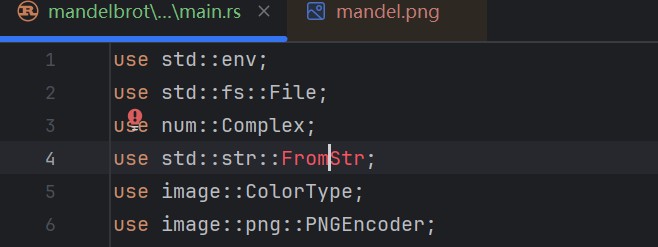
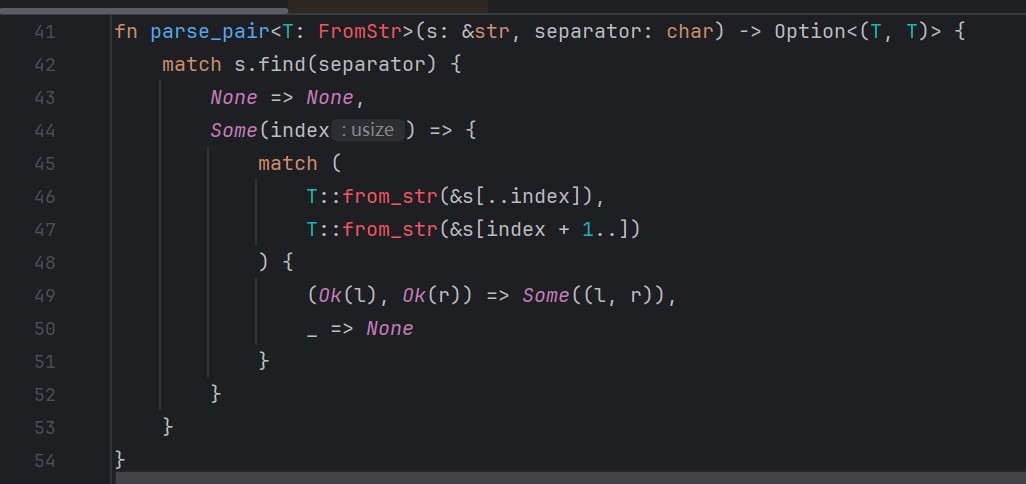
原因未知:
rustrover 2024.3.2 报错
但是编译、运行代码都可以成功, 没有问题
总结
以上为个人经验,希望能给大家一个参考,也希望大家多多支持代码网。
相关文章:
-
服务器时间与本地时间不一致,主要原因是 ntp 服务未配置、时区设置错误或硬件时钟故障,可通过检查同步服务、修正时区、校准硬件时钟解决 。&zw…
-
写在前面这次做的事情,简单说就是:把 rustdesk 里已经很成熟的 rust 远控核心,搬到 harmonyos pc 上跑起来,然后封装成一个 native har 给鸿蒙应…
-
前言只有一两台服务器时,通过ssh登录后安装nginx、启动服务并检查端口,并不会占用太多时间。但当服务器数量增加后,同样的操作需要不断重复,软件版本、启动状态和配置方式也容易出现…
-
-
-
一、效果展示二、源码分享1、工程结构2、main.rsslint::include_modules!();fn main() -> result<(), slint::…
版权声明:本文内容由互联网用户贡献,该文观点仅代表作者本人。本站仅提供信息存储服务,不拥有所有权,不承担相关法律责任。
如发现本站有涉嫌抄袭侵权/违法违规的内容, 请发送邮件至 2386932994@qq.com 举报,一经查实将立刻删除。

 我要评论
我要评论

发表评论