
 我要评论
我要评论前言
1.使用的数据库不同,所使用的语法也略有不同
2.sql对大小写不敏感
3.oracle中对引号里面的内容大小写敏感
3.表空间名、文件路径......等需要用单引号将其包含
4.一般引号里面的内容需要大写
准备工作
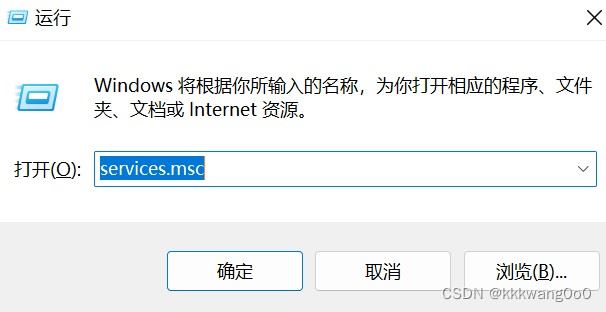
(1).win+r打开services.msc
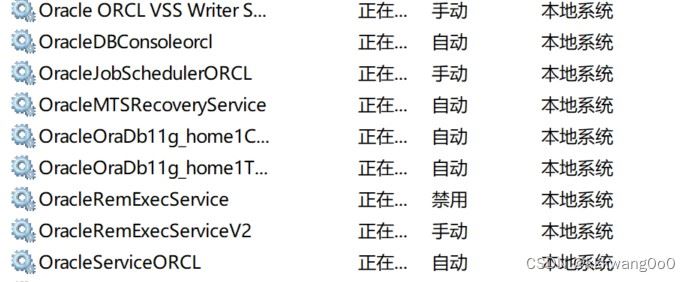
(2)启动一些服务:
(qwq我不知道哪些有用,哪些没用,所以我都把打开了,不知道有没有负面影响,大家参考一下别的博客吧)
登录
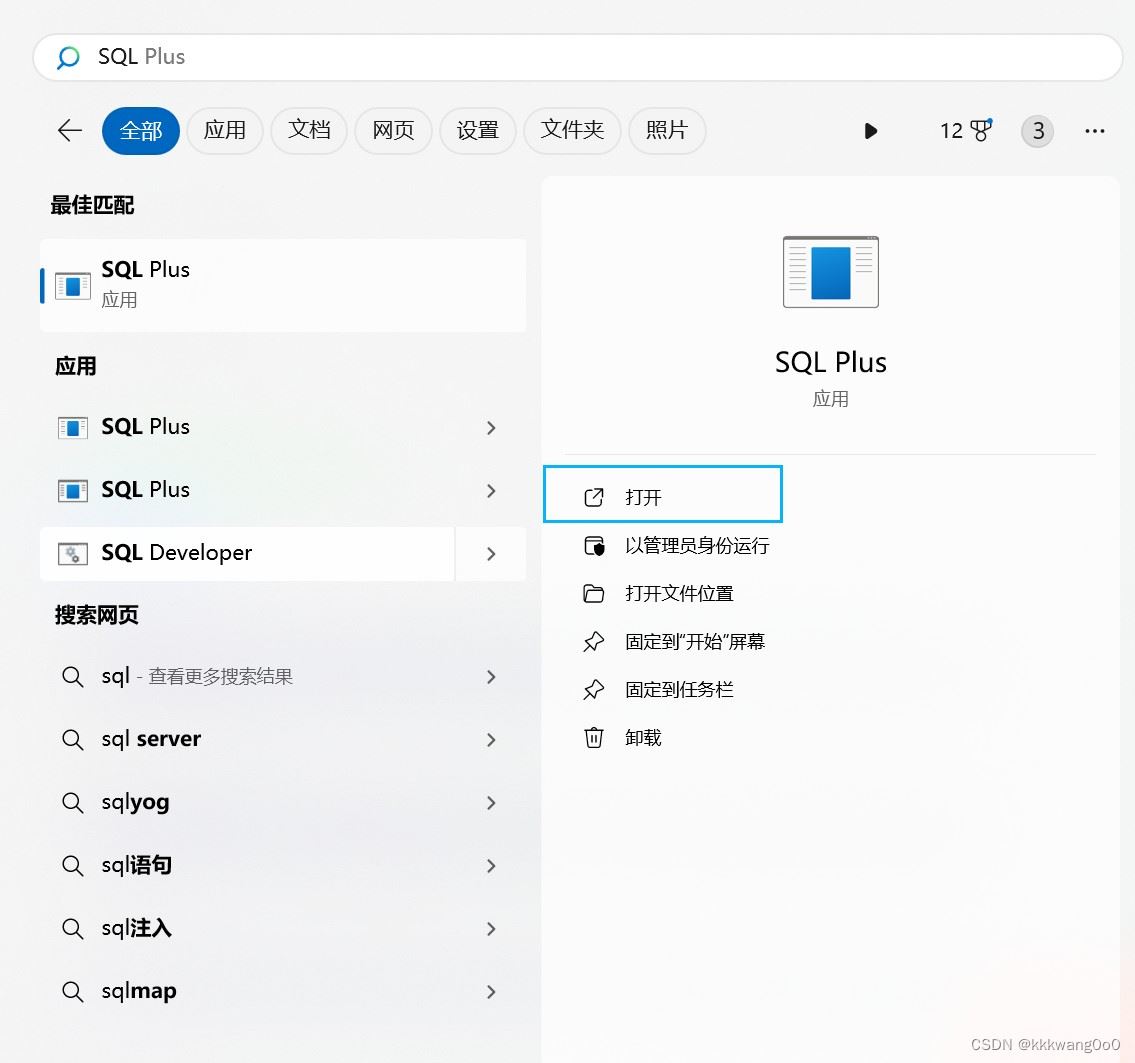
1.打开sql plus命令行工具
第一种方式
第二种方式
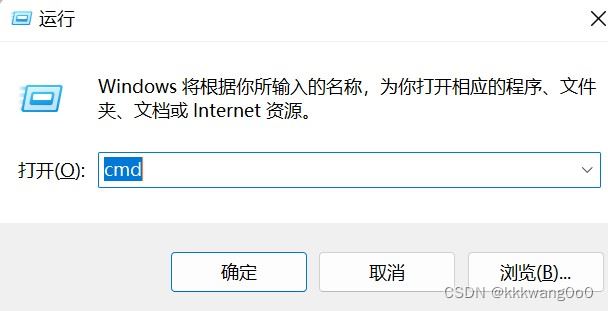
(1)win+r 打开cmd
(2)输入sqlplus
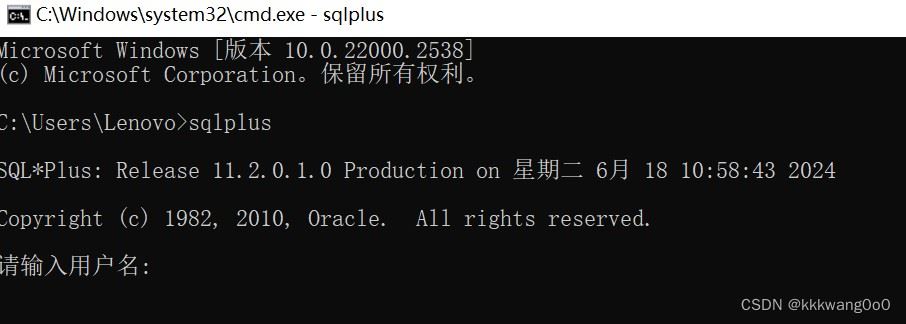
2.以不同用户登录
注意:
1.使用用户口令这种形式登录的时候,是不显示密码的,口令输入的时候是不显示的,直接输就好
2.若是想以显示密码的形式输入,直接在用户名那一块输入:用户名/密码
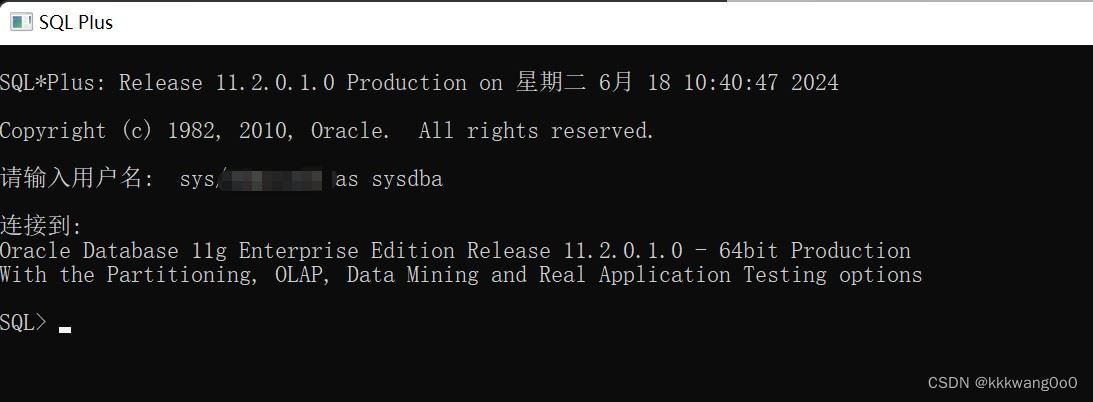
3.超级管理员(sys)输入时需要注意指定 as sysdba
system(普通管理员)
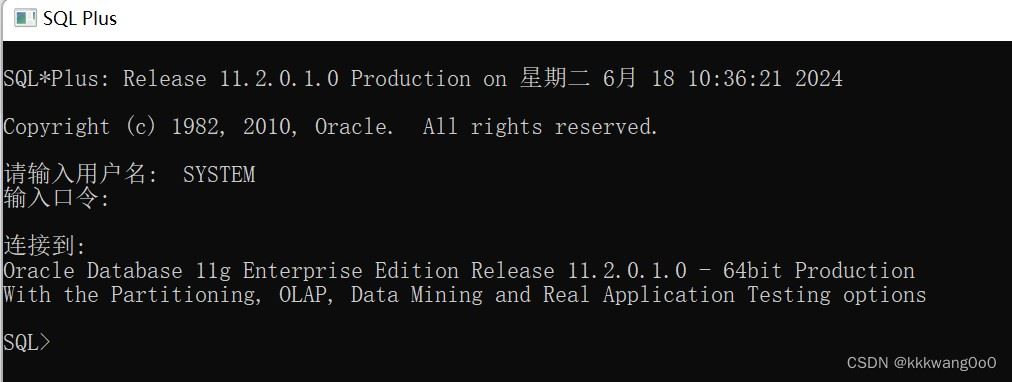
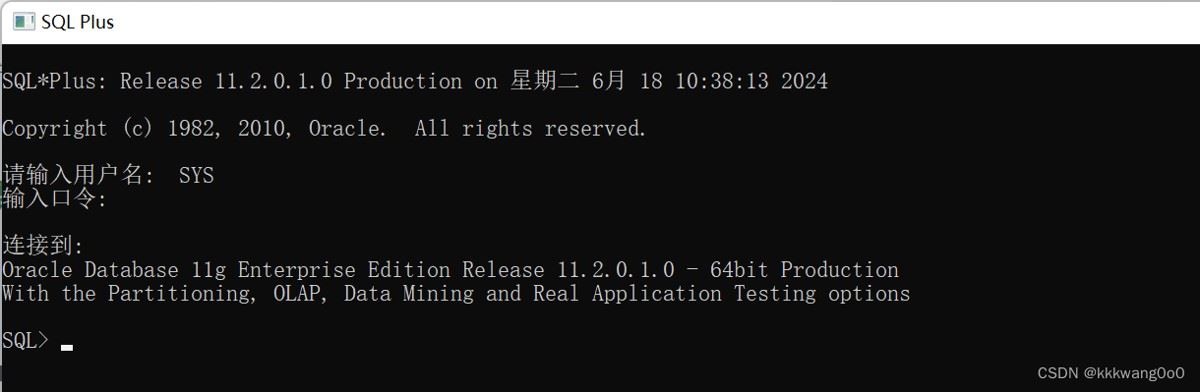
sys(超级管理员)
不显示密码方式:
用户名:sys
密码:sys密码 as sysdba
显示密码方式:
用户名:sys/sys密码 as sysdba
scott(普通用户)
若是出现被锁住的情况:
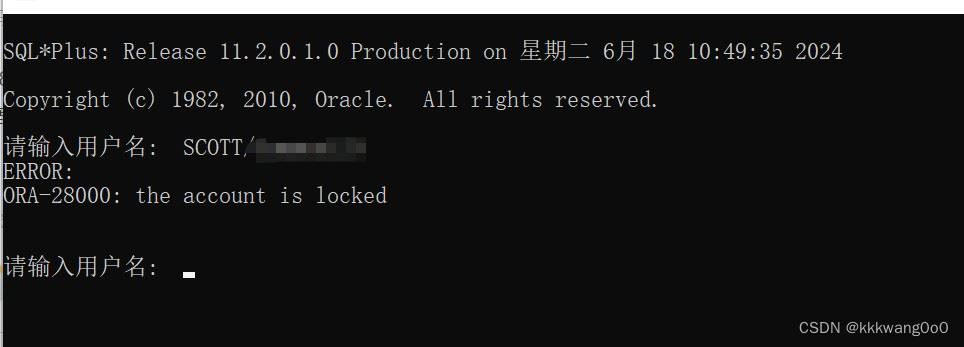
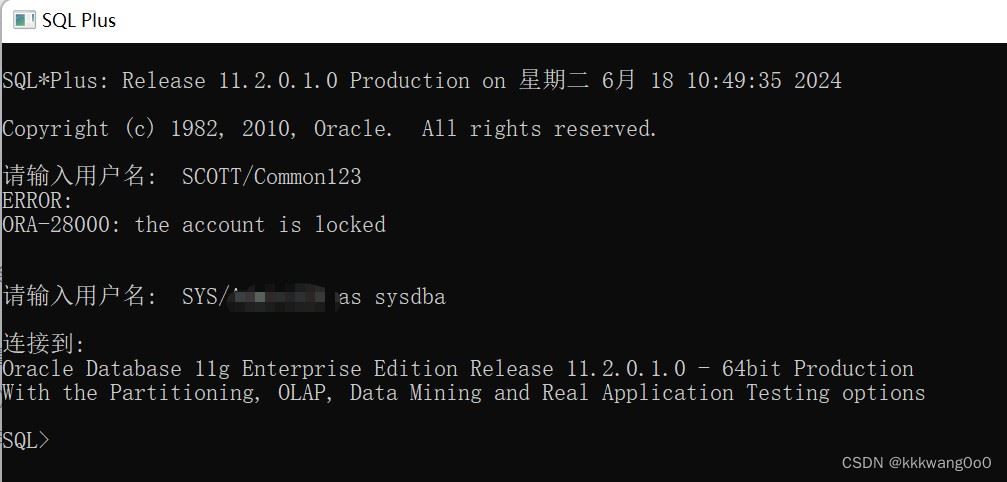
解决方法:
(1)登录超级管理员账户,
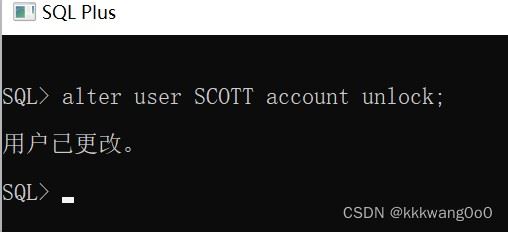
(2)输入alter user 用户名 account unlock;
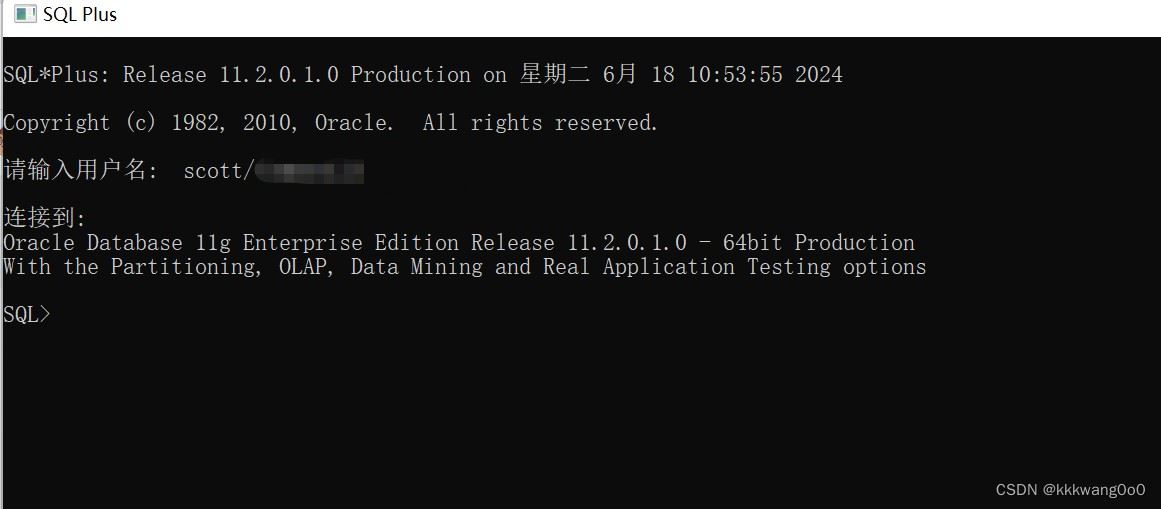
(3)重新登录即可:
sql基本命令
1.数据定义语言(ddl)
数据库操作
查询所有用户
select distinct(owner) from all_tables;
查看当前用户
show user;

创建表空间
create tablespace 表空间名 datafile '存储路径\***.dbf' size 空间大小;

创建用户并指定其表空间
(指定表空间需要先创建表空间,如果不指定表空间,就会按照默认空间存储)
create user 用户名 identified by 密码 default tablespace 表空间;

给用户授予dba的权限(超级管理员)
grant dba to 用户;
删除表空间
drop tablespace 表空间名 including contents and datafiles;

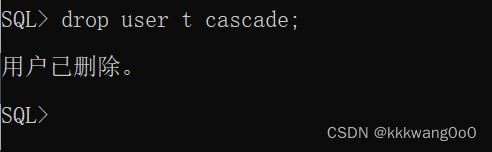
删除用户(超级管理员)
(1)查看用户是否有活跃对话
select sid as session_id, serial# from v$session where username='用户名';

(2)如果查询结果显示有活动的会话,结束这些会话
kill session 'session_id, serial#' immediate;
(3)删除用户
drop user 用户名 cascade;
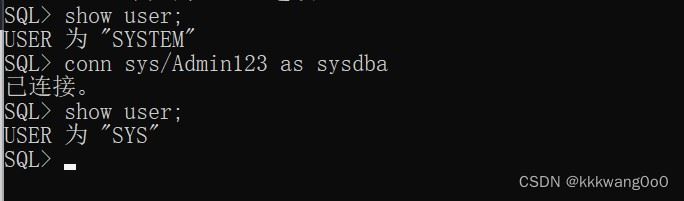
切换用户登录
conn 用户名/密码
表操作
查询
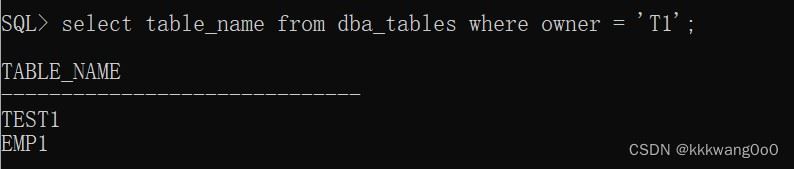
查询某个用户下所有表名:
(用户名注意大写)
select table_name from dba_tables where owner = '用户名';
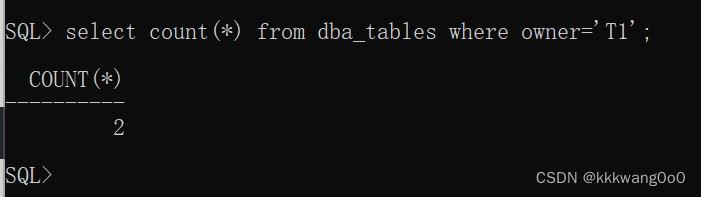
查询某个用户下表个数:
(用户名注意大写)
select count(*) from all_tables where owner = '用户名';
查询某个用户的表结构:
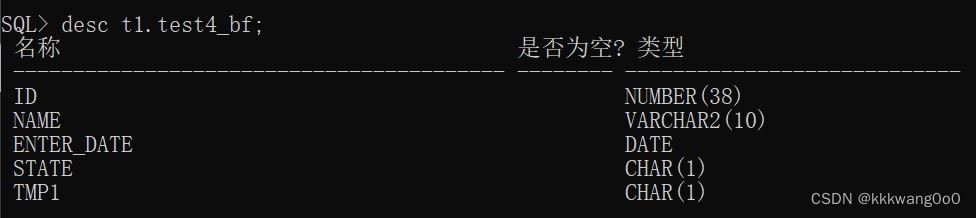
desc 用户名.表名;
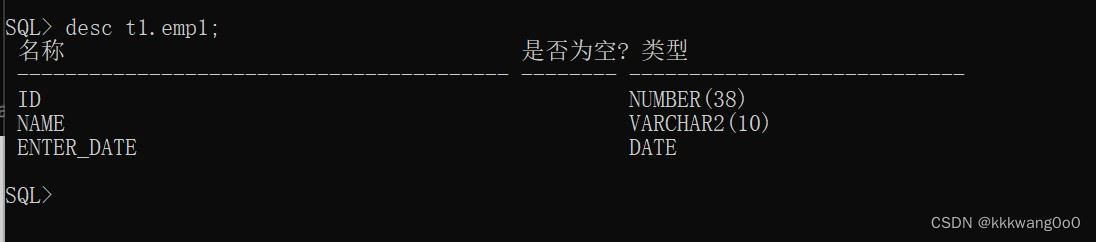
查询指定表的建表语句:
(表名、用户名注意大写)
select dbms_metadata.get_ddl('table', '表名','用户名') from dual;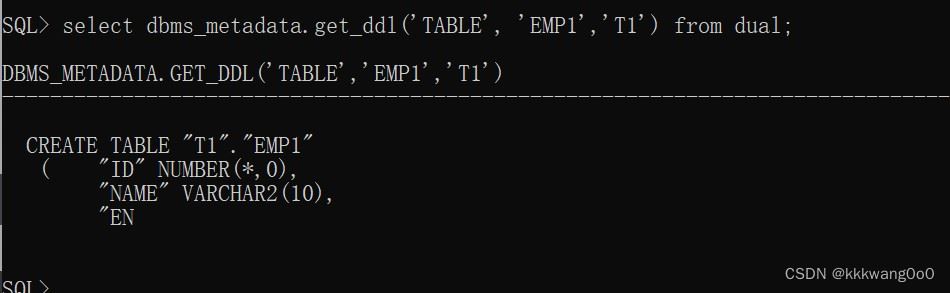
创建
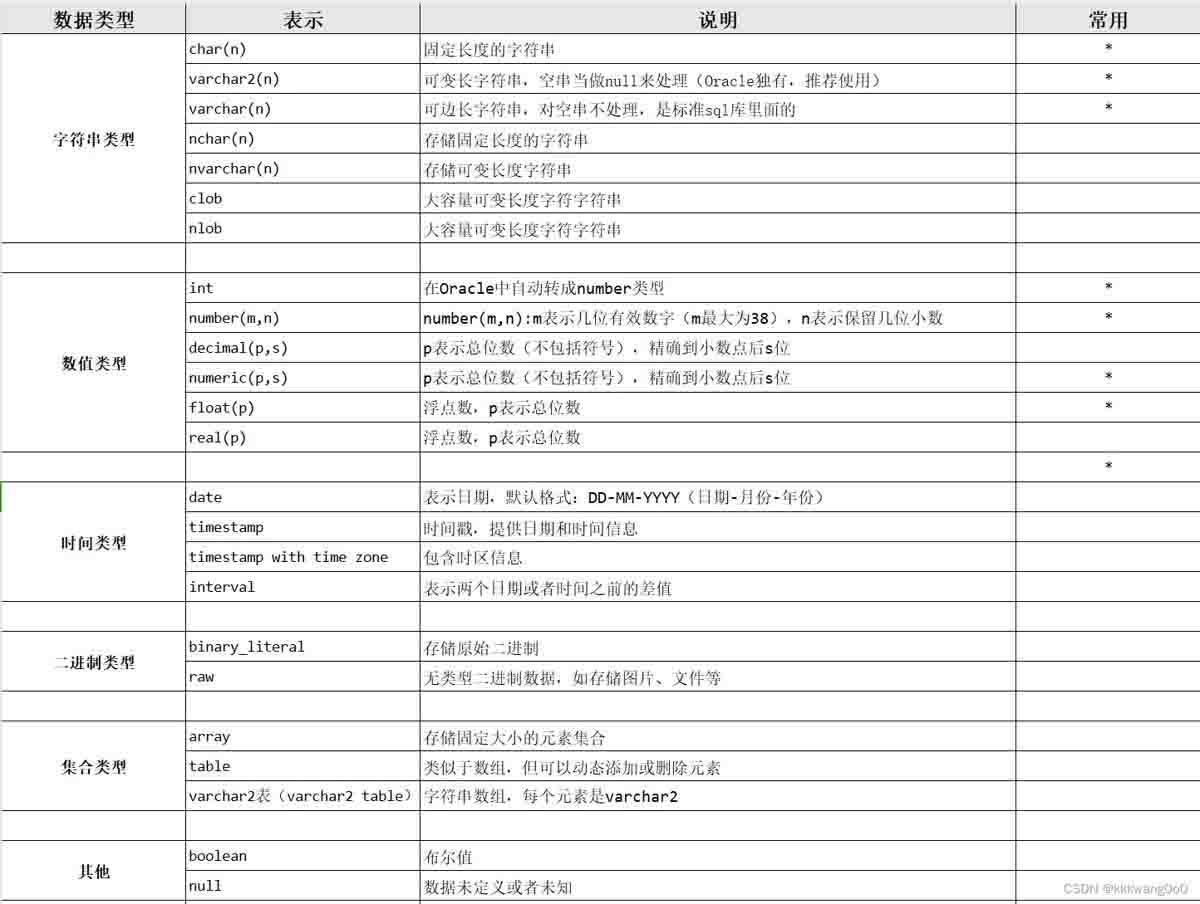
数据类型:
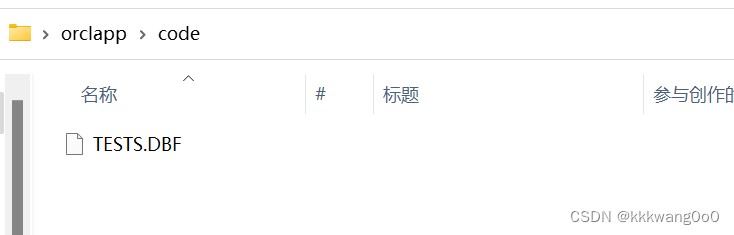
创建表空间:
create tablespace 表空间名 datafile '文件路径\文件名.dbf' size 表空间大小;

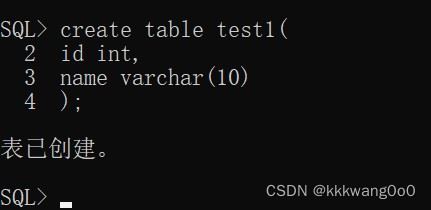
创建表:
#创建表
create table 表名(

        字段1 字段1类型,

        字段2 字段2类型,

        字段3 字段3类型,

        .......

        字段n 字段n类型

) ; 
给表添加注释:
comment on table 表名 is '注释';
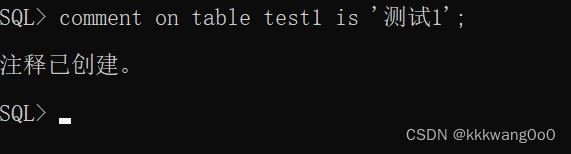
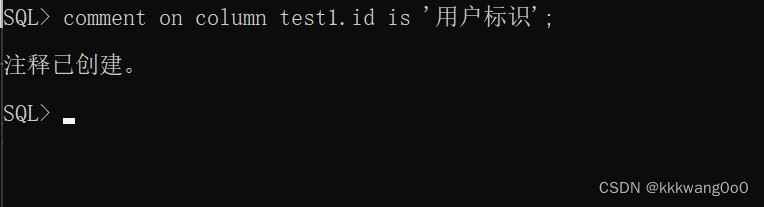
给字段添加注释:
comment on column 表名.字段名 is '注释';
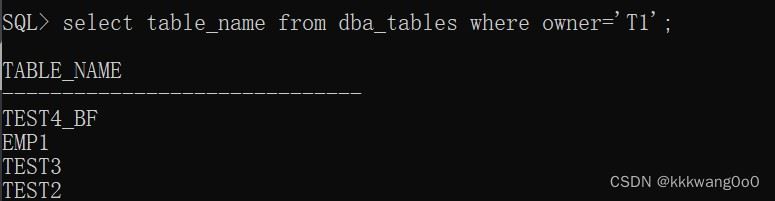
表备份:
create table 用户名.备份表名 as select * from 用户名.需要备份的表名;

给表添加一列:
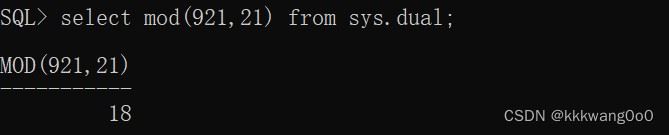
alter table 表名 add (字段名 字段类型 约束条件);
修改
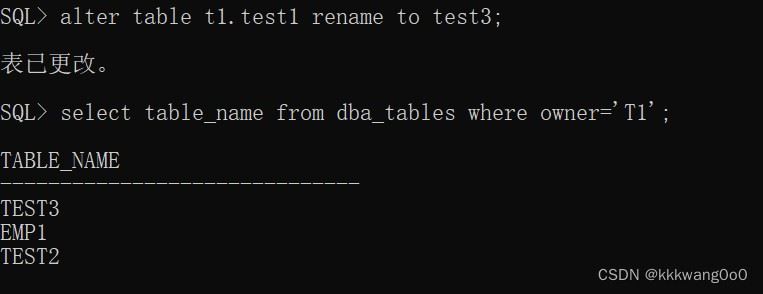
重命名表:
alter table 用户名.旧表名 rename to 新表名;
添加字段:
alter table 用户名.表名 add 新字段名 新字段类型 default '默认值';

修改字段名:
alter table 用户名.表名 rename column 旧字段名 to 新字段名;

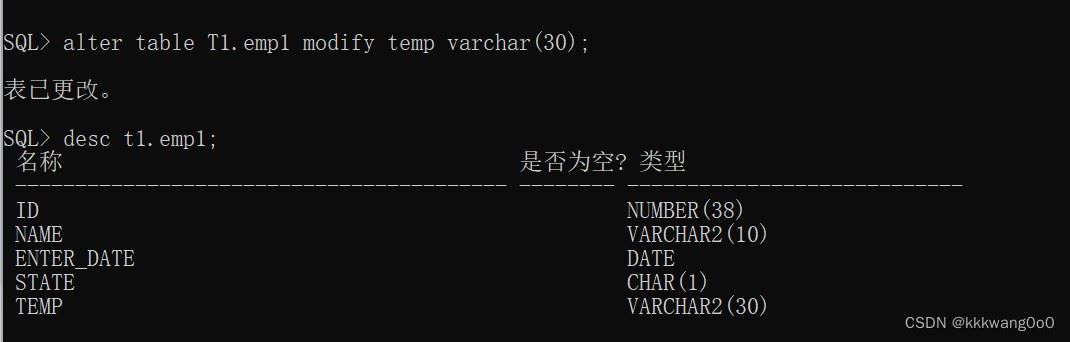
修改数据类型:
alter table t1.emp1 modify temp varchar(30);
删除
删除表字段:
alter table 用户名.表名 drop column 字段名;

删除表:
drop table 表名;
删除表空间:
(1)查看是否有其它用户在使用该表空间:
select * from dba_users where default_tablespace='表空间名';

(2)若有,则删除这些用户或者将这些用户迁移到别的表空间
(3)删除表空间
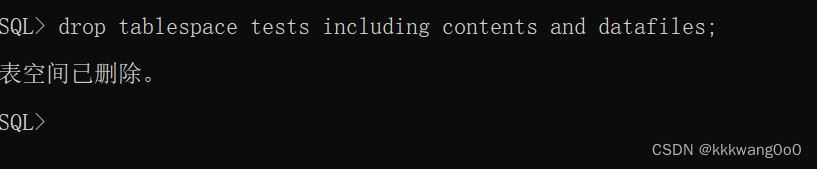
drop tablespace 表空间名 including contents and datafiles;
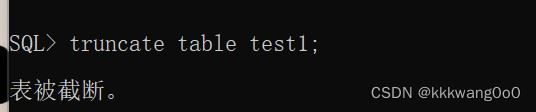
删除指定表并重新创建该表:
truncate table 表名;
2.数据操作语言(dml)
添加数据(insert)
注意:
1.插入数据注意顺序
2.插入的数据大小要合法
给指定字段添加数据
insert into 表名 (字段1,字段2......) values(值1, 值2......);

给表中批量添加数据
insert all into 用户名.表名(字段1,字段2,字段3......) values(值1,值2,值3.......)
           into 用户名.表名(字段1,字段2,字段3......) values(值1,值2,值3.......)
select * from dual;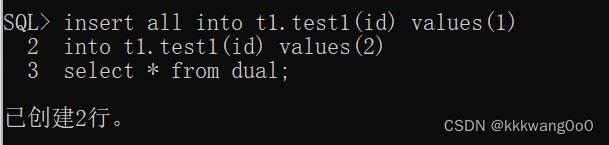
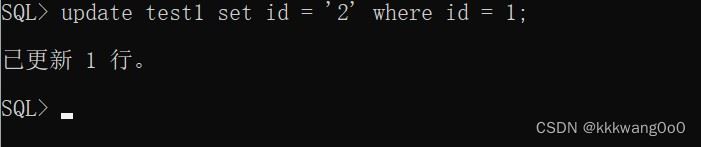
修改数据(update)
修改数据
注意:如果没有条件,则会修改整张表
update 表名 set 字段1=值1,字段2=值2......[where 条件];
删除数据(delete)
删除数据
注意:如果没有条件,则会删除整张表
delete from 表名;
3.数据查询语言(dql)
编写顺序
select [distinct|all] 字段列表

from 表名

where 查询条件

group by 分组字段列表

having 分组后条件列表

order by 排序字段列表:asc或者desc
;
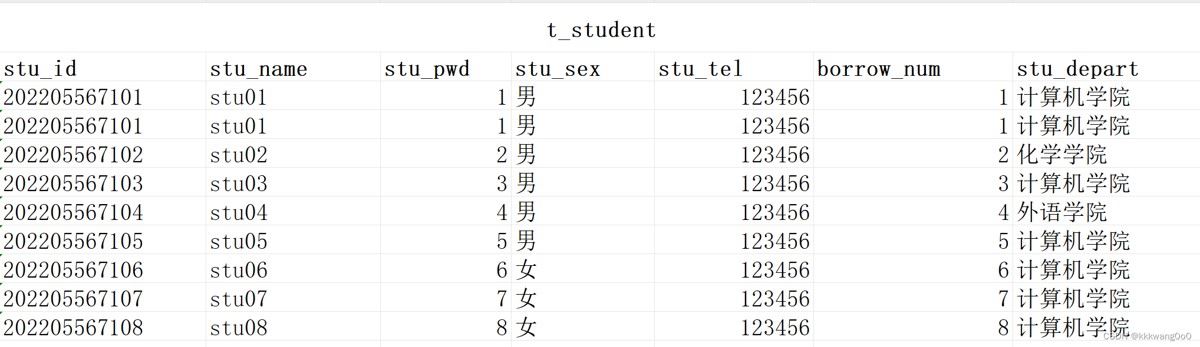
作示范的表结构:
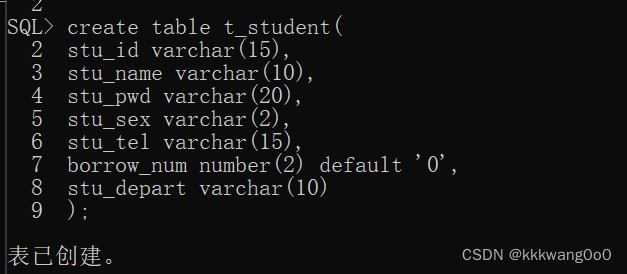
表名:t_student
执行顺序
from 表名 : 从哪张表查询

where 条件 :查询条件

group by 分组条件 :分组

having 分组后查询条件 :分组后查询条件

select 字段列表 :选择字段

order by 排序方式 :对查询结果进行排序
;
基本查询
查询多个字段
select 字段1,字段2,字段3...from 表名;

select * from 表名;
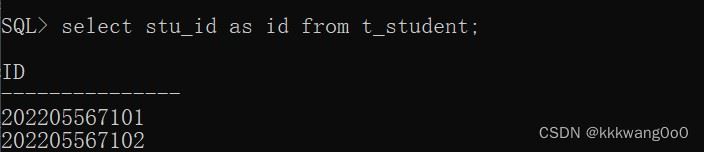
设置别名
select 字段1[as 别名1],字段2 [as 别名2]......from 表名;
去除重复记录
select distinct 字段列表 from 表名;
条件查询
语法
select 字段列表 from 表名 where 条件列表;
条件
| 比较运算符 | 功能 |
|---|---|
| > | |
| >= | |
| < | |
| <= | |
| = | |
| <> 或 != | 不等于 |
| between...and... | 在某个范围之内 |
| in(...) | 在in之后的括号中,多选一 |
| like 占位符 | 模糊匹配(_匹配单个字符,%匹配任意个字符) |
| is null | |
| and 或 && | 并且 |
| or 或 || | 或 |
| not 或 ! | 非 |
聚合函数
select 聚合函数(字段列表) from 表名;
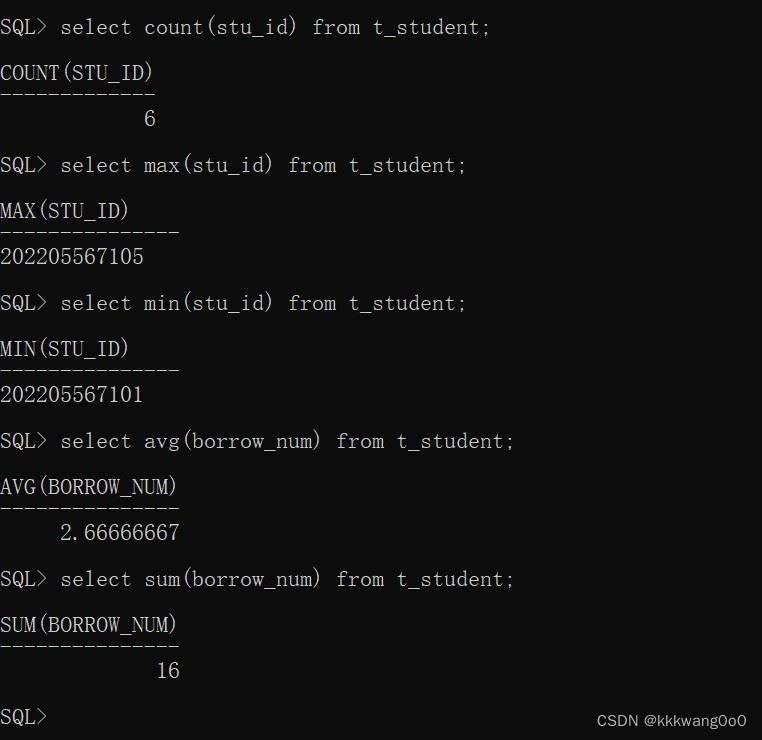
注意:
对一列进行计算 所有null值不参与聚合函数的计算
| 函数 | 功能 |
|---|---|
| count | 统计数量 |
| max | 最大值 |
| min | 最小值 |
| avg | 平均值 |
| sum | 求和 |
分组查询
select 字段列表 from 表名 [where 条件] group by 分组字段名 [having 分组后过滤条件];
| where | 分组之前执行,不满足where条件的不参与分组,where不能对聚合函数进行判断 |
| having | 分组之后对结果进行过滤,having可以对聚合函数进行判断 |
eg:

排序查询
select 字段列表 from 表名 order by 字段1 排序方式1, 字段2 排序方式2;
| asc | 升序(默认) |
| desc | 降序 |
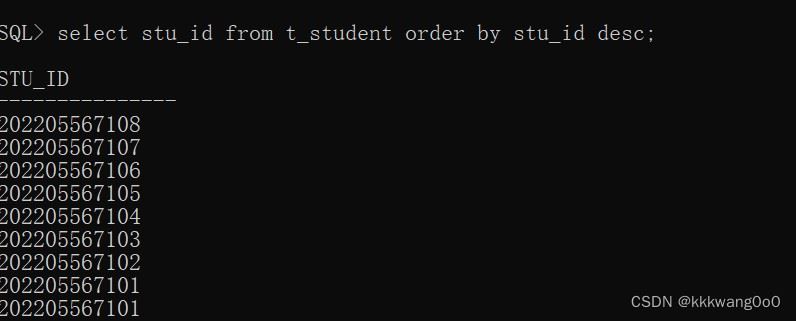
分页查询
(oracle查询没有limit关键字,引入rownum进行分页查询)
select * from
(
    select rownum rn, t.* from
    (select 字段 from t_student) t where rownum <= 终止行
)
 where rn >= 起始行;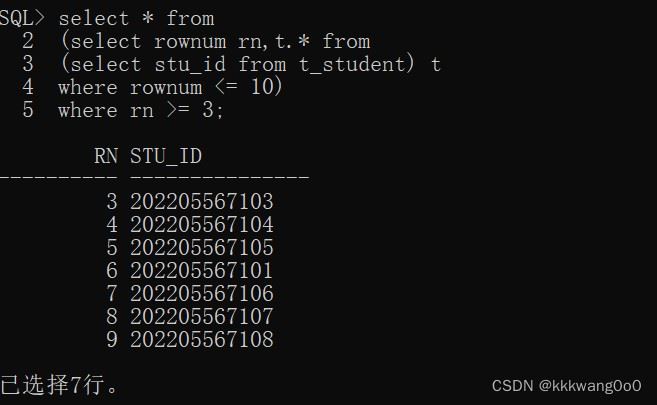
4.数据控制语言(dcl)
管理用户
查看当前用户
show user;
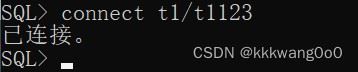
切换用户:
connect 用户名/密码;
注意连接到数据库超级管理员的时候:
可能会出现以下错误:

解决方法:
connect sys/密码 as sysdba

权限控制
查询用户权限
select * from dba_sys_privs where grantee='用户名';
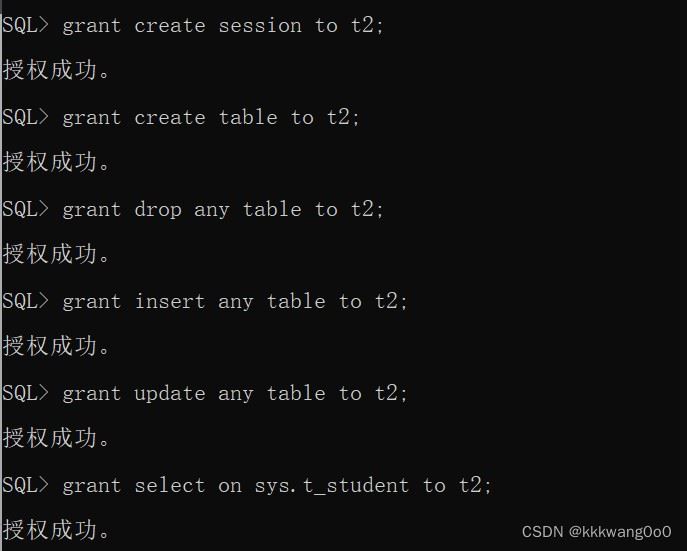
授予权限
grant 权限 to 用户;
| 权限 | 说明 |
| create session | 登录权限 |
| create table | 创建表的权限 |
| drop any table | 删除任意表 |
| insert any table | 向任意表中插入行 |
| update any table | 修改任意表中行的权限 |
| select on 表名 | 查看指定表的权限 |
eg:
回收权限
--回收用户权限
revoke 权限 from 用户;
revoke select on 用户2.表2 from 用户1; #回收用户1查看表2的权限

函数
使用
一般形式:
select 函数 from 表名 where 条件;
如果只是想看函数的返回结果可以使用以下形式:
select 函数 from sys.dual;
sys.dual
dual是一个虚拟表,用来构成select的语法规则,oracle保证dual里面永远只有一条记录
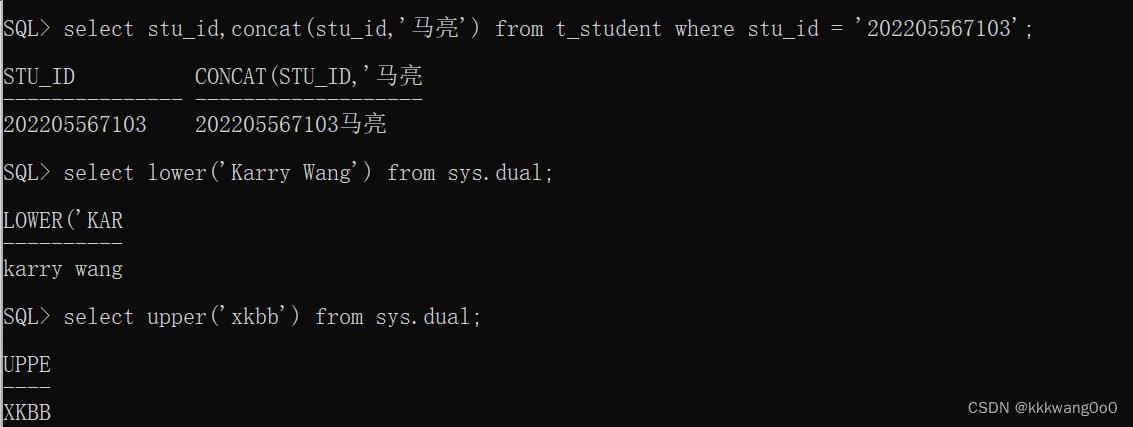
字符串函数
eg:
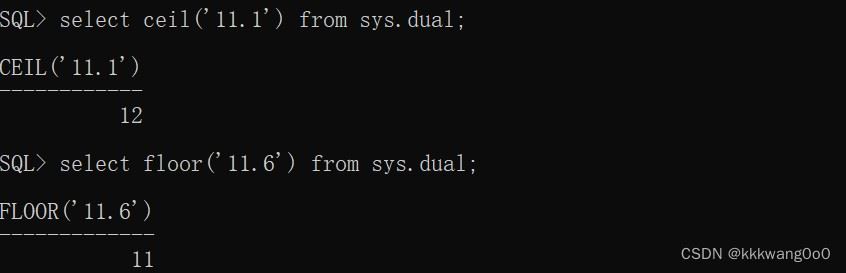
数值函数
eg:

日期函数
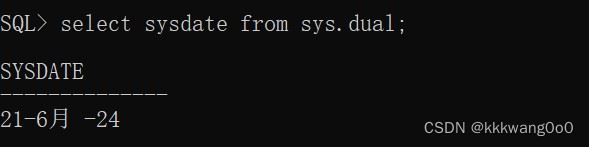
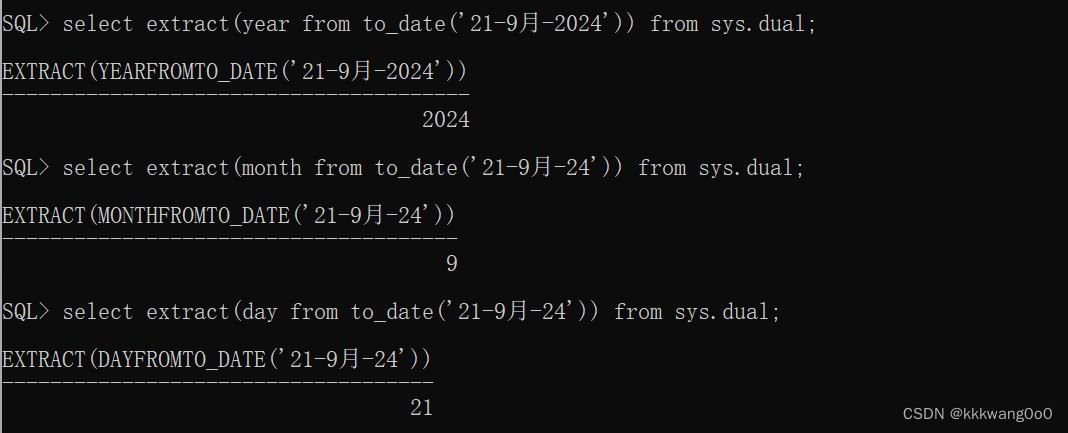
日期表示
日期-月份-年份
eg:21-9月-2024
函数概述
eg:
sysdate:
- next_day():
- last_day():
- round() :
- add_months():
- months_between():

- extract():
约束
概念
约束是作用于表中字段上的规则,用于限制存储在表中的数据
约束可以在创建表/修改表的时候添加
分类
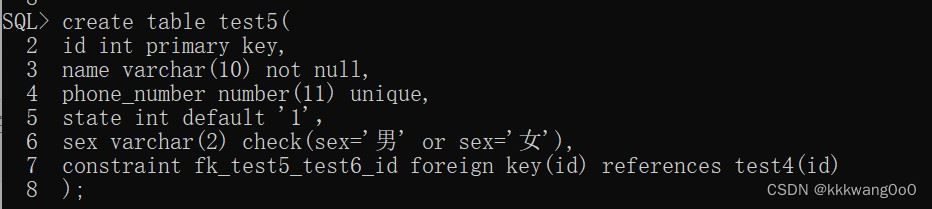
| 约束 | 描述 | 关键字 |
|---|---|---|
| 非空约束 | 限制该字段的数据不能为null | not null |
| 唯一约束 | 保证该字段的所有数据都是唯一的、不重复的 | unique |
| 主键约束 | 主键是一行数据的唯一标识,要求非空且唯一 | primary key |
| 默认约束 | 保存数据时,如果未指定该字段的值,则采用默认值 | default |
| 检查约束 | 保证字段值满足某一条件 | check |
| 外键约束 | 用来让两张表的数据之间建立连接,保证数据的一致性和完整性 | foreign key |
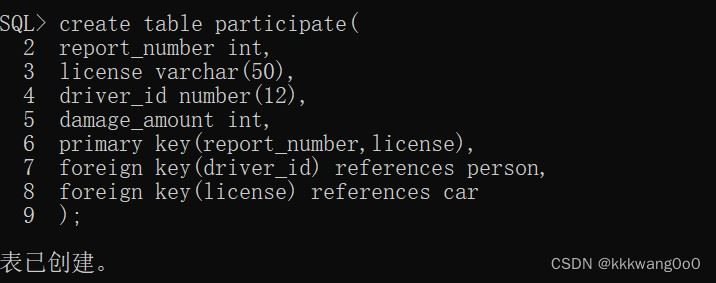
建表时添加约束:
sql语句添加:
alter table 表名 add constraints 约束名称 primary key(列名);

外键约束
子表(从表):具有外键的表
父表(主表):外键所关联的表
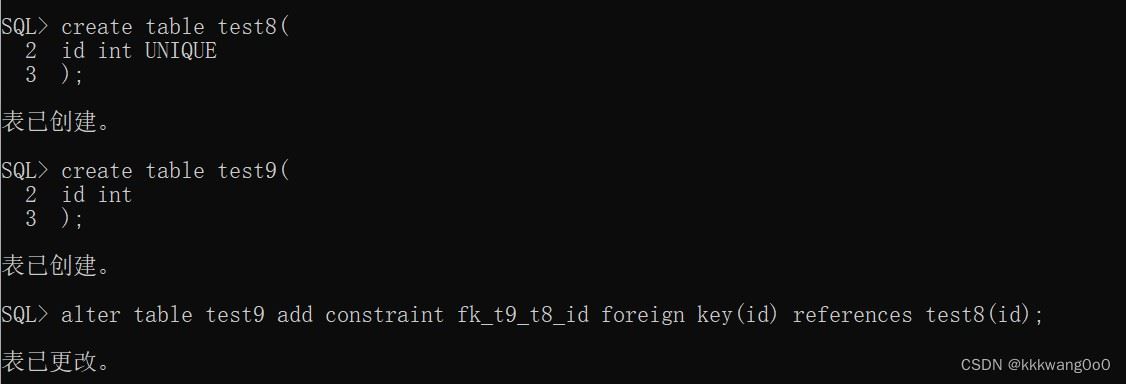
foreign key约束可以与另外一个表的primary key及unique关联
添加外键
在创建表的时候添加
constraint 外键名称 foreign key(外键) references 表名(外键关联的键)
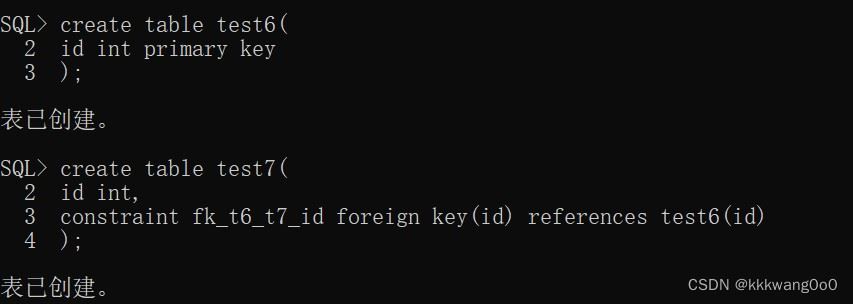
foreign key(列名) references 外键关联的表名

sql语句添加(alter)
alter table 表名 add constraint 外键名称 foreign key(列名) references 表名(外键关联的键);
查询外键
根据外键名称查看外键所在位置
select * from user_cons_columns cl where cl.constraint_name= upper('外键名称');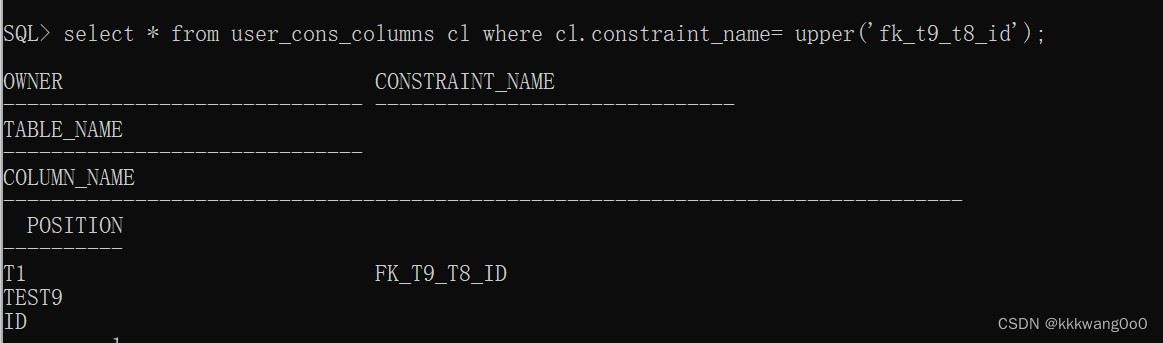
查找表的外键
(包括名称,引用表的表名和对应的列名)
select * from user_constraints c where c.constraint_type='r' and c.table_name=upper('表名');
删除外键
alter table 表名 drop constraint 外键名称;

多表查询
基本概念
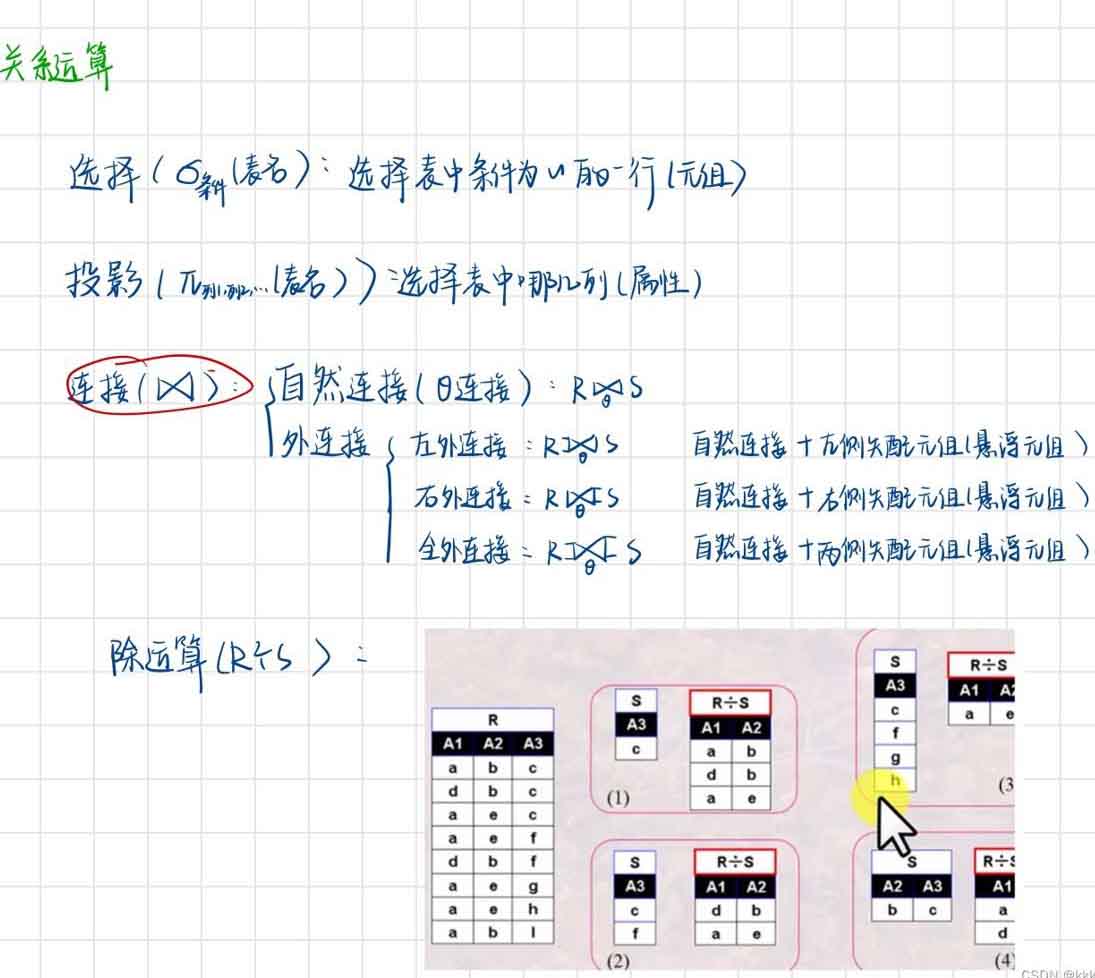
自然连接(内连接):左表与右表中每一个元组进行条件匹配,满足条件的才会查询出来
自连接:同一个表内的查询
外连接:
- 左外连接:左表中的元组不会丢失,即每一个左表中的元素都可查出,若右表没有匹配的,就置为空
- 右外连接:右表中的元组不会丢失,即每一个右表中的元素都可查出,若左表没有匹配的,就置为空
- 全连接:左右表的悬浮元组都会加入到最后的查询结果中
基本结构
内连接+外连接
select 查询的字段名 from 左表 [inner|left|right|full] join 右表 on 连接条件;
自连接
select 别名.查询的字段名(列名)from 表1 别名1, 表1 别名2 where 连接条件;
关系运算
大学模式
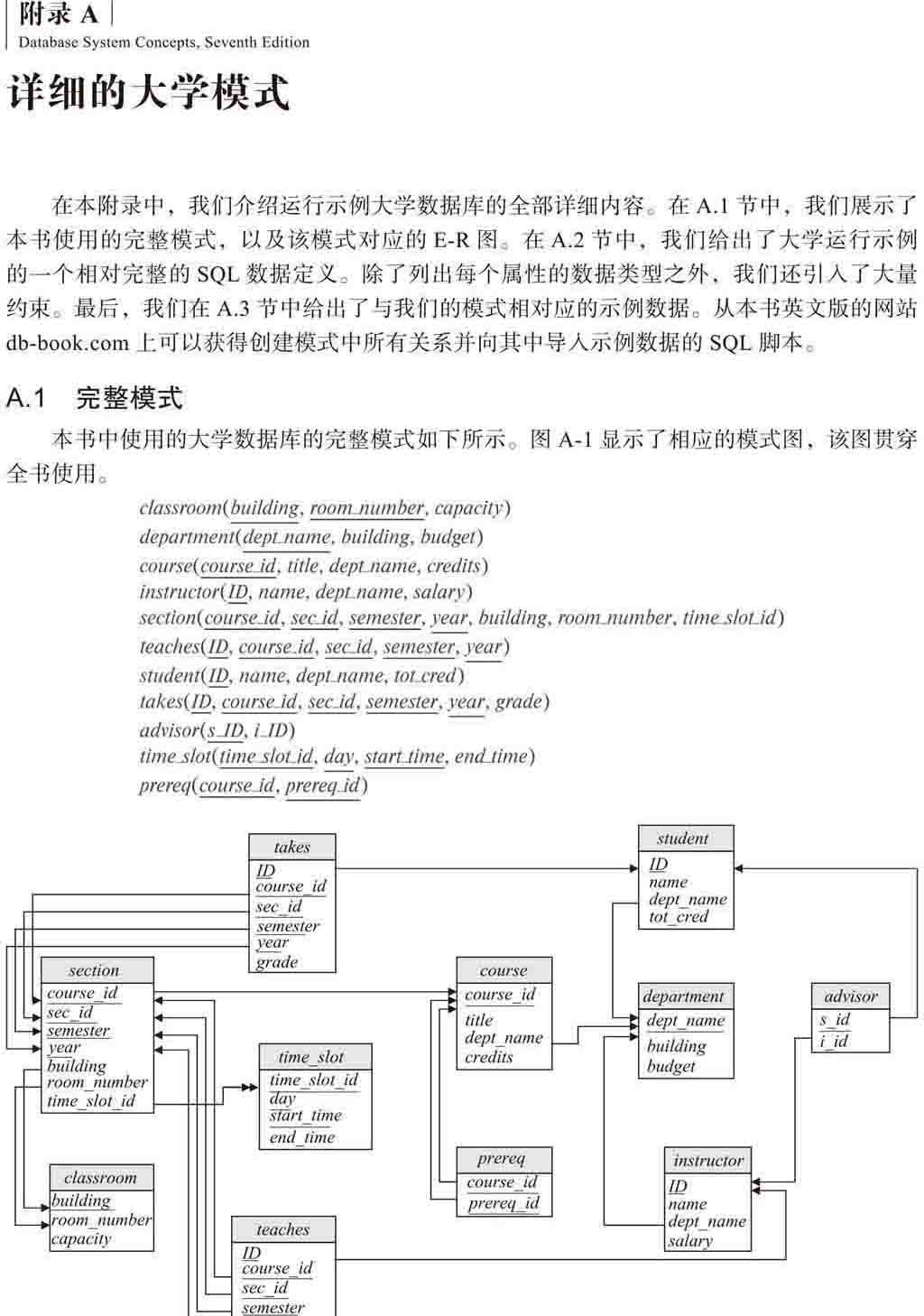
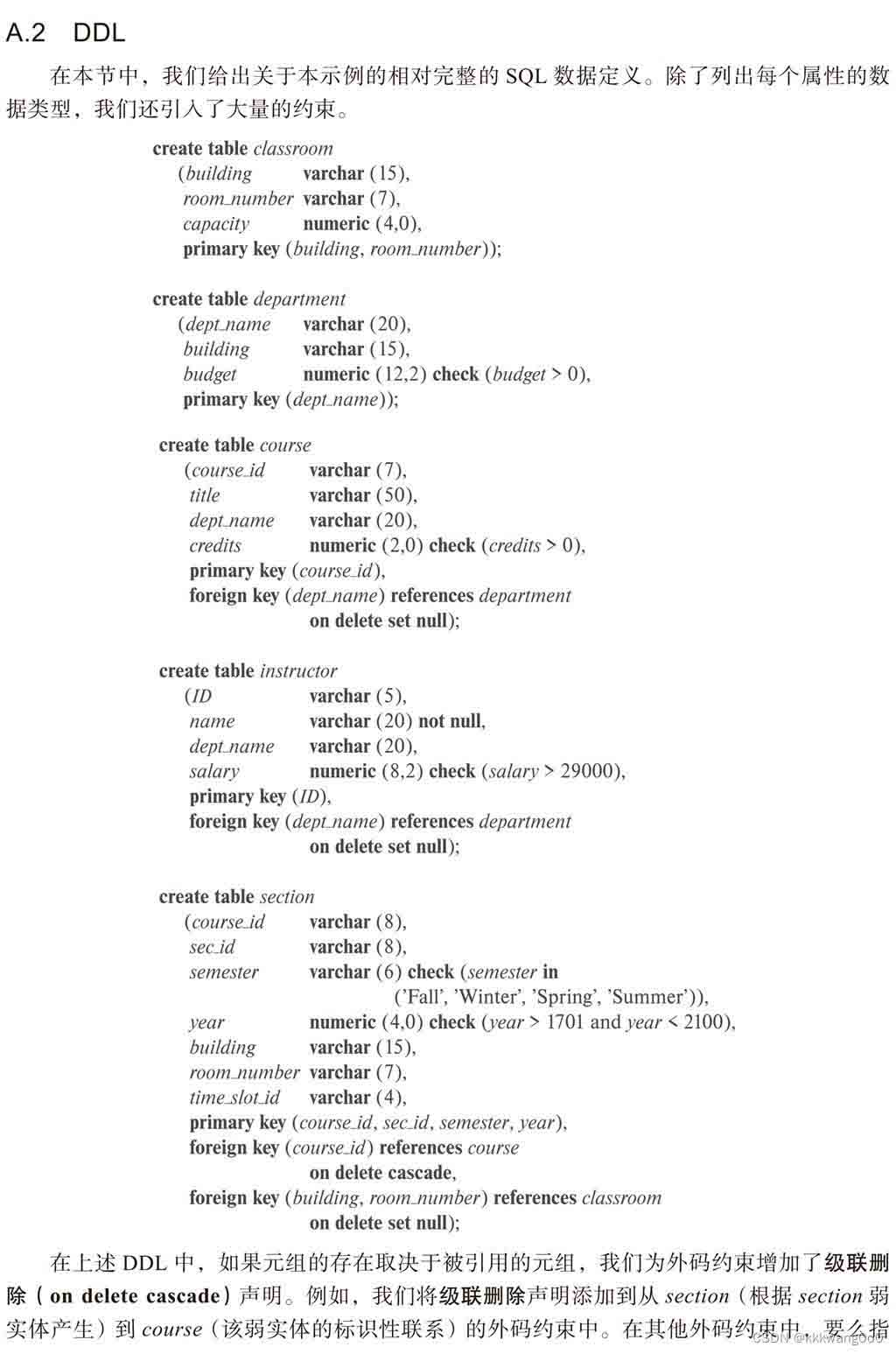
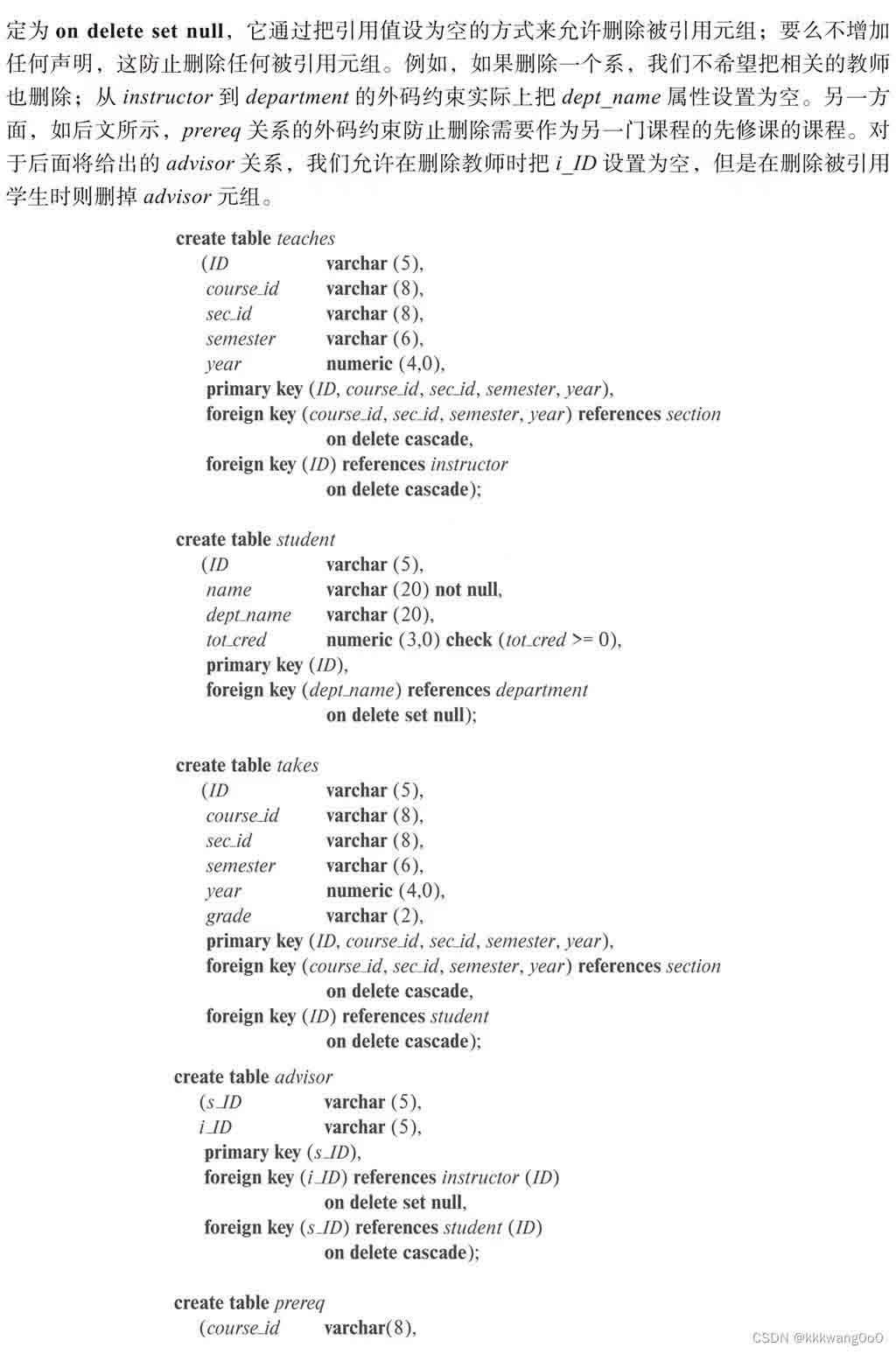
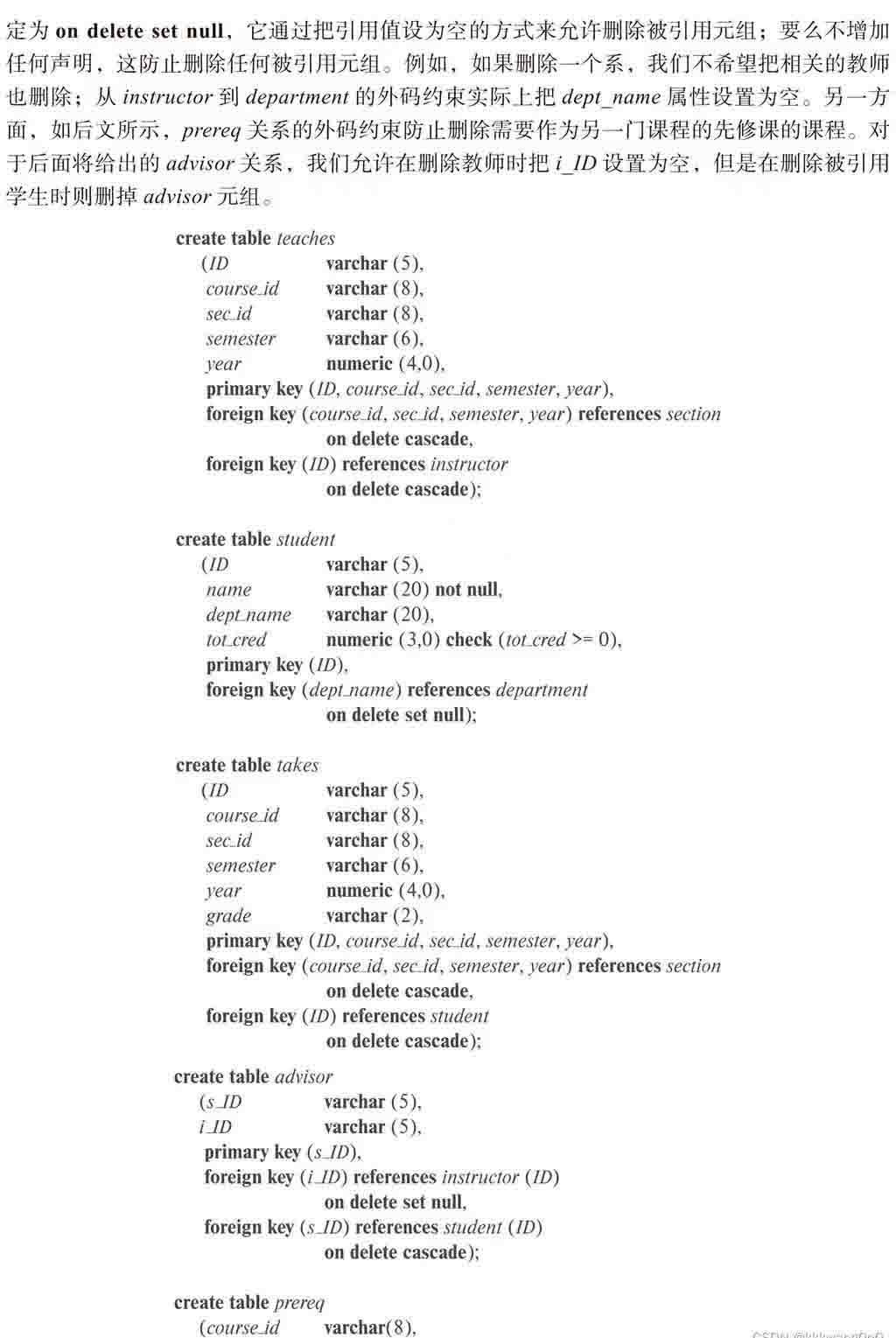
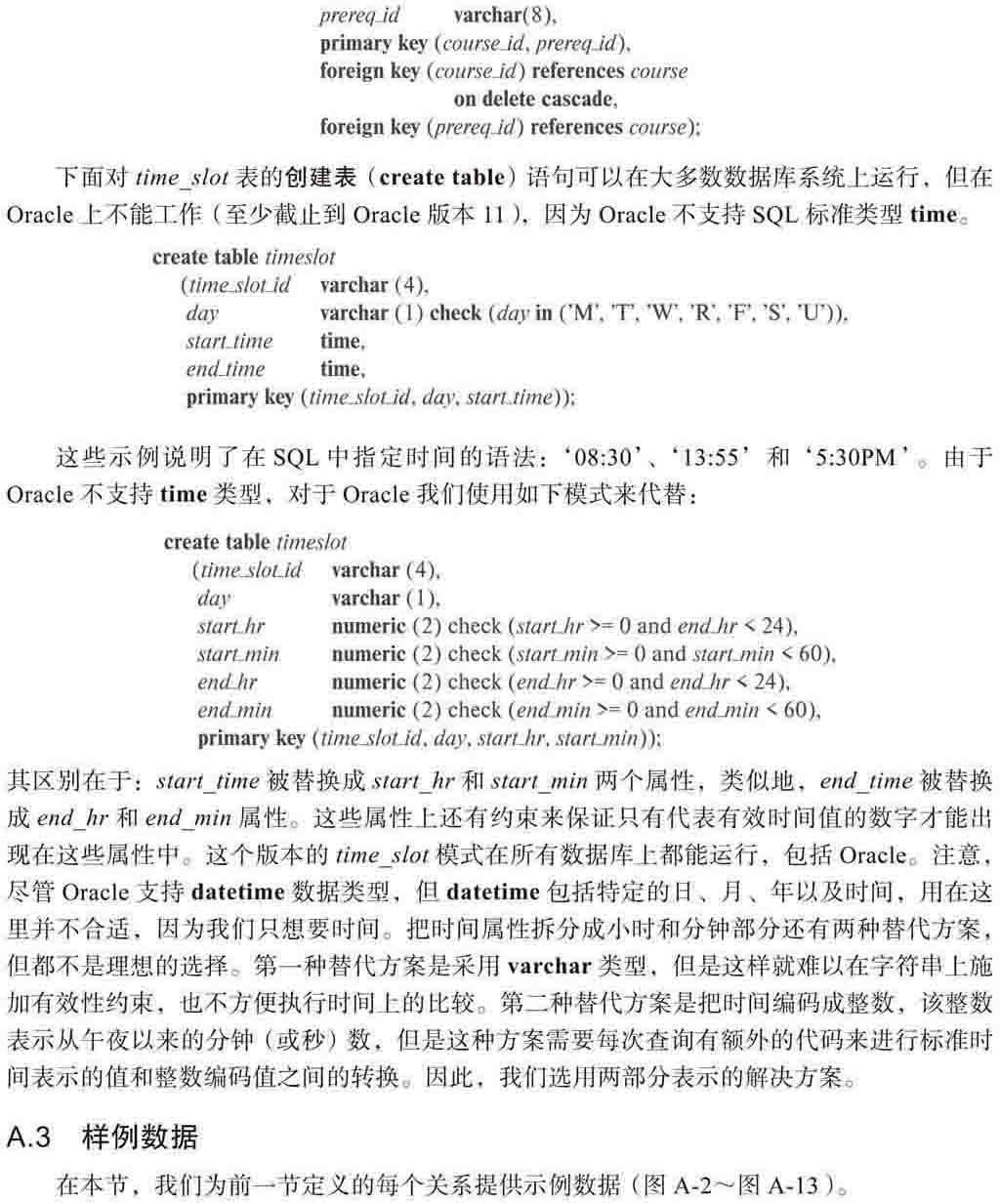
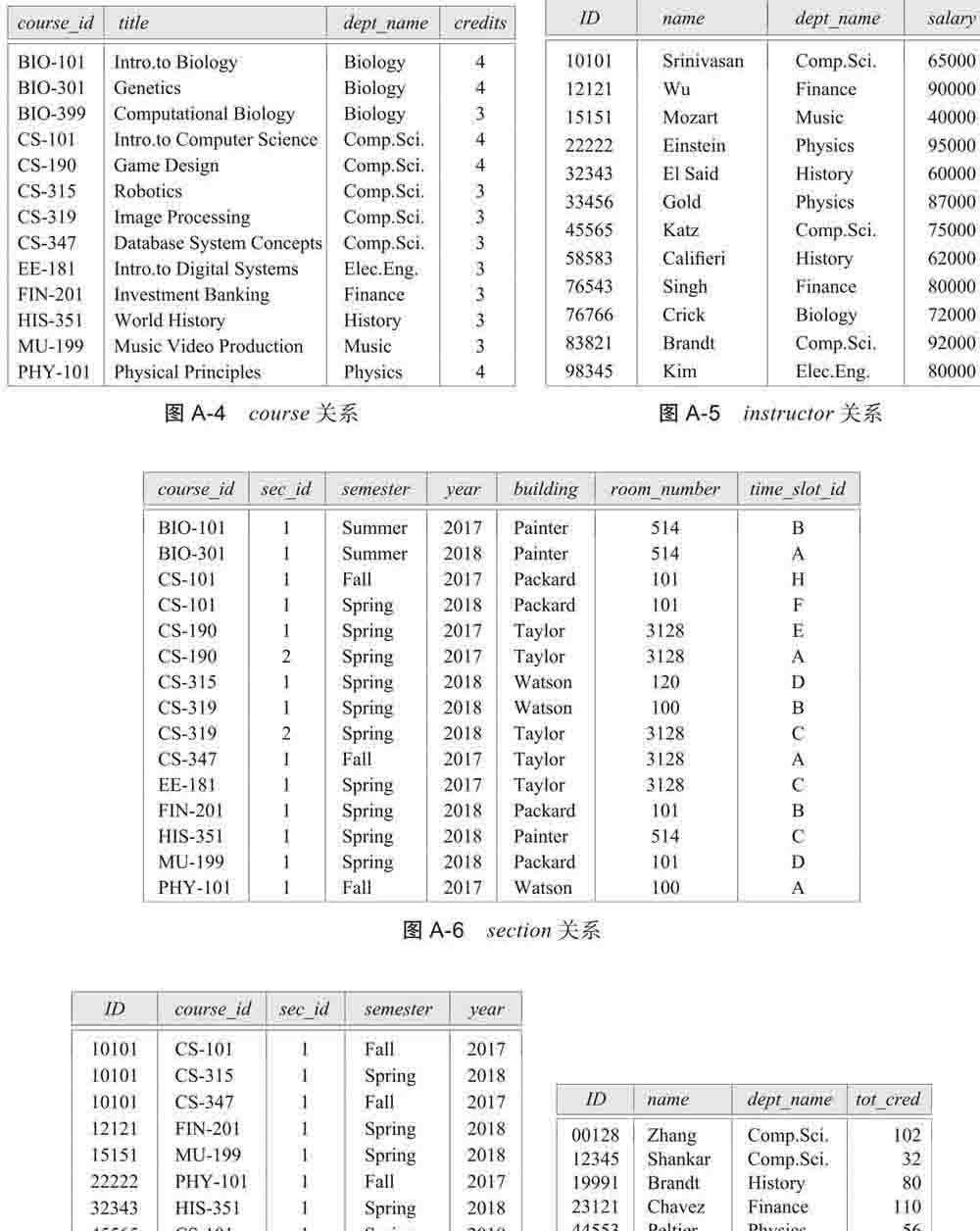
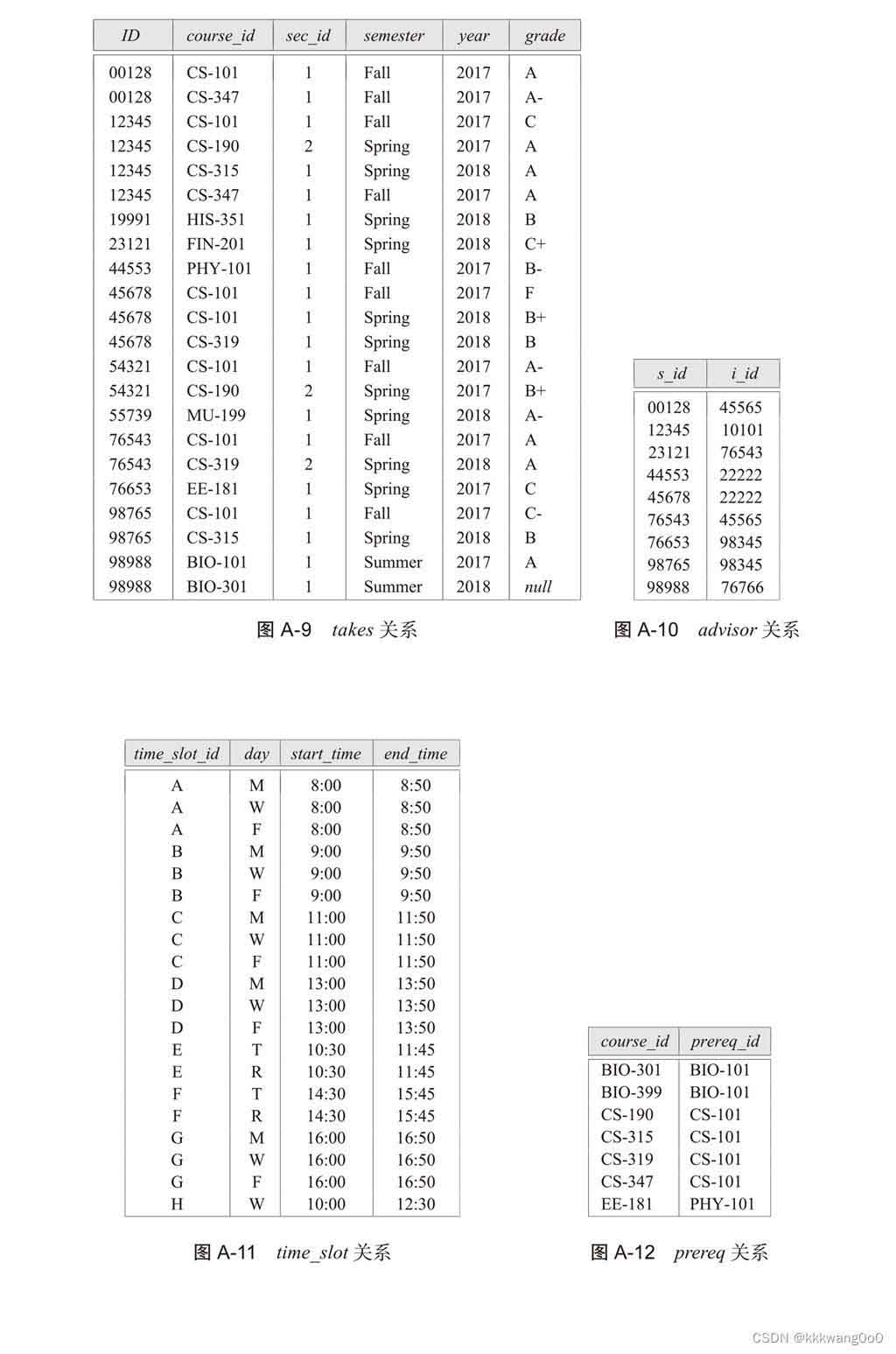
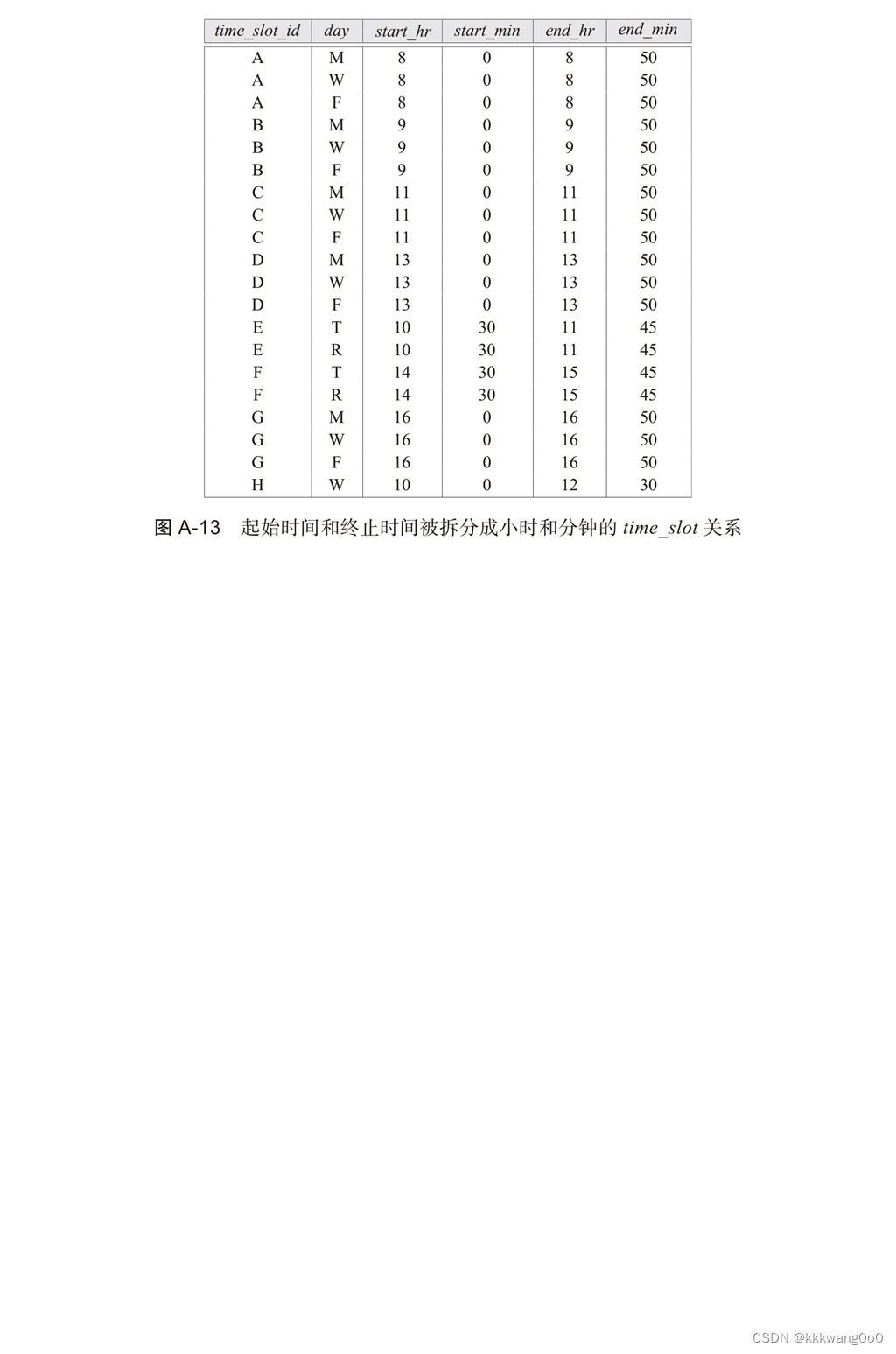
首先以黑书里面的大学模式为例:
创建基本表结构
create table classroom
	(building varchar(15),
	 room_number varchar(7),
	 capacity numeric(4,0),
	 primary key (building, room_number)
	);

create table department
	(dept_name varchar(20),
	 building varchar(15),
	 budget numeric(12,2) check (budget > 0),
	 primary key (dept_name)
	);

create table course
	(course_id varchar(8),
	 title		 	varchar(50),
	 dept_name	 	varchar(20),
	 credits	 	numeric(2,0) check (credits > 0),
	 primary key (course_id),
	 foreign key (dept_name) references department (dept_name)
		on delete set null
	);

create table instructor
	(id		 	varchar(5),
	 name	 		varchar(20) not null,
	 dept_name	 	varchar(20),
	 salary		 	numeric(8,2) check (salary > 29000),
	 primary key (id),
	 foreign key (dept_name) references department (dept_name)
		on delete set null
	);

create table section
	(course_id	 	varchar(8),
         sec_id	 		varchar(8),
	 semester	 	varchar(6)
		check (semester in ('fall', 'winter', 'spring', 'summer')),
	 year		 	numeric(4,0) check (year > 1701 and year < 2100),
	 building	 	varchar(15),
	 room_number 		varchar(7),
	 time_slot_id	 	varchar(4),
	 primary key (course_id, sec_id, semester, year),
	 foreign key (course_id) references course (course_id)
		on delete cascade,
	 foreign key (building, room_number) references classroom (building, room_number)
		on delete set null
	);

create table teaches
	(id		 	varchar(5),
	 course_id	 	varchar(8),
	 sec_id	 		varchar(8),
	 semester	 	varchar(6),
	 year		 	numeric(4,0),
	 primary key (id, course_id, sec_id, semester, year),
	 foreign key (course_id, sec_id, semester, year) references section (course_id, sec_id, semester, year)
		on delete cascade,
	 foreign key (id) references instructor (id)
		on delete cascade
	);

create table student
	(id		  	varchar(5),
	 name		 	varchar(20)  not null,
	 dept_name 	 	varchar(20),
	 tot_cred	  	numeric(3,0) check (tot_cred >= 0),
	 primary key (id),
	 foreign key (dept_name) references department (dept_name)
		on delete set null
	);

create table takes
	(id		 	varchar(5),
	 course_id	 	varchar(8),
	 sec_id	 		varchar(8),
	 semester	 	varchar(6),
	 year		 	numeric(4,0),
	 grade	 	        varchar(2),
	 primary key (id, course_id, sec_id, semester, year),
	 foreign key (course_id, sec_id, semester, year) references section (course_id, sec_id, semester, year)
		on delete cascade,
	 foreign key (id) references student (id)
		on delete cascade
	);

create table advisor
	(s_id	 	 	varchar(5),
	 i_id	 		varchar(5),
	 primary key (s_id),
	 foreign key (i_id) references  instructor (id)
		on delete set null,
	 foreign key (s_id) references  student (id)
		on delete cascade
	);

create table time_slot
	(time_slot_id	 	varchar(4),
	 day		 	varchar(1),
	 start_hr	 	numeric(2)  check (start_hr >= 0 and start_hr < 24),
	 start_min	 	numeric(2)  check (start_min >= 0 and start_min < 60),
	 end_hr	 		numeric(2)  check (end_hr >= 0 and end_hr < 24),
	 end_min	 	numeric(2)  check (end_min >= 0 and end_min < 60),
	 primary key (time_slot_id, day, start_hr, start_min)
	);

create table prereq
	(course_id	 	varchar(8),
	 prereq_id	 	varchar(8),
	 primary key (course_id, prereq_id),
	 foreign key (course_id) references course (course_id)
		on delete cascade,
	 foreign key (prereq_id) references course (course_id)
	);
插入数据
delete from prereq;
delete from time_slot;
delete from advisor;
delete from takes;
delete from student;
delete from teaches;
delete from section;
delete from instructor;
delete from course;
delete from department;
delete from classroom;
insert into classroom values ('packard', '101', '500');
insert into classroom values ('painter', '514', '10');
insert into classroom values ('taylor', '3128', '70');
insert into classroom values ('watson', '100', '30');
insert into classroom values ('watson', '120', '50');
insert into department values ('biology', 'watson', '90000');
insert into department values ('comp. sci.', 'taylor', '100000');
insert into department values ('elec. eng.', 'taylor', '85000');
insert into department values ('finance', 'painter', '120000');
insert into department values ('history', 'painter', '50000');
insert into department values ('music', 'packard', '80000');
insert into department values ('physics', 'watson', '70000');
insert into course values ('bio-101', 'intro. to biology', 'biology', '4');
insert into course values ('bio-301', 'genetics', 'biology', '4');
insert into course values ('bio-399', 'computational biology', 'biology', '3');
insert into course values ('cs-101', 'intro. to computer science', 'comp. sci.', '4');
insert into course values ('cs-190', 'game design', 'comp. sci.', '4');
insert into course values ('cs-315', 'robotics', 'comp. sci.', '3');
insert into course values ('cs-319', 'image processing', 'comp. sci.', '3');
insert into course values ('cs-347', 'database system concepts', 'comp. sci.', '3');
insert into course values ('ee-181', 'intro. to digital systems', 'elec. eng.', '3');
insert into course values ('fin-201', 'investment banking', 'finance', '3');
insert into course values ('his-351', 'world history', 'history', '3');
insert into course values ('mu-199', 'music video production', 'music', '3');
insert into course values ('phy-101', 'physical principles', 'physics', '4');
insert into instructor values ('10101', 'srinivasan', 'comp. sci.', '65000');
insert into instructor values ('12121', 'wu', 'finance', '90000');
insert into instructor values ('15151', 'mozart', 'music', '40000');
insert into instructor values ('22222', 'einstein', 'physics', '95000');
insert into instructor values ('32343', 'el said', 'history', '60000');
insert into instructor values ('33456', 'gold', 'physics', '87000');
insert into instructor values ('45565', 'katz', 'comp. sci.', '75000');
insert into instructor values ('58583', 'califieri', 'history', '62000');
insert into instructor values ('76543', 'singh', 'finance', '80000');
insert into instructor values ('76766', 'crick', 'biology', '72000');
insert into instructor values ('83821', 'brandt', 'comp. sci.', '92000');
insert into instructor values ('98345', 'kim', 'elec. eng.', '80000');
insert into section values ('bio-101', '1', 'summer', '2017', 'painter', '514', 'b');
insert into section values ('bio-301', '1', 'summer', '2018', 'painter', '514', 'a');
insert into section values ('cs-101', '1', 'fall', '2017', 'packard', '101', 'h');
insert into section values ('cs-101', '1', 'spring', '2018', 'packard', '101', 'f');
insert into section values ('cs-190', '1', 'spring', '2017', 'taylor', '3128', 'e');
insert into section values ('cs-190', '2', 'spring', '2017', 'taylor', '3128', 'a');
insert into section values ('cs-315', '1', 'spring', '2018', 'watson', '120', 'd');
insert into section values ('cs-319', '1', 'spring', '2018', 'watson', '100', 'b');
insert into section values ('cs-319', '2', 'spring', '2018', 'taylor', '3128', 'c');
insert into section values ('cs-347', '1', 'fall', '2017', 'taylor', '3128', 'a');
insert into section values ('ee-181', '1', 'spring', '2017', 'taylor', '3128', 'c');
insert into section values ('fin-201', '1', 'spring', '2018', 'packard', '101', 'b');
insert into section values ('his-351', '1', 'spring', '2018', 'painter', '514', 'c');
insert into section values ('mu-199', '1', 'spring', '2018', 'packard', '101', 'd');
insert into section values ('phy-101', '1', 'fall', '2017', 'watson', '100', 'a');
insert into teaches values ('10101', 'cs-101', '1', 'fall', '2017');
insert into teaches values ('10101', 'cs-315', '1', 'spring', '2018');
insert into teaches values ('10101', 'cs-347', '1', 'fall', '2017');
insert into teaches values ('12121', 'fin-201', '1', 'spring', '2018');
insert into teaches values ('15151', 'mu-199', '1', 'spring', '2018');
insert into teaches values ('22222', 'phy-101', '1', 'fall', '2017');
insert into teaches values ('32343', 'his-351', '1', 'spring', '2018');
insert into teaches values ('45565', 'cs-101', '1', 'spring', '2018');
insert into teaches values ('45565', 'cs-319', '1', 'spring', '2018');
insert into teaches values ('76766', 'bio-101', '1', 'summer', '2017');
insert into teaches values ('76766', 'bio-301', '1', 'summer', '2018');
insert into teaches values ('83821', 'cs-190', '1', 'spring', '2017');
insert into teaches values ('83821', 'cs-190', '2', 'spring', '2017');
insert into teaches values ('83821', 'cs-319', '2', 'spring', '2018');
insert into teaches values ('98345', 'ee-181', '1', 'spring', '2017');
insert into student values ('00128', 'zhang', 'comp. sci.', '102');
insert into student values ('12345', 'shankar', 'comp. sci.', '32');
insert into student values ('19991', 'brandt', 'history', '80');
insert into student values ('23121', 'chavez', 'finance', '110');
insert into student values ('44553', 'peltier', 'physics', '56');
insert into student values ('45678', 'levy', 'physics', '46');
insert into student values ('54321', 'williams', 'comp. sci.', '54');
insert into student values ('55739', 'sanchez', 'music', '38');
insert into student values ('70557', 'snow', 'physics', '0');
insert into student values ('76543', 'brown', 'comp. sci.', '58');
insert into student values ('76653', 'aoi', 'elec. eng.', '60');
insert into student values ('98765', 'bourikas', 'elec. eng.', '98');
insert into student values ('98988', 'tanaka', 'biology', '120');
insert into takes values ('00128', 'cs-101', '1', 'fall', '2017', 'a');
insert into takes values ('00128', 'cs-347', '1', 'fall', '2017', 'a-');
insert into takes values ('12345', 'cs-101', '1', 'fall', '2017', 'c');
insert into takes values ('12345', 'cs-190', '2', 'spring', '2017', 'a');
insert into takes values ('12345', 'cs-315', '1', 'spring', '2018', 'a');
insert into takes values ('12345', 'cs-347', '1', 'fall', '2017', 'a');
insert into takes values ('19991', 'his-351', '1', 'spring', '2018', 'b');
insert into takes values ('23121', 'fin-201', '1', 'spring', '2018', 'c+');
insert into takes values ('44553', 'phy-101', '1', 'fall', '2017', 'b-');
insert into takes values ('45678', 'cs-101', '1', 'fall', '2017', 'f');
insert into takes values ('45678', 'cs-101', '1', 'spring', '2018', 'b+');
insert into takes values ('45678', 'cs-319', '1', 'spring', '2018', 'b');
insert into takes values ('54321', 'cs-101', '1', 'fall', '2017', 'a-');
insert into takes values ('54321', 'cs-190', '2', 'spring', '2017', 'b+');
insert into takes values ('55739', 'mu-199', '1', 'spring', '2018', 'a-');
insert into takes values ('76543', 'cs-101', '1', 'fall', '2017', 'a');
insert into takes values ('76543', 'cs-319', '2', 'spring', '2018', 'a');
insert into takes values ('76653', 'ee-181', '1', 'spring', '2017', 'c');
insert into takes values ('98765', 'cs-101', '1', 'fall', '2017', 'c-');
insert into takes values ('98765', 'cs-315', '1', 'spring', '2018', 'b');
insert into takes values ('98988', 'bio-101', '1', 'summer', '2017', 'a');
insert into takes values ('98988', 'bio-301', '1', 'summer', '2018', null);
insert into advisor values ('00128', '45565');
insert into advisor values ('12345', '10101');
insert into advisor values ('23121', '76543');
insert into advisor values ('44553', '22222');
insert into advisor values ('45678', '22222');
insert into advisor values ('76543', '45565');
insert into advisor values ('76653', '98345');
insert into advisor values ('98765', '98345');
insert into advisor values ('98988', '76766');
insert into time_slot values ('a', 'm', '8', '0', '8', '50');
insert into time_slot values ('a', 'w', '8', '0', '8', '50');
insert into time_slot values ('a', 'f', '8', '0', '8', '50');
insert into time_slot values ('b', 'm', '9', '0', '9', '50');
insert into time_slot values ('b', 'w', '9', '0', '9', '50');
insert into time_slot values ('b', 'f', '9', '0', '9', '50');
insert into time_slot values ('c', 'm', '11', '0', '11', '50');
insert into time_slot values ('c', 'w', '11', '0', '11', '50');
insert into time_slot values ('c', 'f', '11', '0', '11', '50');
insert into time_slot values ('d', 'm', '13', '0', '13', '50');
insert into time_slot values ('d', 'w', '13', '0', '13', '50');
insert into time_slot values ('d', 'f', '13', '0', '13', '50');
insert into time_slot values ('e', 't', '10', '30', '11', '45 ');
insert into time_slot values ('e', 'r', '10', '30', '11', '45 ');
insert into time_slot values ('f', 't', '14', '30', '15', '45 ');
insert into time_slot values ('f', 'r', '14', '30', '15', '45 ');
insert into time_slot values ('g', 'm', '16', '0', '16', '50');
insert into time_slot values ('g', 'w', '16', '0', '16', '50');
insert into time_slot values ('g', 'f', '16', '0', '16', '50');
insert into time_slot values ('h', 'w', '10', '0', '12', '30');
insert into prereq values ('bio-301', 'bio-101');
insert into prereq values ('bio-399', 'bio-101');
insert into prereq values ('cs-190', 'cs-101');
insert into prereq values ('cs-315', 'cs-101');
insert into prereq values ('cs-319', 'cs-101');
insert into prereq values ('cs-347', 'cs-101');
insert into prereq values ('ee-181', 'phy-101');
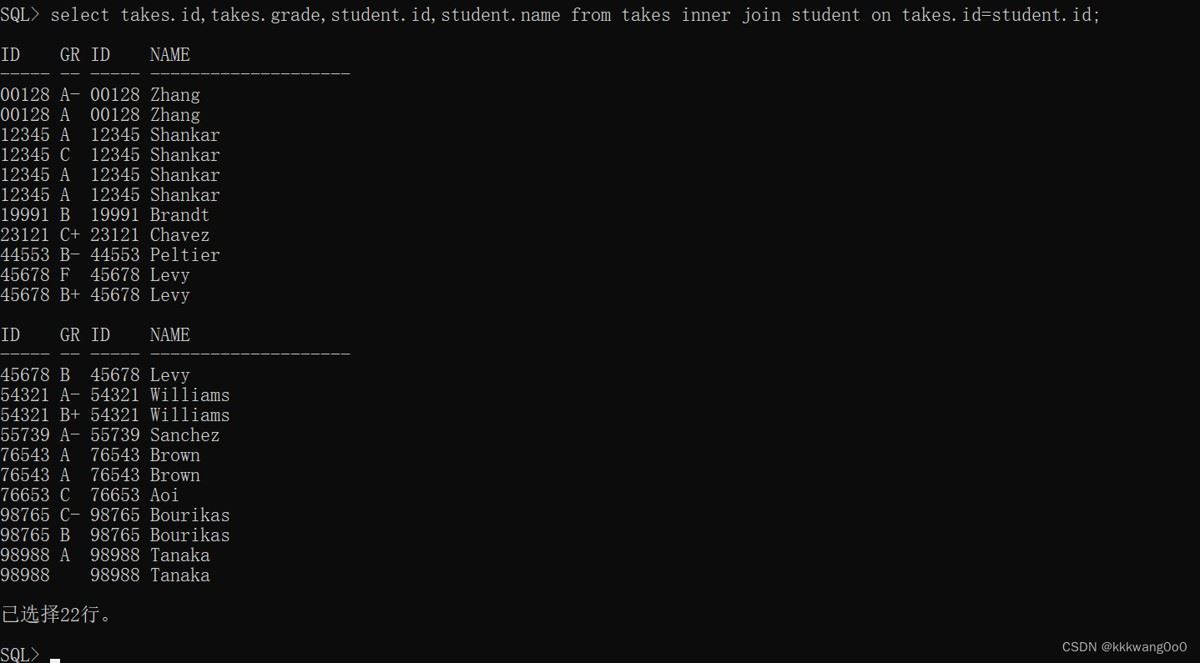
内连接 (自然连接)
select 查询的字段(列名)from 左表 inner join 右边 on 连接条件;
外连接
左外连接
select 查询的字段名(列名)from 左表 left join 右表 on 连接条件;
右外连接
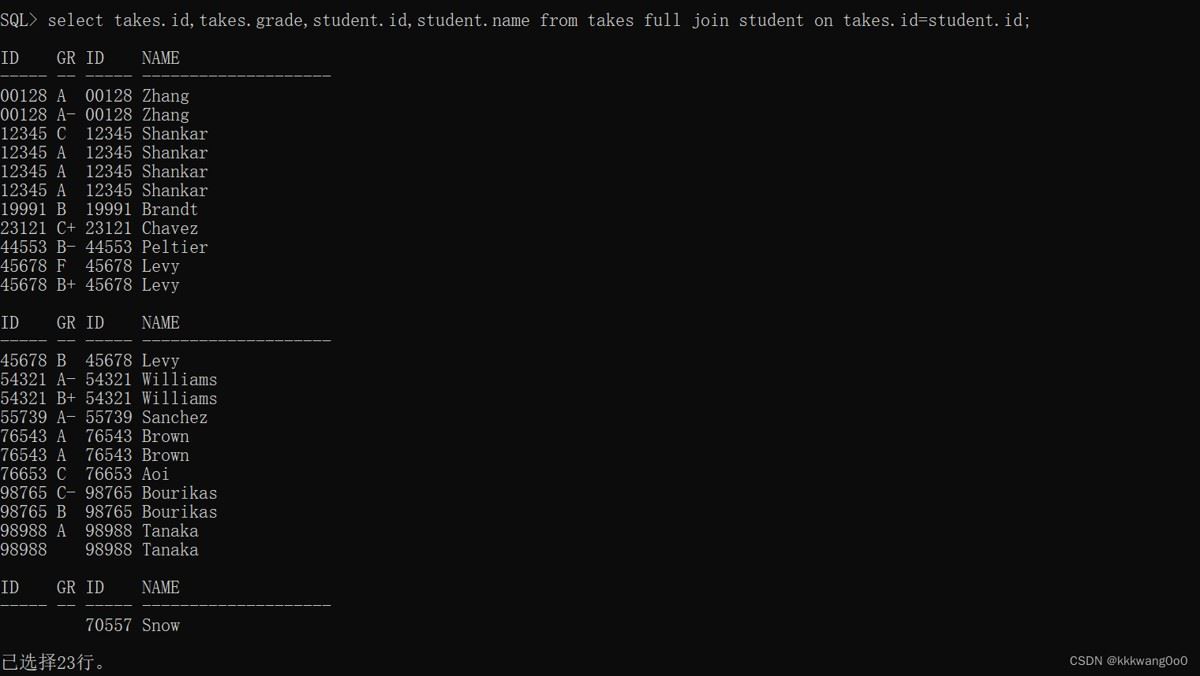
全连接
select 查询出的字段名(列名) from 左表 full join 右表 on 连接条件;
自连接
select 别名.查询的字段名(列名)from 表1 别名1, 表1 别名2 where 连接条件;
视图
基本概念
- 视图是一个虚拟表,视图不在数据库中存储数据,视图的行和列来自于子查询所返回的结果
- 视图名不允许与基本表重名
- 可以通过视图对数据进行增删改查:insert、delete、select
- 基本表中的数据改变时,视图中的数据也会动态更新
基本操作
查看视图
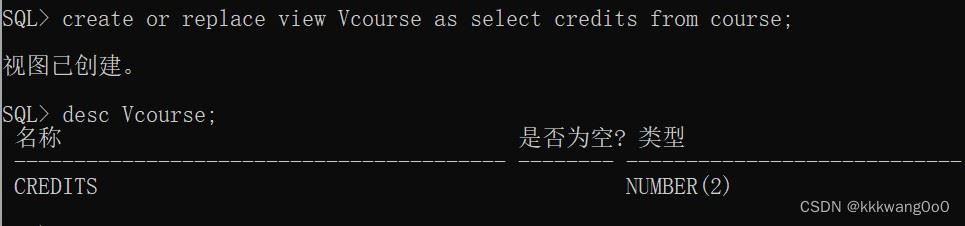
desc vcourse;

创建视图
create [or replace] [{force|noforce}] view 视图名(别名列表) as 子查询;
--or replace:如果视图已存在,则用新视图替换旧视图
--force:基本表不存在,也可以创建视图,但是创建的视图不能正常使用
--noforce:基本表不存在,不能创建视图

修改视图
create or replace view 视图名 as 子查询;
删除视图
drop view [if exists] 视图名;

子查询
总结
以上为个人经验,希望能给大家一个参考,也希望大家多多支持代码网。


发表评论