
 我要评论
我要评论一、类注释模板
file -> settings -> editor -> file and code templates -> files
选择class , interface ,enum 等等,我们都可以看到,在右侧区域中,在public class 上面,都有一行 #parse(“file header.java”)
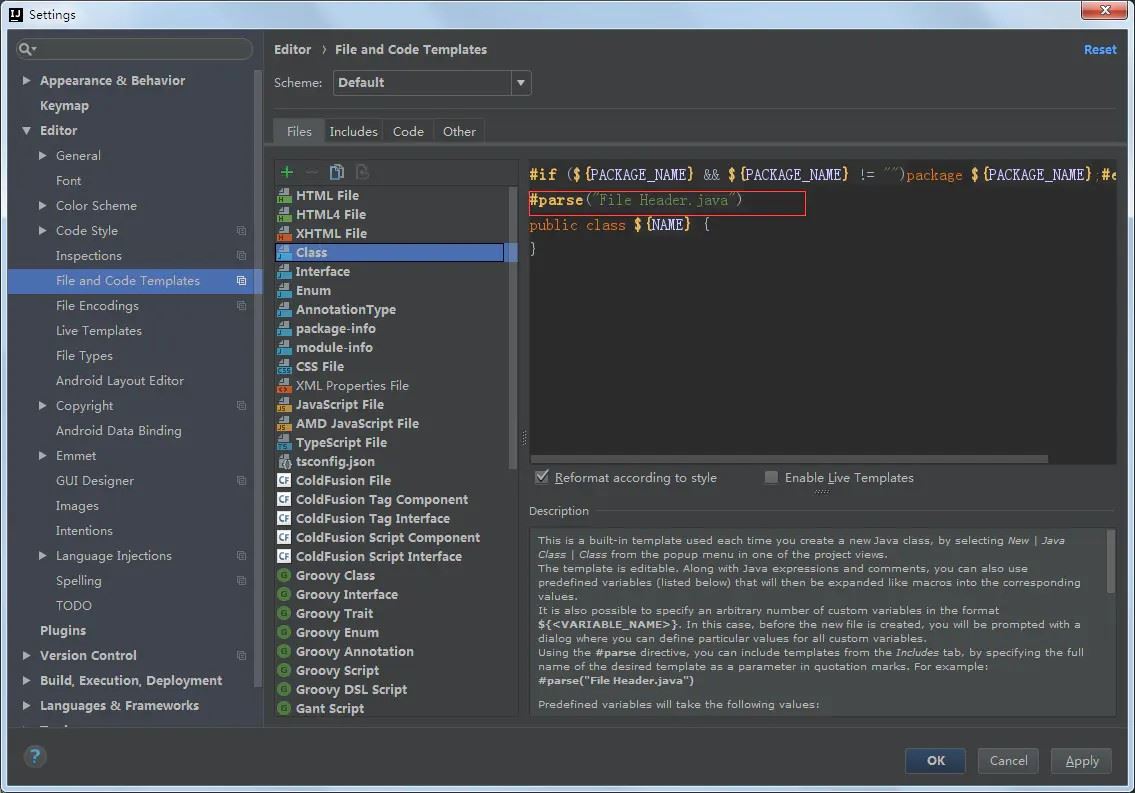
这句代码是引入了file header.java文件,作为我们创建的class interface ,enum 等文件的注释,那么这个类在哪呢,我们可以看到,在 files 右侧,有一个 includes 选项,
在这里,我们可以定义各种的模板,在需要的地方去引入这个模板,这里已经在类文件中引入了file header.java 模板,那我们就更改这个模板成为我们想设置成的样子
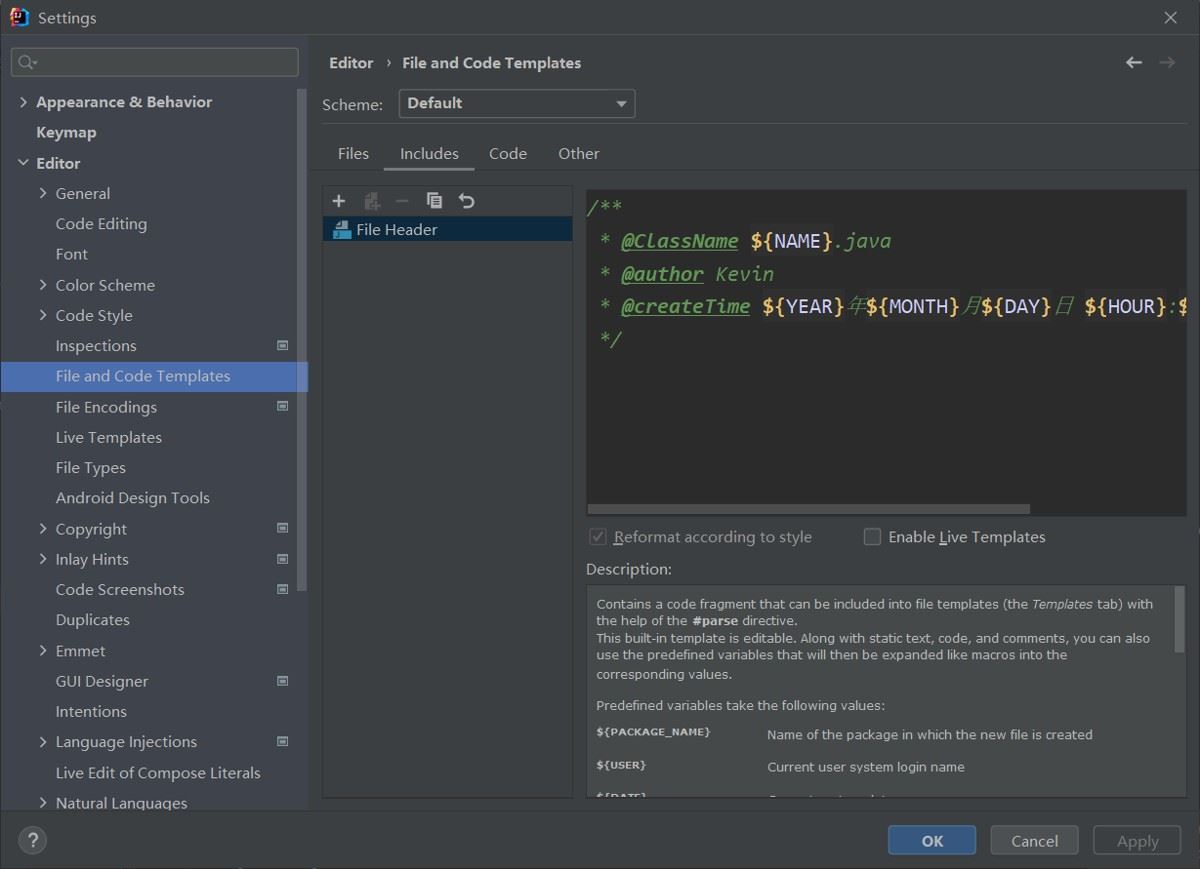
自定义注释模板
/**
 * @classname: ${name}
 * @author: kevin
 * @date:  ${date}
 **/
新建接口文件自动生成注释,效果如下
/**
 * @classname: crowdservice
 * @author: kvein
 * @date: 2022年05月12日 15:33:00
 **/
public interface crowdservice {
}
注释模板不完全变量参考表
| 预定义变量 | 描述信息 |
|---|---|
| ${name} | the name of the current file |
| ${package_name} | name of the package in which the new file is created |
| ${user} | current user system login name |
| ${date} | current system date |
| ${time} | current system time |
| ${year} | current year |
| ${month} | current month |
| ${month_name_short} | first 3 letters of the current month name. example: jan, feb, etc. |
| ${month_name_full} | full name of the current month. example: january, february, etc. |
| ${day} | current day of the month |
| ${day_name_short} | first 3 letters of the current day name. example: mon, tue, etc. |
| ${day_name_full} | full name of the current day. example: monday, tuesday, etc. |
| ${hour} | current hour |
| ${minute} | current minute |
| ${project_name} | the name of the current project |
二、方法注释模板
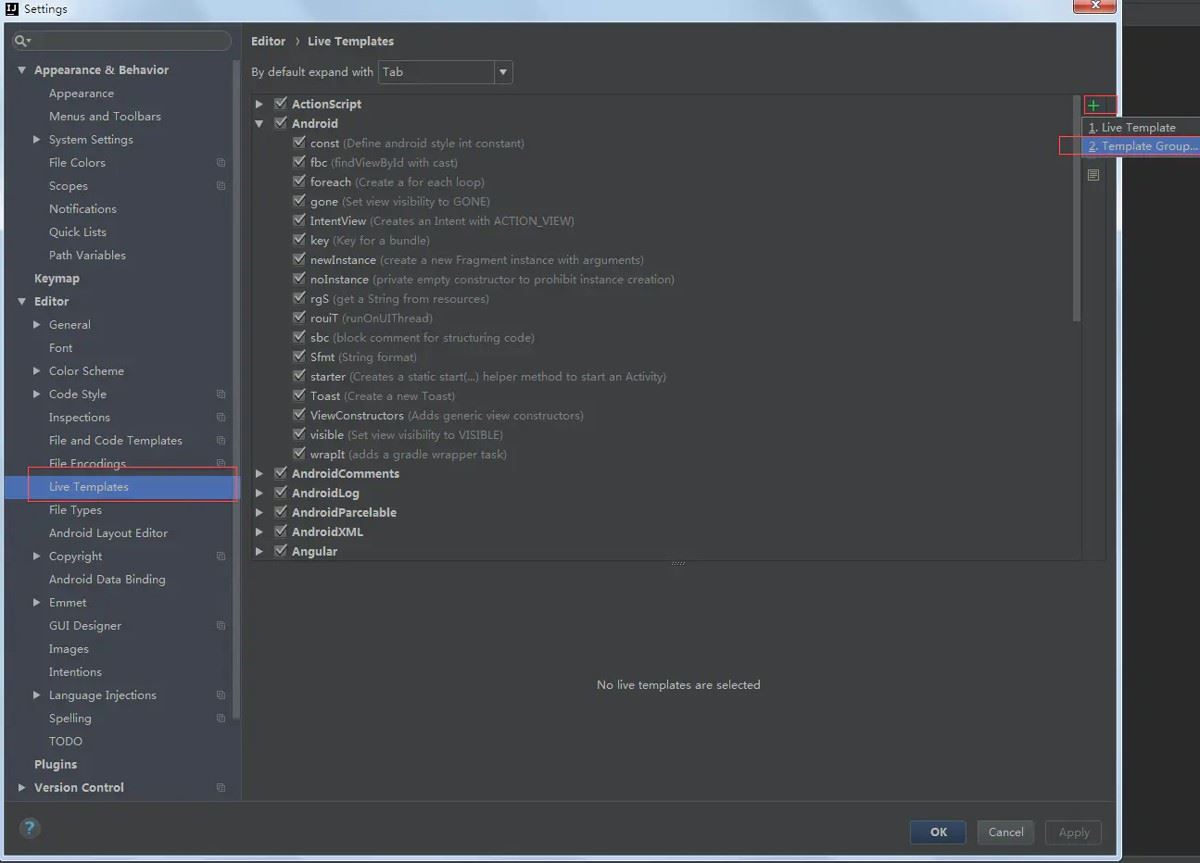
file -> settings -> editor -> live templates
1.在live templates 右侧点击+号
添加一个templates group,命名为 methodtemplates
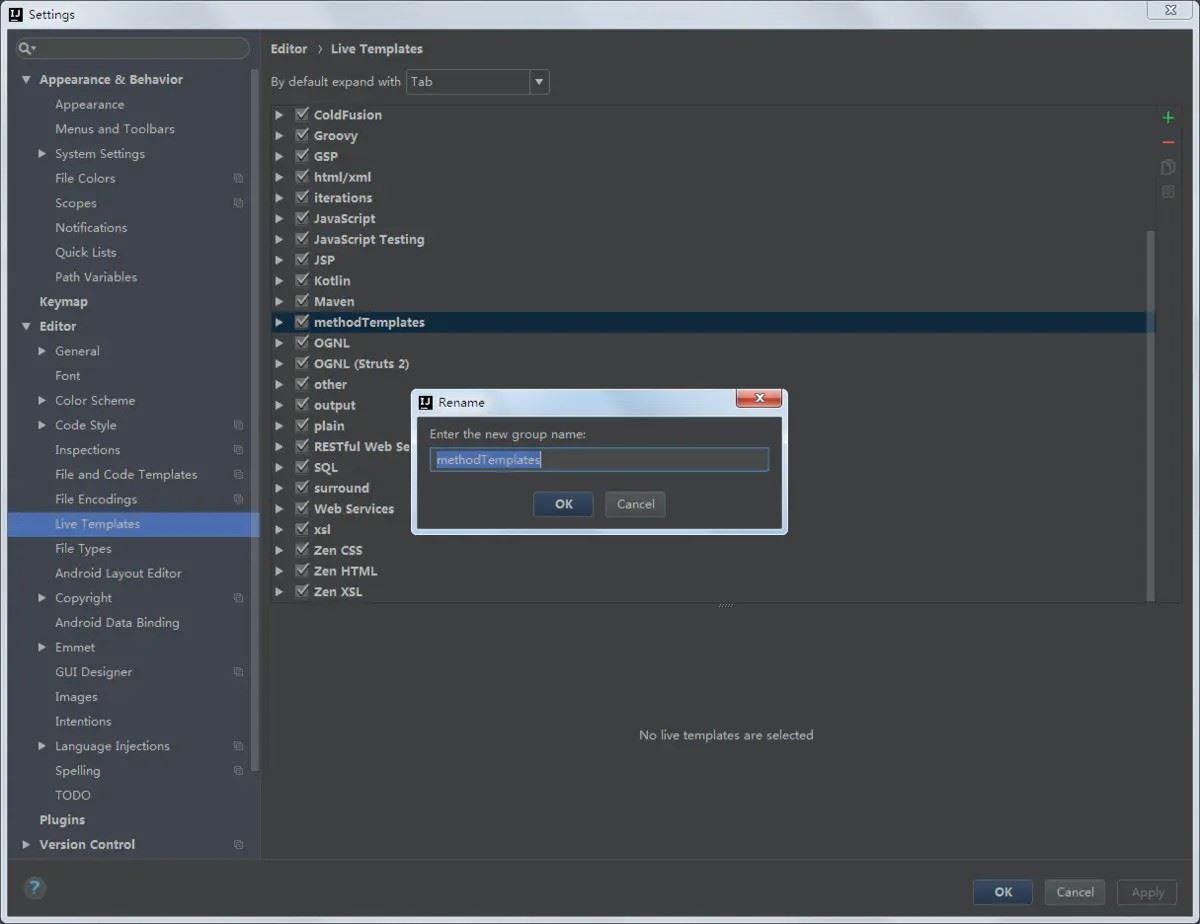
2.在刚刚创建的 methodtemplates 下
创建一个 live templates ,如下:
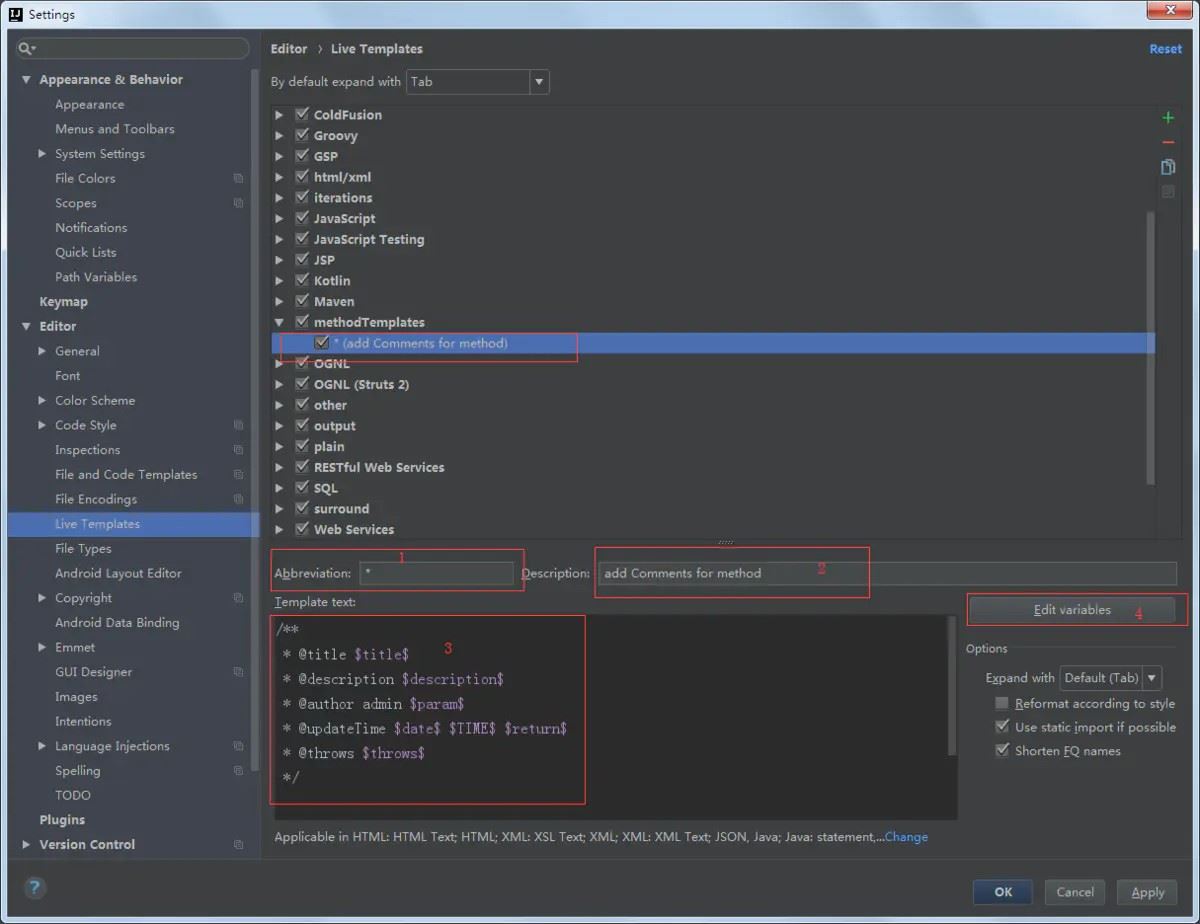
1)、在位置1处: 输入模板的简写码
- 在位置2处:输入模板的描述
- 在位置3处: 输入方法注释模板样式,可变变量要用 变量名变量名变量名 来表示,如:paramparamparam;
- 若不设置成如此的变量名,位置4不可点击,模板如下:
/**
 * @title $title$
 * @author kevin $param$
 * @updatetime $date$ $time$ $return$
 * @throws $throws$
 */
点击位置4处:可编辑定义的变量的值,如下:
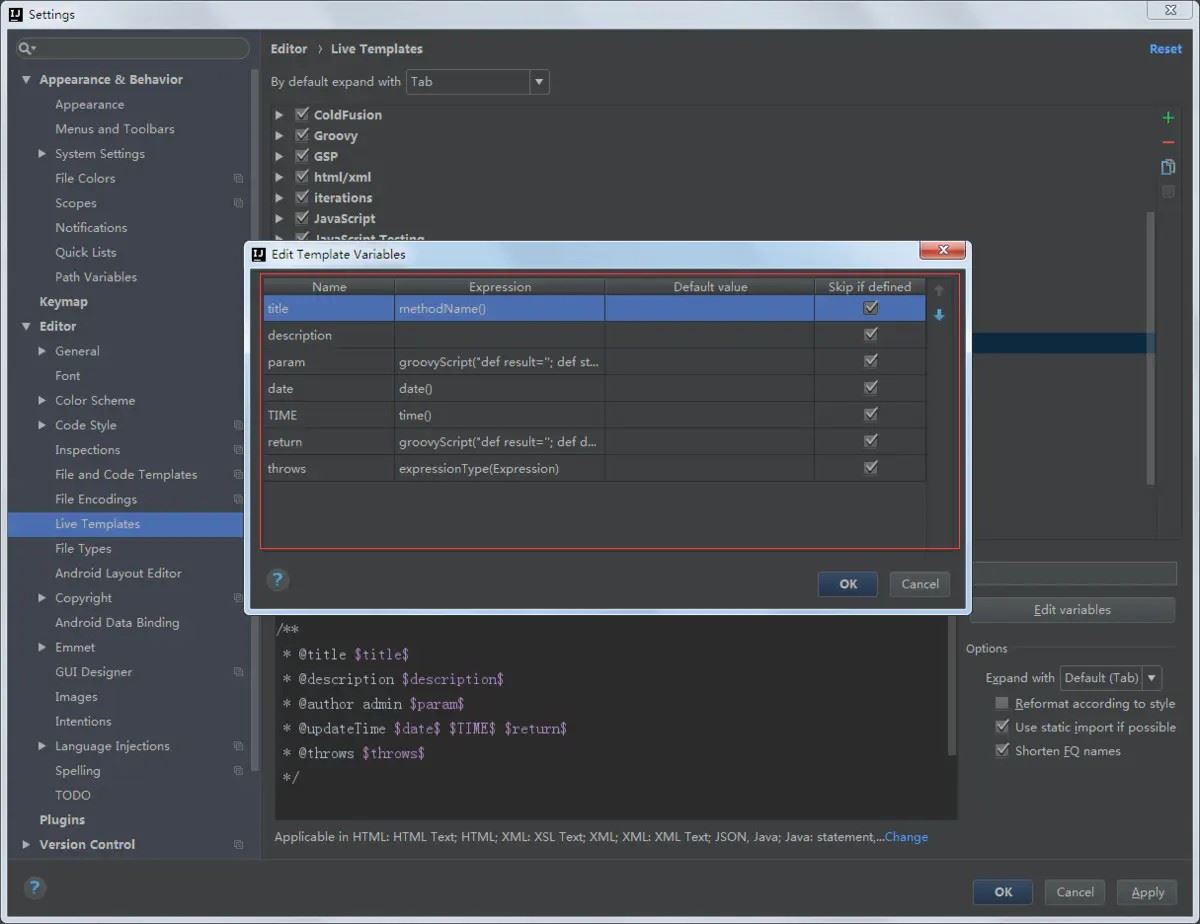
变量param 为方法的参数变量,需要根据方法的参数多少进行变化;变量 return 为返回值类型,也要根据方法的返回值进行变化,所一要自行设置该方法,设置的代码如下,复制粘贴即可:
- param :
groovyscript("def result=''; def stop=false; def params=\"${_1}\".replaceall('[\\\\[|\\\\]|\\\\s]', '').split(',').tolist(); if (params.size()==1 && (params[0]==null || params[0]=='null' || params[0]=='')) { stop=true; }; if(!stop) { for(i=0; i < params.size(); i++) {result +=((i==0) ? '\\r\\n' : '') + ((i < params.size() - 1) ? ' * @param: ' + params[i] + '\\r\\n' : ' * @param: ' + params[i] + '')}; }; return result;", methodparameters())
- return :
groovyscript("def result=''; def data=\"${_1}\"; def stop=false; if(data==null || data=='null' || data=='' || data=='void' ) { stop=true; }; if(!stop) { result += '\\r\\n' + ' * @return: ' + data; }; return result;", methodreturntype())
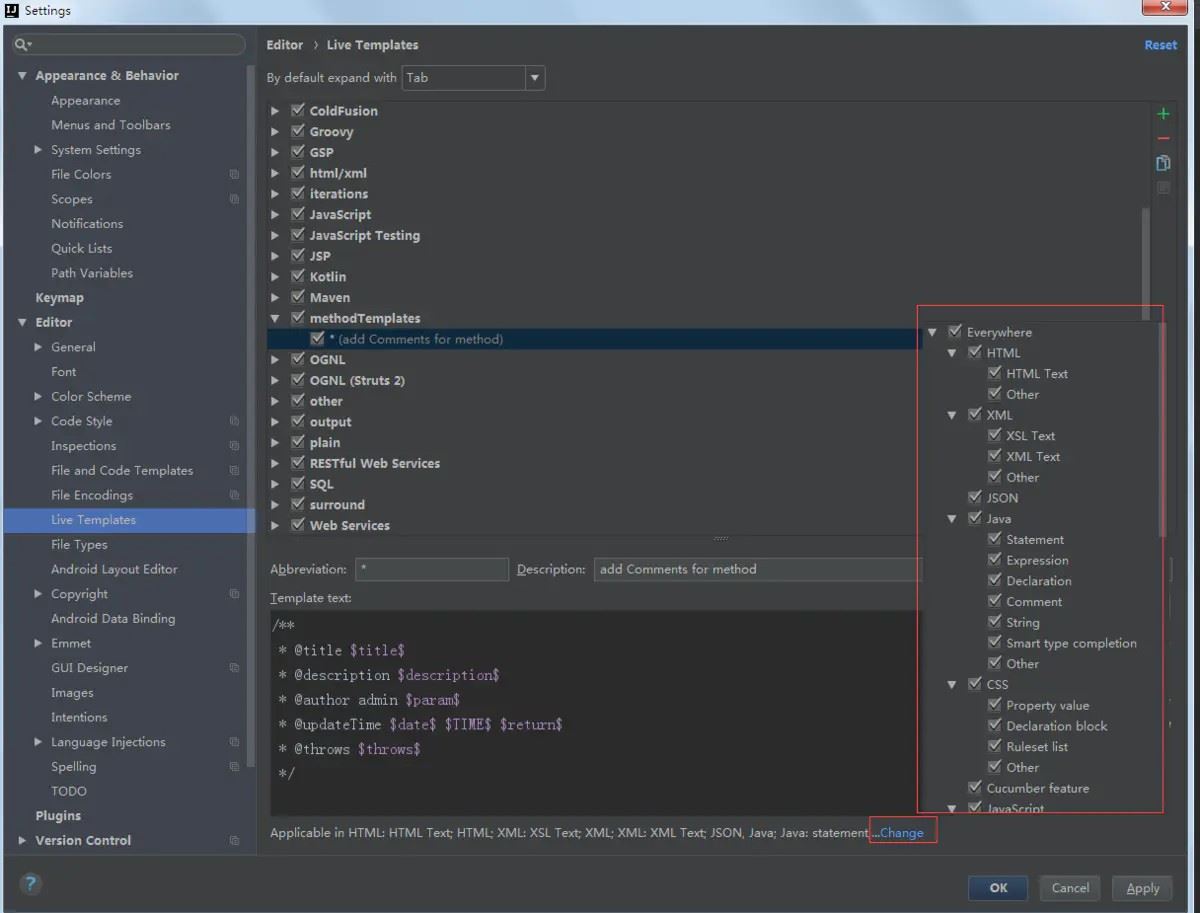
在位置3下方,点击选择该模板应用的范围,可选everywhere 表示任何位置都可添加该注释
点击options 中的 expand with 可选择该模板配合使用的快捷键,如 tab键,space 空格键 , enter 回车键 等等;
- 如在这里设置的模板关键词为 * ,配合使用快捷键为tab键
- 则在方法中输入 * ,在按下tab 键,即可按照模板生成注释。
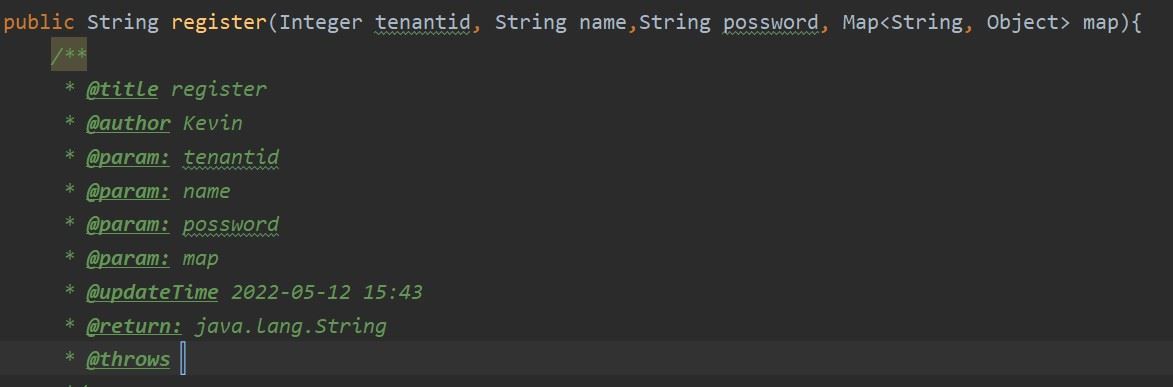
补充说明
方法注释模板不可用在,方法外,若用在方法外 @param 获取不到,注释为 @param null;
类注释模板在文件创建时生成,已创建文件不会触发该模板,会触发方法注释模板。
总结
以上为个人经验,希望能给大家一个参考,也希望大家多多支持代码网。




发表评论