
 我要评论
我要评论一、准备工作
1、引入依赖
在 maven 项目中,添加以下依赖:
<dependency>
    <groupid>cn.afterturn</groupid>
    <artifactid>easy-poi-base</artifactid>
    <version>4.4.0</version>
</dependency>
<dependency>
    <groupid>cn.afterturn</groupid>
    <artifactid>easy-poi-annotation</artifactid>
    <version>4.4.0</version>
</dependency>
二、准备好一个word模版文件
- 在项目的
resources目录下创建一个template/exporttemplate.docx文件作为模板。 - 使用 easypoi 提供的占位符 {{}} 来定义动态内容的位置。例如:
{{title}}
{{content}}
三、编写导出方法的工具类
package com.example.simple.util;


import cn.afterturn.easypoi.cache.manager.poicachemanager;
import cn.afterturn.easypoi.word.wordexportutil;
import cn.afterturn.easypoi.word.entity.myxwpfdocument;
import jakarta.servlet.servletoutputstream;
import jakarta.servlet.http.httpservletresponse;
import lombok.extern.slf4j.slf4j;

import java.io.*;
import java.util.map;

@slf4j
public class exportwordutil {

    /**
     * 通用word文档导出方法
     * @param templatename 模板文件名
     * @param params 模板参数
     * @param response http响应对象
     * @param outputfilename 输出文件名
     * @throws runtimeexception 导出过程中的异常
     */
    public static void exportworddocument(string templatename, map<string, object> params,
                                          httpservletresponse response, string outputfilename) {
        myxwpfdocument doc = null;
        try {
            // 获取模板文档
            doc = getxwpfdocument(templatename);
            if (doc == null) {
                throw new runtimeexception("未能找到模板文件");
            }

            // 使用模板引擎替换内容
            wordexportutil.exportword07(doc, params);

            // 设置响应头
            response.setcontenttype("application/vnd.openxmlformats-officedocument.wordprocessingml.document");
            response.setheader("content-disposition", "attachment;filename=" + outputfilename);

            // 输出文档
            try (servletoutputstream outputstream = response.getoutputstream()) {
                doc.write(outputstream);
                outputstream.flush();
            }
        } catch (exception e) {
            log.error("导出word文档失败", e);
            throw new runtimeexception("导出word文档失败: " + e.getmessage());
        } finally {
            // 关闭文档
            if (doc != null) {
                try {
                    doc.close();
                } catch (exception e) {
                    log.error("关闭文档失败", e);
                }
            }
        }
    }


    public static myxwpfdocument getxwpfdocument(string templatename) throws ioexception {
        // 从classpath获取模板
        inputstream is = null;
        try {
            is = poicachemanager.getfile(templatename);
            if (is == null) {
                throw new filenotfoundexception("模板文件不存在: " + templatename);
            }
            return new myxwpfdocument(is);
        } catch (exception e) {
            throw new runtimeexception(e);
        } finally {
            if (is != null) {
                try {
                    is.close();
                } catch (ioexception e) {
                    log.error("关闭输入流失败", e);
                }
            }
        }
    }
}
四、在exportwordserviceimpl层调用导出word工具方法
注意:在spring-boot3中使用时response引入的是import jakarta.servlet.http.httpservletresponse;
@override
    public void exportword(map<string, object> map, httpservletresponse response) {
        map<string, object> params = new hashmap<string, object>();
        params.put("title", "我是一个好标题");
        params.put("content", "我是一个很有深度的内容");
        exportwordutil.exportworddocument("template/exporttemplate.docx", params, response, "export.docx");
    }
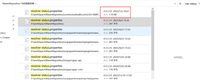
五、前端请求接口后word文档的展示效果

六、总结
通过 easypoi,我们可以轻松实现 word 文档的导出功能。希望本文能帮助你快速上手并完成相关开发任务!
到此这篇关于使用easypoi快速导出word文档功能的实现步骤的文章就介绍到这了,更多相关easypoi导出word文档内容请搜索代码网以前的文章或继续浏览下面的相关文章希望大家以后多多支持代码网!


发表评论