
 我要评论
我要评论前置环境
- jdk:21
- maven:3.9.9

需要自己去注册申请微信小程序和微信支付平台商户号绑定
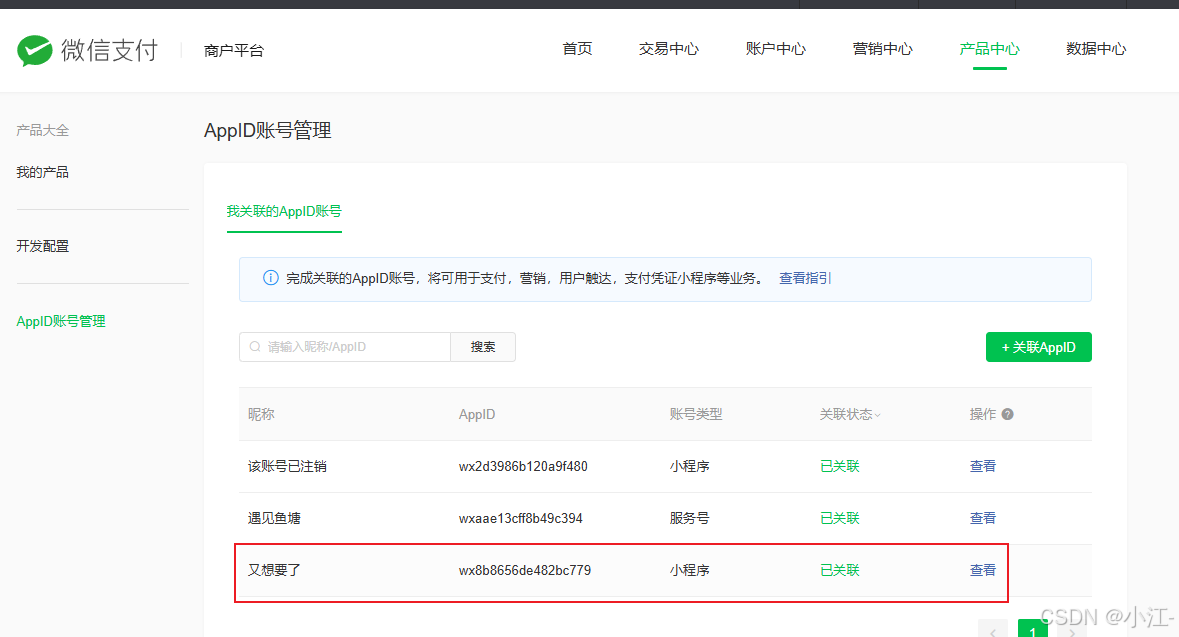
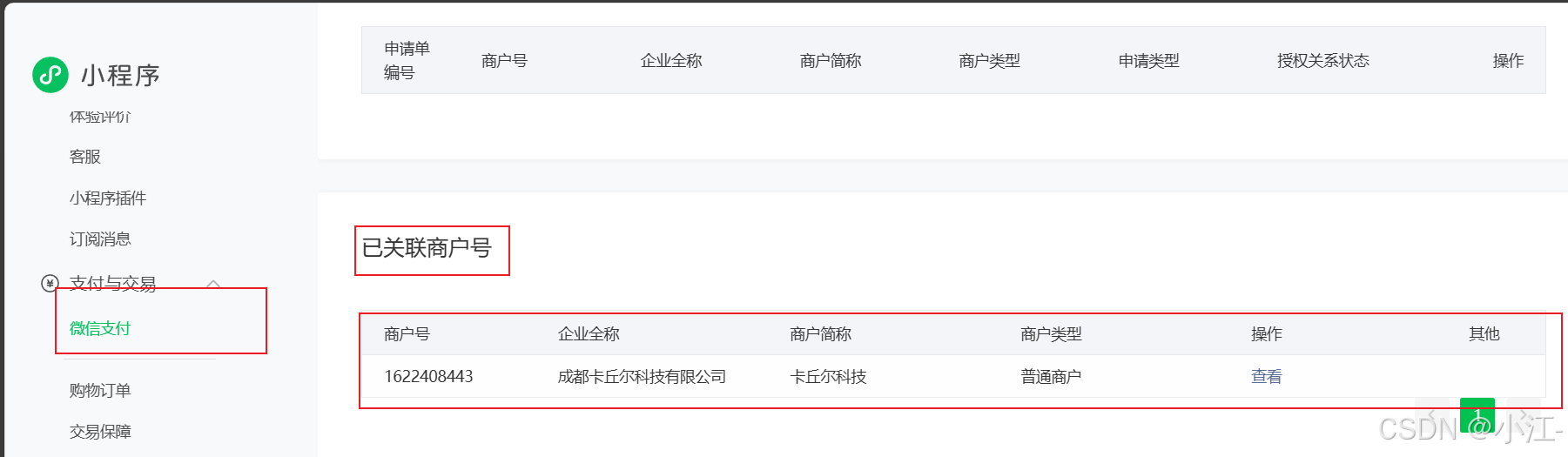
注意上述两张图片是微信公众平台和微信支付平台,两个地方的appid和商户号必须得对的上
支付产品许可申请
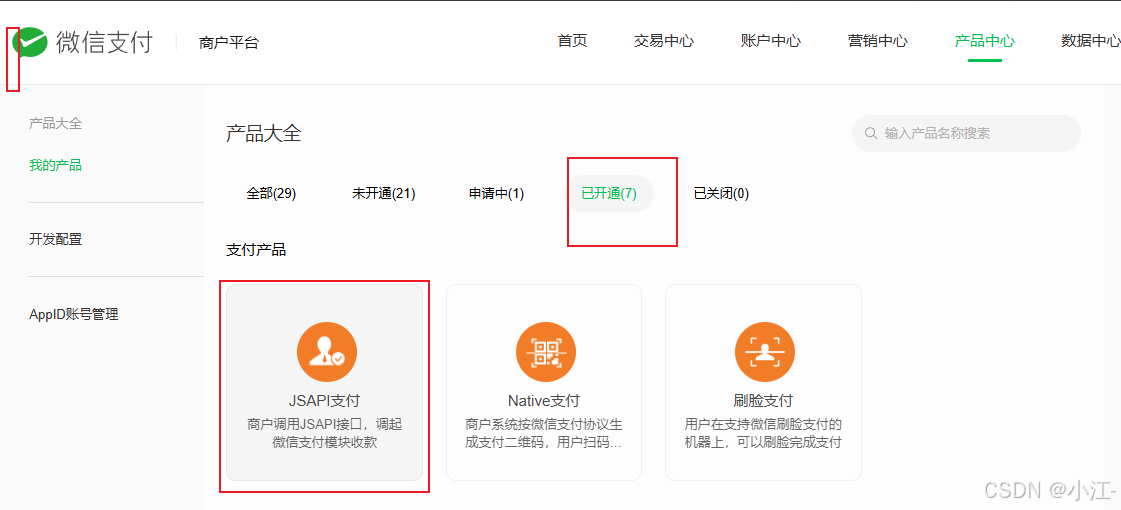
需要把这个申请上,这个就 不做赘述了,这个跟着申请内容填资料就行了。
支付参数申请
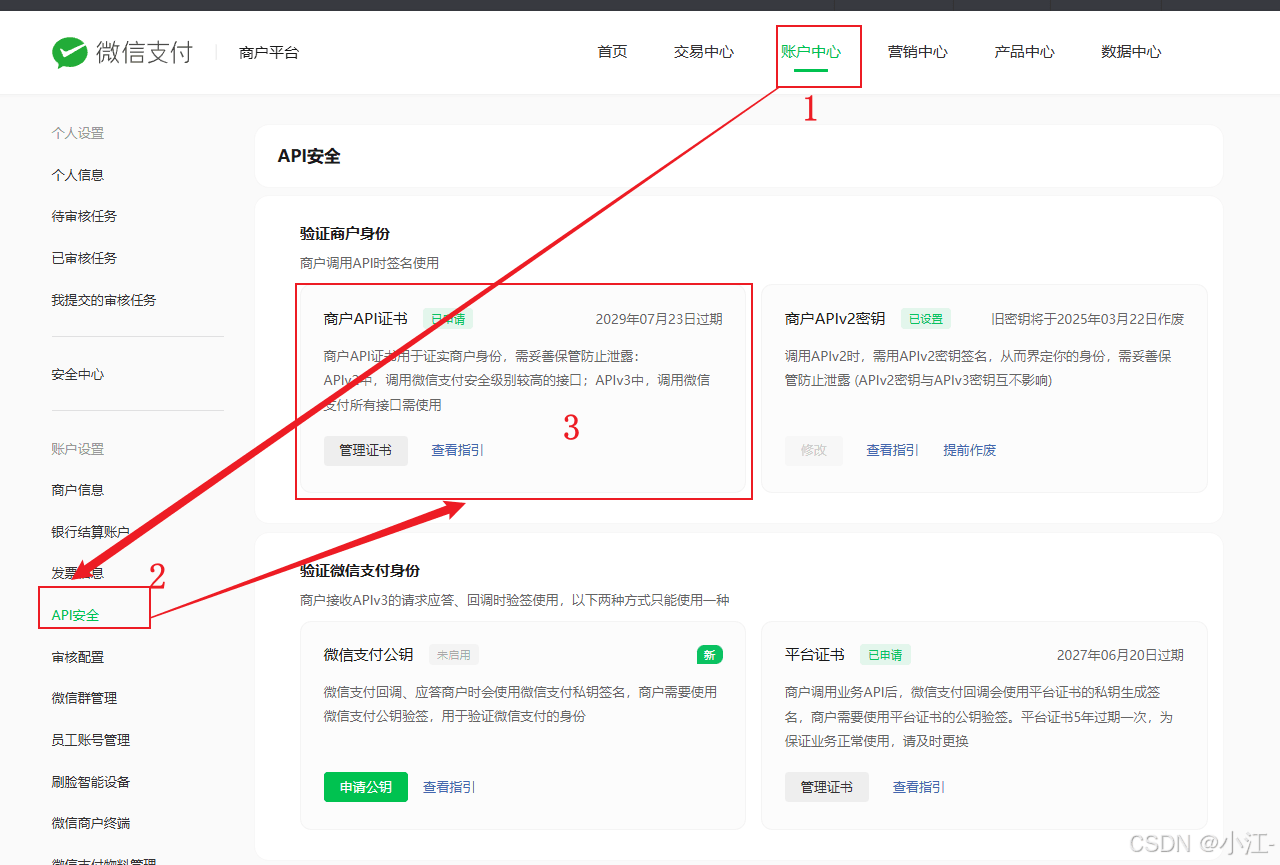
这里点击进去后申请一个证书
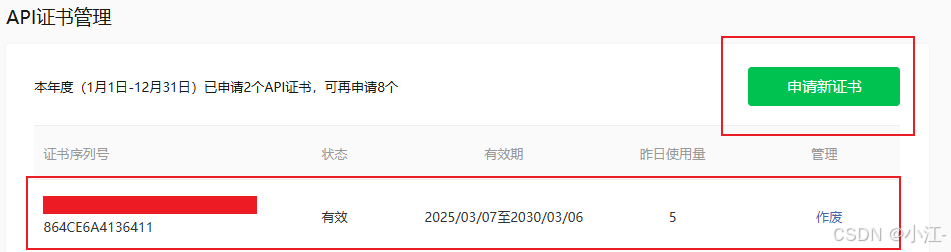
然后进入这个api安全,这里比较关键,注意操作步骤。
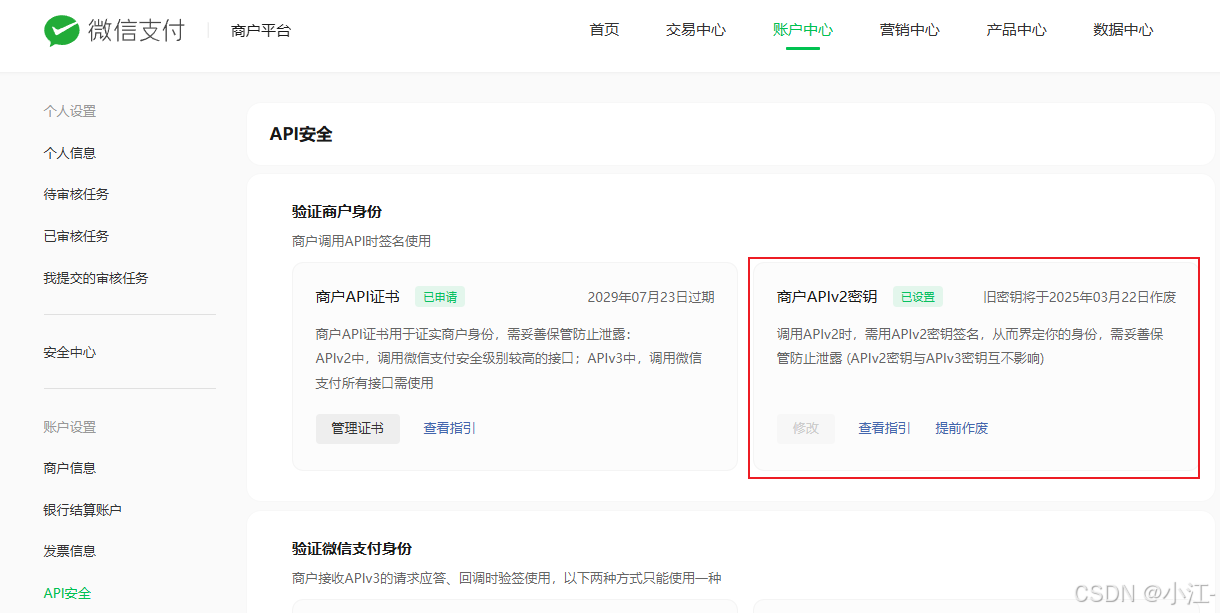
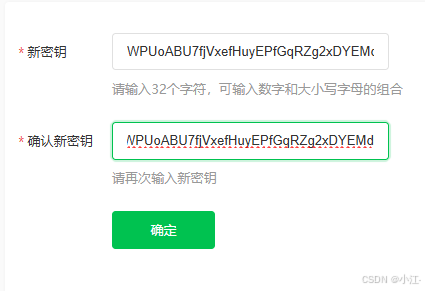
这里的密钥记清楚,最好新建一个文件做一个备注。
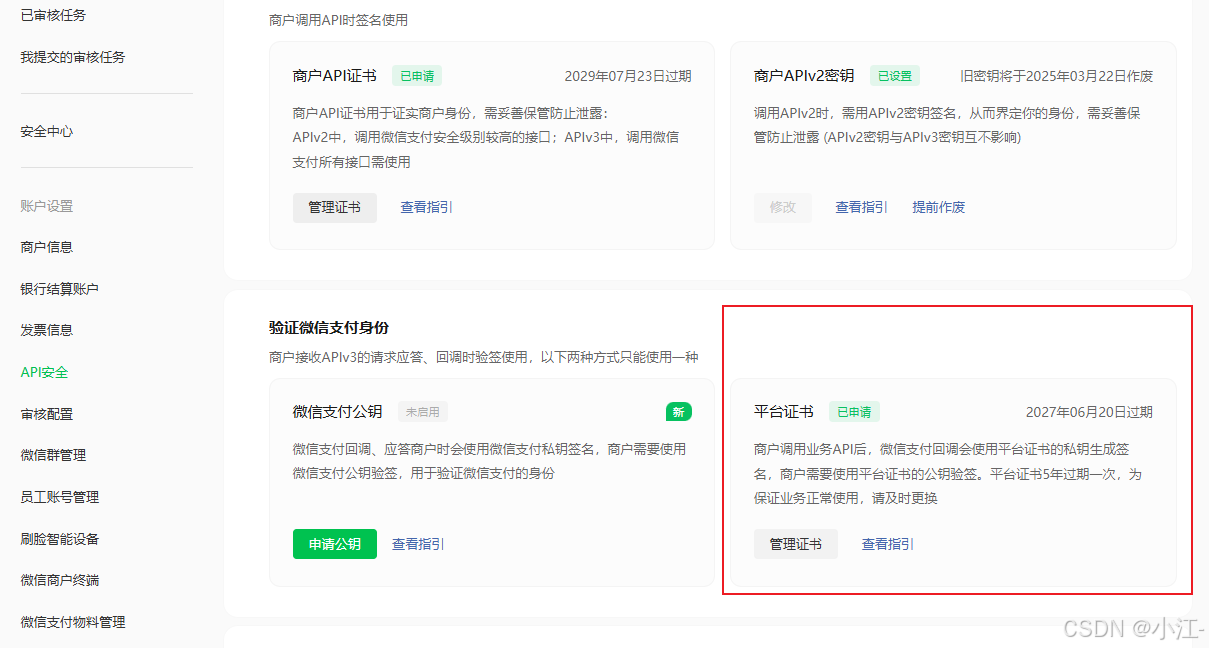
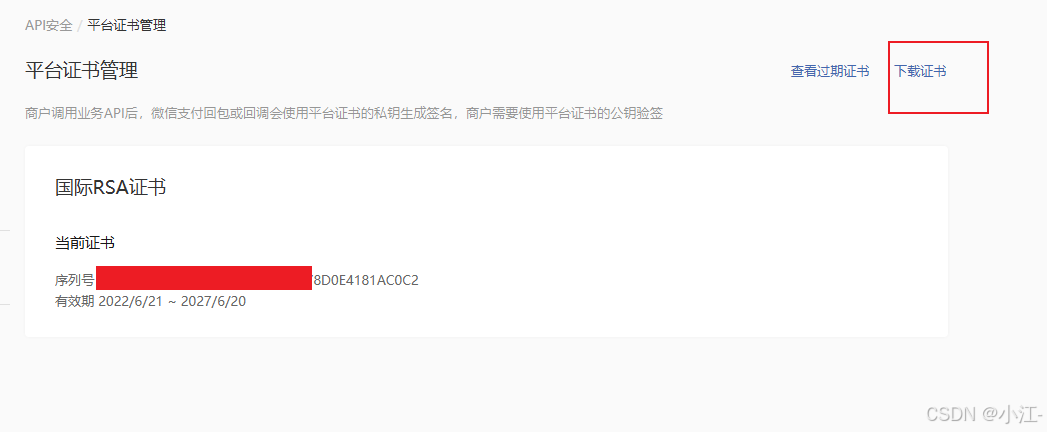
点击这个下载,按照这个下载证书文档,操作,这里注意的是这个outputfilepath以及apiclinet_key.pem地址
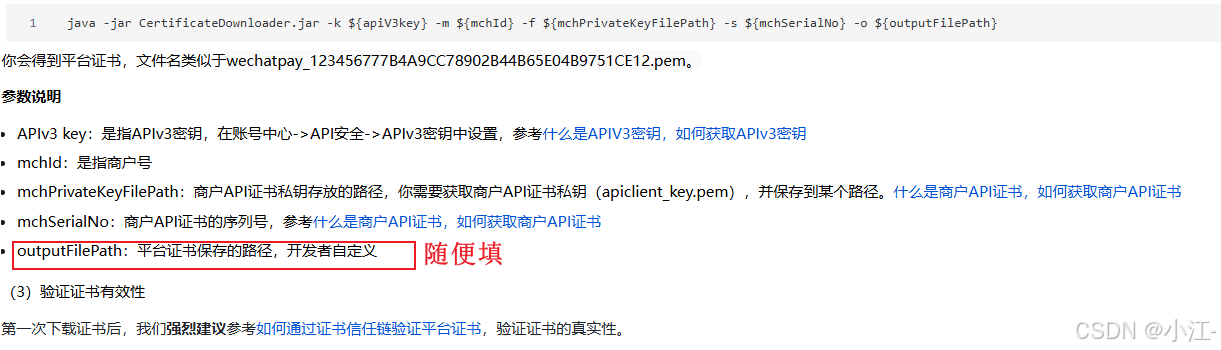
apiclinet_key.pem地址
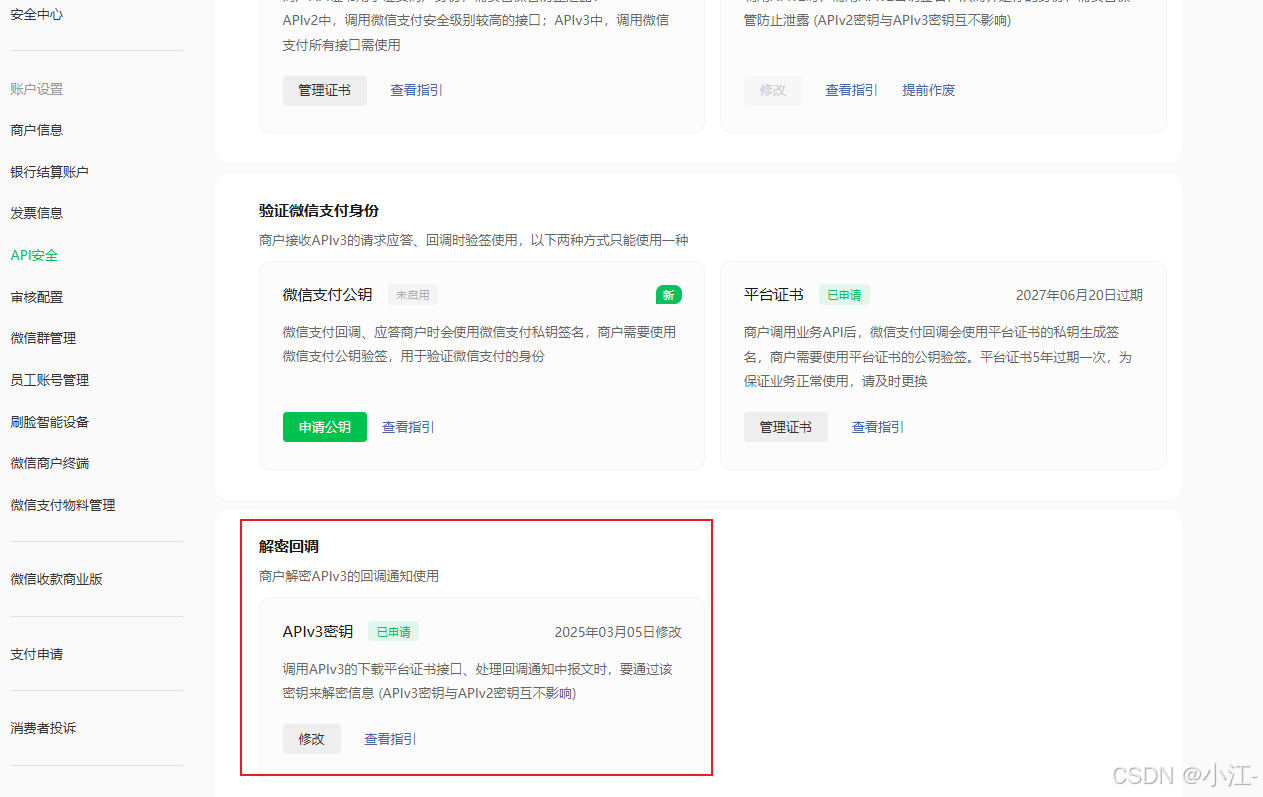
这个地址需要在解密回调里面去申请,同样里面的密钥也需要记住。
然后按照这个工具里面的操作进行来回复制就会得到一个文件,这个文件里面的apiclinet_key.pem存放的地址。
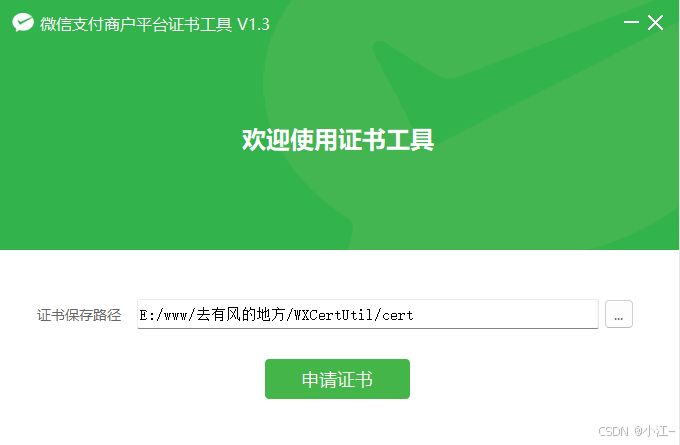
这样操作下来我们就得到一个
java -jar certificatedownloader.jar -k czbk5123643ffduv3 -m 1622408443 -f e:\code\ai\乞讨\1622408443_20250305_cert\apiclient_key.pem -s 495f550990e8ff3fc72c7 -o e:\www\code
运行后
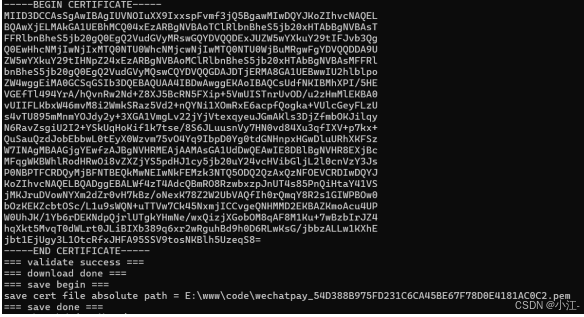
得到密钥文件。至此我们所需要的文件已全部收集齐全。
代码:
application.yaml
cant:
  wechat:
    # 微信公众平台里面的小程序appid
    appid: wx8b8656de482b
    # 商户号
    mchid: 1622408443
    # 商户api证书里面的序列号
    mchserialno: 405172e0770000864ce6a4136411
    # 解密回调的密钥
    apiv3key: cwxpay435434323ffduv3
    # 这个是解密回调也就是生成的(微信支付商户平台证书工具)
    privatekeyfilepath: e:\code\ai\乞讨\1622408443_20250307_cert\apiclient_cert.pem
    # 这个是通cmd生成的
    wechatpaycertfilepath: e:\www\code\wechatpay_54d388b975fd231c6ca45be67f78d0e4181ac0c2.pem
    # 支付成功回调地址
    notifyurl: https://taluop.top/cant/notify
导入依赖
<dependency>
            <groupid>com.github.wechatpay-apiv3</groupid>
            <artifactid>wechatpay-java</artifactid>
            <version>0.2.10</version>
        </dependency>
配置类
@component
@configurationproperties(prefix = "cant.wechat")
@data
@enableconfigurationproperties
public class wechatproperties {
    private string appid; //小程序的appid
    private string secret; //小程序的秘钥
    private string mchid; //商户号
    private string mchserialno; //商户api证书的证书序列号
    private string privatekeyfilepath; //商户私钥文件
    private string apiv3key; //证书解密的密钥
    private string wechatpaycertfilepath; //平台证书
    private string notifyurl; //支付成功的回调地址
    private string refundnotifyurl; //退款成功的回调地址

}
工具类
/**
 * 微信支付工具类
 */
@component
public class wechatpayutil {

    //微信支付下单接口地址
    public static final string jsapi = "https://api.mch.weixin.qq.com/v3/pay/transactions/jsapi";

    //申请退款接口地址
    public static final string refunds = "https://api.mch.weixin.qq.com/v3/refund/domestic/refunds";

    @autowired
    private wechatproperties wechatproperties;

    /**
     * 获取调用微信接口的客户端工具对象
     *
     * @return
     */
    private closeablehttpclient getclient() {
        privatekey merchantprivatekey = null;
        try {
            // merchantprivatekey商户api私钥,如何加载商户api私钥请看常见问题
            merchantprivatekey = pemutil.loadprivatekey(new fileinputstream(new file(wechatproperties.getprivatekeyfilepath())));
            // 加载平台证书文件
            x509certificate x509certificate = pemutil.loadcertificate(new fileinputstream(new file(wechatproperties.getwechatpaycertfilepath())));
            // wechatpaycertificates微信支付平台证书列表。你也可以使用“定时更新平台证书功能”
            list<x509certificate> wechatpaycertificates = arrays.aslist(x509certificate);

            wechatpayhttpclientbuilder builder = wechatpayhttpclientbuilder.create()
                    .withmerchant(wechatproperties.getmchid(), wechatproperties.getmchserialno(), merchantprivatekey)
                    .withwechatpay(wechatpaycertificates);

            // 通过wechatpayhttpclientbuilder构造的httpclient,会自动的处理签名和验签
            closeablehttpclient httpclient = builder.build();
            return httpclient;
        } catch (filenotfoundexception e) {
            e.printstacktrace();
            return null;
        }
    }

    /**
     * 发送post方式请求
     *
     * @param url
     * @param body
     * @return
     */
    private string post(string url, string body) throws exception {
        closeablehttpclient httpclient = getclient();

        httppost httppost = new httppost(url);
        httppost.addheader(httpheaders.accept, contenttype.application_json.tostring());
        httppost.addheader(httpheaders.content_type, contenttype.application_json.tostring());
        httppost.addheader("wechatpay-serial", wechatproperties.getmchserialno());
        httppost.setentity(new stringentity(body, "utf-8"));

        closeablehttpresponse response = httpclient.execute(httppost);
        try {
            string bodyasstring = entityutils.tostring(response.getentity());
            return bodyasstring;
        } finally {
            httpclient.close();
            response.close();
        }
    }

    /**
     * jsapi下单
     *
     * @param ordernum    商户订单号
     * @param total       总金额
     * @param description 商品描述
     * @param openid      微信用户的openid
     * @return
     */
    private string jsapi(string ordernum, bigdecimal total, string description, string openid) throws exception {
        jsonobject jsonobject = new jsonobject();
        jsonobject.put("appid", wechatproperties.getappid());
        jsonobject.put("mchid", wechatproperties.getmchid());
        jsonobject.put("description", description);
        jsonobject.put("out_trade_no", ordernum);
        jsonobject.put("notify_url", wechatproperties.getnotifyurl());

        jsonobject amount = new jsonobject();
        amount.put("total", total.multiply(new bigdecimal(100)).setscale(2, bigdecimal.round_half_up).intvalue());
        amount.put("currency", "cny");

        jsonobject.put("amount", amount);

        jsonobject payer = new jsonobject();
        payer.put("openid", openid);

        jsonobject.put("payer", payer);

        string body = jsonobject.tojsonstring();
        return post(jsapi, body);
    }

    /**
     * 小程序支付
     *
     * @param ordernum    商户订单号
     * @param total       金额,单位 元
     * @param description 商品描述
     * @param openid      微信用户的openid
     * @return
     */
    public jsonobject pay(string ordernum, bigdecimal total, string description, string openid) throws exception {
        //统一下单,生成预支付交易单
        string bodyasstring = jsapi(ordernum, total, description, openid);
        //解析返回结果
        jsonobject jsonobject = json.parseobject(bodyasstring);

        system.out.println(jsonobject);

        string prepayid = jsonobject.getstring("prepay_id");
        if (prepayid != null) {
            string timestamp = string.valueof(system.currenttimemillis() / 1000);
            string noncestr = randomstringutils.randomnumeric(32);
            arraylist<object> list = new arraylist<>();
            list.add(wechatproperties.getappid());
            list.add(timestamp);
            list.add(noncestr);
            list.add("prepay_id=" + prepayid);
            //二次签名,调起支付需要重新签名
            stringbuilder stringbuilder = new stringbuilder();
            for (object o : list) {
                stringbuilder.append(o).append("\n");
            }
            string signmessage = stringbuilder.tostring();
            byte[] message = signmessage.getbytes();

            signature signature = signature.getinstance("sha256withrsa");
            signature.initsign(pemutil.loadprivatekey(new fileinputstream(new file(wechatproperties.getprivatekeyfilepath()))));
            signature.update(message);
            string packagesign = base64.getencoder().encodetostring(signature.sign());

            //构造数据给微信小程序,用于调起微信支付
            jsonobject jo = new jsonobject();
            jo.put("timestamp", timestamp);
            jo.put("noncestr", noncestr);
            jo.put("package", "prepay_id=" + prepayid);
            jo.put("signtype", "rsa");
            jo.put("paysign", packagesign);

            return jo;
        }
        return jsonobject;
    }
    /**
     * 发送get方式请求
     *
     * @param url
     * @return
     */
    private string get(string url) throws exception {
        closeablehttpclient httpclient = getclient();

        httpget httpget = new httpget(url);
        httpget.addheader(httpheaders.accept, contenttype.application_json.tostring());
        httpget.addheader(httpheaders.content_type, contenttype.application_json.tostring());
        httpget.addheader("wechatpay-serial", wechatproperties.getmchserialno());

        closeablehttpresponse response = httpclient.execute(httpget);
        try {
            string bodyasstring = entityutils.tostring(response.getentity());
            return bodyasstring;
        } finally {
            httpclient.close();
            response.close();
        }
    }


    /**
     * 申请退款
     *
     * @param outtradeno    商户订单号
     * @param outrefundno   商户退款单号
     * @param refund        退款金额
     * @param total         原订单金额
     * @return
     */
    public string refund(string outtradeno, string outrefundno, bigdecimal refund, bigdecimal total) throws exception {
        jsonobject jsonobject = new jsonobject();
        jsonobject.put("out_trade_no", outtradeno);
        jsonobject.put("out_refund_no", outrefundno);

        jsonobject amount = new jsonobject();
        amount.put("refund", refund.multiply(new bigdecimal(100)).setscale(2, bigdecimal.round_half_up).intvalue());
        amount.put("total", total.multiply(new bigdecimal(100)).setscale(2, bigdecimal.round_half_up).intvalue());
        amount.put("currency", "cny");

        jsonobject.put("amount", amount);
        jsonobject.put("notify_url", wechatproperties.getrefundnotifyurl());

        string body = jsonobject.tojsonstring();

        //调用申请退款接口
        return post(refunds, body);
    }
}
遇到的问题:
- 应答的状态码不为200-299,商户证书序列号有误。
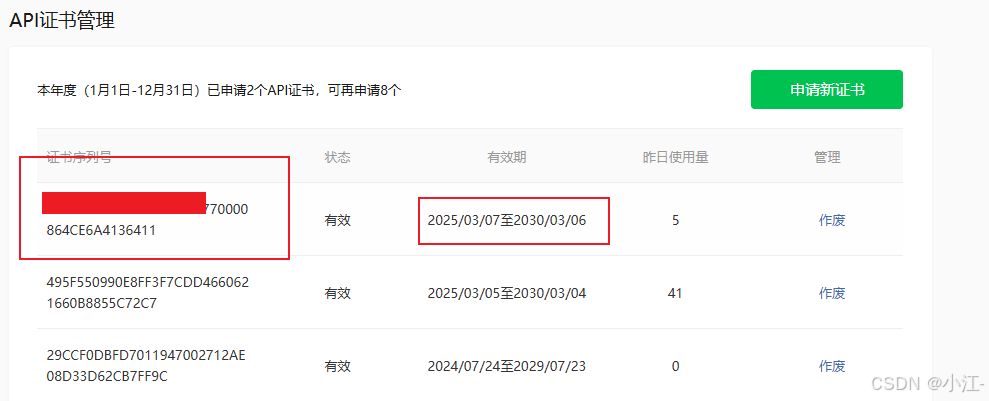
你需要找到最近操作的证书序列号
- 找不到证书序列号对应的证书
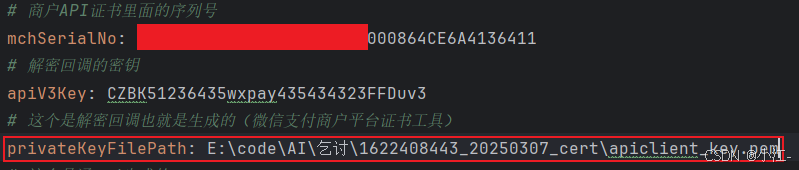
这个地址对应的看一下是否是最新的
- java hotspot(tm) 64-bit server vm warning: sharing is only supported for boot loader classes because bootstrap classpath has been appendedranh

这个需要的是apiclient_key.pem文件,这个是由apiclient_cert.pem文件加序列号生成的文件。
总结
到此这篇关于微信小程序支付jsapi下单java版的文章就介绍到这了,更多相关java微信小程序支付jsapi下单内容请搜索代码网以前的文章或继续浏览下面的相关文章希望大家以后多多支持代码网!



发表评论