
 我要评论
我要评论一、引用相关jar包
		<!-- word转图工具 -->
        <dependency>
            <groupid>com.deepoove</groupid>
            <artifactid>poi-tl</artifactid>
            <version>1.8.0</version>
        </dependency>

        <dependency>
            <groupid>com.luhuiguo</groupid>
            <artifactid>aspose-words</artifactid>
            <version>23.1</version>
        </dependency>
word操作包: aspose-words-21.1.jar, 如下链接自行下载:
aspose-words-21.1.jar, 提取码为: zwcs
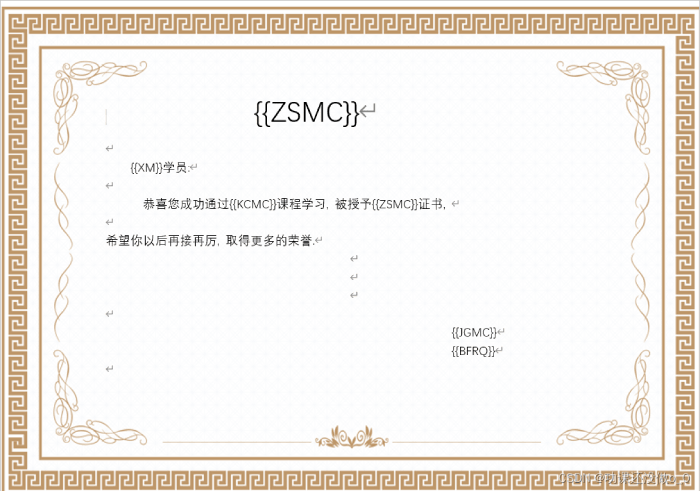
二、编辑一张word文档
如下图
三、将文档关键字替换并转换为图片
代码由下:
主类代码:
package com.demo.ceshi;

import com.aspose.words.document;
import com.aspose.words.saveformat;
import com.deepoove.poi.xwpftemplate;
import com.demo.ceshi.util.officeutils;
import org.junit.test;
import org.junit.runner.runwith;
import org.springframework.boot.test.context.springboottest;
import org.springframework.test.context.junit4.springrunner;
import java.io.file;
import java.io.inputstream;
import java.nio.file.files;
import java.util.date;

@runwith(springrunner.class)
@springboottest
public class ceshiapplicationtests {
	 @test
    public void test4() {
        try {
            // 获取word文档
            file file = new file("e:\\横屏.docx");
            // 读取文件
            inputstream ins = files.newinputstream(file.topath());
            // 使用模板引擎将模板渲染,并传入一个数据映射表 initwordmap()。
            xwpftemplate template = xwpftemplate.compile(ins).render(officeutils.initwordmap());
            // 将模板渲染后保存为新的 word 文件
            template.writetofile("e:\\test.docx");

            // 填充数据完毕的test.docx,在转换成图片
            file file1 = new file("e:\\test.docx");
            // 打开生成的 word 文件
            document doc = new document(files.newinputstream(file1.topath()));
            string filepath = "e:\\";
            string pathpre = new date().gettime() + ".png";
            // 逐页将 word 文件保存为图片(png格式)
            for (int i = 0; i < doc.getpagecount(); i++) {
                document extractedpage = doc.extractpages(i,1);
                // 拼接上文件名
                string path = filepath + pathpre;
                // 将 word 文件保存为图片png格式
                extractedpage.save(path, saveformat.png);
            }
        }catch (exception e) {
            e.printstacktrace();
        }
    }
}
工具类代码:
public class officeutils {
	 /**
     * word文档需要填充的数据
     * @return
     */
    public static map<string, object> initwordmap() {
        map<string, object> worddata = new hashmap<>();
        worddata.put("xm", "陈xx");
        worddata.put("zsmc", "上班摸鱼许可证");
        worddata.put("kcmc", "野外生存摸鱼达人");
        worddata.put("jgmc", "super摸鱼有限责任公司");
        worddata.put("bfrq", "2024年3月23日");
        return worddata;
    }
}
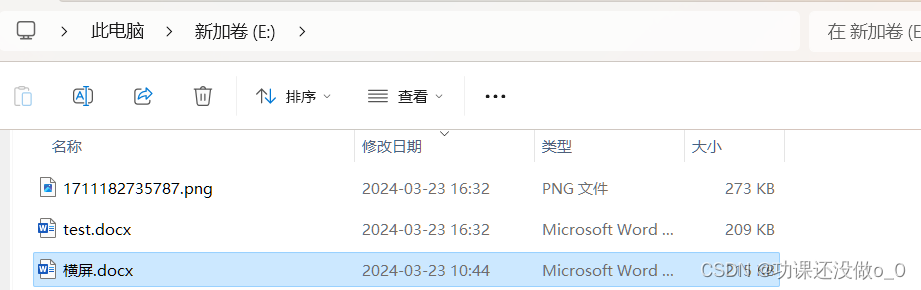
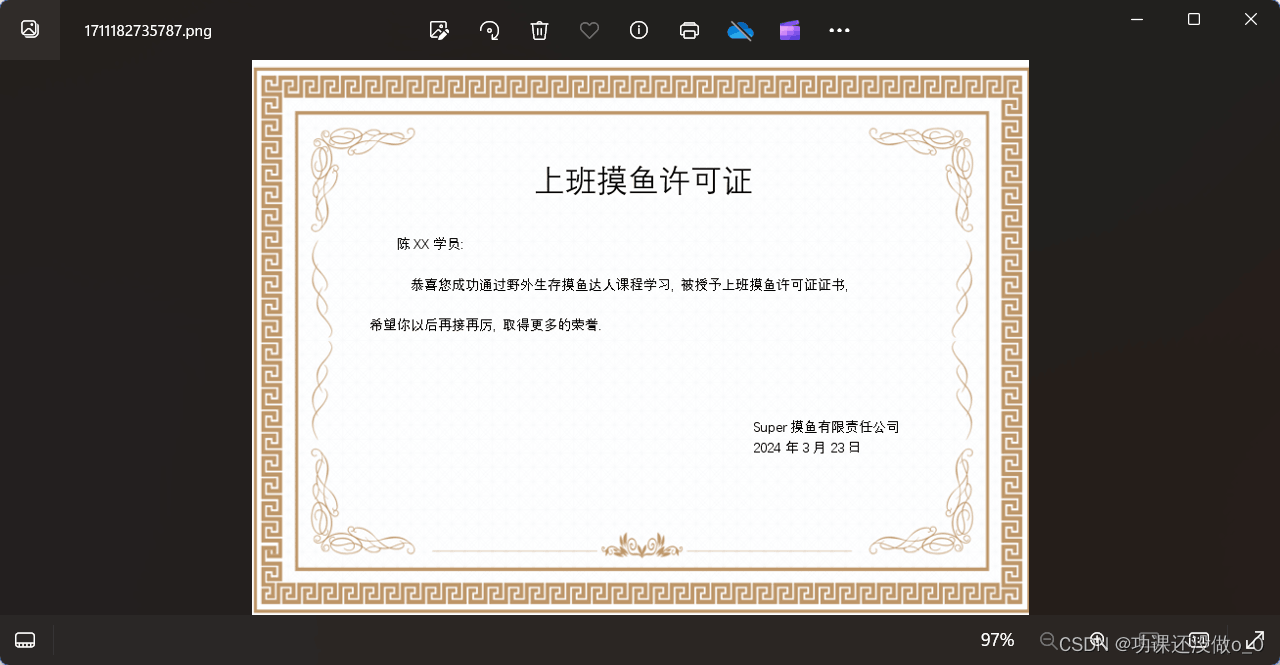
四、执行效果图
如下:
到此这篇关于java实现word文档转成图片的示例详解的文章就介绍到这了,更多相关java word转图片内容请搜索代码网以前的文章或继续浏览下面的相关文章希望大家以后多多支持代码网!



发表评论