
 我要评论
我要评论记录make中的一次报错~~
刚刚centos7在执行make时遇到以下报错:

fatal error: mysql/mysql.h: no such file or directory
#include<mysql/mysql.h>
compilation terminated.
原因是找不到mysql.h头文件,于是使用以下命令安装对应的包:
sudo yum install mysql-devel
但是却出现了如下的报错:
只能说翻来覆去找了很久都没找到有用的方法,还是得stackoverflow
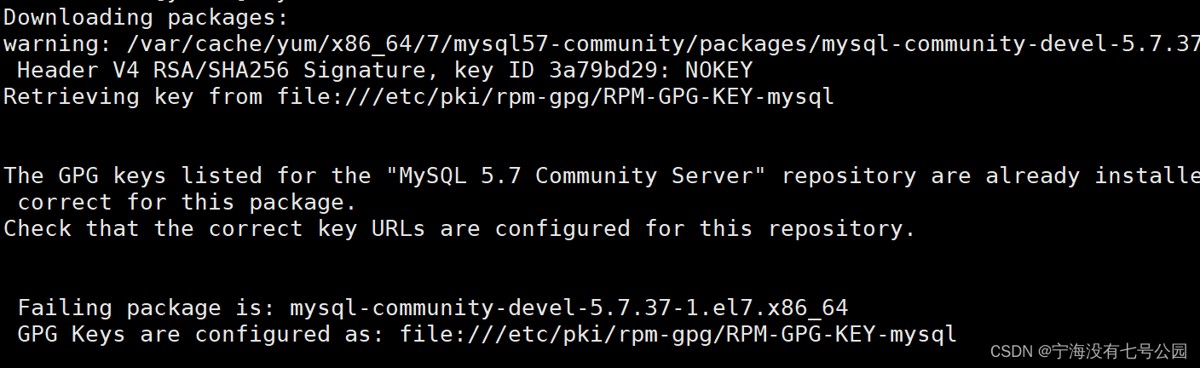
downloading packages:
warning: /var/cache/yum/x86_64/7/mysql57-community/packages/mysql-community-devel-5.7.37-1.el7.x86_64.rpm: header v4 rsa/sha256 signature, key id 3a79bd29: nokey
retrieving key from file:///etc/pki/rpm-gpg/rpm-gpg-key-mysql


the gpg keys listed for the "mysql 5.7 community server" repository are already installed but they are not correct for this package.
check that the correct key urls are configured for this repository.


failing package is: mysql-community-devel-5.7.37-1.el7.x86_64
gpg keys are configured as: file:///etc/pki/rpm-gpg/rpm-gpg-key-mysql

==翻译:==

警告:/var/cache/yum/ x86_64/7/mysql57-community/packages/mysql-community-libs-compat-5.7.37-1.el7.x86_64.rpm: header v4 rsa/sha256 signature, key id 3a79bd29: nokey
retrieving key from file:/// etc/pki/rpm-gpg/rpm-gpg-key-mysql

为“mysql 5.7 社区服务器”存储库列出的 gpg 密钥已经安装,但它们对于这个包不正确。
检查是否为此存储库配置了正确的密钥 url。

失败的包是:mysql-community-libs-compat-5.7.37-1.el7.x86_64
gpg 密钥配置为:file:///etc/pki/rpm-gpg/rpm-gpg-key-mysql
症状
官方 mysql 存储库的 gpg 密钥已过期,无法安装或更新 mysql 包。
为 “mysql 5.7 社区服务器” 存储库列出的 gpg 密钥已经安装,但它们对于这个包不正确
错误类似于:
为“mysql 8.0 社区服务器”存储库列出的 gpg 密钥已安装,但对于此包来说它们不正确。检查是否为此存储库配置了正确的密钥 url。失败的包是:mysql-community-client-8.0.28-1.el8.x86_64 gpg 密钥配置为:http://repo.mysql.com/rpm- gpg-key-mysql未安装 mysql-community-client-plugins-8.0.28-1.el8.x86_64.rpm 的公钥。失败的包是:mysql-community-client-plugins-8.0.28-1.el8.x86_64 gpg 密钥配置为:http://repo.mysql.com/rpm-gpg-key-mysql mysql-community 的公钥-common-8.0.28-1.el8.x86_64.rpm 未安装。失败的包是:mysql-community-common-8.0.28-1.el8.x86_64 gpg 密钥配置为:http://repo.mysql.com/rpm-gpg-key-mysql未安装 mysql-community-devel-8.0.28-1.el8.x86_64.rpm 的公钥。失败的包是:mysql-community-devel-8.0.28-1.el8.x86_64 gpg 密钥配置为:http://repo.mysql.com/rpm-gpg-key-mysql mysql-community-icu 的公钥-data-files-8.0.28-1.el8.x86_64.rpm 未安装。失败的包是:mysql-community-icu-data-files-8.0.28-1.el8.x86_64 gpg 密钥配置为:http://repo.mysql.com/rpm-gpg-key-mysql mysql 的公钥-community-libs-8.0.28-1.el8.x86_64.rpm 未安装。失败的包是:mysql-community-libs-8.0.28-1.el8.x86_64 gpg 密钥配置为:http://repo.mysql.com/rpm-gpg-key-mysql未安装 mysql-community-server-8.0.28-1.el8.x86_64.rpm 的公钥。失败的包是:mysql-community-server-8.0.28-1.el8.x86_64 gpg 密钥配置为:http://repo.mysql.com/rpm-gpg-key-mysql 错误:gpg 检查失败
描述
mysql gpg 密钥已过期。有关案例的其他详细信息也可以在 mysql 网站上找到: https://bugs.mysql.com/bug.php?id=106188
解决方法
note
if you are using rpm 4.1 and it complains about (gpg) not ok (missing keys: gpg#3a79bd29), even though you have imported the mysql public build key into your own gpg keyring, you need to import the key into the rpm keyring first. rpm 4.1 no longer uses your personal gpg keyring (or gpg itself). rather, rpm maintains a separate keyring because it is a system-wide application and a user’s gpg public keyring is a user-specific file. to import the mysql public key into the rpm keyring, first obtain the key, then use rpm --import to import the key. for example:
可以在运行安装程序之前导入密钥:
rpm --import https://repo.mysql.com/rpm-gpg-key-mysql-2022
ubuntu:
wget -q -o - https://repo.mysql.com/rpm-gpg-key-mysql-2022 | apt-key add -
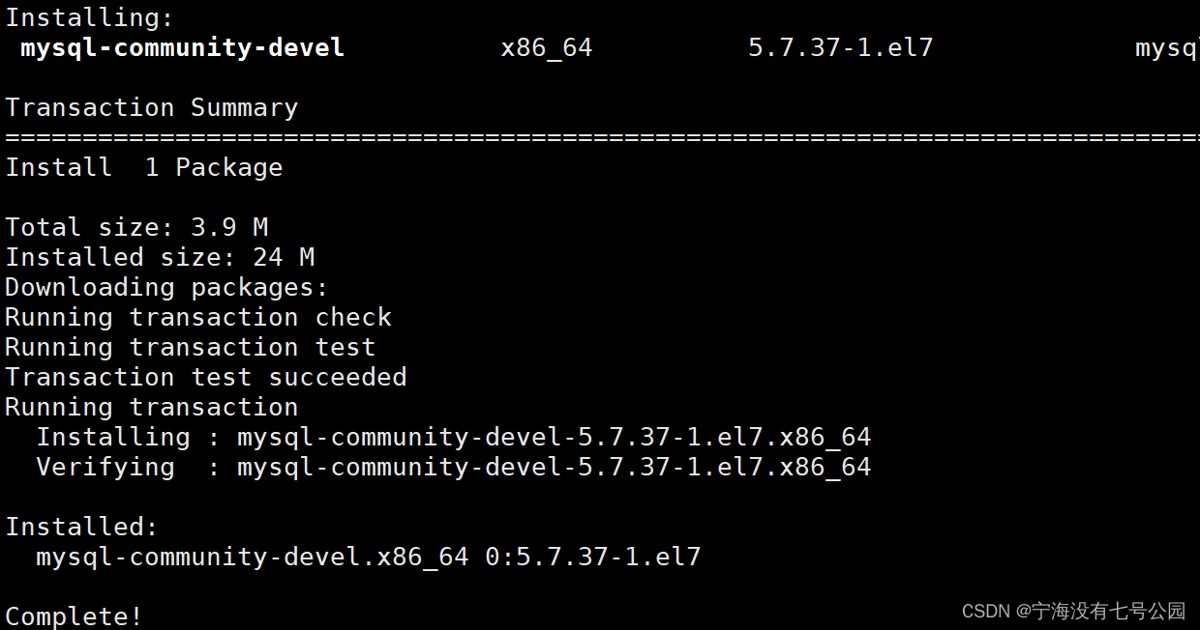
之后再执行yum install mysql-devel 就over了
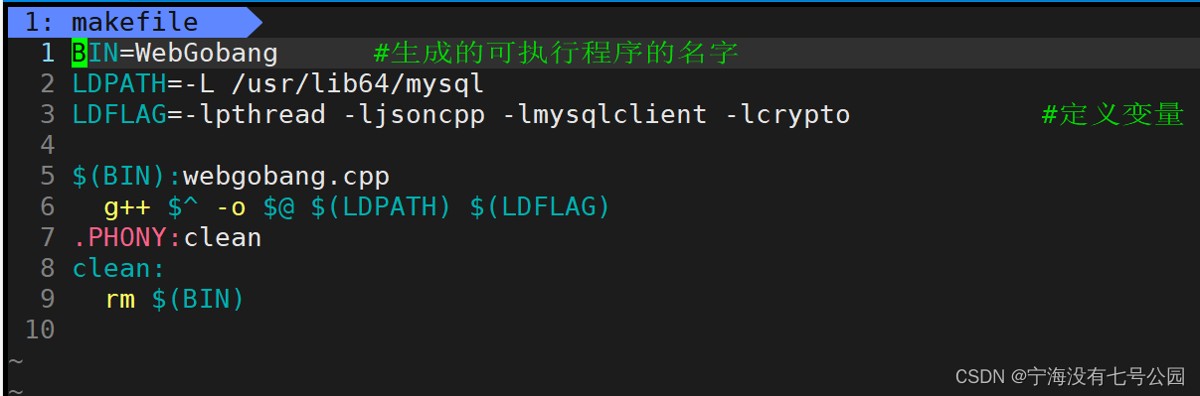
makefile:

总结
以上为个人经验,希望能给大家一个参考,也希望大家多多支持代码网。



发表评论