
 我要评论
我要评论mysql数据库表(table)操作
话不多说,现在开始啦~~
1.创建表
create table table_name (
field1 datatype,
field2 datatype,
field3 datatype
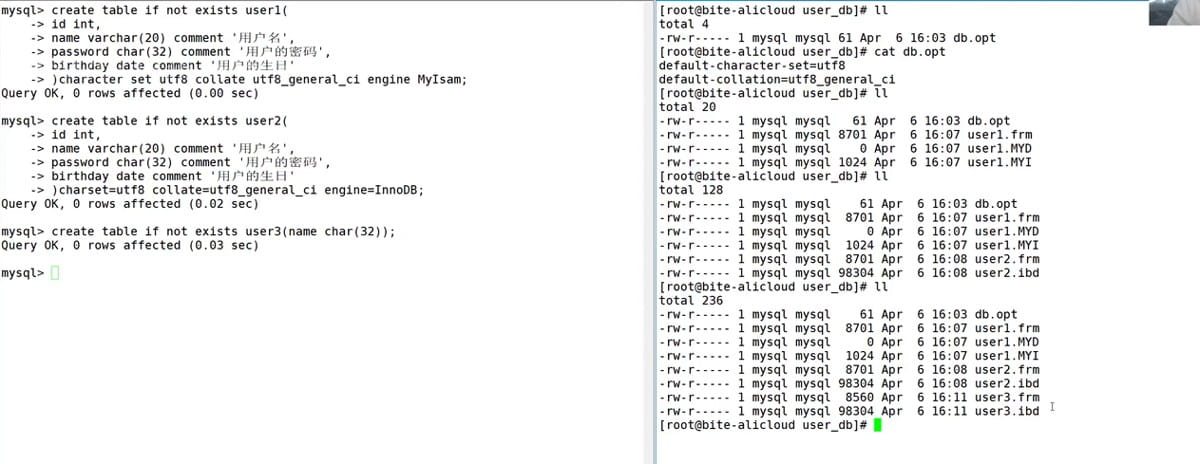
) character set 字符集 collate 校验规则 engine 存储引擎;
说明:
field 表示列名
datatype 表示列的类型
character set 字符集,如果没有指定字符集,则以所在数据库的字符集为准
collate 校验规则,如果没有指定校验规则,则以所在数据库的校验规则为准
也可以不带后面这些,由系统默认给与
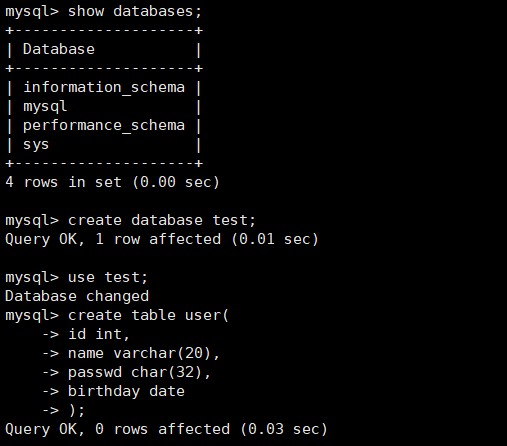
当然,也可以加上其他字段和comment
2.查看表
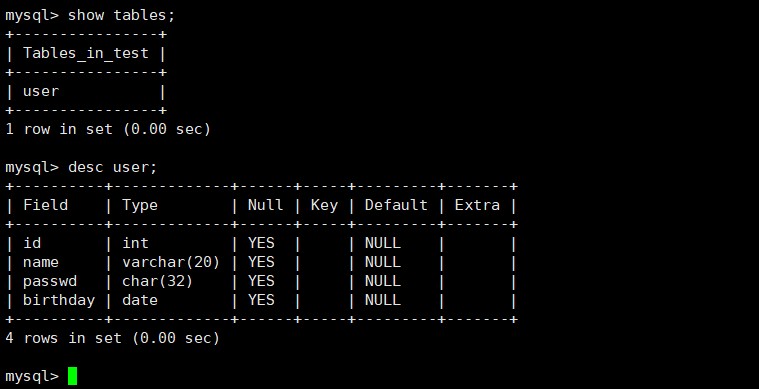
查看该数据库下的表有哪些 : show tables;
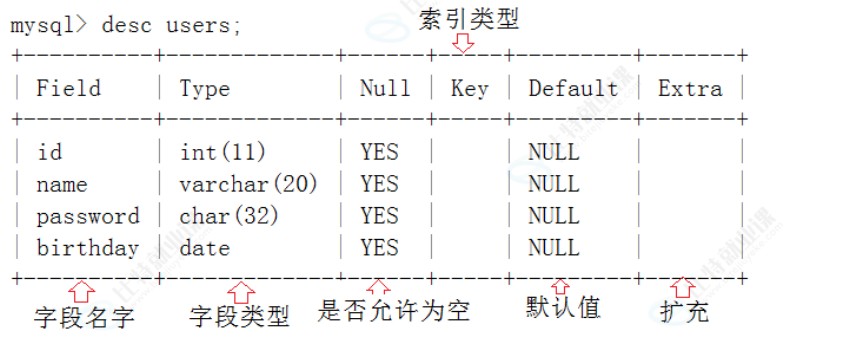
查看该表的详细结构 : desc [表名称];
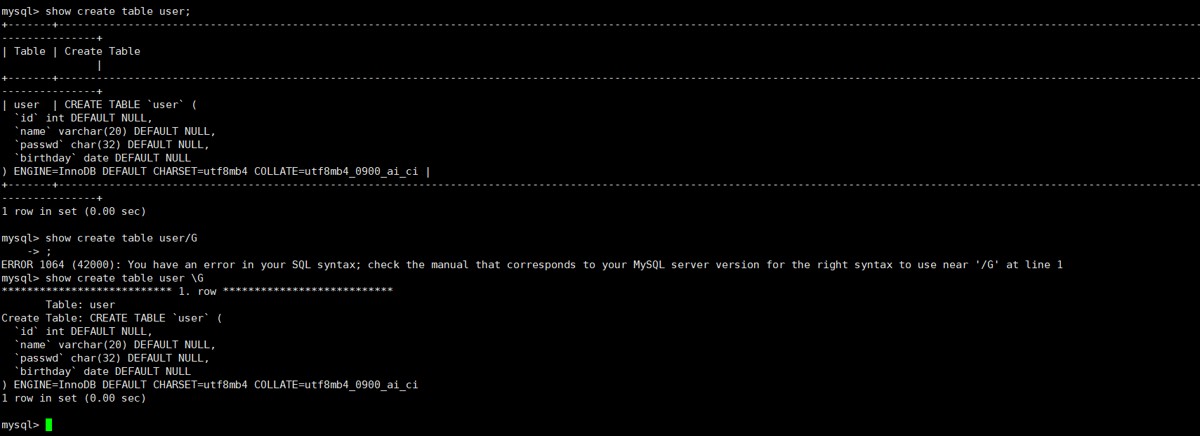
查看创建该表时候的操作 : show create table [表名称] (; 或者 \g)
查看表里面存放的数据 : select * from [表名称];
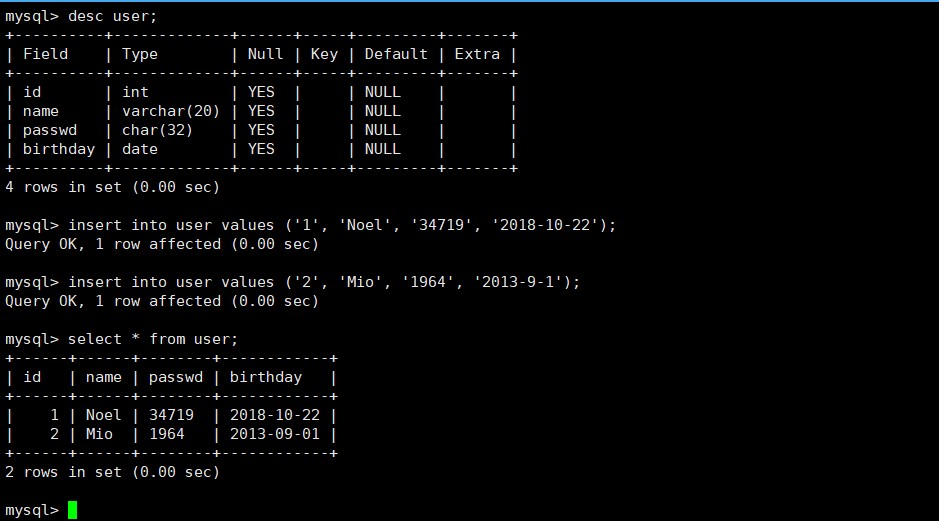
3.创建表实例(插入数据)
insert into [表名称] values ('内容');
4.修改表
alter table tablename add (column datatype [default expr][,column
datatype]...);
alter table tablename modify (column datatype [default expr][,column
datatype]...);
alter table tablename drop (column);
1.新增一列
alter table [表名称] add [新增的名字] [类型] (comment '可以写一下这段是干什么用的') (after [其他表内容的名字])(可以插入指定列的后面);
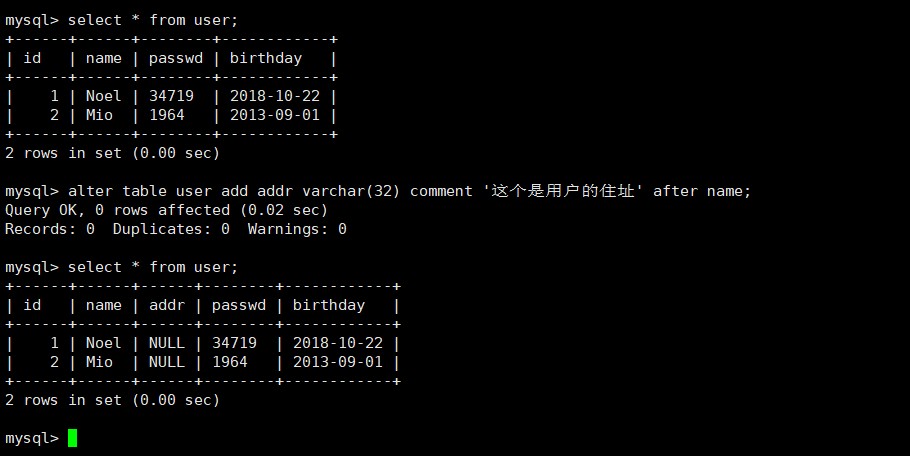
插入新字段后,对原来表中的数据没有影响
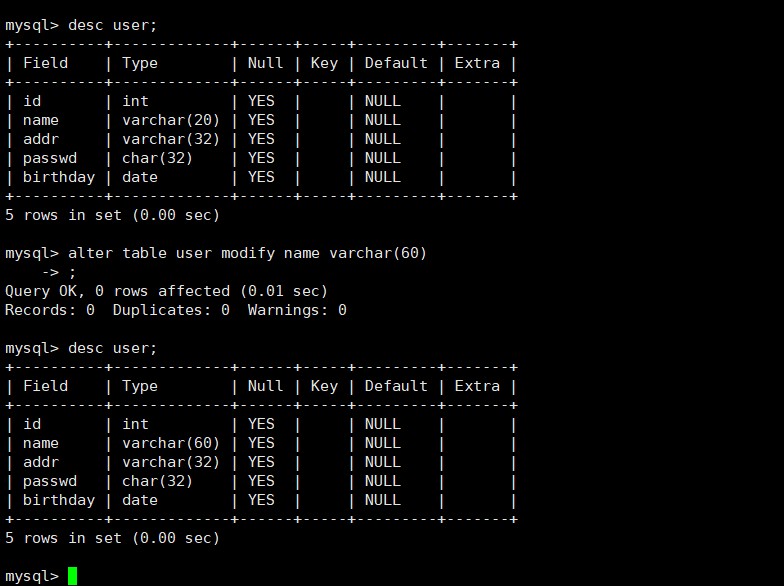
2.修改某一列的属性(比如长度从20 -> 60)
alter table [表名称] modify [修改的那一列名字] [修改后的内容]
3.删除某一列
alter table [表名称] drop [需要删除的列名称];
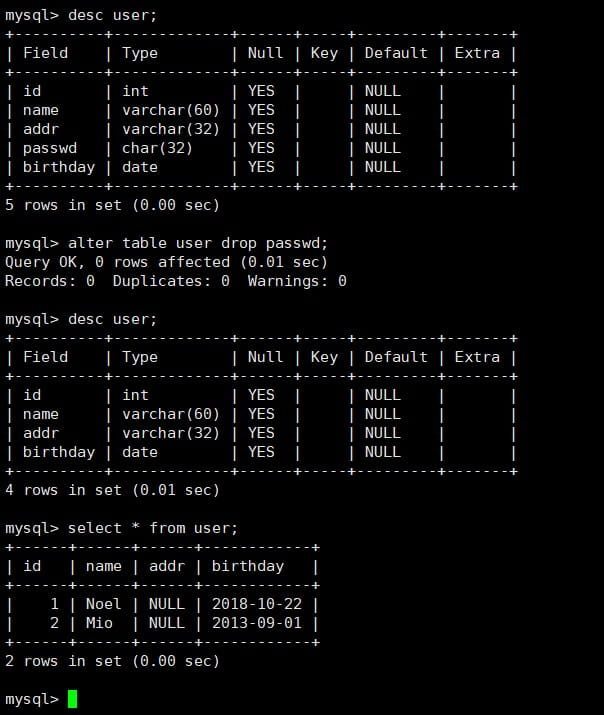
注意:删除字段一定要小心,删除字段及其对应的列数据都没了
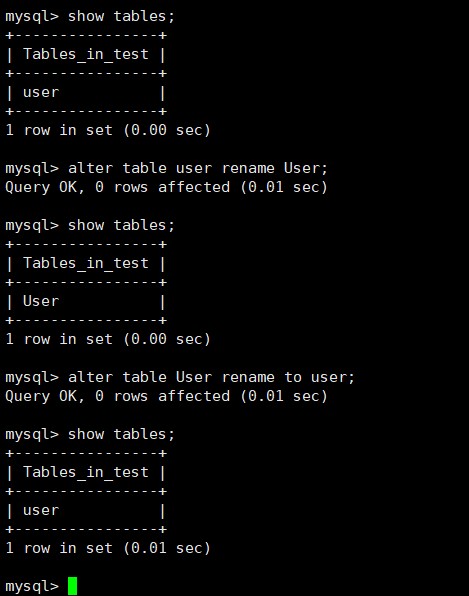
4.修改表名称
alter table [表名称] rename (to) [新表名称];
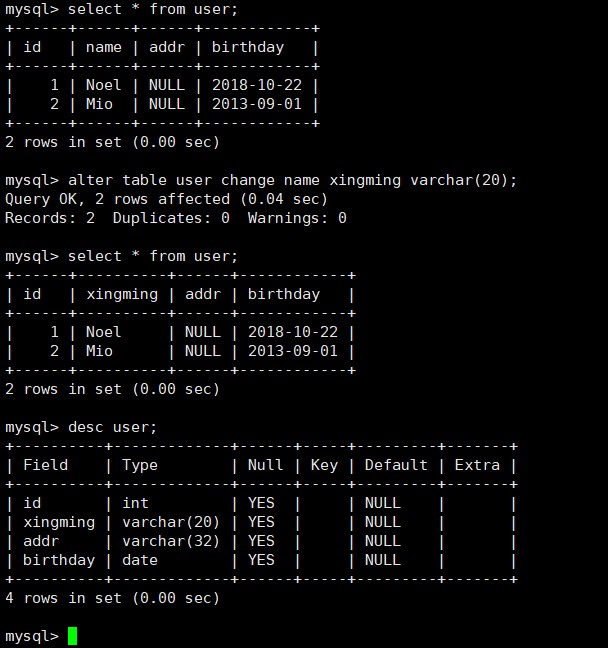
5.修改列名称
alter table [表名称] change [old列名称] [new列名称] [属性];
5.删除表
drop table [表名称];
虽然删除容易,但是尽量不要修改或者删除表,不然就再也无法拿回来了!也影响着上层!
到此这篇关于mysql数据库表(table)操作的文章就介绍到这了,更多相关mysql数据表table内容请搜索代码网以前的文章或继续浏览下面的相关文章希望大家以后多多支持代码网!



发表评论