
 我要评论
我要评论一、拉取镜像
docker pull xprobe/xinference:latest
二、启动容器(gpu)
docker run -d --name xinference -e xinference_model_src=modelscope -p 9997:9997 --gpus all xprobe/xinference:latest xinference-local -h 0.0.0.0
# 启动一个新的docker容器
docker run
# 以分离(后台)模式运行容器
-d
# 将容器命名为"xinference"
--name xinference
# 设置环境变量,指定xinference的主目录为容器内的
-e xinference_model_src=modelscope
# 将容器的9997端口映射到主机的9997端口
-p 9997:9997
# 允许容器使用主机上的所有gpu资源
--gpus all
# 使用最新版本的xprobe/xinference镜像
xprobe/xinference:latest
# 在容器内运行xinference-local命令,并设置主机地址为0.0.0.0(允许从任何ip地址访问)
xinference-local -h 0.0.0.0
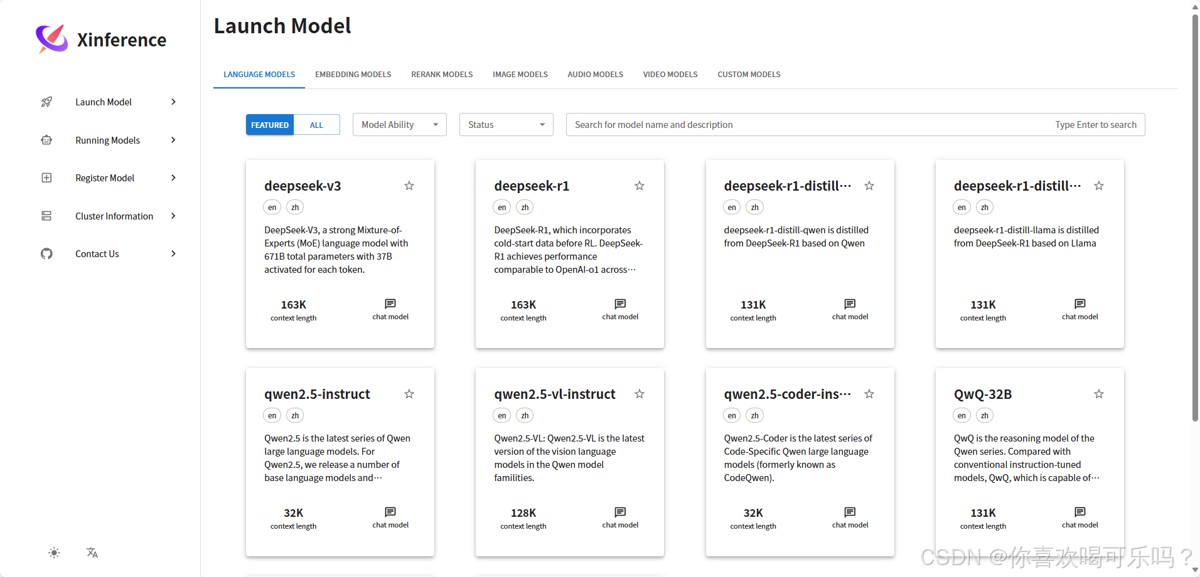
三、访问
网址:http://localhost:9997
总结
以上为个人经验,希望能给大家一个参考,也希望大家多多支持代码网。





发表评论