
 我要评论
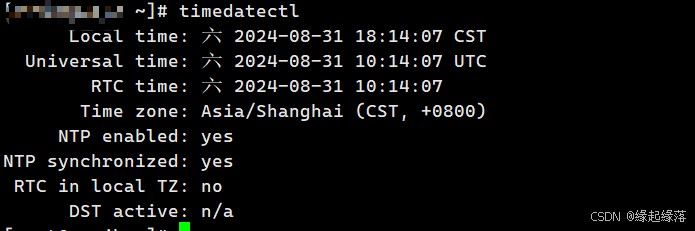
我要评论1、服务器当前时间查看
timedatectl
2、手动设置系统时间
注:此步骤一定生效,但不建议使用毕竟需要精确到毫秒级别(没网另说)
timedatectl set-time 'yyyy-mm-dd hh:mm:ss'
3、启用网络时间协议 (ntp) 同步
(也就是和配置文件中设置的时区同步时间)
注:此步大概率不会生效,如果想要生效可能还需同步配置当前服务器时区(也可能是本人的电脑比较老旧)
timedatectl set-ntp true
4、使用ntp服务器同步时间
(满分使用)
a.安装ntp客户端
注:本人系统为centos(其他数据是百度出来的大家自行分辨)
apt-get install ntp  # debian系统、ubuntu系统

yum install ntp  # centos系统、rhel系统
b.寻找ntp服务器时区配置
ntp服务器地址网站(https://www.pool.ntp.org/zh/)
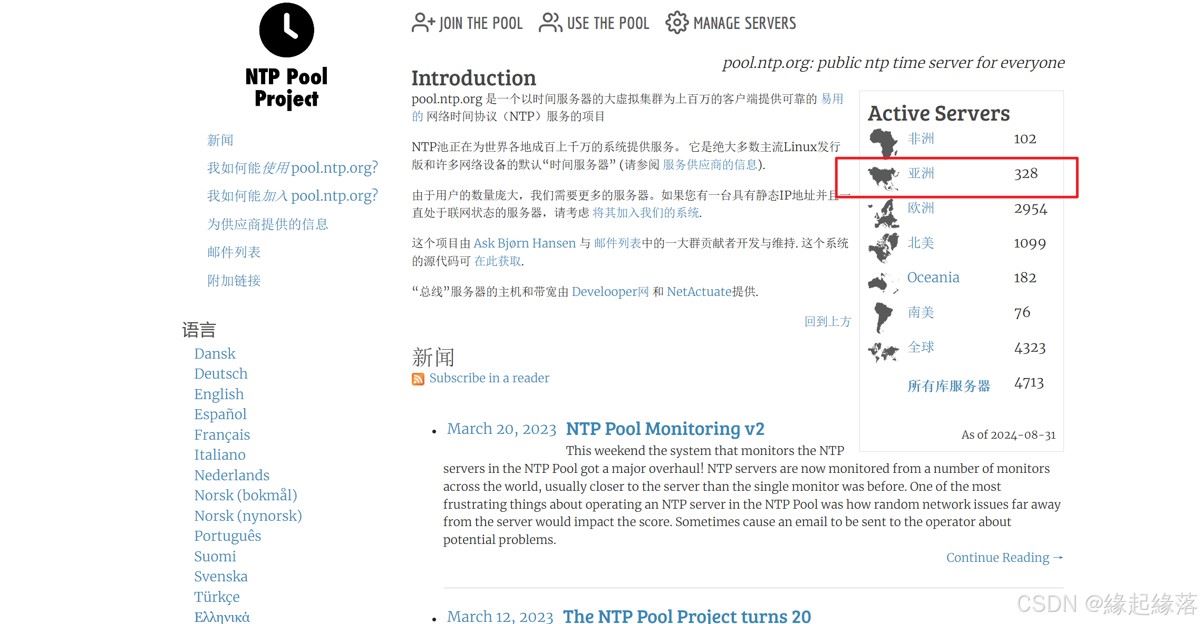
一、直奔亚洲区域
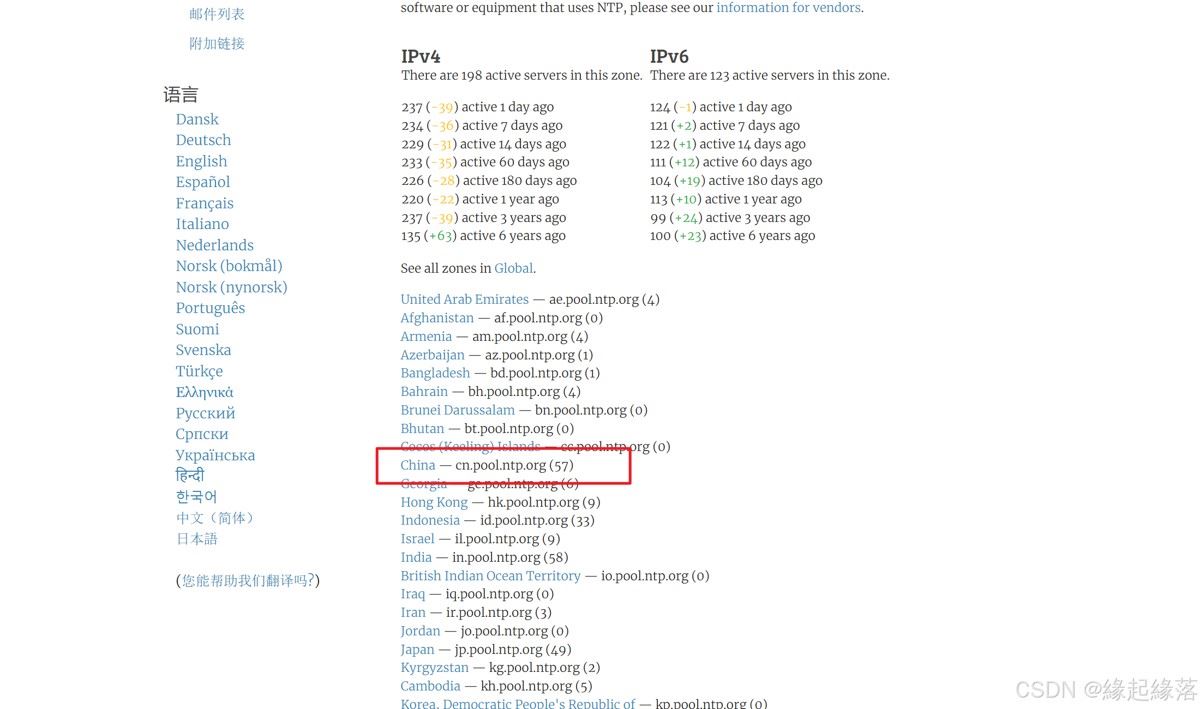
二、直奔china
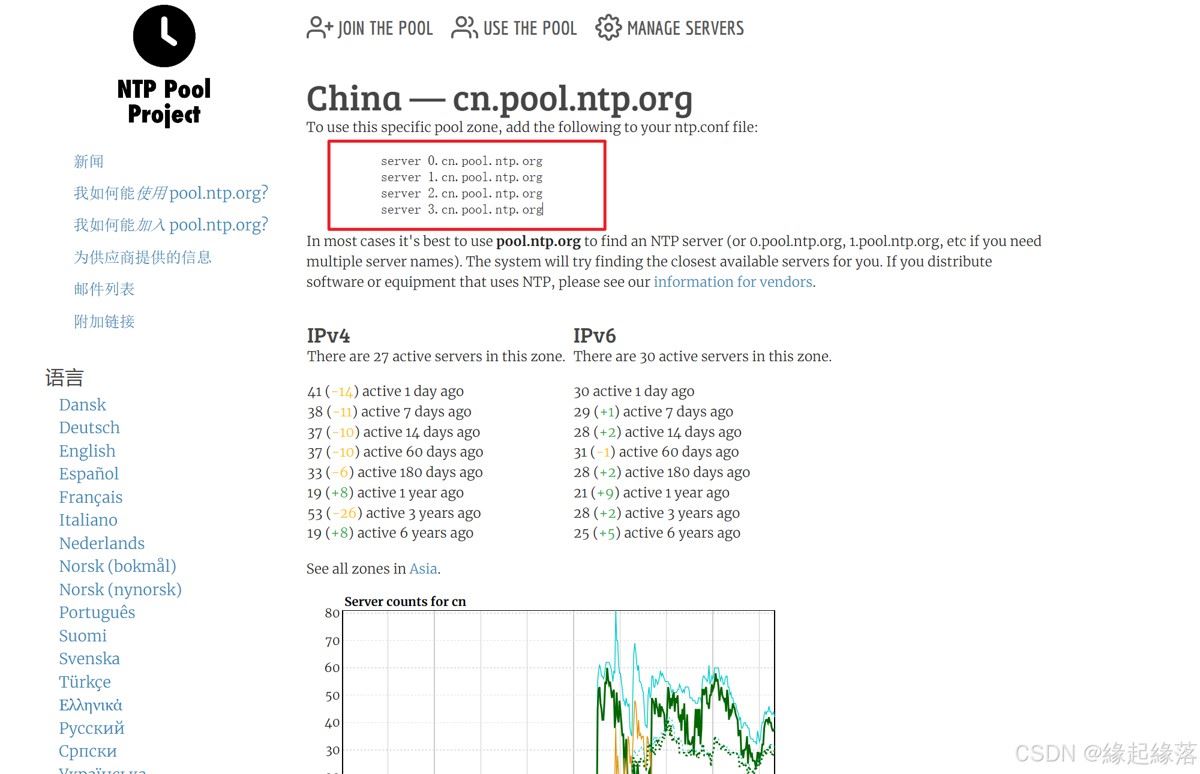
三、复制配置信息
server 0.cn.pool.ntp.org
server 1.cn.pool.ntp.org
server 2.cn.pool.ntp.org
server 3.cn.pool.ntp.org
c.修改配置文件
注:没有vim命令 就用vi
vim /etc/ntp.conf
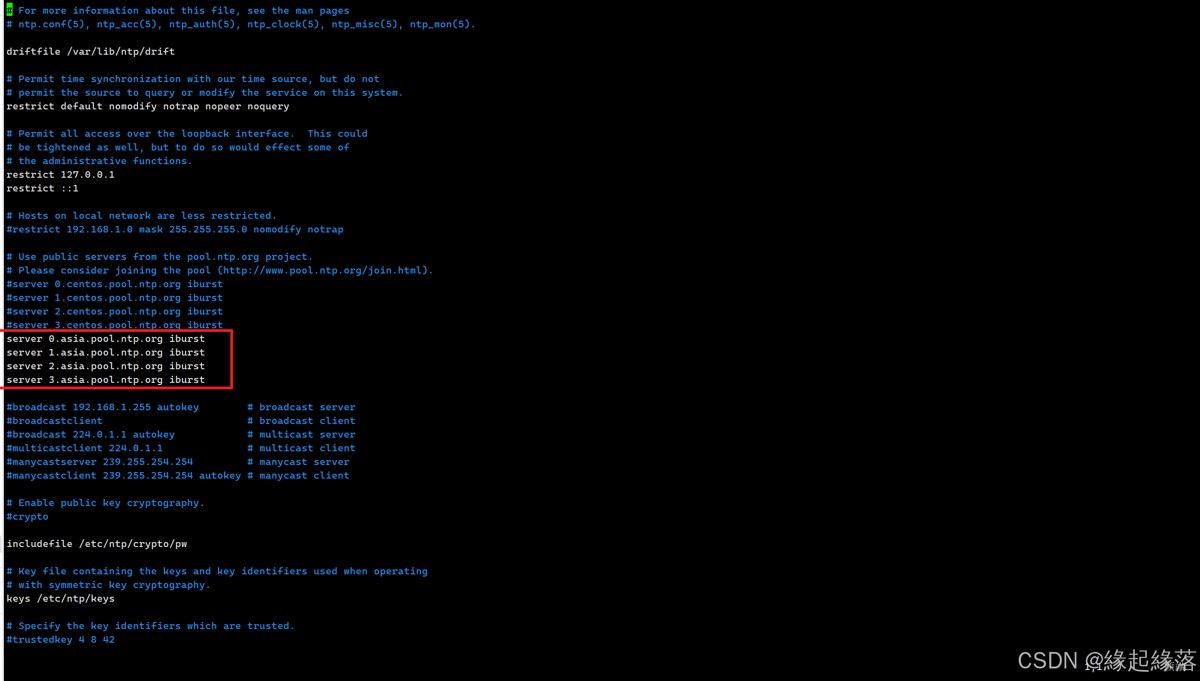
修改配置信息
注:(此处按照配置要求添加了 iburst)(本人次使用亚洲的配置,本地的服务器懒得那么精确)
server 0.cn.pool.ntp.org iburst
server 1.cn.pool.ntp.org iburst
server 2.cn.pool.ntp.org iburst
server 3.cn.pool.ntp.org iburst
d.启动并设置为开机自启
systemctl start ntp
systemctl enable ntp
(亲测可用)
总结
以上为个人经验,希望能给大家一个参考,也希望大家多多支持代码网。





发表评论