
 我要评论
我要评论先更新代码
git pull origin master
用命令行打开git项目路径,切换到自己所在的分支。
git branch 查看本地分支
git branch -a 查看远端分支
1.输入git log 查看提交记录
红色的事commitid。回滚需要这个id。要回滚到那个版本就复制那次提交的id。
- 回滚定位 获取id:
git log
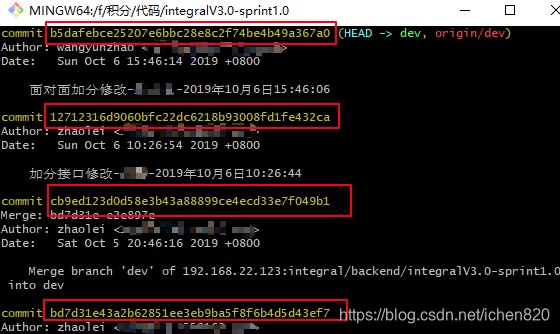
2.找到需要回滚的commit
输入git reset --hard {commitid},将本地文件回滚:
- 回滚:
git reset --hard c503cffa099332911d4fce2fc1399cb4bc3ba9d6
3.这时,本地已经回滚到这个提交id的当前状态
如果要远程分支也变成这次的状态,需要继续回滚,输入一下的命令。
- 强制提交:
git push -f origin master
- 强制提交报错:
[root@prod-zabbix hope-framework]# git push -f origin master
username for 'http://192.168.1.193': root
password for 'http://root@192.168.1.193':
total 0 (delta 0), reused 0 (delta 0)
remote: gitlab: you are not allowed to force push code to a protected branch on this project.
to http://192.168.1.193/hope/hope-framework.git
 ! [remote rejected] master -> master (pre-receive hook declined)
error: 无法推送一些引用到 'http://192.168.1.193/hope/hope-framework.git'
master默认分支是保护状态取消分支保护即可提交
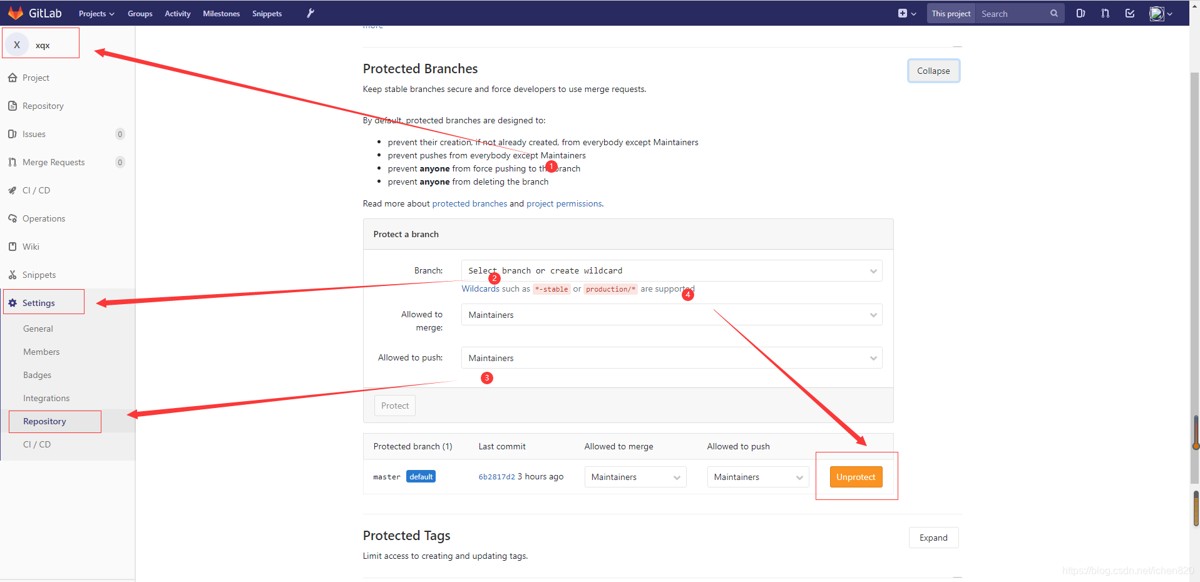
- 再次提交:
git push -f origin master
这时候,远端就回滚成功啦。
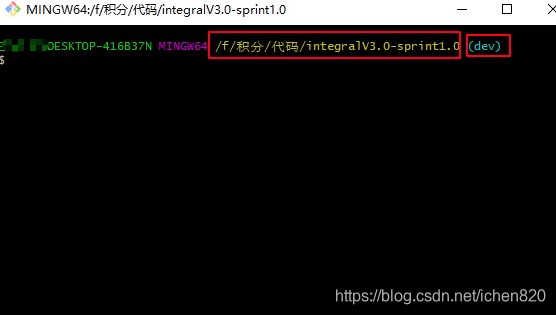
可切换:dev
git checkout -b dev origin/dev 切换到dev上
总结
以上为个人经验,希望能给大家一个参考,也希望大家多多支持代码网。



发表评论