
 我要评论
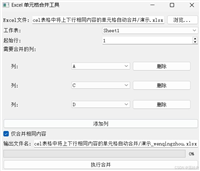
我要评论一:效果展示:
本项目是基于tkinter的图形界面应用程序,用于从excel文件中提取符合特定正则表达式模式(默认提取中文)的文本内容,并将结果输出到指定列或新文件中


二:功能描述:
1. 核心功能
(1)中文内容提取
- 默认使用正则表达式
[\u4e00-\u9fa5]+匹配所有中文字符 - 可自定义正则表达式模式提取特定内容
- 将匹配到的内容从输入列提取到输出列
(2)文件处理
- 支持选择输入 excel 文件(
.xlsx格式) - 支持选择输出目录
- 可选择覆盖原文件或创建新文件(自动在原文件名前添加 “提取结果_” 前缀)
2. 用户界面功能
(1)直观的图形界面
- 清晰的输入字段和按钮
- 进度条显示处理进度
(2)主要组件
- 文件选择区域:浏览并选择输入 excel 文件和输出目录
- 正则表达式设置:可自定义或恢复默认中文提取模式
- 列设置:指定输入列和输出列(默认为 a 列到 b 列)
- 高级选项:覆盖模式开关
- 按钮——开始处理
3. 使用场景
- 数据清洗: 从混合内容中提取纯中文信息
- 文本分析预处理: 为后续的中文自然语言处理准备数据
- 内容迁移: 将分散在各处的中文内容集中到特定列
- 多语言文档处理: 分离中文和其他语言内容
三:完整代码:
import os
import re
import tkinter as tk
from tkinter import filedialog, messagebox, ttk
from openpyxl import load_workbook

class excelchineseextractorapp:
    def __init__(self, root):
        self.root = root
        self.root.title("excel 中文提取工具")
        self.root.geometry("800x500")
        self.default_regex = r"[\u4e00-\u9fa5]+"
        self.input_file = tk.stringvar()
        self.output_dir = tk.stringvar()
        self.regex_pattern = tk.stringvar(value=self.default_regex)
        self.input_column = tk.stringvar(value="a")
        self.output_column = tk.stringvar(value="b")
        self.overwrite_mode = tk.booleanvar(value=false)
        self.create_widgets()

    def create_widgets(self):
        main_frame = tk.frame(self.root, padx=10, pady=10)
        main_frame.pack(fill="both", expand=true)

        tk.label(main_frame, text="1. 选择 excel 文件:", anchor="w").pack(fill="x", pady=(5, 0))
        file_frame = tk.frame(main_frame)
        file_frame.pack(fill="x", pady=5)
        tk.entry(file_frame, textvariable=self.input_file, width=60).pack(side="left", expand=true, fill="x")
        tk.button(file_frame, text="浏览...", command=self.browse_input_file).pack(side="right", padx=5)

        tk.label(main_frame, text="2. 选择输出目录:", anchor="w").pack(fill="x", pady=(5, 0))
        output_frame = tk.frame(main_frame)
        output_frame.pack(fill="x", pady=5)
        tk.entry(output_frame, textvariable=self.output_dir, width=60).pack(side="left", expand=true, fill="x")
        tk.button(output_frame, text="浏览...", command=self.browse_output_dir).pack(side="right", padx=5)

        tk.label(main_frame, text="3. 自定义正则表达式(默认提取中文):", anchor="w").pack(fill="x", pady=(5, 0))
        regex_frame = tk.frame(main_frame)
        regex_frame.pack(fill="x", pady=5)
        tk.entry(regex_frame, textvariable=self.regex_pattern, width=60).pack(side="left", expand=true, fill="x")
        tk.button(regex_frame, text="恢复默认", command=self.reset_regex).pack(side="right", padx=5)

        col_frame = tk.frame(main_frame)
        col_frame.pack(fill="x", pady=5)
        tk.label(col_frame, text="4. 处理列(如 a):").pack(side="left")
        tk.entry(col_frame, textvariable=self.input_column, width=5).pack(side="left", padx=5)
        tk.label(col_frame, text="输出列(如 b):").pack(side="left")
        tk.entry(col_frame, textvariable=self.output_column, width=5).pack(side="left", padx=5)

        adv_frame = tk.labelframe(main_frame, text="高级选项", padx=10, pady=10)
        adv_frame.pack(fill="x", pady=10)
        tk.checkbutton(adv_frame, text="覆盖原文件(不创建新文件)", variable=self.overwrite_mode).pack(anchor="w")

        tk.button(
            main_frame,
            text="开始提取",
            command=self.run_extraction,
            bg="#4caf50",
            fg="white",
            height=2,
            font=("arial", 12, "bold")
        ).pack(fill="x", pady=10)

        self.progress = ttk.progressbar(main_frame, orient="horizontal", length=700, mode="determinate")
        self.progress.pack(pady=10)

    def browse_input_file(self):
        filepath = filedialog.askopenfilename(
            title="选择 excel 文件",
            filetypes=[("excel 文件", "*.xlsx"), ("所有文件", "*.*")]
        )
        if filepath:
            self.input_file.set(filepath)
            self.output_dir.set(os.path.dirname(filepath))

    def browse_output_dir(self):
        dirpath = filedialog.askdirectory(title="选择输出目录")
        if dirpath:
            self.output_dir.set(dirpath)

    def reset_regex(self):
        self.regex_pattern.set(self.default_regex)

    def run_extraction(self):
        input_path = self.input_file.get()
        output_dir = self.output_dir.get()
        regex = self.regex_pattern.get()
        input_col = self.input_column.get().upper()
        output_col = self.output_column.get().upper()
        overwrite = self.overwrite_mode.get()

        if not input_path or not output_dir:
            messagebox.showwarning("警告", "请选择输入文件和输出目录!")
            return

        try:
            wb = load_workbook(input_path)
            ws = wb.active

            total_rows = ws.max_row
            self.progress["maximum"] = total_rows
            self.progress["value"] = 0

            for row in range(2, total_rows + 1):
                cell_value = str(ws[f"{input_col}{row}"].value) if ws[f"{input_col}{row}"].value else ""
                matches = re.findall(regex, cell_value)
                extracted_text = " ".join(matches) if matches else ""
                ws[f"{output_col}{row}"].value = extracted_text
                self.progress["value"] = row
                self.root.update()

            if overwrite:
                output_path = input_path
            else:
                filename = os.path.basename(input_path)
                output_path = os.path.join(output_dir, f"提取结果_{filename}")

            wb.save(output_path)
            messagebox.showinfo("成功", f"提取完成!\n结果已保存至:\n{output_path}")

        except exception as e:
            messagebox.showerror("错误", f"处理失败:\n{str(e)}")
        finally:
            self.progress["value"] = 0

if __name__ == "__main__":
    root = tk.tk()
    app = excelchineseextractorapp(root)
    root.mainloop()
四:代码分析:
1. 导入模块
# os: 用于文件路径操作
import os

# re: 用于正则表达式匹配
import re

# tkinter及相关模块: 创建图形用户界面
import tkinter as tk
from tkinter import filedialog, messagebox, ttk

# openpyxl: 处理excel文件
from openpyxl import load_workbook
2. 主应用类
class excelchineseextractorapp:
    def __init__(self, root):
        self.root = root
        self.root.title("excel 中文提取工具")
        self.root.geometry("800x500")

        # 默认正则表达式(匹配中文字符)
        self.default_regex = r"[\u4e00-\u9fa5]+"

        # 界面控件绑定的变量
        self.input_file = tk.stringvar()  # 输入文件路径
        self.output_dir = tk.stringvar()  # 输出目录
        self.regex_pattern = tk.stringvar(value=self.default_regex)  # 正则表达式
        self.input_column = tk.stringvar(value="a")  # 输入列
        self.output_column = tk.stringvar(value="b")  # 输出列
        self.overwrite_mode = tk.booleanvar(value=false)  # 是否覆盖原文件

        self.create_widgets()  # 创建界面控件
3. 界面创建方法
def create_widgets(self):
    # 主框架
    main_frame = tk.frame(self.root, padx=10, pady=10)
    main_frame.pack(fill="both", expand=true)

    # 输入文件选择部分
    tk.label(main_frame, text="1. 选择 excel 文件:", anchor="w").pack(fill="x", pady=(5, 0))
    file_frame = tk.frame(main_frame)
    file_frame.pack(fill="x", pady=5)
    tk.entry(file_frame, textvariable=self.input_file, width=60).pack(side="left", expand=true, fill="x")
    tk.button(file_frame, text="浏览...", command=self.browse_input_file).pack(side="right", padx=5)

    # 输出目录选择部分
    tk.label(main_frame, text="2. 选择输出目录:", anchor="w").pack(fill="x", pady=(5, 0))
    output_frame = tk.frame(main_frame)
    output_frame.pack(fill="x", pady=5)
    tk.entry(output_frame, textvariable=self.output_dir, width=60).pack(side="left", expand=true, fill="x")
    tk.button(output_frame, text="浏览...", command=self.browse_output_dir).pack(side="right", padx=5)

    # 正则表达式设置部分
    tk.label(main_frame, text="3. 自定义正则表达式(默认提取中文):", anchor="w").pack(fill="x", pady=(5, 0))
    regex_frame = tk.frame(main_frame)
    regex_frame.pack(fill="x", pady=5)
    tk.entry(regex_frame, textvariable=self.regex_pattern, width=60).pack(side="left", expand=true, fill="x")
    tk.button(regex_frame, text="恢复默认", command=self.reset_regex).pack(side="right", padx=5)

    # 列设置部分
    col_frame = tk.frame(main_frame)
    col_frame.pack(fill="x", pady=5)
    tk.label(col_frame, text="4. 处理列(如 a):").pack(side="left")
    tk.entry(col_frame, textvariable=self.input_column, width=5).pack(side="left", padx=5)
    tk.label(col_frame, text="输出列(如 b):").pack(side="left")
    tk.entry(col_frame, textvariable=self.output_column, width=5).pack(side="left", padx=5)

    # 高级选项部分
    adv_frame = tk.labelframe(main_frame, text="高级选项", padx=10, pady=10)
    adv_frame.pack(fill="x", pady=10)
    tk.checkbutton(adv_frame, text="覆盖原文件(不创建新文件)", variable=self.overwrite_mode).pack(anchor="w")

    # 开始按钮
    tk.button(
        main_frame,
        text="开始提取",
        command=self.run_extraction,
        bg="#4caf50",
        fg="white",
        height=2,
        font=("arial", 12, "bold")
    ).pack(fill="x", pady=10)

    # 进度条
    self.progress = ttk.progressbar(main_frame, orient="horizontal", length=700, mode="determinate")
    self.progress.pack(pady=10)
4. 文件浏览方法
def browse_input_file(self):

    """打开文件对话框选择输入excel文件"""
    filepath = filedialog.askopenfilename(
        title="选择 excel 文件",
        filetypes=[("excel 文件", "*.xlsx"), ("所有文件", "*.*")]
    )
    if filepath:
        self.input_file.set(filepath)
        # 默认设置输出目录为输入文件所在目录
        self.output_dir.set(os.path.dirname(filepath))

def browse_output_dir(self):

    """打开目录对话框选择输出目录"""
    dirpath = filedialog.askdirectory(title="选择输出目录")
    if dirpath:
        self.output_dir.set(dirpath)

def reset_regex(self):

    """重置正则表达式为默认值"""
    self.regex_pattern.set(self.default_regex)
5. 核心提取功能
def run_extraction(self):

    """执行文本提取的主要逻辑"""
    # 获取用户输入参数
    input_path = self.input_file.get()
    output_dir = self.output_dir.get()
    regex = self.regex_pattern.get()
    input_col = self.input_column.get().upper()
    output_col = self.output_column.get().upper()
    overwrite = self.overwrite_mode.get()

    # 验证必要参数
    if not input_path or not output_dir:
        messagebox.showwarning("警告", "请选择输入文件和输出目录!")
        return

    try:
        # 加载excel文件
        wb = load_workbook(input_path)
        ws = wb.active

        # 设置进度条最大值
        total_rows = ws.max_row
        self.progress["maximum"] = total_rows
        self.progress["value"] = 0

        # 处理每一行数据(从第2行开始,假设第1行是标题)
        for row in range(2, total_rows + 1):
            # 获取输入单元格的值
            cell_value = str(ws[f"{input_col}{row}"].value) if ws[f"{input_col}{row}"].value else ""

            # 使用正则表达式提取匹配内容
            matches = re.findall(regex, cell_value)
            extracted_text = " ".join(matches) if matches else ""

            # 将结果写入输出列
            ws[f"{output_col}{row}"].value = extracted_text

            # 更新进度条
            self.progress["value"] = row
            self.root.update()  # 保持界面响应

        # 确定输出文件路径
        if overwrite:
            output_path = input_path  # 覆盖原文件
        else:
            filename = os.path.basename(input_path)
            output_path = os.path.join(output_dir, f"提取结果_{filename}")  # 创建新文件

        # 保存结果
        wb.save(output_path)
        messagebox.showinfo("成功", f"提取完成!\n结果已保存至:\n{output_path}")

    except exception as e:
        # 错误处理
        messagebox.showerror("错误", f"处理失败:\n{str(e)}")
    finally:
        # 重置进度条
        self.progress["value"] = 0
以上就是使用python对excel表内容进行中文提取的示例代码的详细内容,更多关于python excel表内容中文提取的资料请关注代码网其它相关文章!



发表评论