
 我要评论
我要评论需求
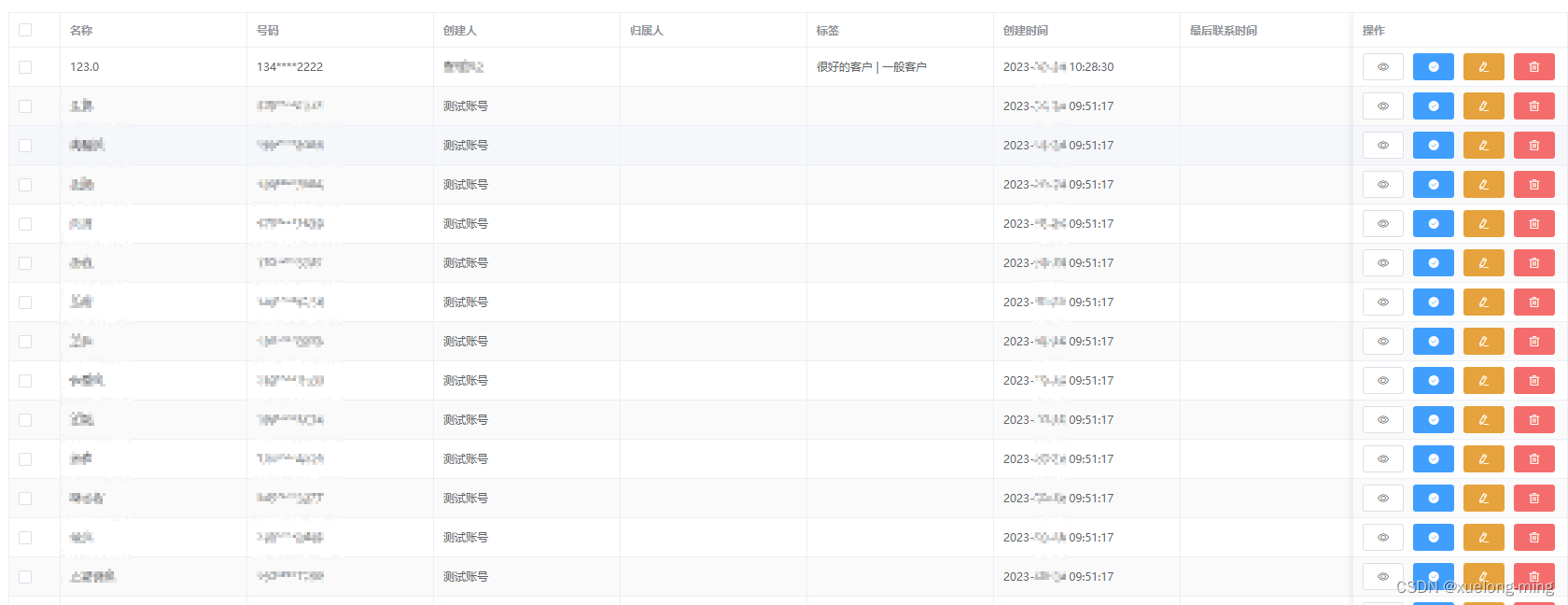
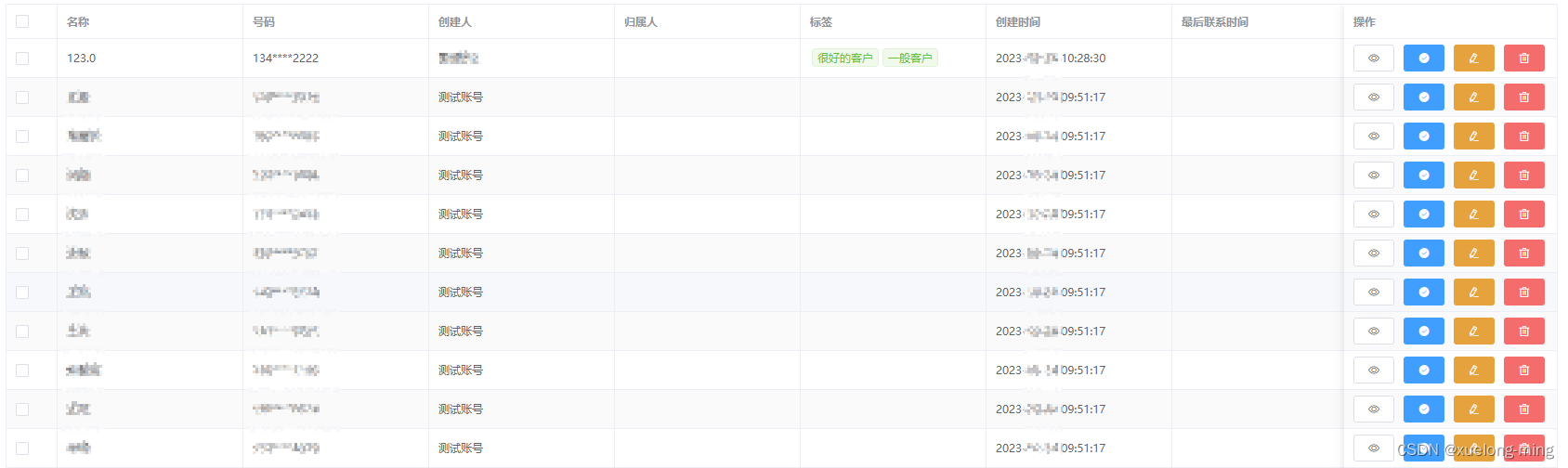
项目需求是高度自定义列表界面,表格的表头由后端返回,并且用户可以自定义。而且需要根据用户自定义的表头,数据显示不同的样式。比如有些字段是标签,有些字段是id需要根据数据字典查询对应的name(从数据字典获取值不做讲解)。
效果
一、动态生成表头并填入数据
二、动态生成表头并使用插槽
代码
一、动态生成表头并且数据处理
html
<el-table ref="table" :data="tabledata" border stripe>
	<el-table-column type="selection" width="55" fixed="left"></el-table-column>
	<el-table-column v-for="item in tabletitlelist" :key="item.key" :prop="item.key" :label="item.title" show-overflow-tooltip min-width="200"></el-table-column>
	<el-table-column label="操作" fixed="right" min-width="230">
		<template slot-scope="scope">
			<el-button class="icon-style" icon="el-icon-view" size="mini" @click="ondetails(scope.row)"></el-button>
			<el-button type="primary" class="icon-style" icon="el-icon-success" size="mini" @click="ondetails(scope.row)"></el-button>
			<el-button type="warning" class="icon-style" icon="el-icon-edit" size="mini" @click="onedit(scope.row)"></el-button>
			<el-button type="danger" class="icon-style" icon="el-icon-delete" size="mini" @click="ondetails(scope.row)"></el-button>
		</template>
	</el-table-column>
</el-table>
js
import api from './api'
export default {
  data() {
    return {
    	loading: false,
    	tabledata: [],
    	tabletitlelist: []
    }
  },
  created() {
    this.init()
  },
  methods: {
  	// 初始化
    init() {
      // 获取表格中显示字段 解决加载中界面抖动问题
      const individual = json.parse(localstorage.getitem('list'))
      this.tabletitlelist= individual
      this.loading = true
      this.dictinit().then(async () => {
        await api.init().then(res => {
          if (res.code === 2000) {
            this.tabletitlelist = []
            this.tabledata = []
            // res.title_list  // 后端返回的表头数据
            // 获取所有启用字段
            res.title_list .map(item => {
              if (item.display === 1) {
                this.tabletitlelist.push(item)
              }
            })
            localstorage.setitem('list', json.stringify(this.tabletitlelist))
            // 获取所有数据
            this.dataprocessing(res.data) // 数据处理
            // 其他操作
            ...
            this.$nexttick(() => {
              this.loading = false
            })
          }
        }).catch(() => {
          this.loading = false
        })
      })
    },
    // 数据处理
    dataprocessing(data) {
    	// 对数据进行处理 简单处理即可
		...
	}
  }
}
后端返回数据
{
    "code": 200,
    "msg": "成功",
    "title_list ": [
        {
            "title": "名称",
            "key": "name",
        },
        {
            "title": "号码",
            "key": "number",
        },
        // 其他字段类似
        ...
    ],
    "data": [
        {
            "name": "123",
            "number": "134****2222",
            "createid": "12",
            "fenpeiid": "13",
            "flag": "37,38",
            "createtime": "2023-10-24 10:28:30"
        },
        // 其他字段类似
        ...
    ],
    "page": 1,
    "total": 1000,
    "limit": 10
}
二、处理后的数据使用插槽
每个单元格中的prop的值:scope.column.property
每个单元格中的值:scope.row[scope.column.property]
html
<el-table ref="table" :data="tabledata" border stripe>
	<el-table-column type="selection" width="55" fixed="left"></el-table-column>
	<el-table-column v-for="item in tabletitlelist" :key="item.key" :prop="item.key" :label="item.title" show-overflow-tooltip min-width="200">
		<template slot-scope="scope">
			<span v-if="scope.column.property === 'flag'">
				<el-tag type="success" v-for="every in scope.row[scope.column.property]" :key="every" size="mini" style="margin: 0 2px;">{{ every }}</el-tag>
			</span>
			<span v-else>{{ scope.row[scope.column.property] }}</span>
		</template>
	</el-table-column>
	<el-table-column label="操作" fixed="right" min-width="230">
		<template slot-scope="scope">
			<el-button class="icon-style" icon="el-icon-view" size="mini" @click="ondetails(scope.row)"></el-button>
			<el-button type="primary" class="icon-style" icon="el-icon-success" size="mini" @click="ondetails(scope.row)"></el-button>
			<el-button type="warning" class="icon-style" icon="el-icon-edit" size="mini" @click="onedit(scope.row)"></el-button>
			<el-button type="danger" class="icon-style" icon="el-icon-delete" size="mini" @click="ondetails(scope.row)"></el-button>
		</template>
	</el-table-column>
</el-table>
到此这篇关于elementui table 自定义表头动态数据及插槽的操作的文章就介绍到这了,更多相关elementui table 自定义表头内容请搜索代码网以前的文章或继续浏览下面的相关文章希望大家以后多多支持代码网!






发表评论