
 我要评论
我要评论vscode 搭配 cmake+mingw 开发 c++,程序编译运行一切正常,但是 ctrl 点击函数调用无法跳转定义。
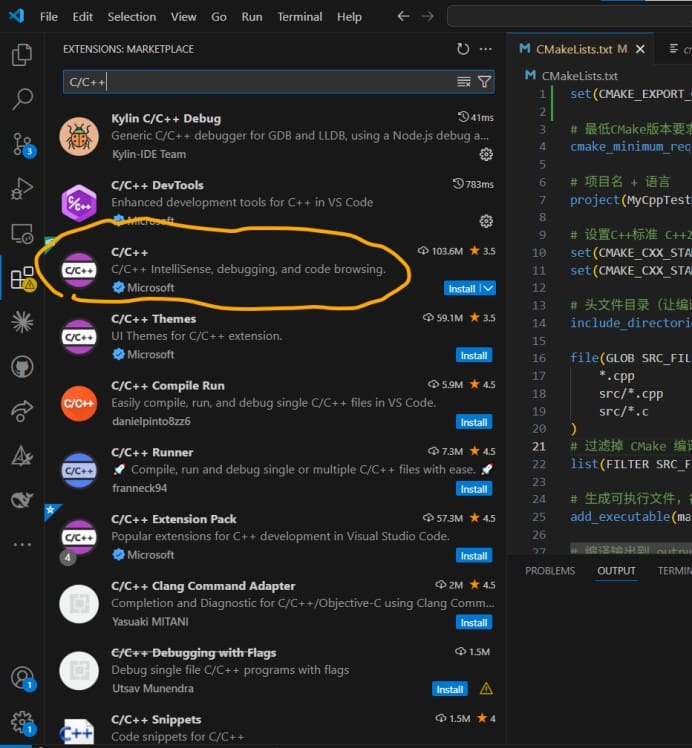
1、安装微软官方 c/c++ 扩展 ms‑vscode.cpptools
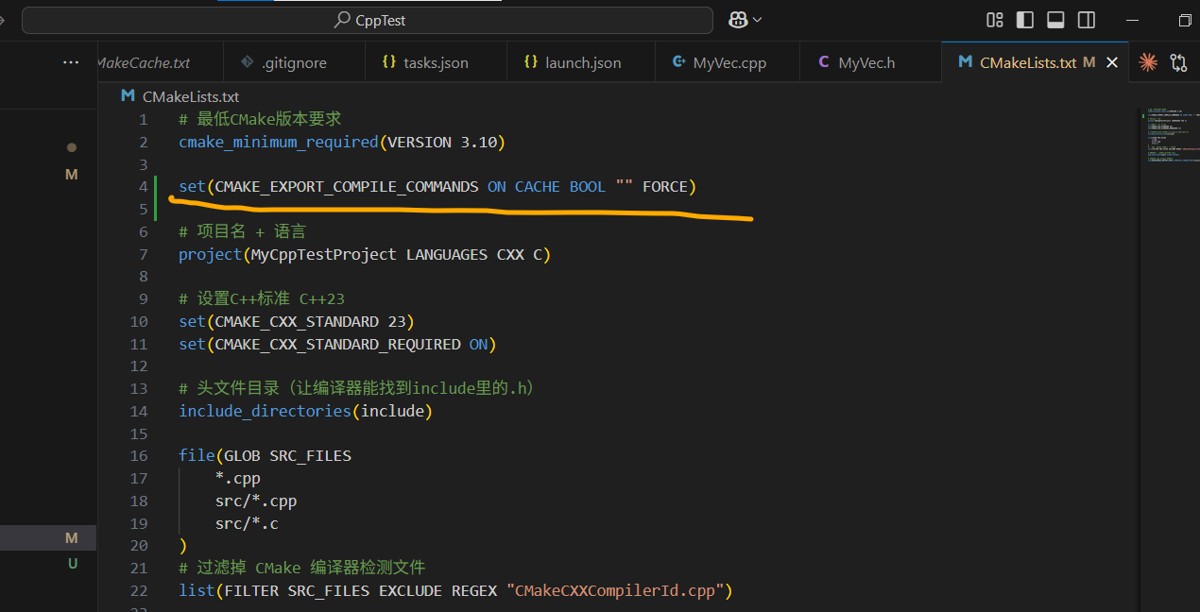
2、cmake 开启导出编译数据库 cmake_export_compile_commands
3、配置 .vscode/c_cpp_properties.json
原来是这样:
{
  "configurations": [
    {
      "name": "windows-gcc-x64",
      "includepath": [
        "${workspacefolder}/**"
      ],
      "compilerpath": "c:/program files (x86)/mingw64/bin/gcc.exe",
      "cstandard": "${default}",
      "cppstandard": "${default}",
      "intellisensemode": "windows-gcc-x64",
      "compilerargs": [
        ""
      ]
    }
  ],
  "version": 4
}
改成:
{
  "configurations": [
    {
      "name": "windows-gcc-x64",
      "includepath": [
        "${workspacefolder}/**"
      ],
      "compilerpath": "c:/program files (x86)/mingw64/bin/g++.exe",
      "cstandard": "c17",
      "cppstandard": "c++23",
      "intellisensemode": "windows-gcc-x64",
      "compilecommands": "${workspacefolder}/compile_commands.json"
    }
  ],
  "version": 4
}
4、重载 vscode 窗口,重建 intellisense 索引
ctrl+shift+p → developer: reload window ,重载窗口
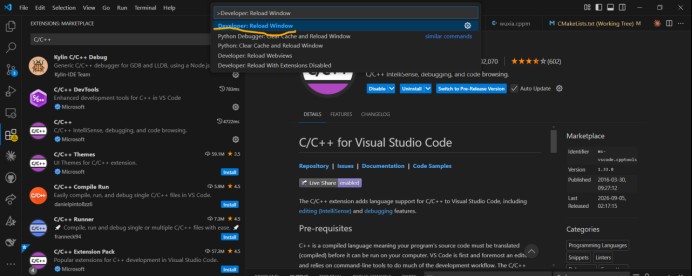
完成以上步骤,再次点击函数调用能跳转到函数定义处了。
到此这篇关于vscode c++ 跨文件跳转失效的文章就介绍到这了,更多相关vscode c++ 跨文件跳转内容请搜索代码网以前的文章或继续浏览下面的相关文章希望大家以后多多支持代码网!




发表评论