
 我要评论
我要评论一、nginx是什么
- 是一个高性能的 http 和反向代理 web 服务器,同时也提供了 imap/pop3/smtp 服务。
- 是一款轻量级的 web服务器/反向代理服务器及电子邮件(imap/pop3)代理服务器,在bsd-like 协议下发行。其特点是占有内存少,并发能力强。
二、ubuntu 系统下安装 nginx
1、安装包下载
地址:https://nginx.org/download/
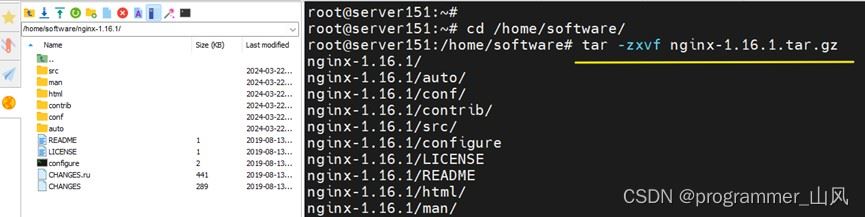
2、上传服务器并解压缩
tar -zxvf nginx-1.16.1.tar.gz
3、依赖配置安装
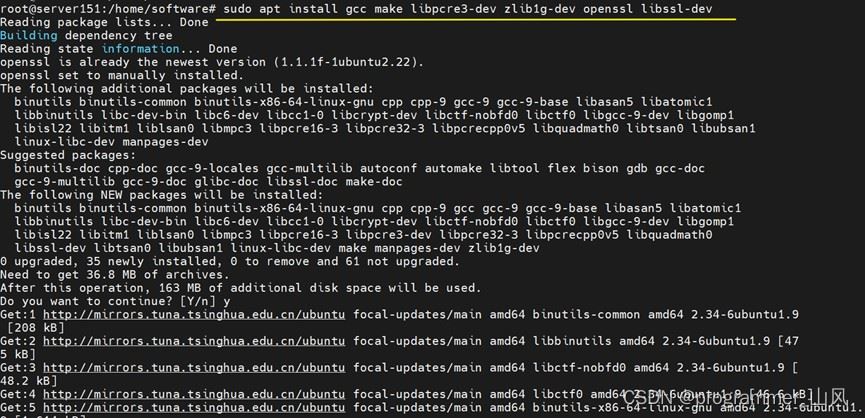
sudo apt install gcc make libpcre3-dev zlib1g-dev openssl libssl-dev
4、生成编译脚本
./configure --prefix=/usr/local/nginx --with-http_ssl_module
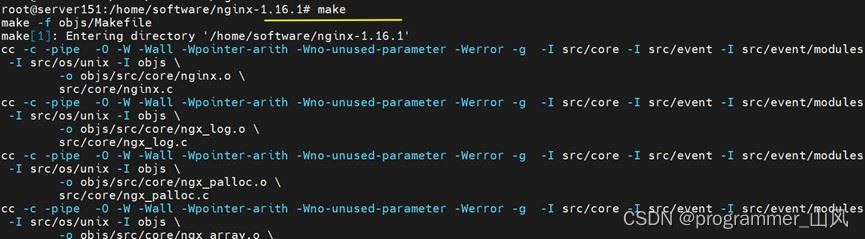
5、编译
make
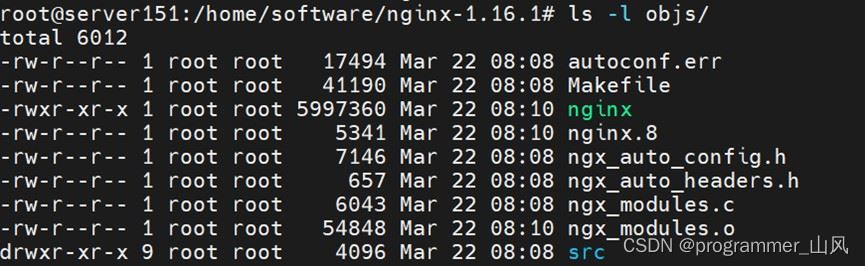
编译完成:
6、开始安装
make install
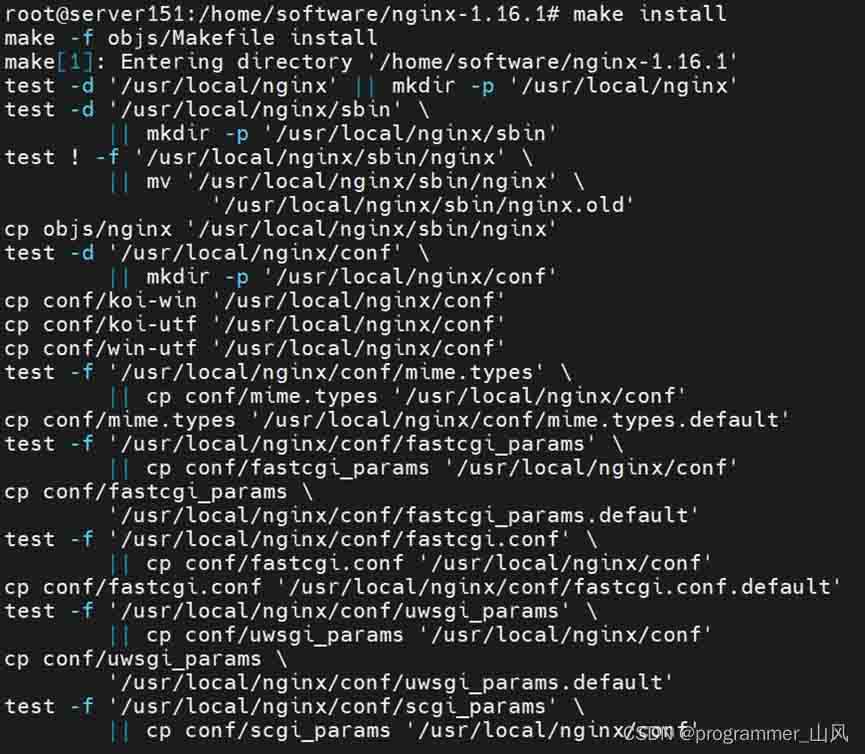
查看是否安装成功:
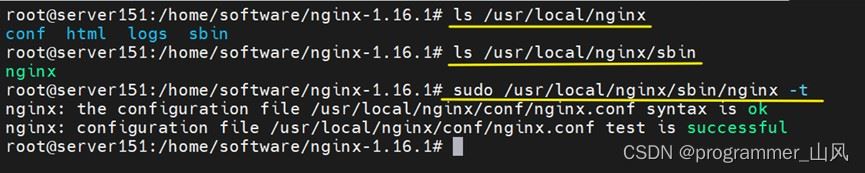
7、设置为随机自启动
7.1、创建 nginx.service 文件,将以下内容粘贴到文件中
description=nginx - high performance web server
after=network.target remote-fs.target nss-lookup.target
[service]
type=forking
execstart=/usr/local/nginx/sbin/nginx -c /usr/local/nginx/conf/nginx.conf
execreload=/usr/local/nginx/sbin/nginx -s reload
execstop=/usr/local/nginx/sbin/nginx -s stop
[install]
wantedby=multi-user.target
7.2、将 nginx.service 放入 /etc/systemd/system/ 下,并授权
chmod 777 nginx.service
7.3、配置重新加载
systemctl daemon-reload
7.4、开启nginx随机自启服务
systemctl enable nginx.service
7.5、 启动nginx
systemctl start nginx.service
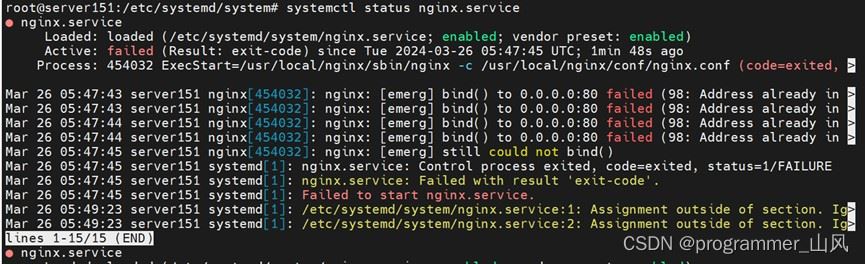
7.6、查看服务状态
systemctl status nginx.service
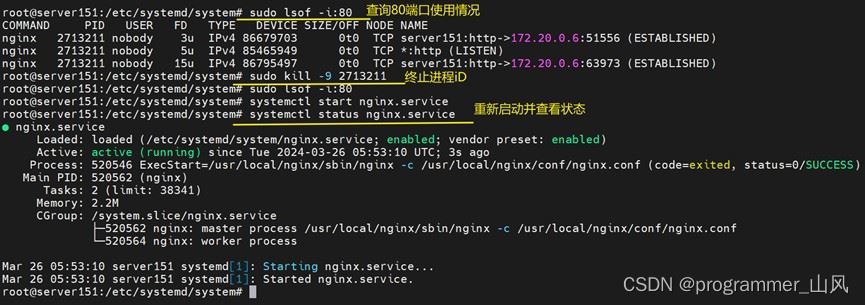
若发现以下错误,这是因为80端口已经被其他进行占用导致nginx无法绑定到80端口上,可尝试查询端口占用进程并终止该进程。
总结
以上为个人经验,希望能给大家一个参考,也希望大家多多支持代码网。





发表评论