
 我要评论
我要评论开启状态界面(状态页面配置)
开启status:
location /status {
  stub_status {on | off};
  allow 172.16.0.0/16;
  deny all;
}
访问状态页面的方式:http://server_ip/status
| 状态码 | 表示的意义 |
|---|---|
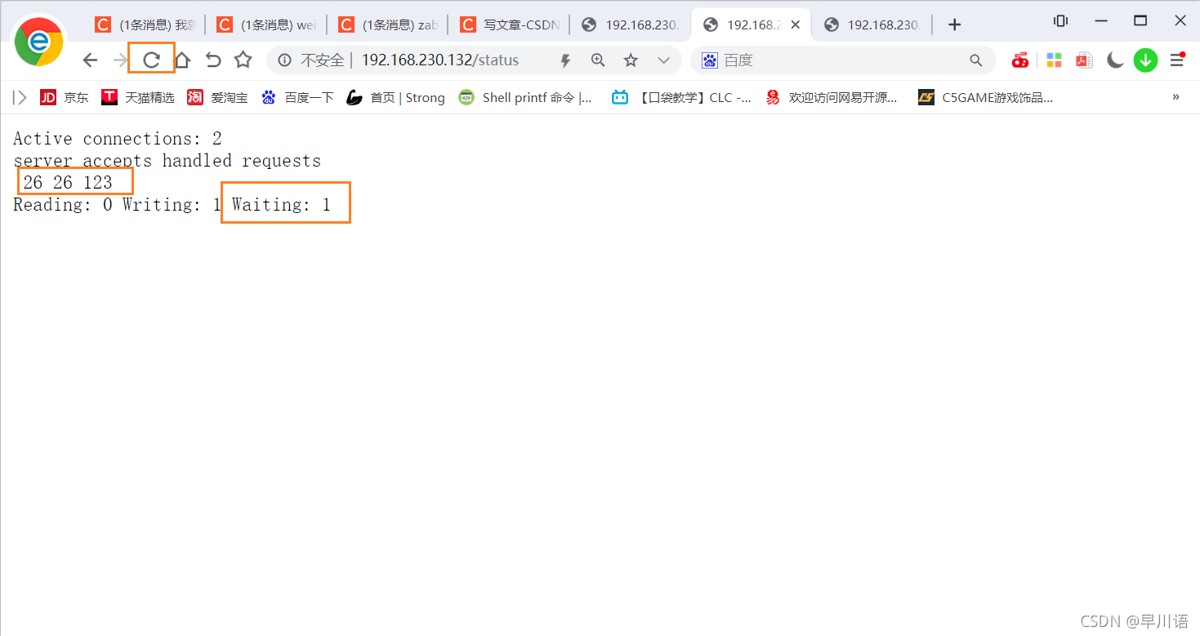
| active connections 2 当前所有处于打开状态的连接数 | |
| accepts | 总共处理了多少个连接 |
| handled | 成功创建多少握手 |
| requests | 总共处理了多少个请求 |
| reading nginx | 读取到客户端的header信息数,表示正处于接收请求状态的连接数 |
| writing nginx | 返回给客户端的header信息数,表示请求已经接收完成,且正处于处理请求或发送响应的过程中的连接数 |
| waiting | 开启keep-alive的情况下,这个值等于active - (reading + writing),意思就是nginx已处理完正在等候下一次请求指令的驻留连接 |
实例
[root@localhost conf]# vim nginx.conf

        #access_log  logs/host.access.log  main;

        location / {
            root   html;
            index  index.html;
        }

        location /status {
            stub_status;
        }
[root@localhost conf]# nginx
#看见以下界面代表成功了
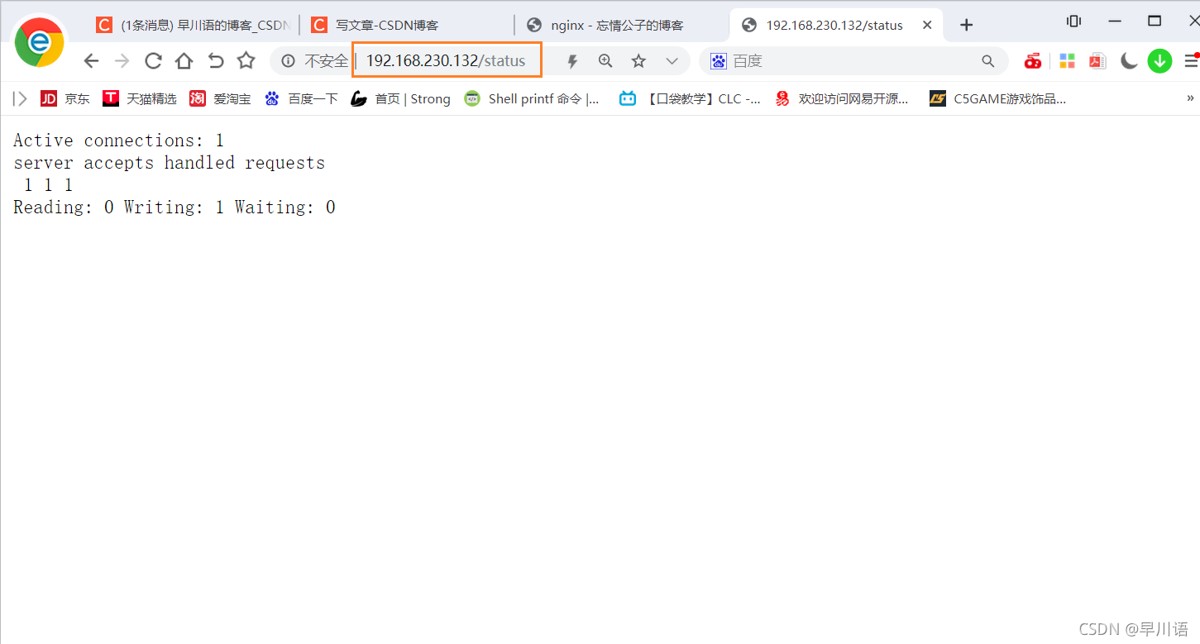
通过过滤的方式进行监控status
[root@localhost conf]# curl http:/192.168.230.132/status
active connections: 1
server accepts handled requests
 3 3 3
reading: 0 writing: 1 waiting: 0
[root@localhost conf]# curl -s http:/192.168.230.132/status |awk 'nr==4'
reading: 0 writing: 1 waiting: 0
[root@localhost conf]# curl -s http:/192.168.230.132/status |awk 'nr==4{print $2}'
0
使用zabbix监控status
#先在从安装下zabbix
[root@localhost src]# cd /usr/local/
[root@localhost local]# tar xf zabbix-5.4.4.tar.gz
[root@localhost local]# cd zabbix-5.4.4
[root@localhost zabbix-5.4.4]# useradd -r -m -s /sbin/nologin zabbix
[root@localhost zabbix-5.4.4]# yum -y install vim wget gcc gcc-c++ make pcre-devel openssl openssl-devel
[root@localhost zabbix-5.4.4]# ./configure --enable-agent
  ldap support:          no
  ipv6 support:          no

***********************************************************
*            now run 'make install'                       *
*                                                         *
*            thank you for using zabbix!                  *
*              <http://www.zabbix.com>                    *
***********************************************************
[root@localhost zabbix-5.4.4]# make install
[root@localhost ~]# tr -dc a-za-z < /dev/urandom | head -c 8 |xargs
sbncsvlr
[root@localhost ~]# cd /usr/local/etc/
[root@localhost etc]# ls
zabbix_agentd.conf  zabbix_agentd.conf.d
[root@localhost etc]# vim zabbix_agentd.conf
(注意:这里配置113行和154行的ip是控制端上的,也就是拥有zabbix平台的)

113 server=192.168.230.131
154 serveractive=192.168.230.131
165 hostname=sbncsvlr
322 unsafeuserparameters=1     #值修改为1
525 userparameter=check_status,/scripts/check_status.sh

[root@localhost etc]# zabbix_agentd

#编写脚本
[root@localhost scripts]# vim check_status.sh
[root@localhost scripts]# cat check_status.sh
#!/bin/bash

check_status=$(curl -s 192.168.230.132/status |awk 'nr==4'|awk -f: {'print $4'})

if [ $check_status -ge 1 ];then
    echo 1
else
    echo 0
fi


[root@localhost scripts]# chmod +x check_status.sh
[root@localhost scripts]# ll
总用量 4
-rwxr-xr-x 1 root root 128 10月 28 08:47 check_status.sh

[root@localhost conf]# pkill zabbix-agent
[root@localhost conf]# ss -anlt
state  recv-q send-q local address:port    peer address:port process
listen 0      128          0.0.0.0:10050        0.0.0.0:*
listen 0      128          0.0.0.0:80           0.0.0.0:*
listen 0      128          0.0.0.0:22           0.0.0.0:*
listen 0      128             [::]:22              [::]:*

#下面是主上面进行测试
[root@localhost ~]# ss -anlt
state   recv-q  send-q    local address:port      peer address:port
listen  0       128           127.0.0.1:9000           0.0.0.0:*
listen  0       128             0.0.0.0:111            0.0.0.0:*
listen  0       128             0.0.0.0:80             0.0.0.0:*
listen  0       32        192.168.122.1:53             0.0.0.0:*
listen  0       128             0.0.0.0:22             0.0.0.0:*
listen  0       5             127.0.0.1:631            0.0.0.0:*
listen  0       128             0.0.0.0:10050          0.0.0.0:*
listen  0       128             0.0.0.0:10051          0.0.0.0:*
listen  0       80                    *:3306                 *:*
listen  0       128                [::]:111               [::]:*
listen  0       128                [::]:22                [::]:*
listen  0       5                 [::1]:631               [::]:*
[root@localhost ~]# zabbix_get -s 192.168.230.132 -k check_status
0
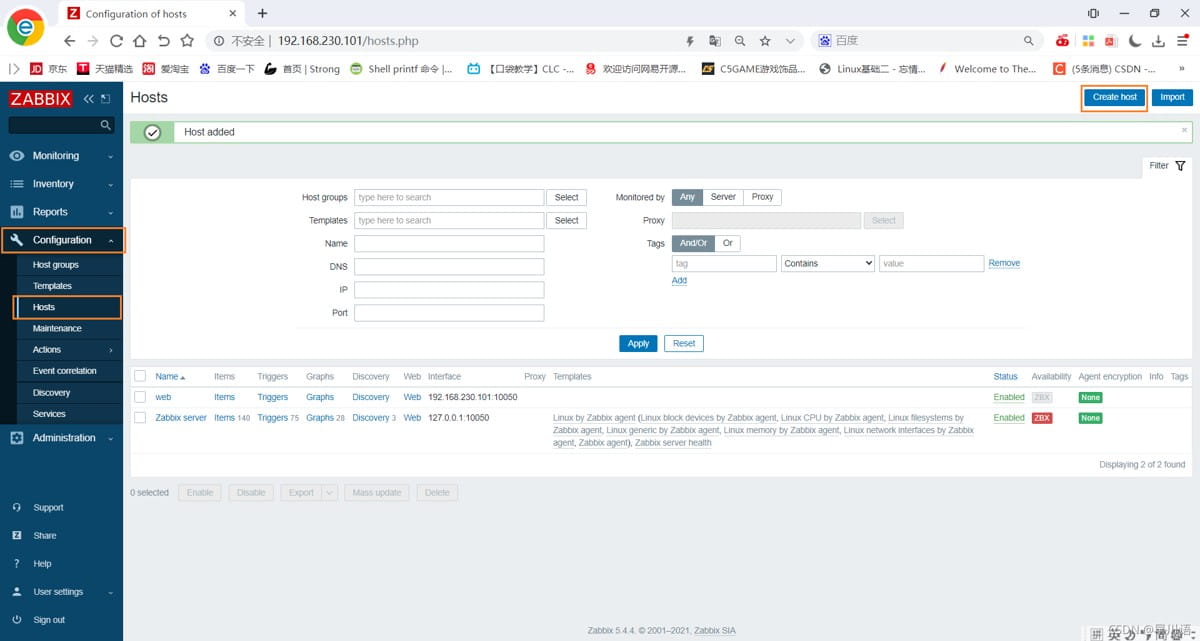
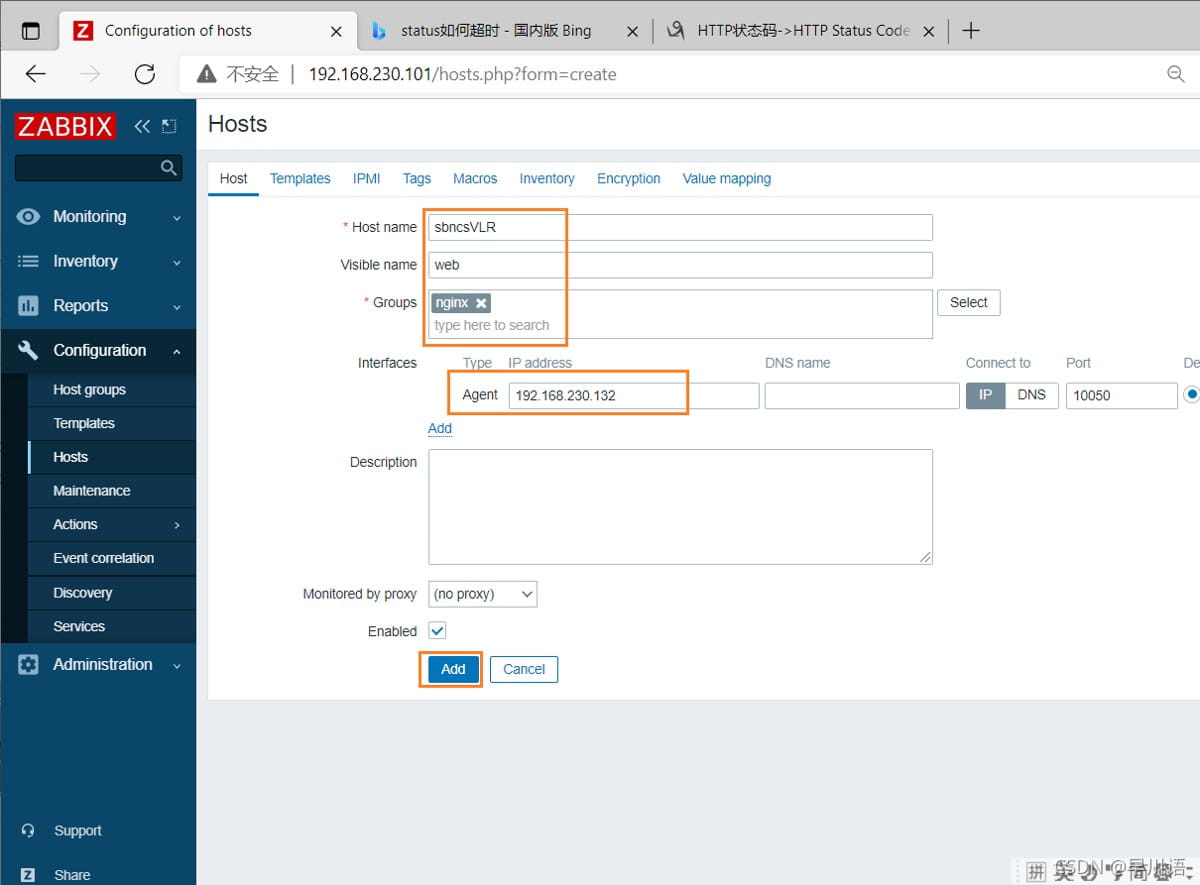
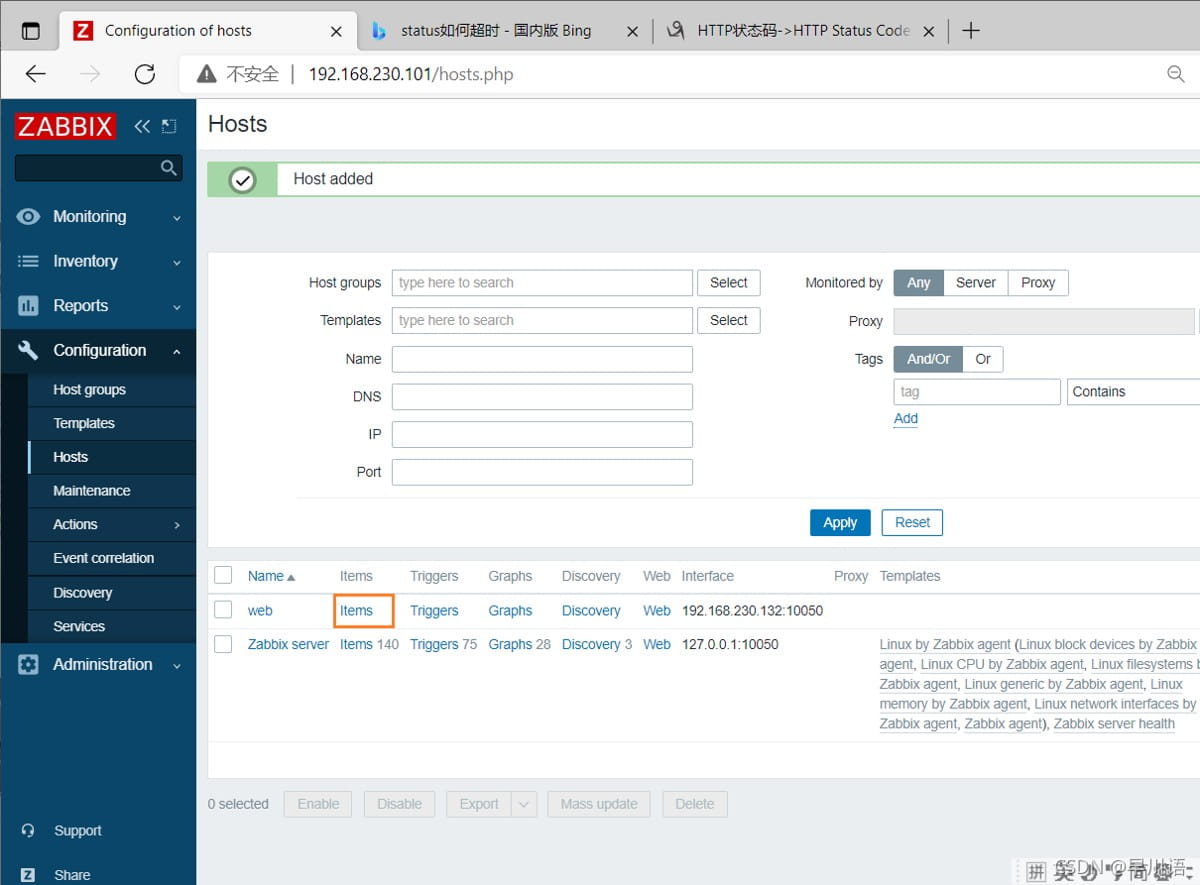
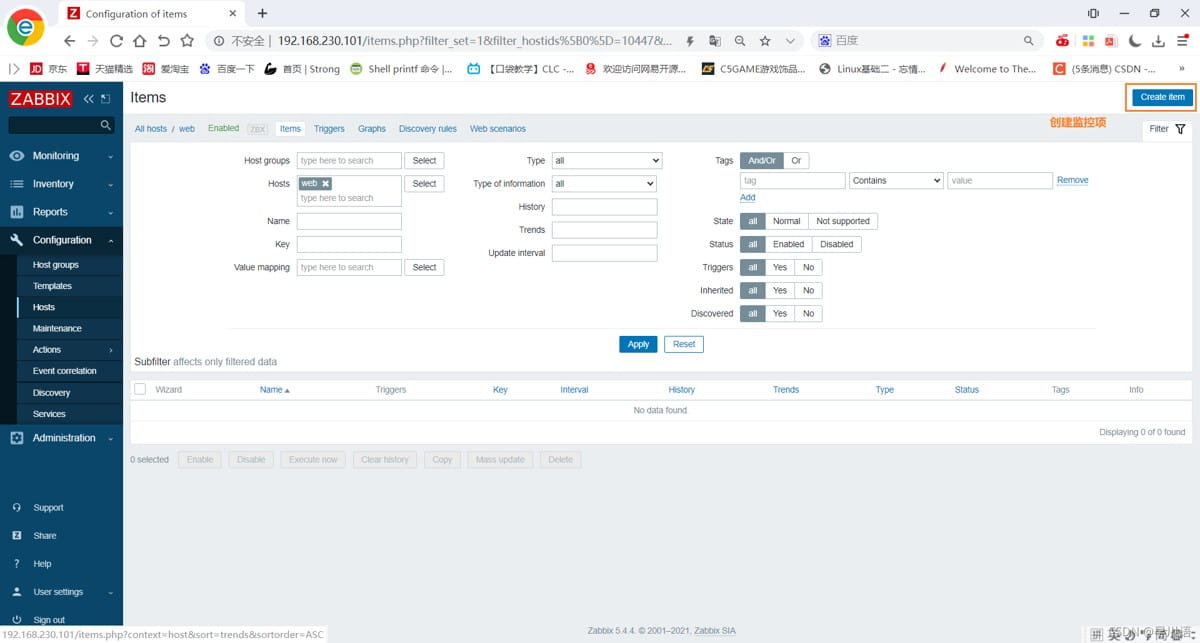
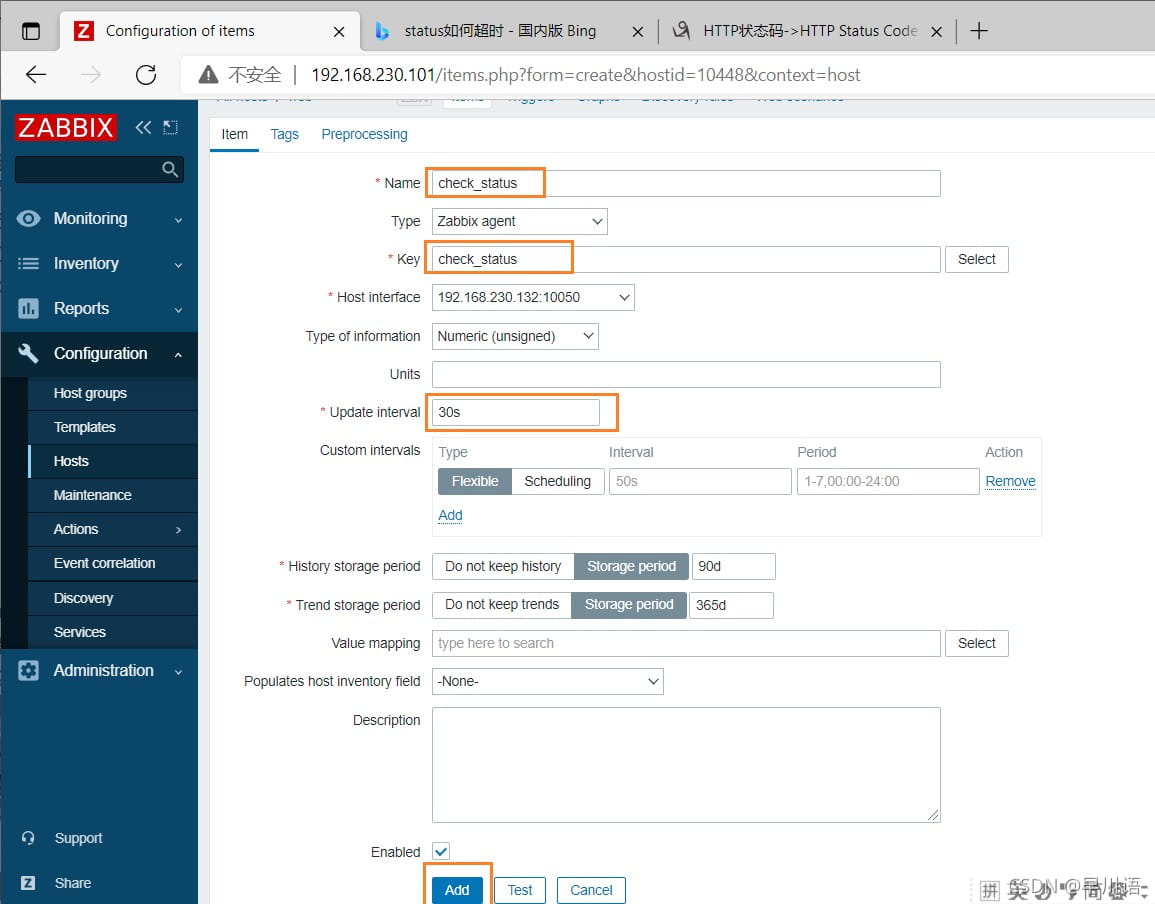
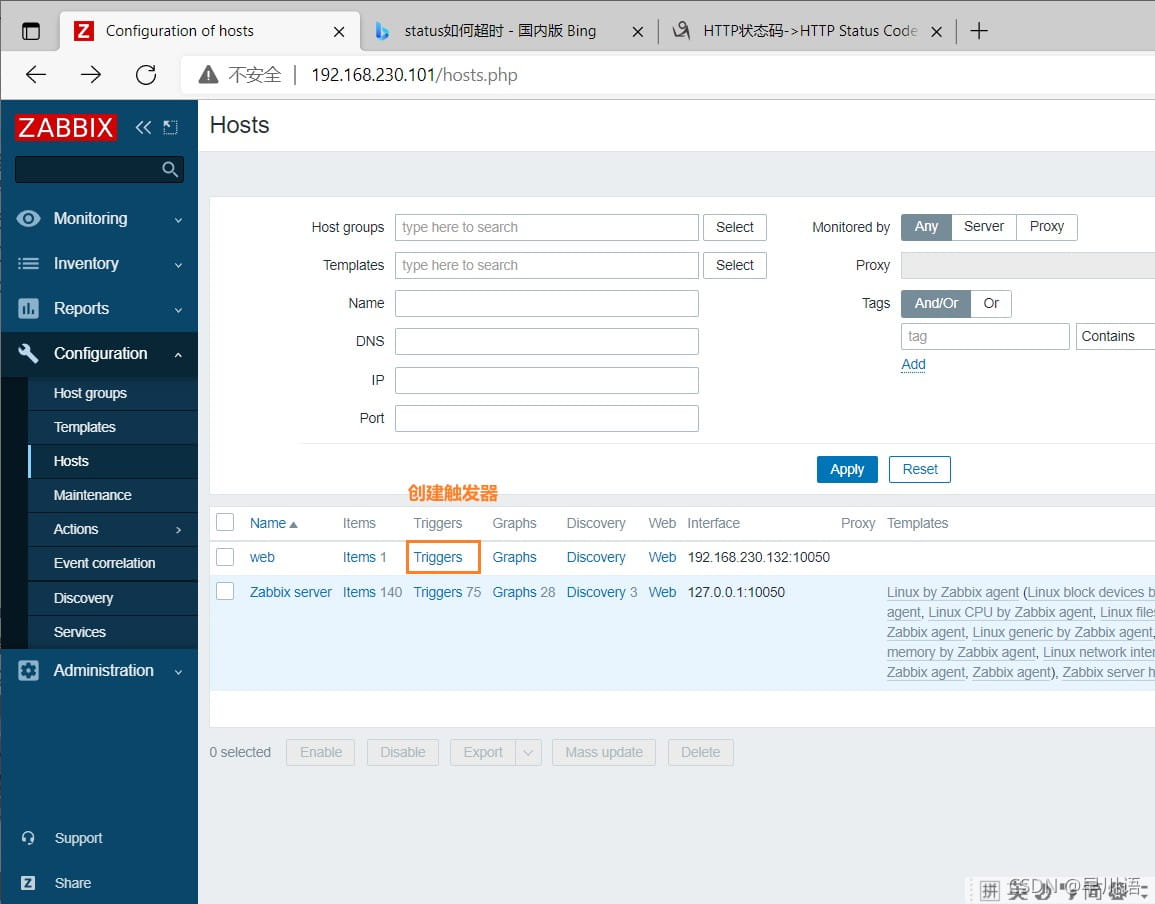
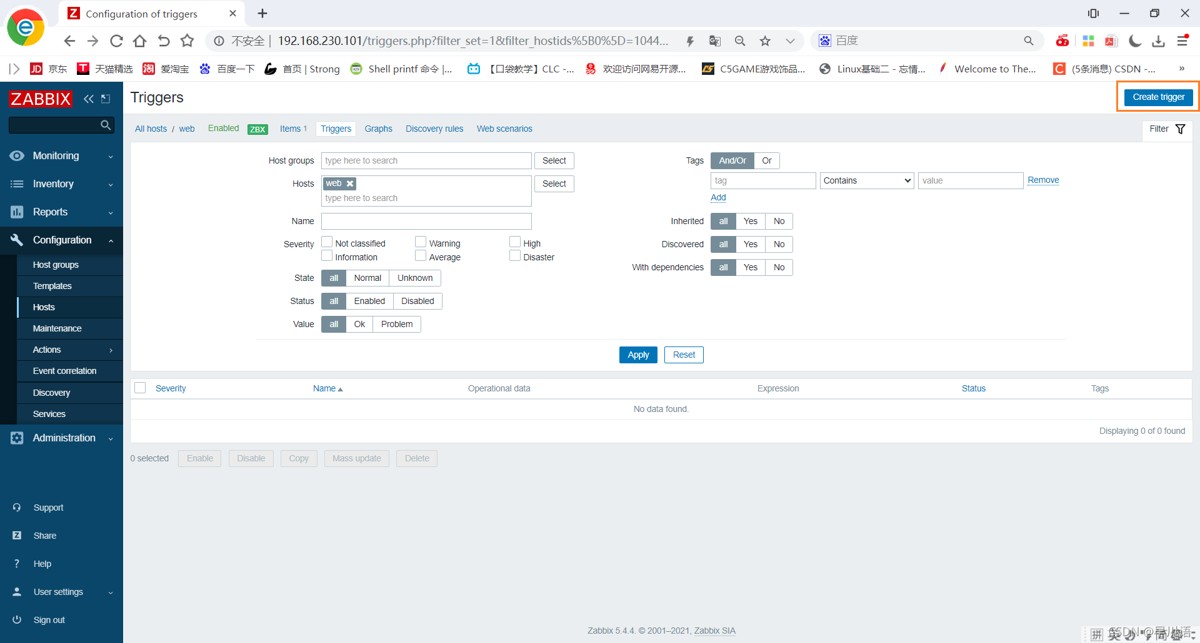
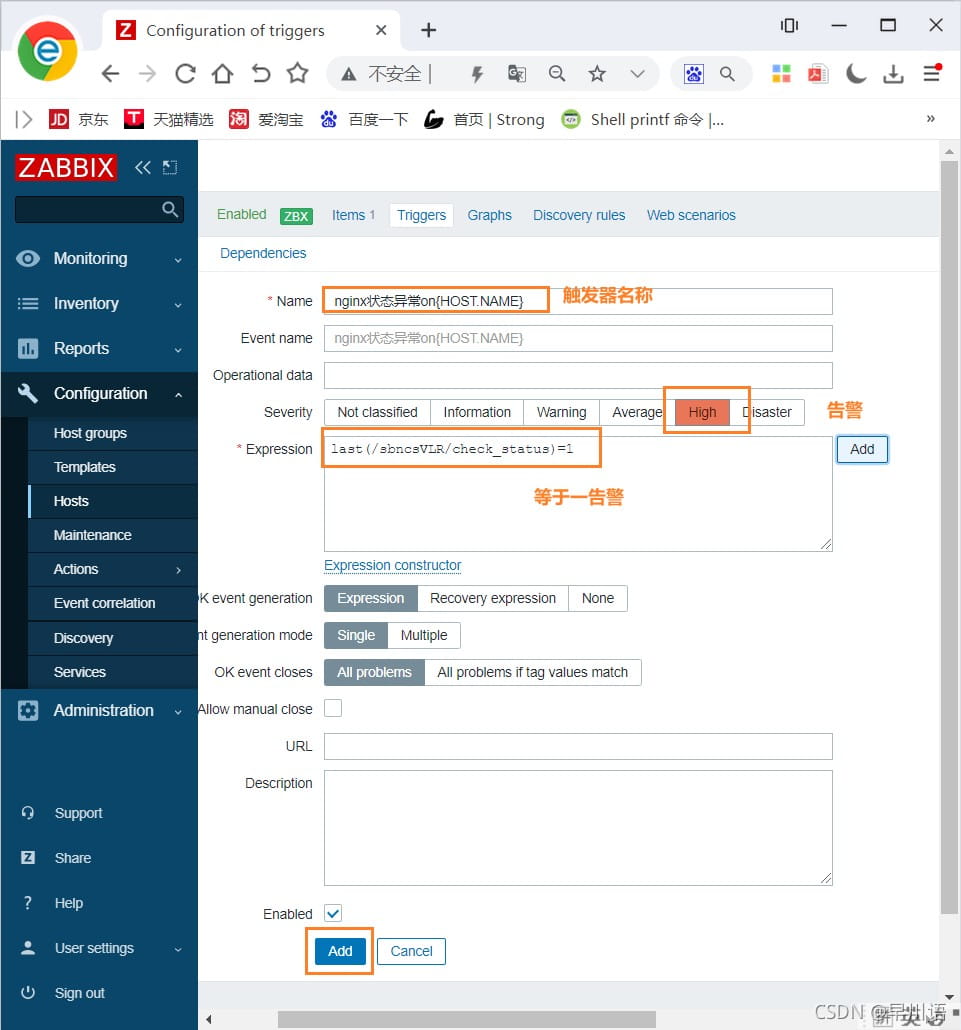
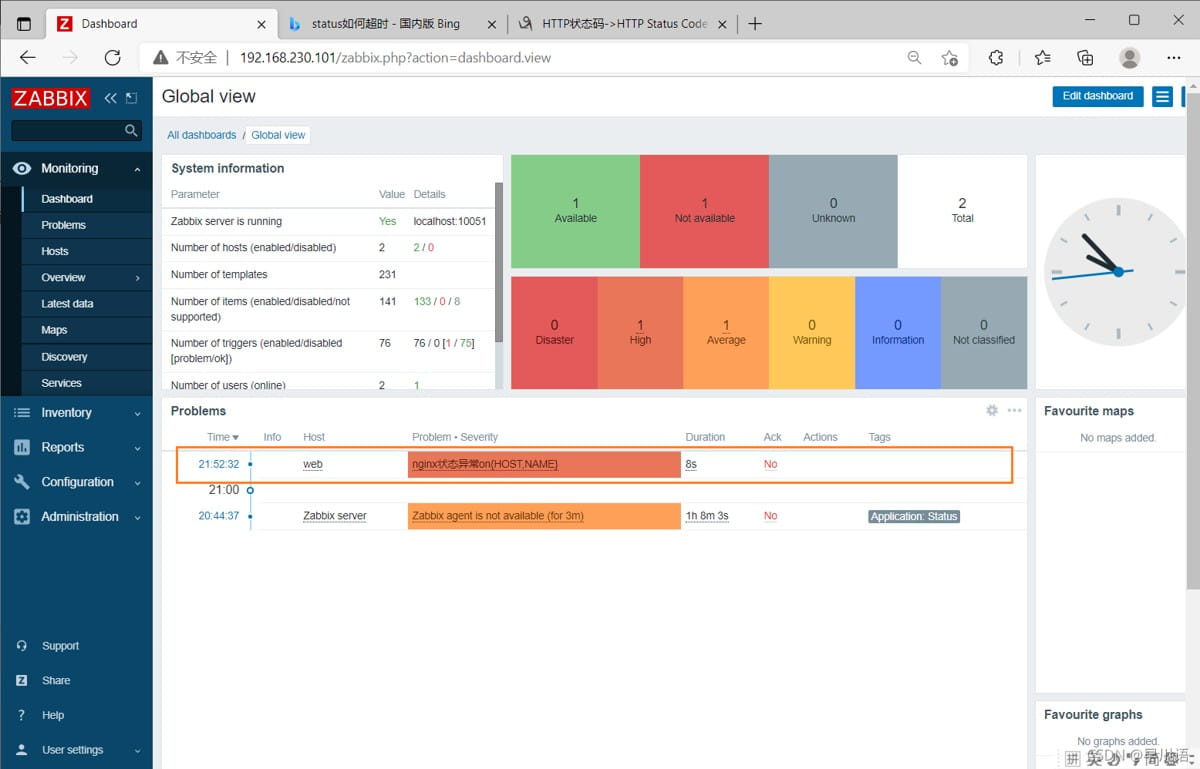
[root@localhost ~]# zabbix_get -s 192.168.230.132 -k check_status
1
rewrite url重定向
url组成:
协议+用户+密码+主机(或者域名):prot/uri?query_args (问号前面都是)
rewrite
语法:rewrite regex replacement flag;,如:
rewrite ^/images/(.*\.jpg)$ /imgs/$1 break;
(把/images下的目录的请求发给 /imgs)
[root@localhost conf]# cd /usr/local/nginx/html/
[root@localhost html]# ls
50x.html  index.html  index.php  tset
[root@localhost html]# mkdir images
[root@localhost html]# cd images/
[root@localhost images]# ls
#随便找张照片放上去
[root@localhost images]# ls
[root@localhost images]# ls
0075tgutgy1gvuz5ma0hhj30l816utg4.jpg
[root@localhost images]# mv 0075tgutgy1gvuz5ma0hhj30l816utg4.jpg 1.jpg
[root@localhost images]# ls
1.jpg
直接查找是可以访问到的,结果如下

如果修改了文件名测试下是否还能访问到
[root@localhost html]# mv images/ imgs
[root@localhost html]# ls
50x.html  imgs  index.html  index.php  tset

 #此行让他找到匹配的对象

       #access_log  logs/host.access.log  main;

        location / {
            root   html;
            index  index.html;
        }

        location /images {         #添加这句
			rewrite ^/images/(.*\.jpg)$ /imgs/$1 break;
        }
两种方式访问测试:


此处的$1用于引用(.*.jpg)匹配到的内容,又如:
rewrite ^/bbs/(.*)$ http://www.idfsoft.com/index.html redirect;
常见的flag
| flag | 作用 |
|---|---|
| last | 基本上都用这个flag,表示当前的匹配结束,继续下一个匹配,最多匹配10个到20个 一旦此rewrite规则重写完成后,就不再被后面其它的rewrite规则进行处理 而是由useragent重新对重写后的url再一次发起请求,并从头开始执行类似的过程 |
| break | 中止rewrite,不再继续匹配 一旦此rewrite规则重写完成后,由useragent对新的url重新发起请求, 且不再会被当前location内的任何rewrite规则所检查 |
| redirect | 以临时重定向的http状态302返回新的url |
| permanent | 以永久重定向的http状态301返回新的url(开发用的比较多) |
ginx使用的语法源于perl兼容正则表达式(pcre)库,基本语法如下:
| 标识符 | 意义 |
|---|---|
| ^ | 必须以^后的实体开头 |
| $ | 必须以$前的实体结尾 |
| . | 匹配任意字符 |
| [] | 匹配指定字符集内的任意字符 |
| [^] | 匹配任何不包括在指定字符集内的任意字符串 |
| l | 匹配 |
| () | 分组,组成一组用于匹配的实体,通常会有 |
if
语法:if (condition) {…}
应用场景:
server段
location段
常见的condition
变量名(变量值为空串,或者以“0”开始,则为false,其它的均为true)
以变量为操作数构成的比较表达式(可使用=,!=类似的比较操作符进行测试)
正则表达式的模式匹配操作
~:区分大小写的模式匹配检查
~*:不区分大小写的模式匹配检查
!~和!~*:对上面两种测试取反
测试指定路径为文件的可能性(-f,!-f)
测试指定路径为目录的可能性(-d,!-d)
测试文件的存在性(-e,!-e)
检查文件是否有执行权限(-x,!-x)
基于浏览器实现分离案例
if ($http_user_agent ~ firefox) {
  rewrite ^(.*)$ /firefox/$1 break;
}

if ($http_user_agent ~ msie) {
  rewrite ^(.*)$ /msie/$1 break;
}

if ($http_user_agent ~ chrome) {
  rewrite ^(.*)$ /chrome/$1 break;
}
防盗链案例
location ~* \.(jpg|gif|jpeg|png)$ {
  valid_referers none blocked www.idfsoft.com;
  if ($invalid_referer) {
    rewrite ^/ http://www.idfsoft.com/403.html;
  }
}
到此这篇关于nginx中status的使用详解的文章就介绍到这了,更多相关nginx status使用内容请搜索代码网以前的文章或继续浏览下面的相关文章希望大家以后多多支持代码网!






发表评论